
In today’s digital marketplace, high‑quality product videos can be the difference between a casual browser and a committed buyer. This guide profiles six of the most reliable eCommerce video makers—MiniTool MovieMaker, Microsoft Clipchamp, Lumen5, Vimeo, Animoto, and VEED.io—so you can create professional, conversion‑boosting videos without a steep learning curve.
Quick Navigation :
- 6 Best eCommerce Video Makers for Windows
- Tips to Make Your eCommerce Videos More Stunning
- Conclusion
eCommerce video has become an essential digital marketing tool, showcasing product demonstrations, customer testimonials, behind‑the‑scenes footage, how‑to guides, and more. Designed to increase conversion rates and enhance customer engagement, eCommerce videos are widely used across websites, social media, and ad platforms to reach potential audiences effectively.
Wonder how to create an engaging eCommerce video? This post presents six reliable eCommerce video makers to elevate your sales.
6 Best eCommerce Video Makers for Windows
Choosing the right video maker hinges on ease of use, customization options, template availability, and resource libraries. Below is a curated list of tools that excel in these areas:
- MiniTool MovieMaker
- Microsoft Clipchamp
- Lumen5
- Vimeo
- Animoto
- VEED.io
Let’s examine each tool in detail.
MiniTool MovieMaker
MiniTool MovieMaker is a top‑choice for Windows users seeking a powerful yet intuitive editor. Its clean interface and robust feature set allow you to crop, split, trim, and rotate clips with ease, while the multi‑track system supports overlays, text, transitions, and effects—all without watermarks.
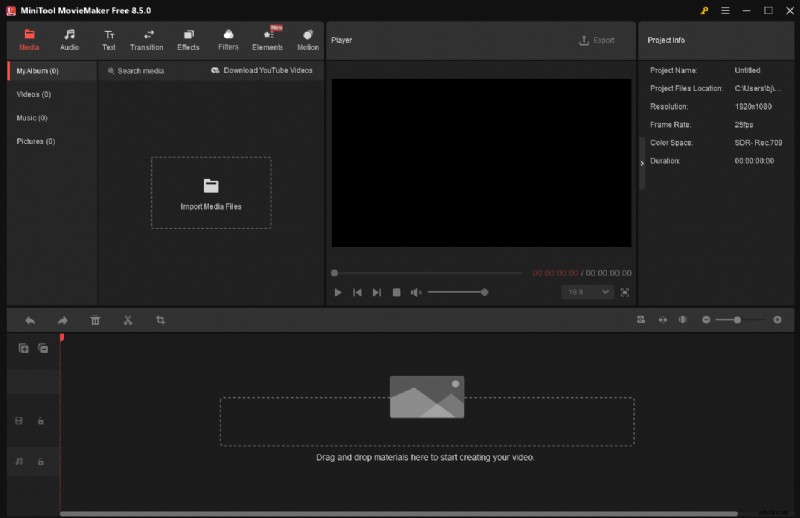
With support for MP4, AVI, MOV, GIF, and MP3, you can import images, extract audio, and export 4K footage while controlling resolution, frame rate, and bitrate.
Overall, MiniTool MovieMaker delivers a versatile editing experience suitable for beginners and seasoned creators alike.
Pros:
- Intuitive interface and ease of use
- Comprehensive basic and advanced editing tools
- Rich library of text templates, transitions, and effects
- Wide format compatibility and full customization
- Watermark‑free exports
Cons:
- Windows‑only application
How to Create an eCommerce Video with MiniTool MovieMaker
Follow this step‑by‑step guide to produce a polished product video.
- Download and Install
Click the button below to download MiniTool MovieMaker and follow the on‑screen instructions.
MiniTool MovieMaker - Download - Import Media
Open the program, choose New Project, then click Import Media Files to add your videos, images, and audio. Drag the items into the timeline using the Plus icon. - Trim and Split
Use the trim icon to remove unwanted sections. For in‑clip cuts, position the playhead, click Split, and delete the unwanted segment. - Adjust Media Properties
Select an image or clip on the timeline and tweak duration, size, rotation, color, speed, and audio fade‑ins/outs via the right‑hand panels. - Add Transitions
Drag a transition from the Transitions tab between clips. Right‑click to apply to all, and adjust duration or mode as needed. - Apply Filters
Browse the Filters section, preview on the player, and drop the desired filter onto the timeline. - Insert Text
Add a text overlay from the Text tab, then customize font, size, and style in the properties panel. - Background Music
Navigate to Audio, select music, download, and drag onto the timeline. Trim to match video length and adjust volume. - Export
Click Export, choose format, resolution, frame rate, and other settings, then click Export to save the final product.
Using MiniTool MovieMaker is an efficient way to craft professional eCommerce videos—give it a try!
Microsoft Clipchamp
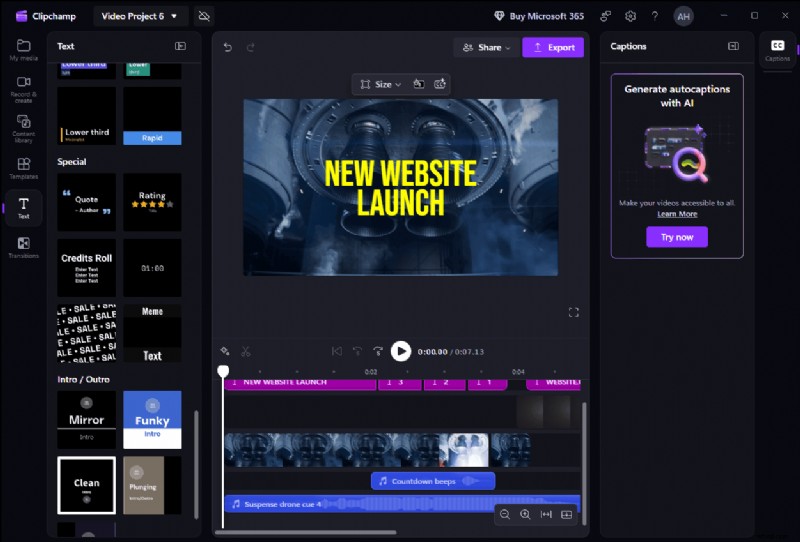
Clipchamp, integrated into Windows 11 and available via the Microsoft Store or web, offers a versatile all‑in‑one editor and screen recorder. Its extensive template library, built‑in assets, and AI auto‑caption feature make it a solid choice for quick, polished videos.
Pros:
- Ready‑to‑use templates and rich content library
- Text, transitions, and AI auto‑captioning
Cons:
- Free tier limitations (no 4K export, limited feature set)
Lumen5
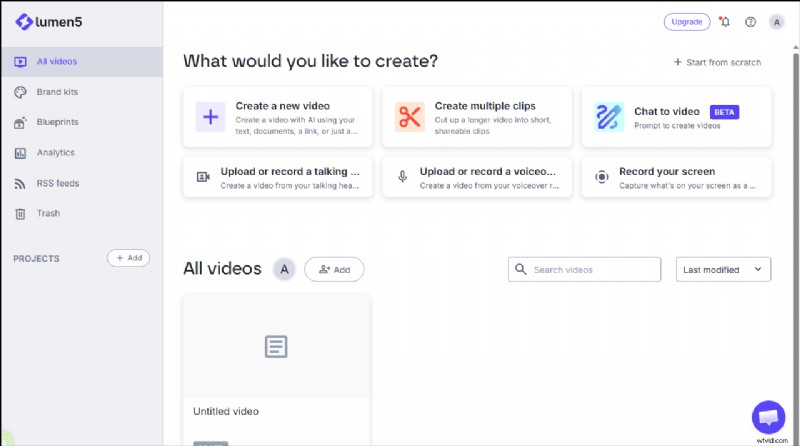
Lumen5 is an AI‑driven platform that transforms blog posts or product descriptions into engaging videos. It automatically selects clips, adds text overlays, and offers a wide range of stock footage and music—ideal for beginners needing quick production.
Pros:
- AI‑powered content conversion
- Extensive stock library and customizable templates
Cons:
- Free plan capped at 5 videos/month, 2‑minute max length
- Limited depth for complex projects
Vimeo
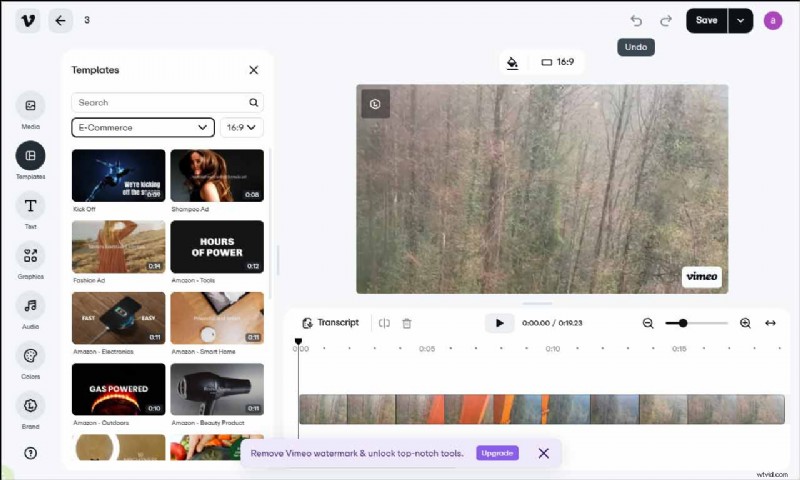
Vimeo’s online editor offers a professional suite of tools with a drag‑and‑drop workflow. Users can access ready‑made templates for Amazon product videos, teasers, and Facebook ads, while maintaining brand consistency through logo, color, and font overlays.
Pros:
- Intuitive interface and customizable overlays
- Wide selection of social‑media templates
- Branding tools (logo, colors, fonts)
Cons:
- Free version inserts a watermark
- Less advanced editing compared to desktop solutions
Animoto
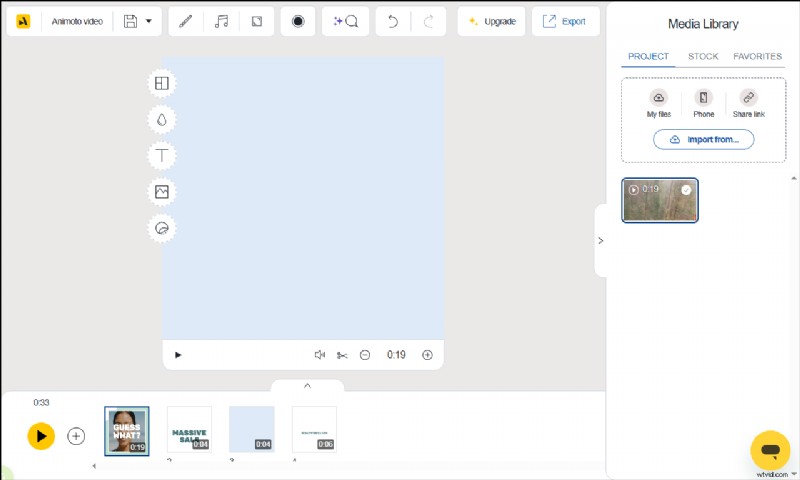
Animoto is a drag‑and‑drop editor favored by SMBs. Its library of graphics, animations, and effects, combined with AI‑assisted video creation, lets users convert text or URLs into polished videos in minutes.
Pros:
- Rich marketing templates and extensive resource library
- AI turns text or a webpage into video
Cons:
- Limited advanced customization for complex projects
VEED.io
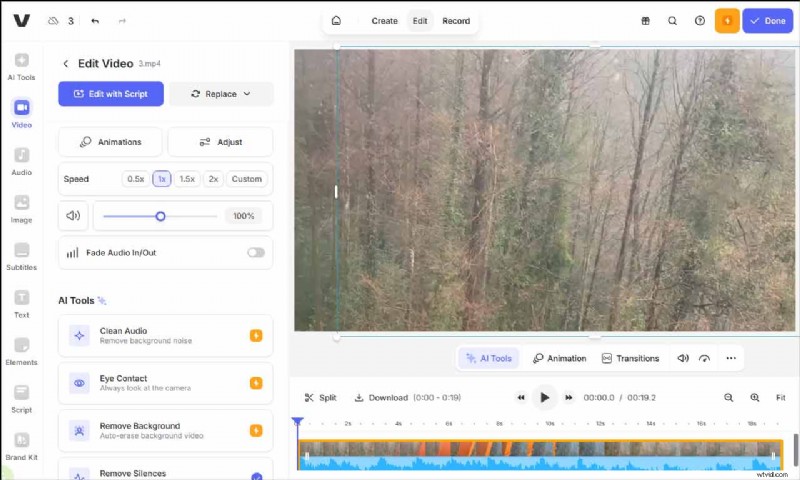
VEED.io is a cloud‑based editor that eliminates the need for downloads. Its AI tools—auto‑captions, transcripts, voice‑over generation—streamline video creation, while a plethora of effects, music, and text templates help highlight product features.
Pros:
- User‑friendly with extensive creative resources
- AI auto‑subtitles and voice‑over features
Cons:
- Free plan limits export quality
Tips to Make Your eCommerce Videos More Stunning
Beyond selecting a tool, several best practices can elevate your videos and drive conversions:
Follow Platform Specifications
Each platform favors a specific aspect ratio and length: TikTok prefers 9:16 vertical videos (~30 s), Instagram and Facebook ads run 45–60 s, while Amazon mandates a 16:9 widescreen format. Adhering to these specs maximizes reach and engagement.
Showcase Key Product Features
Use close‑ups, live demos, or overlay text to spotlight unique selling points. Clear visuals help viewers grasp value quickly and reduce purchase hesitation.
Include a Clear Call‑to‑Action (CTA)
Insert a concise CTA—such as “Buy Now” or “Learn More”—at a strategic moment. A compelling CTA can significantly boost click‑through and conversion rates.
Conclusion
High‑quality eCommerce videos are vital for promoting products and accelerating sales. Whether you opt for powerful desktop editors like MiniTool MovieMaker and Clipchamp or convenient online platforms like Vimeo, Animoto, or VEED.io, each tool offers unique strengths. Pair the right software with thoughtful storytelling and platform‑specific best practices to create videos that convert.
Have questions or run into issues while using MiniTool MovieMaker? Reach out at [email protected].