
This is our review of the best live streaming software for Windows right now.
The PC live streaming software landscape is getting increasingly more advanced. Most of the top software allow you to stream to multiple platforms, use fancy animations & titles, and easily bring in guests.
Some of these software even have features to help you create quality videos from your live streams!
Whether you’re looking to go live on YouTube, Facebook, Twitch or pretty much any other major platform, there are lots of options available all with different standout features.
But which live streaming app is right for you? The best option will depend on your specific needs. So in our annual roundup we’ve made sure to include options for every different type of live streamer!
After all the usual testing, we narrowed it down to a shortlist of just four programs:
- OBS Studio
- Prism Live Studio
- Evmux
- VMix
Let’s dive in.
OBS Studio Review
OBS Studio is one of the most popular live streaming options on the market. It has super advanced features and a high level of customizability. It does have some drawbacks though – the interface isn’t overly intuitive and it can be difficult to learn.
OBS is number one on our list of best software for live streaming on PC
But if you’re willing to invest the time to learn how it works, OBS is a great option. Especially considering the price tag!
Standout Feature: Really advanced features & supportive OBS online community
User Level: Intermediate to advanced
Strengths
- A ton of advanced features and customizability
- Powerful recording capabilities (you can record your live stream or use it to record a video even when you’re not live)
- Awesome OBS Community forum & other support available online
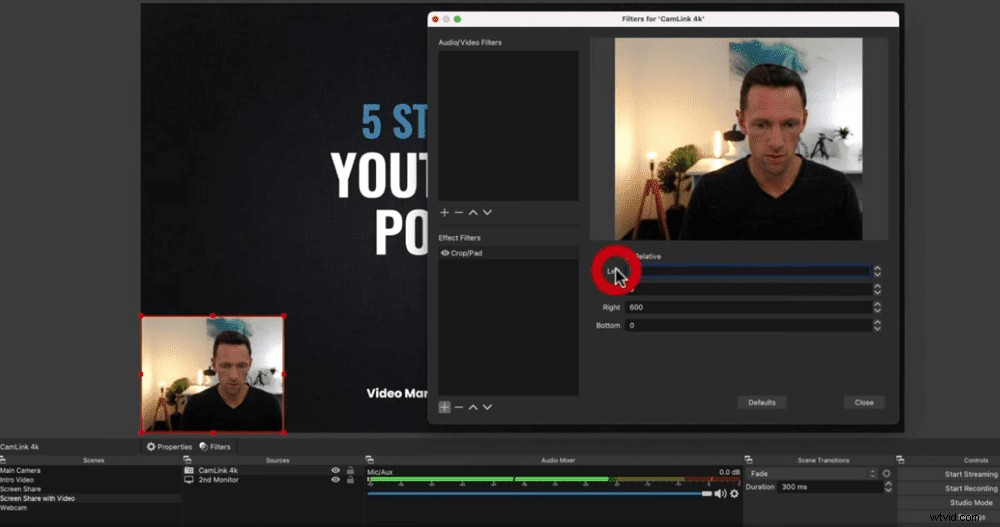
This is a super powerful option but the interface isn’t very intuitive & it can be hard to learn
Downsides
- User interface isn’t intuitive and it can be hard to find what you’re looking for
- No feature to bring in guests or broadcast to multiple platforms
- No templates or presets for different platforms
- Can be difficult to adjust your settings when you’re live

OBS is missing a number of features that most other livestreaming software have built-in
Pricing
OBS is an open source solution meaning it’s completely free!
Overall, OBS is a great solution for anyone who wants more advanced features and controls. If you’re looking for a free live streaming software and are willing to spend the time to learn, this is an awesome option.
Prism Live Studio Review
Prism Live Studio is relatively new to the live streaming space. It’s very similar to OBS in terms of the really powerful features. What makes Prism Live different is that it has a much more modern and intuitive interface. It’s a lot easier to use!
Prism Live Studio is number two on our list of best live stream software for Windows
Standout Feature: OBS-like features with a much more intuitive interface
User Level: Beginner to intermediate
Strengths
- Built-in simulcasting so you can go live on multiple platforms
- Combined real time chat that brings in comments from all the platforms you’re live on
- Really useful effects that allow you to add photos, videos & text to your stream
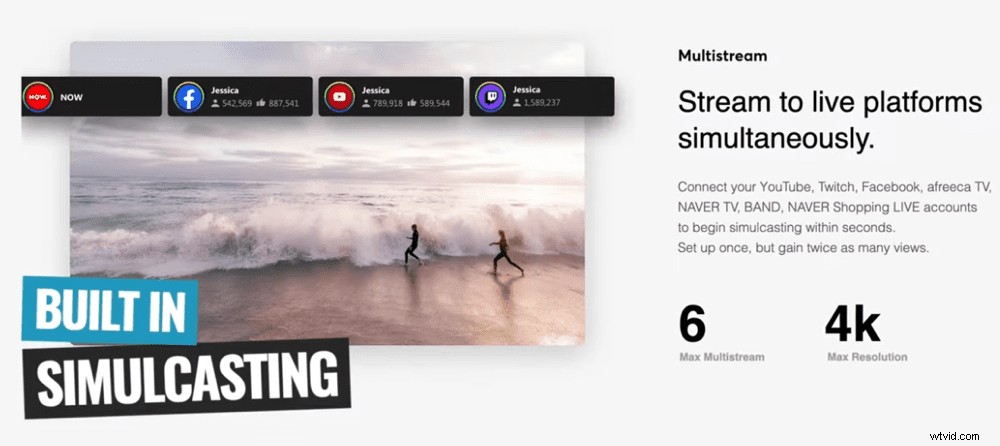
Built-in simulcasting means you can do a Facebook Live & a YouTube Live at the same time!
Downside
- More complicated to set up than options like Evmux
Pricing
Prism Live is another FREE live streaming software! It’s amazing what they give you access to so we have no idea how long it will remain free for. But it’s an amazing option so hopefully it stays free!
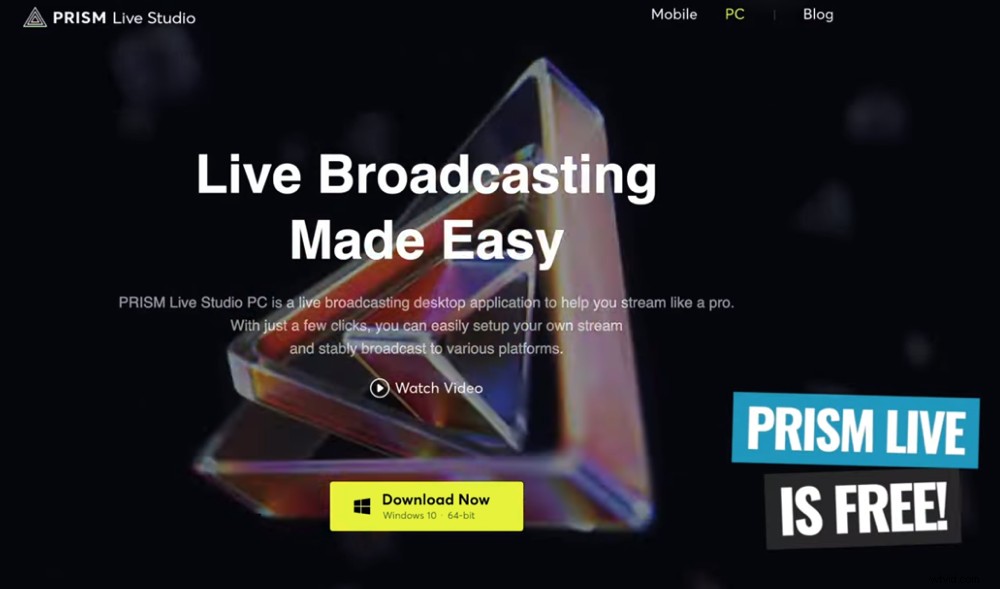
It’s incredible that this software is free – it’s an awesome livestream application
Overall, this is a great option that’s easy to use with a clean interface. If you’re looking for a more beginner-friendly livestream software and don’t need all the extra add-ons, Prism Live is an excellent choice.
Evmux
Evmux is an online browser-based software. This means you don’t need to download or install anything and you can use it on pretty much any device. It’s amazingly easy to use with a really intuitive interface.
Evmux is another serious contender for best live streaming software for Windows
There are a lot of similar online browser-based or cloud-based solutions such as Streamyard, Be.Live, Melon and wave.video. But Evmux has some awesome standout features.
Standout Feature: Massive level of control & customization while still being really easy to use
User Level: Beginner to intermediate
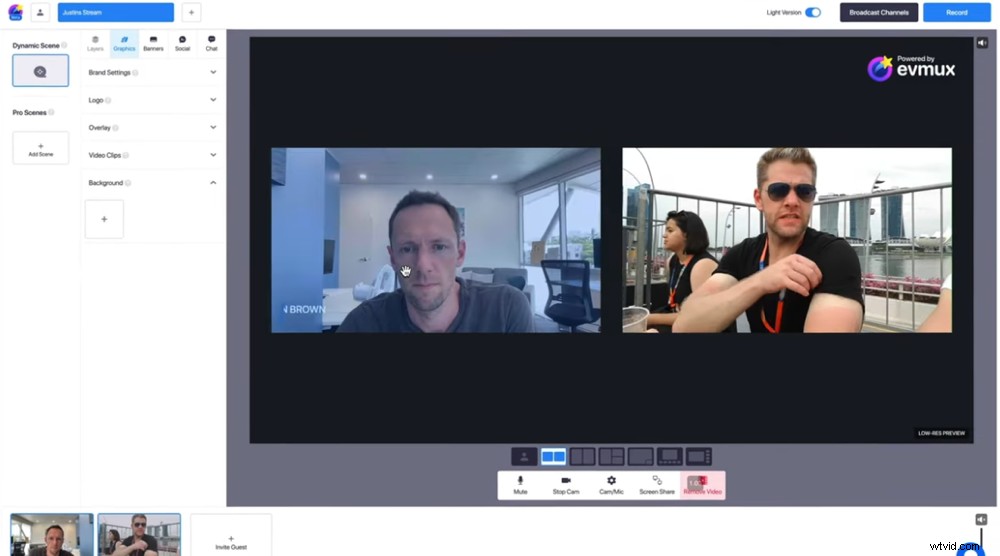
Evmux has some seriously cool features that make livestreaming easy & fun
Strengths
- ISO video recording capabilities (saves a separate video file for each of your guests)
- Dedicated green room where your guests can hang out before they come onto your live
- You can easily add co-hosts so that other people can help you control and manage your live stream
- You can manage multiple live streams at once (this is useful if you’re a large organisation with more than one live stream on the go at a time)
- Access to lots of different preset templates
- Super easy to bring guests into your live stream by sharing an invite link
- Great video recording capabilities either for back ups or for video creation
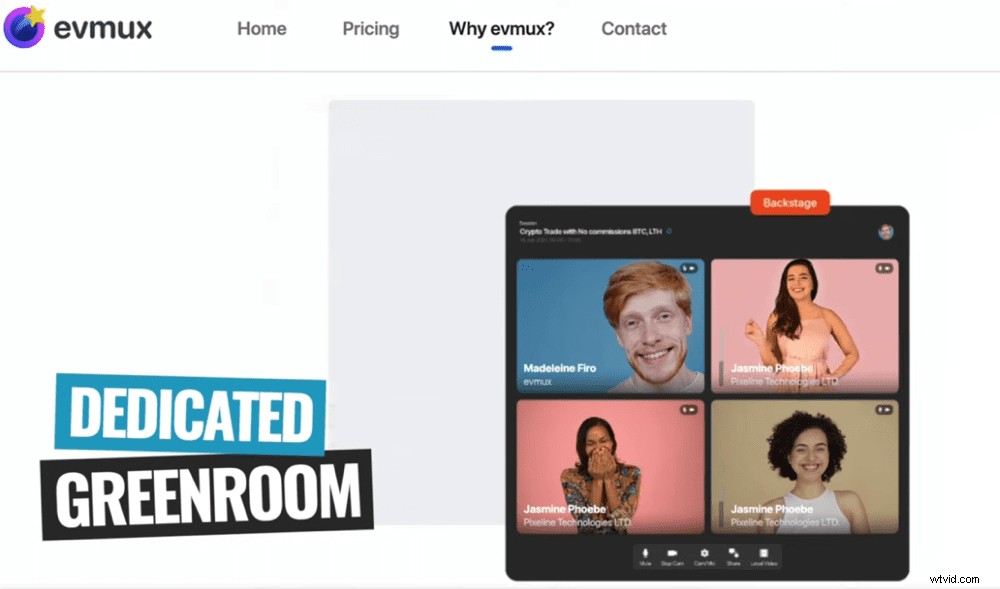
The dedicated green room is a really cool feature & no other live stream software currently has one
Downside
- While you do have a lot of control, it’s not as many advanced as the other live streaming options
Pricing
Evmux works on a subscription basis.
There are a couple of different pricing options available:
- Free: Access to heaps of features but it includes an Evmux watermark on your content so we really don’t recommend it
- $25/month: Access to all the Free features as well as the recording functionality plus removes the watermark
- $49/month: Access to all features plus more storage and additional hosts/producers
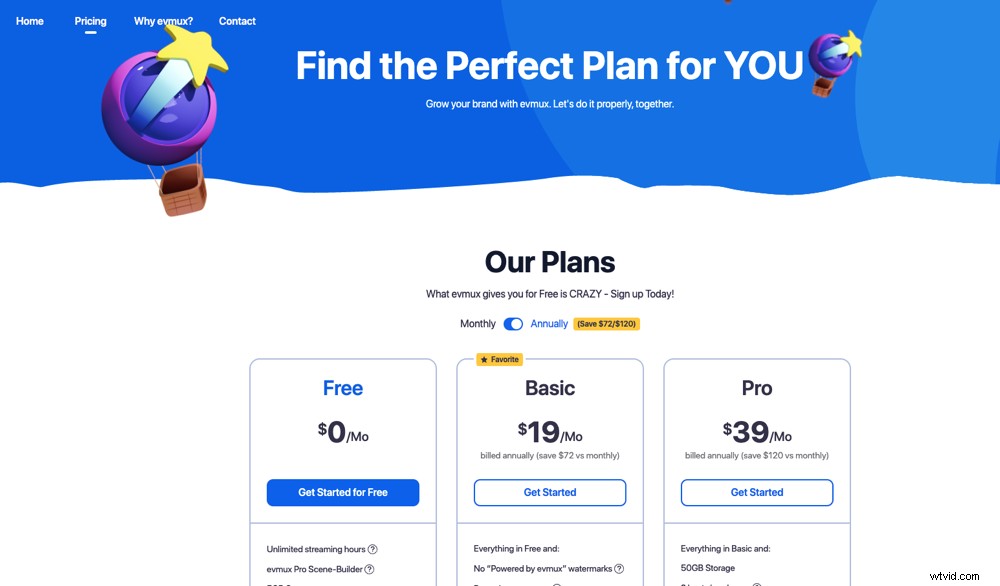
There are only two pricing plans and there’s no outright purchase option
Overall, Evmux is a great option for anyone who is looking for a simple way to go live. It’s incredible that you get access to some really awesome customizability options as well as more advanced features like the ISO recording.
Vmix
This is the most professional live streaming software for Windows! Vmix is a video production workhorse not just for live streaming but also for video recording. If you’re someone who wants to be able to control everything down to the nitty gritty – this is an awesome option.
Number 4 on our list of best PC live streaming software is Vmix
Standout Feature: That it’s so incredibly advanced!
User Level: Beginner through to advanced
Strengths
- Super advanced features that allow you to do everything from customize your bandwidth to customize the look of each individual video camera
- Super easy to bring in guests & you can have up to 8 guests on screen at once
- Awesome recording capabilities (for recording live streams and for creating videos)
- ISO video recording (records individual camera feeds as separate files which you can then edit down afterwards and use elsewhere)
- Great support for live streaming hardware
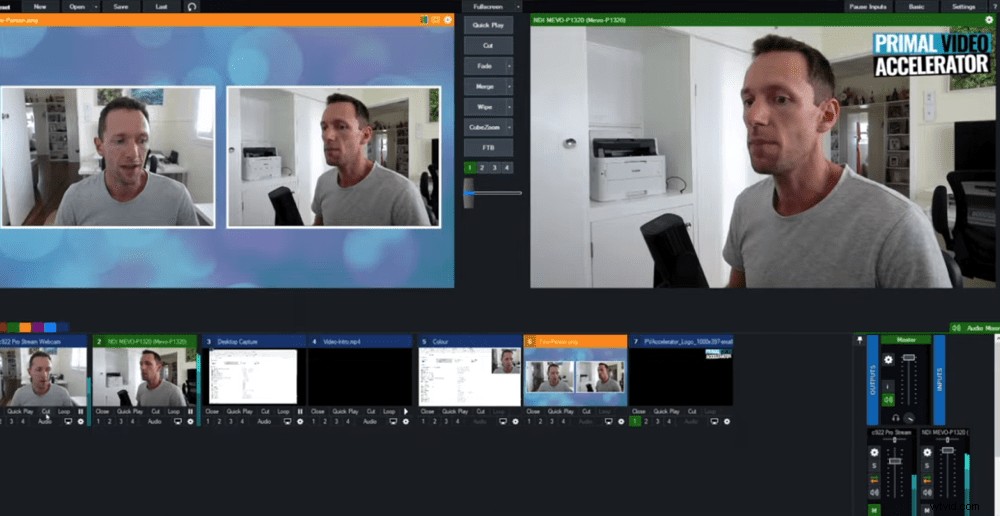
Vmix is by far the most professional & advanced tool for live streaming on PC
Downside
- While the user interface is fairly intuitive, it’s not as easy to pick up and use as other options like Evmux
Pricing
There are a few different pricing options for Vmix! You can choose between a one-time fee or a subscription license. The lifetime license gives you software updates for 12 months whereas the subscription gives you access to all updates.
Here are the different options:
- Lifetime license: Multiple licences ranging from $60 for a Basic HD plan up to $1200 for a Pro plan
- Subscription license: $50/month
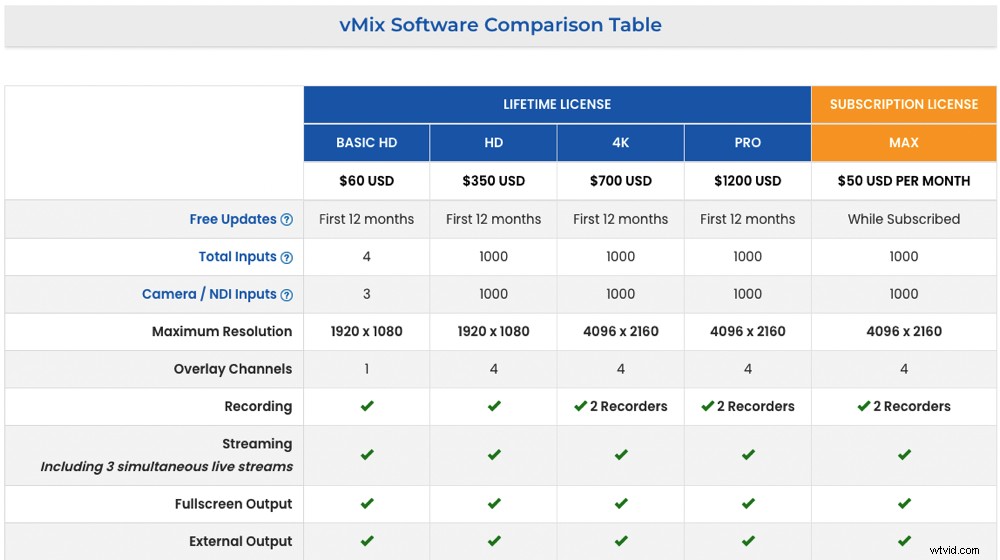
There are five different pricing options for Vmix
Overall, this is an amazing live stream software. It’s professional-grade with the most advanced features. If you want to be able to configure everything and dial all the settings in exactly the way you want – Vmix is a great option.
Our Top Pick For Best Live Streaming Software For PC
There are some incredible contenders for the best live stream software for PC this year.
The winner in this roundup is Evmux. It’s a great mix of amazing features while still being incredibly simple to use. It’s so easy to bring in guests and share your screen but also has advanced capabilities like ISO video recording.
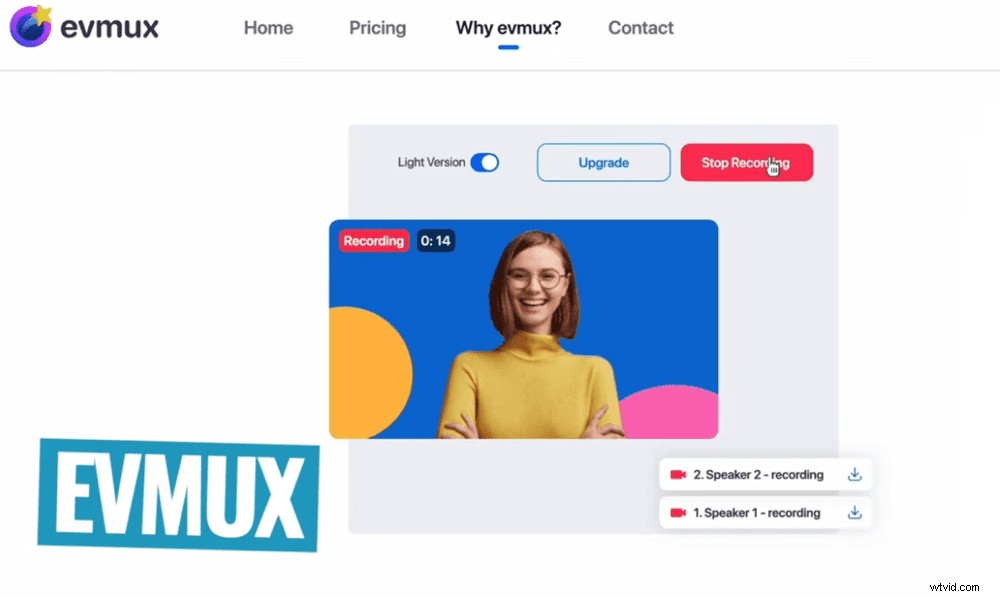
The winner of the best live streaming software for PC in 2022 is Evmux
As always, make sure you choose the one that works for your specific needs, use case and skill level. All four of these are incredible live stream software for YouTube as well as the other major platforms.
If you’re interested in seeing our top recommendations for best live streaming software for Mac, you can check them out here!
Now that you’ve got your live streaming software sorted, check out our complete tutorial on how to create animated titles that will take your live streams to the next level.