
Webcams are a popular – and convenient – option for live streaming. But with so many different brands and models out there, it can take hours of research to figure out which one will meet your needs. We’ve got you covered with a rundown of the 11 best webcams for streaming in 2022.
When to use a webcam
Whether you’re looking to host a webinar, add another angle to your live lectures, or try your hand at a career on YouTube or Twitch, a webcam is worth considering. It’s no longer true that opting for one means you’ll be stuck producing amateurish, low-quality videos. Webcams have improved by leaps and bounds over the past decade or so. Many available today boast impressive features like digital zoom, autofocus, high frame rates, the ability to output to 1080p – even 4K.
You might already have a webcam built into your computer monitor or laptop screen. These internal webcams are nice to have, but better suited for video calls than live streaming. External cameras offer superior video quality, which will give your streams a more professional feel. Standalone cameras also offer more flexibility when it comes to placement, making it easier to shoot better, more evenly lit video.
External webcams are super simple to set up, which is one of their biggest selling points. No need for a capture card. Just plug it into a free USB port on your computer, download streaming software or log into your preferred video-streaming platform, and away you go.
Webcams are easy to set up. It’s one reason why they’re such a popular choice for live streaming.
Of course, webcams are just one kind of live streaming camera – from camcorders and action cams to DSLRs, mirrorless, and PTZ cameras. We’ve already covered the best cameras for live streaming across these categories, broken down by budget. Here, we’re going to look exclusively at the best webcams for streaming.
Key webcam terms
What makes Webcam A different from Webcam B? Brand is one factor. Cost is another. Apart from these, there’s a handful of terms you should familiarize yourself with before you start weighing your options. Depending on your goals for live streaming, some of these aspects may be more important to you than others:
Resolution
Put simply, resolution refers to the number of pixels on screen. The higher the resolution, the better your video will look. Common resolutions you’ll see include (in order of quality) 480p, 720p, 1080p, and 4K, which is also called Ultra HD.
Frame rate
Measured in frames per second (fps), frame rate refers to the speed at which the individual images that make up a video are displayed on screen. A frame rate of 30 fps will suffice for most users, while anything under 24 fps will make for a choppy viewing experience.
Field of view
Expressed in degrees, a webcam’s field of view (FOV) is the area its lens will capture. In webcams meant for streaming, FOVs tend to range from 50 to 120 degrees. You might favor a broader FOV if you plan to capture multiple people or an entire conference room. If that’s the case, look for webcams with what’s called a “wide-angle lens” (or dig through the specs to get an exact FOV value).
Lens quality
Webcam lenses can be made of plastic or glass. Glass lenses tend to perform better. While glass commands a higher price than plastic, it’s often worth it for crisper, more vibrant video.
Low-light performance
You could have a webcam capable of delivering 1080p yet still end up with poor quality video. Why? Because a lot of cameras have trouble in low-light conditions. That’s to be expected since cameras work by capturing light. But some cameras – webcams included – are more low-light capable than others due to sensor size, special features (e.g., low-light modes), and other factors. If where you’ll be streaming from is dimly lit, either brighten things up or look for cameras that excel in darker settings.
Extra features
Webcam manufacturers often build in additional features to help their products stand out. Digital zoom and autofocus are a couple of examples. Background replacement is another popular one. It’s what a lot of gamers on Twitch and other streaming platforms use to film themselves with their gameplay as a backdrop. (The same effect is possible with a greenscreen setup, but that’s another investment.)Compatibility with your operating system (Windows, macOS, Linux) is another important consideration. Do your research to ensure the webcam you have your eye on will play nice with the computer you connect it to.
What’s the best webcam for streaming?
Ultimately, the best webcam for streaming won’t be the same for everyone. It depends on your needs – and your budget. The Holy Grail is a cam that delivers professional-grade quality and the features that matter to you – all at the right price.
While we can’t point you directly to the best webcam for streaming, we can narrow your search. All our recommended cameras are built for live streaming and have earned generally positive reviews from users. We’ve tried to pick cameras at a variety of price points to suit different budgets.
These streaming webcams made our list:
- Ausdom Full HD 1080p Webcam ($40)
- Logitech C920 HD Pro Webcam ($70)
- Microsoft LifeCam Studio for Business ($90)
- PTZOptics Webcam 80 ($98)
- Logitech C922x Pro Stream Webcam ($100)
- Logitech C930 Pro Stream Webcam ($130)
- Logitech StreamCam ($150)
- Elgato Facecam ($200)
- Razer Kiyo Pro ($200)
- Logitech Brio Ultra HD Webcam ($200)
- Dell UltraSharp Webcam ($200)
Getting started ($40–$70)
When it comes to streaming, it doesn’t always make sense to go big right out of the gate. Pricier webcams may offer a bunch of features you’ll never touch. If you’re a social streamer who’s just starting out, either of these budget webcams might do the trick:
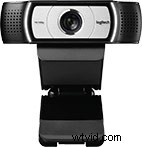 |
Ausdom Full HD 1080p Webcam ($40)This entry from Ausdom boasts some impressive features for its price – namely, the ability to stream in 1080p (at up to 30 fps). It’s a good option if you’re a new streamer, or if you’re looking for an affordable secondary camera to add another angle to your streams. Features:
|
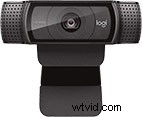 |
Logitech C920 HD Pro Webcam ($70)The Logitech C920 is one of the most popular webcams on the market – for good reason. It supports 1080p30 streaming and features autofocus as well as light correction technology that adjusts your video on the fly to match the conditions in your room. Our own team has used the C920 for various projects and it has always performed well. Features:
|
Stepping it up ($90–$130)
Businesses looking to stream might want to start with a webcam that offers better quality, faster frame rates, and wider FOVs than lower-priced cams. Webcams at this price also make sense if you’re a social streamer who intends to live stream long term.
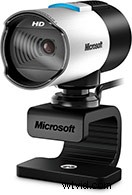 |
Microsoft LifeCam Studio for Business ($90)Built for business, this webcam delivers 1080p30 live streaming at a low price. It’s also equipped with Microsoft’s TrueColor Technology, which automatically controls exposure for brighter, more colorful video. Features:
|
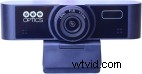 |
PTZOptics Webcam 80 ($98)At this price point, PTZOptics’ entry into the world of webcams is a strong contender. Its f/1.8 lens captures bright, crisp picture and performs remarkably well in low-light conditions. Build quality also stands out. You can actually hear and feel the motor working during autofocus, which suggests it could be larger, geared rather than spring loaded, and thus more durable compared to similar webcams. True to the PTZOptics name, this webcam includes electronic pan, tilt, and zoom. Features:
|
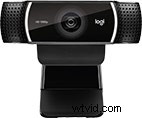 |
Logitech C922x Pro Stream Webcam ($100)If you’re looking for a cam that’s a cut above the Logitech C920, consider the C922x. The major difference between the two models (aside from price) is the ability to stream at a smoother 60 fps with the C922x, although only at 720p. The C922x also ships with background replacement software. Features:
|
|
Logitech C930 Pro Stream Webcam ($130)As an upgrade to the C920, the Logitech C930 may make more sense than the C922x for businesses looking to stream a conference or a meeting. That’s because the C930 has a wider, 90-degree FOV that’s better suited for capturing these settings. Features:
|
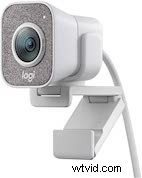 |
Logitech StreamCam ($150)Purpose-built for streaming, this webcam boasts several smart features that dynamically adjust framing, focus, and exposure to give you a consistently great-looking shot. Combine these capabilities with 1080p resolution at a steady 60 fps and you have one of the best streaming webcams for this price bracket. Features:
|
Going all out ($200+)
We’d recommend webcams in this price range only to streamers or businesses determined to get the best possible video quality a webcam can provide. For most people getting into live streaming, one of our picks below this price point may be all you need.
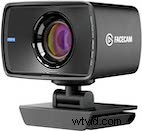 |
Elgato Facecam ($200)Elgato’s first webcam is built for content creators, offering uncompressed video at 1080p60. A fixed lens means there’s no autofocus feature, but this can be an advantage depending on your presentation style. High image quality for a webcam and unique capabilities like manual exposure control make this a device worth considering. (Caveat: This webcam needs USB 3.0 to work.) Features:
|
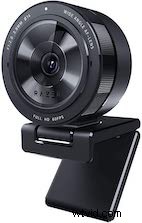 |
Razer Kiyo Pro ($200)This premium webcam brings back the built-in ring light concept of the original Razer Kiyo while introducing some impressive improvements. The Kiyo Pro bumps up the frame rate for 1080p to 60 fps, adds HDR (at 30 fps), and packs a superior light sensor for dynamic adjustments. Of course, all of this comes at a higher price. But if you’re searching for the best webcam for streaming, this could be it. Features:
|
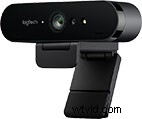 |
Logitech Brio Ultra HD Webcam ($200)The Brio was one of the first webcams to deliver 4K live streaming. It’s also capable of streaming 1080p at up to 60 fps. Adjustable FOV – with settings for 65, 78, and 90 degrees – lets you accommodate bigger groups or show more of your space on screen. Features:
|
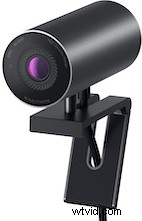 |
Dell UltraSharp Webcam ($200)With the largest CMOS sensor you’ll find on a webcam (the same is used in Sony DSLR cameras), Dell’s UltraSharp Webcam is a unique offering in its class, and one of just a few to offer 4K resolution (at 30 fps). The large sensor makes for great performance in low-light conditions, and AI-enhanced features ensure a consistently clear and high-quality image. Features:
|
How to take your streaming to the next level
If you’re interested in live streaming as a potential career, or your business’s streaming needs evolve, it may be worth adding a hardware encoder to your setup. A hardware encoder is a device purpose-built for video streaming, capturing, recording – or all three. As dedicated appliances, hardware encoders often perform better than software encoders (i.e., the program you use on your computer to stream or record). That’s because software encoders have to share resources with your operating system and any active processes.
Check out our popular Pearl Nano, Pearl Mini, and Pearl-2 hardware encoders. These powerful, all-in-one video production systems support webcams as well as DSLRs, mirrorless cameras, and more, giving you the tools you need to live stream like a pro.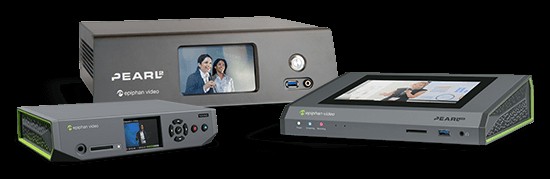
Make your streams something to behold
Versatile and reliable, Epiphan Pearl video production systems make it easy to create professional-quality live streams that are sure to engage your viewers. Check out our Pearl comparison page for more information.
Originally published on July 21, 2019, this post was updated on October 20, 2021, with a revised list that includes newer webcams.