
This post introduces you to the top 10 TikTok video editors.
If you are here, you already know TikTok and its popularity as a social media platform. It has paved the way for imitators, but the original stands out. Initially, they allowed 15 seconds video, but then they extended it all the way to 60 seconds. Talking about dimensions, go full HD with 1920 by 1080 pixels. While vertical videos are preferred, horizontal content is let through the gate as well.
iOS users have an advantage over Android patrons as a video file of 278 MB is allowed, while 72 MB for the latter. For creating a new video, tap on the plus sign, which opens up the camera on the app. Once the camera is opened, tap and hold the circular button, which will record the video. The record button should turn red to indicate that it is recording.
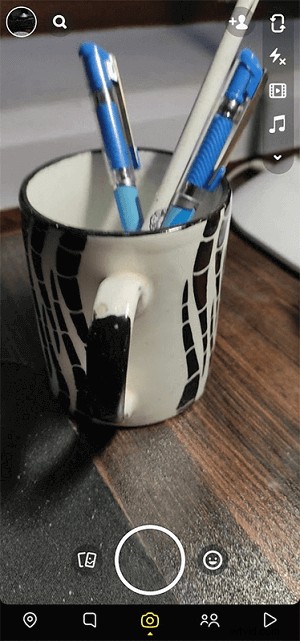
Record Video by TikTok
After shooting a TikTok video, you must want to look for a TikTok video editor that makes your life easier by fast-tracking the editing process. Then you can have a look at the best 10 TikTok editing apps for iPhone, Android, Windows, and macOS. From beginners to expert editors, there are tools for everyone in the store. So, level up your TikTok game now.
#1 FilmForth on Windows
TikTok’s in-built editors are pretty standard, offering basic editing features. When you want to level up in production and content, editing is the torch that is capable of taking it forward. FilmForth is one such TikTok video editor on Windows that offers a plethora of features useful for TikTok creators. So, take it around the block for a spin and add a creative flair to your video.
Features
- Time Lapse: Fast forward your story, skit to the next scene. Create a timelapse using the speed feature. Slide a button to the right, and you are done, and it’s that easy.
- Picture in Picture: Reaction and duo videos are viral on the platform. Add different videos and pictures into the video, playing them together in unison.
- Slow-motion: Add the dramatic sequence to your video with slow motion.
- Add Your Music: Add your music to TikTok videos and avoid copyright while posting on different platforms.
Make a TikTok Video With FilmForth
Step 1. Create New Project and Add Video Clip
- Download FilmForth from the Microsoft Store and launch it.

- On the home screen, we will find the New Project button. It will create a new project for the TikTok video.
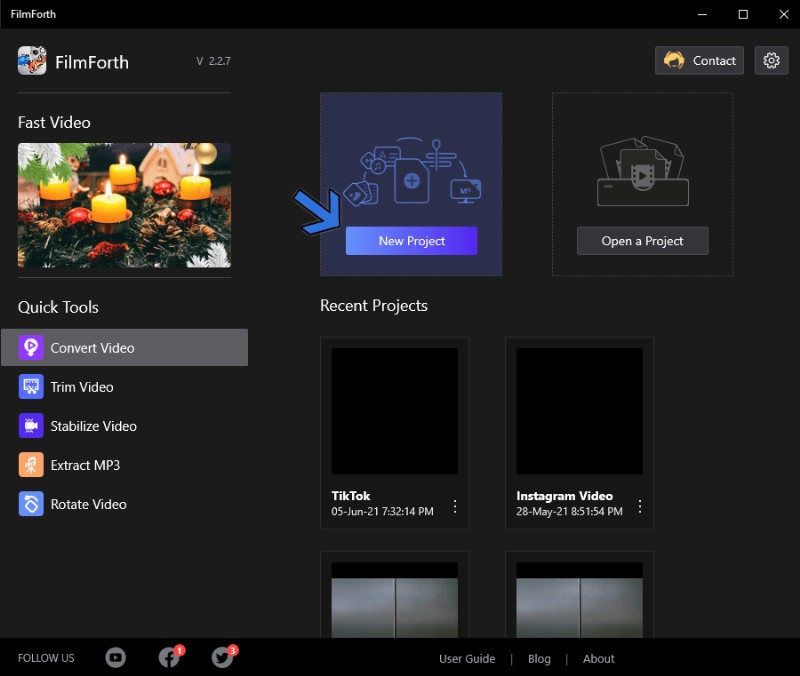
Create New Project
- Now, we import a video by using the drag and drop feature. When you are not in a hurry, there is always the traditional Add Video/Photo Clips feature.
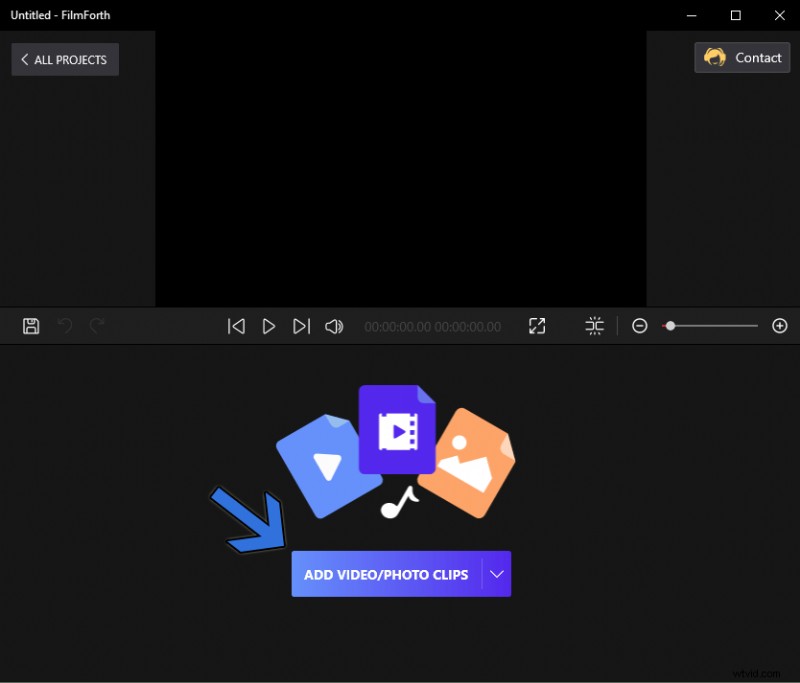
Add Video/Photo Clips
Step 2. Add Captions
- Click on the Text option shortcut from the timeline feed.
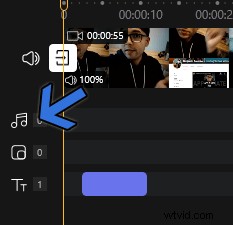
Add Caption
- After that, add a caption by clicking on the Add Text button. Single-click on the Edit Text button for accessing the text menu. Inside the menu, you have plenty of options for adding, polishing your caption game.

Add Text
Step 3. Add Music
- Access the music menu by clicking on the music shortcut from the timeline feed.
Add Music
- Click on the Add Music button to upload your own tunes.
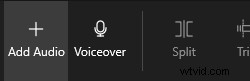
Add Audio or Voiceover
- Look to the right, and click on the Add a local audio file button. Find the music file in any major format, as FilmForth supports all of them.
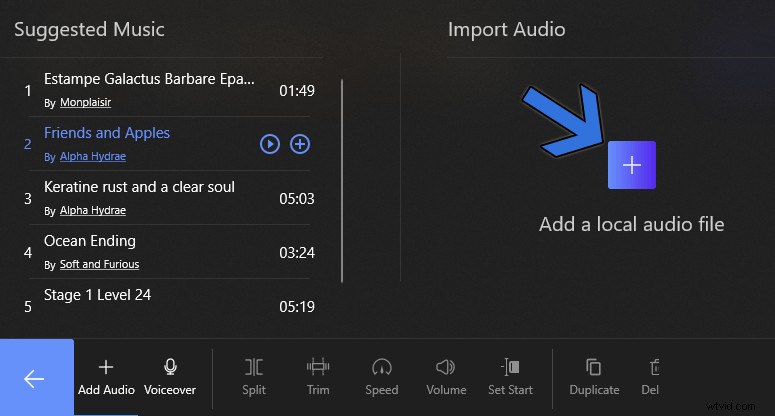
Add Local Audio File
In addition to the basic editing functions, FilmForth also provides such features as Picture in Picture, split, trim, speed, transform video features, and a lot more for you to explore. Its friendly interface and easy-to-use features are highly suitable for beginners and intermediates.
#2 OpenShot
Price: Free
Compatibility: Windows, macOS, Linux
Suitable For: Beginners
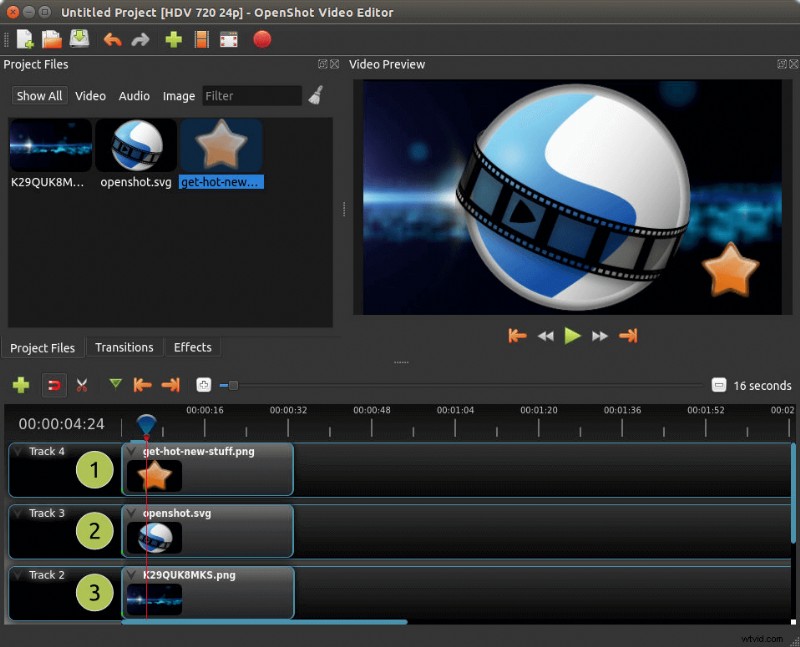
OpenShot
OpenShot is every freeware enthusiast’s dream come true. A community driven video editor for TikTok, it ticks all the right boxes for editing your next content piece.
Being a multi-platform editor, you can use it to work on a project on different devices.
Features
- Add overlays with composting that enable editing multiple elements in a video. Stack different layers on top of each other to manage them better.
- Advanced frame accuracy(libopenshot) allows you to go through each frame without missing any moments in the video.
- Large library of video effects for enhancing your content.
#3. BeeCut
Price: Paid
Compatibility: Windows
Suitable For: Beginners
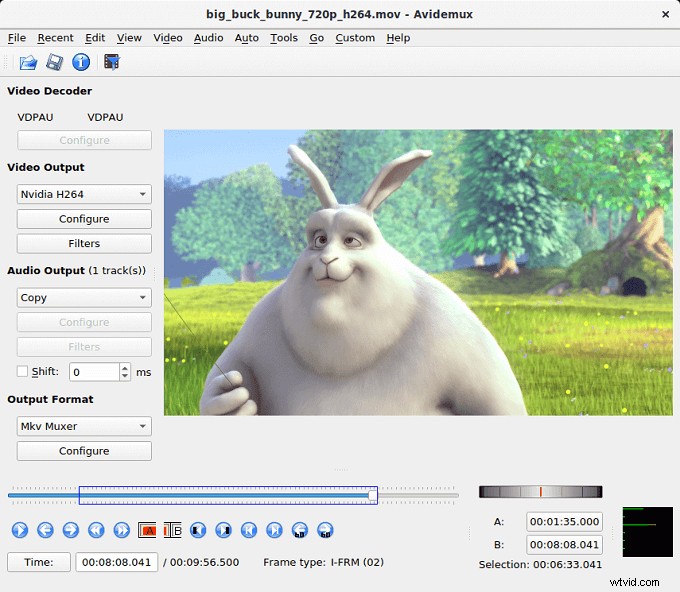
BeeCut
Talk about new-age video editing surface, and BeeCut tops the discussion. They also offer a 30-day free trial to get the hang of things on the editor. Their library of media elements is supported by downloadable elements. Select one, and it will be downloaded from the server, ready to apply.
Features
- With the AI-powered speech tool, convert text to speech or vice-versa in a matter of seconds—no need to shell out money for expensive voiceovers.
- Online video is available for uses who are unwilling to install or download an application. The online editor has a dozen or so standard editing tools that work in the browser itself.
- Add multiple videos in different timeline lists, which is not found in many TikTok video apps.
#4. Final Cut Pro
Price: Paid
Compatibility: macOS
Suitable For: Professionals
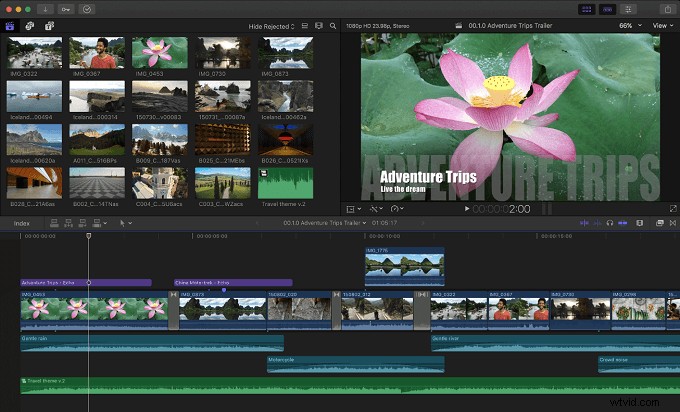
Final Cut Pro
The holy grail of video editing on macOS, Final Cut Pro means serious business. Their library of media elements is supported by downloadable elements. Select one, and it will be downloaded from the server, ready to apply.
Features
- 2D and 3D titles that can be applied to the TikTok videos for enhancing their storytelling.
- Advanced audio editing tools that can remove noise and optimize the audio.
- Magnetic timeline has been introduced. It places the out of clips of audio and video in a coherent manner as you edit seamlessly.
#5. Avidemux
Price: Free
Compatibility: macOS
Suitable For: Beginners
Avidemux
TikTok supports video uploads in MOV and MP4. Wouldn’t it be great if your editor could efficiently convert the videos as well? Avidemux is a TikTok video editor cum multimedia encoder that does the job of two for one.
Features
- Modern overlays for the videos that include text and brands. Apply different overlays for amping up the producing level of the content.
- Handheld video recording is often shaky. The video stabilizer on this editor lets you reduce that to a great extent.
- Take audio to the next level with the audio waveform. Visualize every beat, chord, and lows before adding it to the video.
#6. iMovie
Price: Free
Compatibility: iOS
Suitable For: Beginners
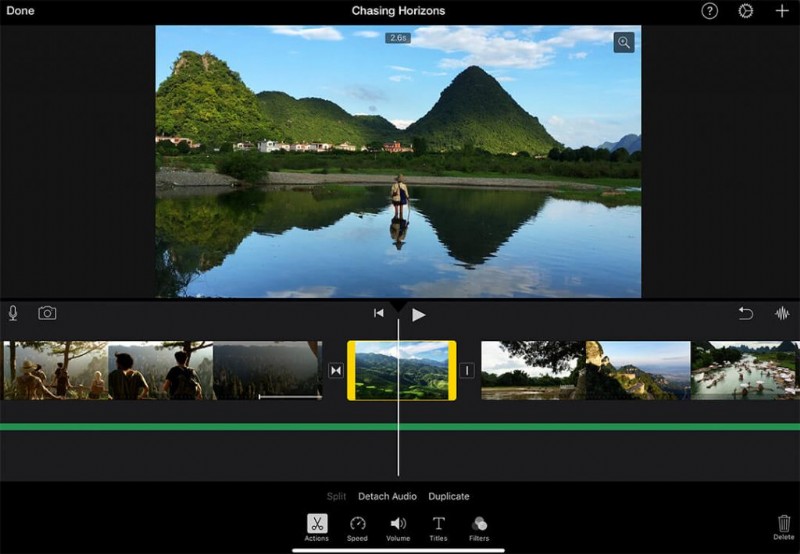
iMovie
Apple users are no strangers to iMovie, a versatile video editor for day-to-day needs. The cross-platform video editor is shipped with iOS as a part of the media suite.
Features
- Share video directly to iCloud, social media sites with a tap of a button. Import, edit, and share without waiting for anyone.
- Friendly user interface apt for people of all levels of computer knowledge.
- Simultaneously open different video projects for reference purposes.
#7. Quik
Price: Free
Compatibility: iOS
Suitable For: Beginners
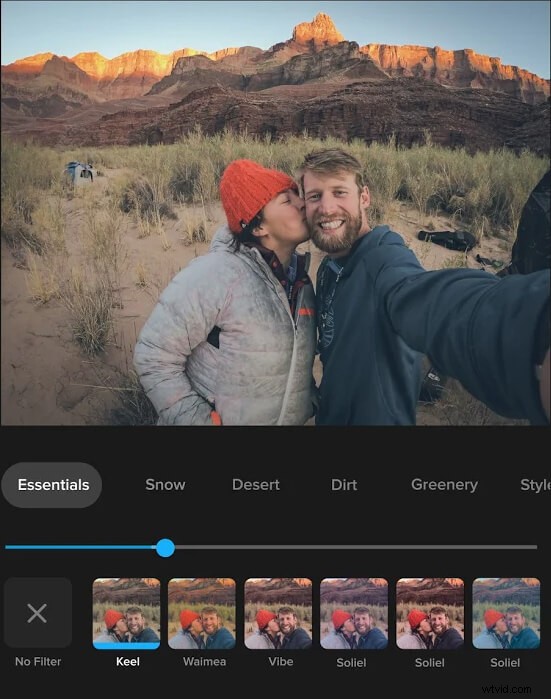
Quik
The action camera industry leaders have their video editing apps. Quik is a video editing app for TikTok and packs a punch of powerful editing tools.
Features
- Automatic edits create the video for you. The editor asks you a couple of questions and then presents the editor video.
- Add royalty-free music to your TikTok videos. All of them are available by GoPro, free of charge.
- Unlimited and free cloud backup for your videos and photos. Every media you add to the mural will be uploaded to the cloud.
#8. Zoomerang
Price: Free
Compatibility: Android
Suitable For: Beginners
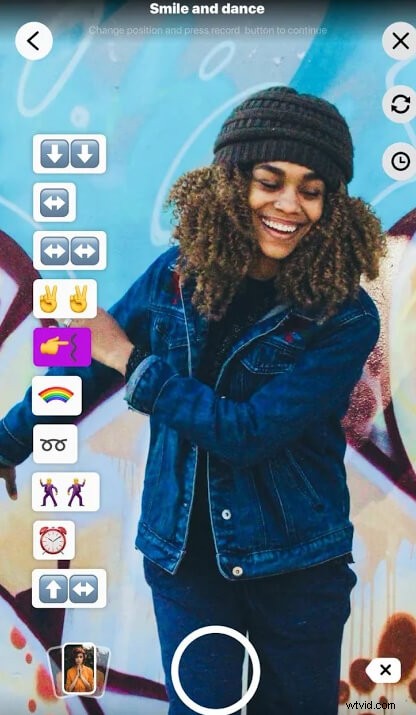
Zoomerang
Imagine a dedicated video editing tool designed for creating TikTok videos. Zoomerang is a short video maker capable of creating and editing videos for TikTok, Reels, and more.
Features
- In-built interactive tutorials based on the latest trends for standing apart from the crowd. Apply different filters, effects, and captions that are trending on TikTok.
- Super FX editor that animates your dance moves with the animations of your choice.
- Fun video stickers that can be created out of your face, body, and moves.
#9. Inshot
Price: Free
Compatibility: Android
Suitable For: Beginners
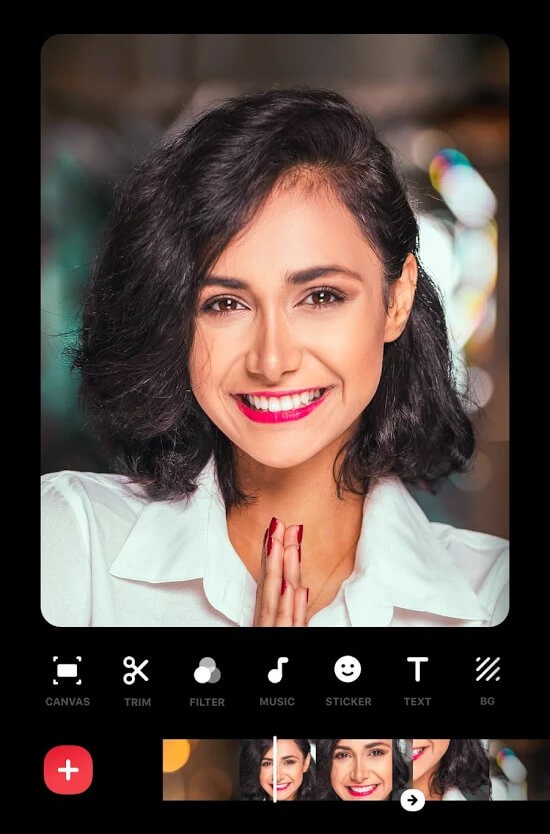
Inshot
Inshot is a popular video editor for Android. The updated interface has made it compatible with shorter video formats, such as TikTok, Reels, and Shorts.
Features
- Intuitive video cutter for eliminating the unwanted parts of the video
- Add voiceover and give your voice to the video. It will have a layer on top of the background music.
- A library of over a thousand stickers to apply on the video.
#10. Kinemaster
Price: Free
Compatibility: Android
Suitable For: Beginners
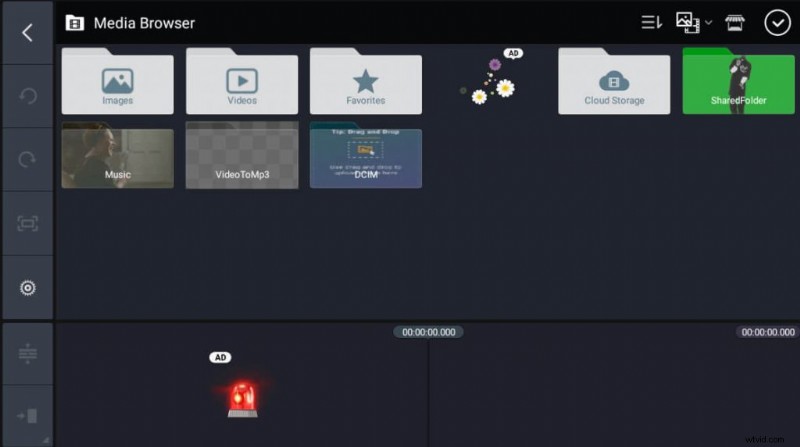
Kinemaster
Kinemaster appears like just another run-of-the-mill editor. But, interestingly, it’s the exact opposite, and it impresses with the capabilities that the video editor offers.
Features
- Accurate Chroma key that lets you remove background. Remove background out of objects in the video.
- EQ preset, volume envelope tools, and the whole production for polishing the audio.
- Voice changer that lets you imitate the voices of different people.
Conclusion
Getting discovered on TikTok is hard. Becoming viral is nearly out of the equation. Don’t let lousy editing be a roadblock in your way to becoming the next TikTok star. Start with TikTok’s very own editing tool to understand the basics. When that feels inadequate, move on to powerful editors such as FilmForth and work your way down.