
This post presents the 7 best video editors for YouTubers in 2022 to help you make a YouTube video quick and great.
Millions of viewers are already watching Billions of videos as video marketing is the new normal. Meanwhile, stating the video industry content, you can never miss YouTube as an important factor as Omnicore YouTube Stats reveals, YouTube attracts about 44% traffic of the entire internet.
Considering the need for a platform that can deal with the trendy niche in today’s era, here in this section, we have enlisted the top 7 of the best video editing software for YouTube, so you can filter out a mountain of such platforms.
We’ve demonstrated each of our best picks in this regard so you can have a wise choice being a beginner.
1. FilmForth – The Best YouTube Video Maker [Totally Free]
FilmForth will enable you to make professional and eye-catchy content right from your images and clips. The name of perfection and user-friendly platform is what FilmForth features.
Some great key features you may interest in FilmForth:
- FilmForth provides you an intuitive platform to do basic video editing like trimming, splitting, and combining the images and video clips handily.
- You can bring life to your boring and usual clips with its stunning and creative built-in effects so effectively.
- FilmForth allows you to import numerous formats for your audio, video, and image files so you can give them a professional touch of creativity.
- This platform provides a high-quality output that counts HD quality for YouTube audiences while having a positive impact on viewer numbers.
- With its price-free feature of top-rated pick for beginners, FilmForth provides a watermark-free output for your YouTube audience.
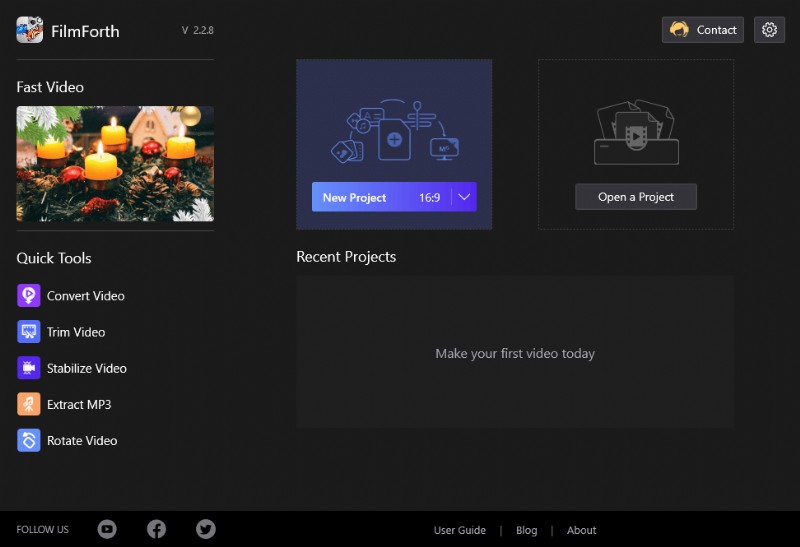
New Project on FilmForth
Video Tutorial: The Best Video Editing Software on Windows 10
If you are still confused about what’s the best video editing software to make YouTube videos, you can follow the video tutorial below to learn some detailed info about FilmForth.
2. DaVinci Resolve 17 – Advanced Creative YouTube Video Editing Tool
A name of quality and professionalism, DaVinci Resolve is an intuitive platform to start with YouTube video editing and creation. It has different editing modules for basic to pro-level video editing techniques even for beginners. This platform provides you an easy interface to deal with your artwork.
- Supportable to Mac, Linux, and Windows OS.
- Color grading, color correction, audio editing, and video composition handily and effectively.
- It also provides you an easy platform to practice motion graphics for your artwork.
- With its free-to-use ability, your expense just includes a powerful PC to deal with its high-quality features.
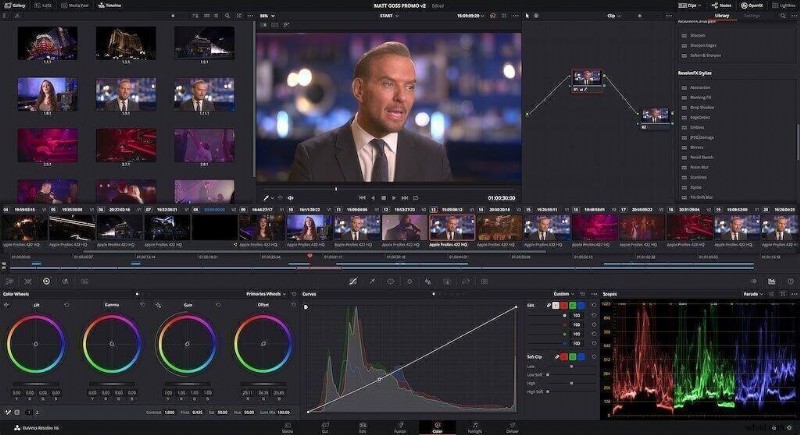
DaVinci Resolve
3. iMovie – Free YouTube Video Editor on Mac
A video editor specifically for Mac users, iMovie is one of the best choices for Mac users as it comes up with Apple’s official compatibility features. You can give your video content a classical touch which your YouTube audience would surely enjoy consuming their minutes.
iMovie enables you to include effects like the one in Hollywood with its built-in effects.
- iMovie is here to provide you a 4K quality output file that your YouTube audience favors.
- It’s a user-friendly platform for Apple users only, hence for the other OS you’ve to consider other options.
- It also runs swiftly on Apple’s iPhone which means you can edit and create your video project right from your Phone.
- You can use its effects animation to your titles and overlays to make your videos more appalling.
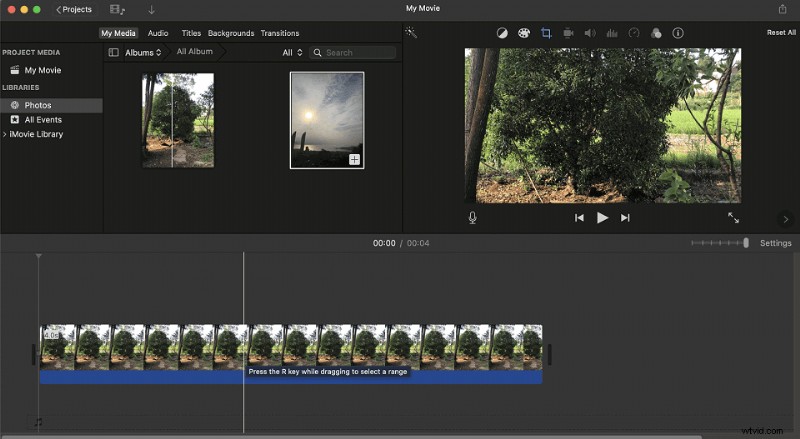
Using iMovie to Edit Video
4. Filmora 9 – YouTube Video Editing Masterpiece
A masterpiece by very famous Wondershare technologies, Filmora 9 is a featureful and nice editor for video content makes. Being a beginner, you can get used to this platform as it has a pretty straightforward interface to use its features. You can make outstanding videos for YouTube with this software in less consumed time.
However, as time goes by, some users have reported it becomes more and more professional and not quite friendly for beginners as usual.
- Filmora 9 has a resourceful ability to run into cheaper systems as well, so you don’t need to spend more on your desktop.
- Compatible with Mac and Windows, this video editor provides an advanced-level video editing experience to both OS users.
- You can import and export various formats with this video editor with a direct upload to your YouTube channel feature.
For full features, you need to spend a fine amount of dollars to buy its subscription as it includes a watermark on its free trial output files.
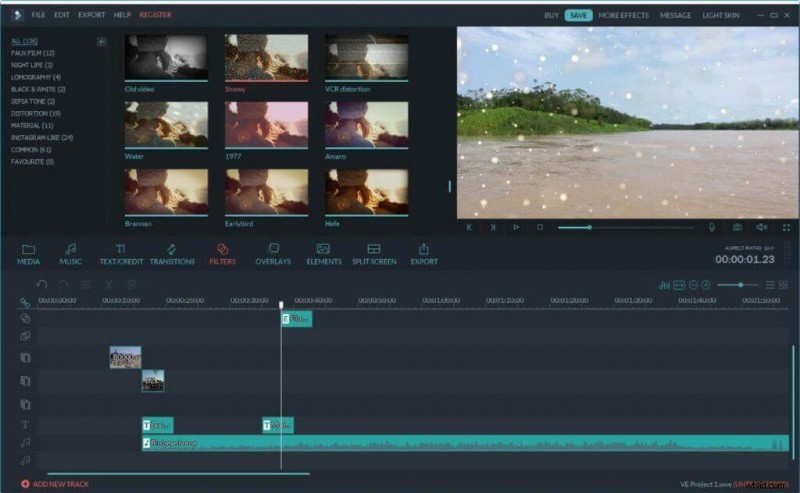
Edit YouTube Video on Filmora 9
5. Final Cut Pro – Advanced Video Editor
Another intuitive platform limited for Mac users; Final Cut Pro X is a unique video editor that is a choice of numerous professionals in the video editing industry. The reason is its impeccable and featureful ability which biases Apple users to try this platform for their YouTube video projects. It has a perfect blend for pro-level video content makers.
- Final Cut Pro X has high-quality output with support of 4k resolution for your YouTube audience.
- It has this special feature of 360-degree editing which performs various effects on your video clips on a circular cover.
- It enables you to use its high-quality built-in templates so if you’re a beginner in this niche, you can give it a blow.
Although it’s a user-friendly platform, with the limitation of ONLY Apple users.
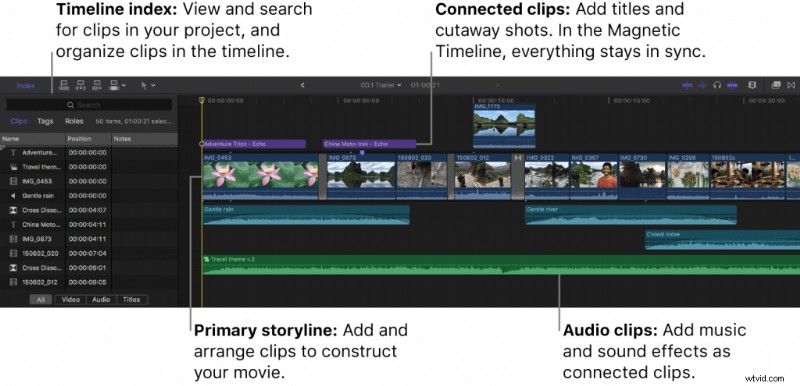
Final Cut Pro
6. Animoto – Edit YouTube Video Online
An easy-to-use and creative platform, Animoto is an intuitive platform, designed specifically for beginners who don’t really know how to embark on their first video editing project for YouTube. It has numerous built-in templates and effects for your videos so you can enjoy and do video editing like a pro.
- Animoto offers highly customizable templates for your videos with numerous categories.
- It outputs the final project file with HD quality at superb 1080p recommended for YouTube as well.
- You can easily share your masterpiece with this video editor to as many as an online platform including social media.
- With a free trial, it lacks features even after the subscription per month.
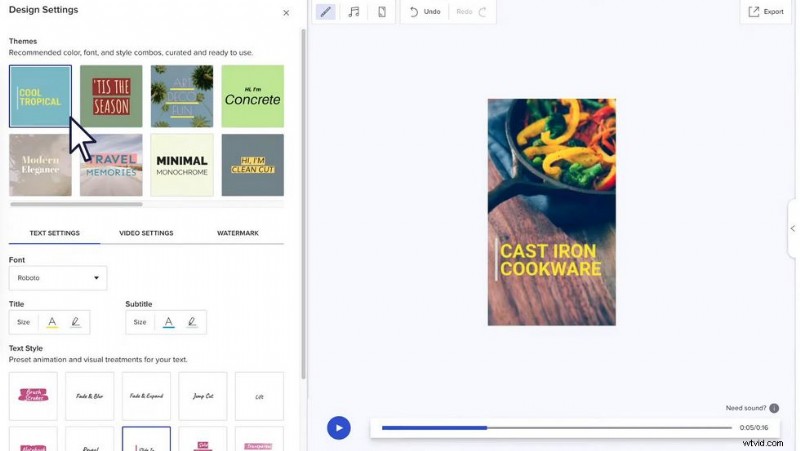
Animoto Video Creator
7. Lightworks 14 – YouTube Video Editing
User-friendly software for making a unique video project, Lightworks is a handy platform designed specially to provide a perfect blow to the color and lighting effects of your videos in a creative way. This platform is a choice for numerous professionals as it’s being used for high-quality projects including Hollywood movie editing.
- Lightworks is compatible with all your OS devices including Windows, Mac, and Linux desktops.
- You can output your file with its 4k output feature and to a number of formats applicable for various platforms.
- Lightworks provides a special Histogram tool which is a perfect pick for color grading and correction for your video clips.
- Its free version has limited features that will force you to buy several dollars per month subscriptions.
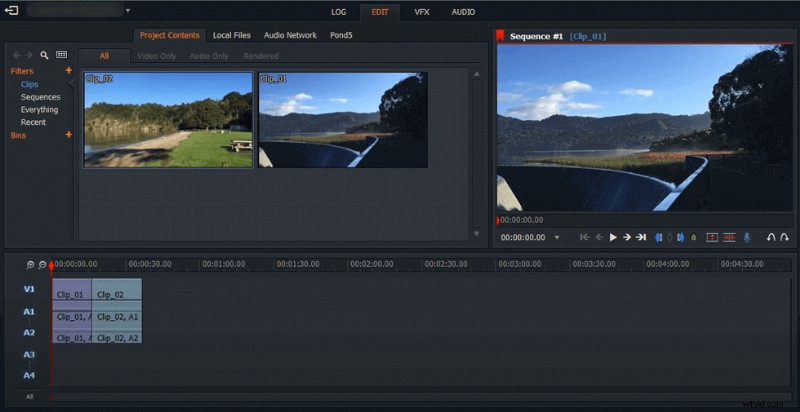
YouTube Video Editing on Lightworks
A Bottom Line
Did you find out the best one for you to make a YouTube video? Sure, it would be quite difficult to have a quick decision as there is more than 7 great video editing software. But we do recommend FilmForth as the best one, which is quite friendly for beginners and also professional for professional players. Just give it a try which won’t let you down.