
In our daily life, you inevitably need to slow down videos or speed up videos to achieve the effect you want. In this post, here are the five best free video speed editors for different devices. Learn about these video speed controllers with me and see if any of them appeal to you. (Need a video editor? Try MiniTool MovieMaker.)
When you watch the video, there are some boring parts, you can solve them by speeding up the video. However, when the speed of some videos is too fast, you can slow down the video to figure out the specific details. These five best free video speed editors have their advantages and disadvantages, you can choose and of them according to your needs.
MiniTool MovieMaker
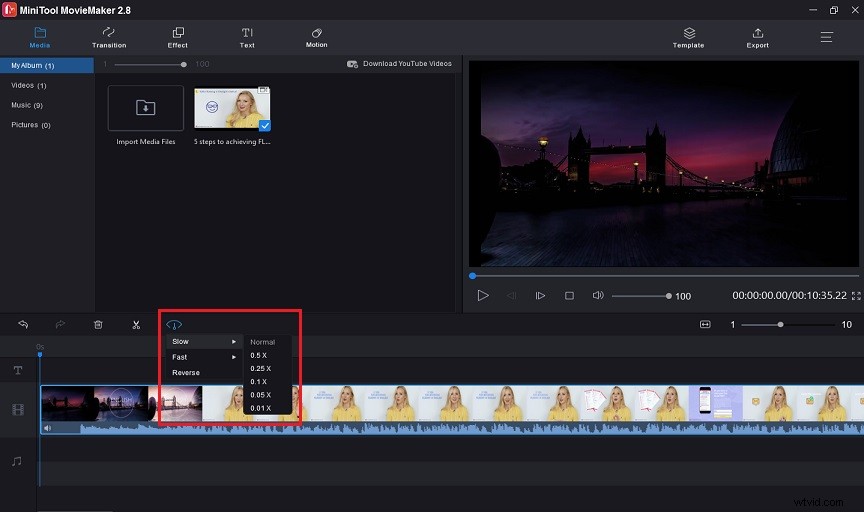
MiniTool MovieMaker is a free video speed controller for Windows. It slows down video from 0.01x to 0.5x and speeds up video from 2x to 50x.
Otherwise, MiniTool MovieMaker has plenty of powerful functions, such as transition, effect, text, motion, template and so on. You can rotate videos and images, adjusting their contrast, saturation, brightness and duration. It couldn’t be easier to adjust text formatting and music effects.
Additionally, you can edit videos by splitting and trimming.
iMovie
iMovie is a video speed editor developed by Apple Inc. for macOS, iOS and iPadOS devices.
With iMovie, you can speed up your video to 2x, 4x, 8x and 20x. The video on the timeline will automatically become longer or shorter according to the magnification you choose.
iMovie’s advantage is that it is free and compatible with all Apple devices. Meanwhile, it also provides many excellent video editing tools. The only downside of iMovie is that it doesn’t support Windows.
YouTube Speed Changer
YouTube has a special video speed changer for its YouTube videos. YouTube Speed Changer is available on all platforms and browsers.
You can change the video speed from 0.25x to 2x. You can also use custom values by clicking on the custom video and using the slider to change it.
Kapwing
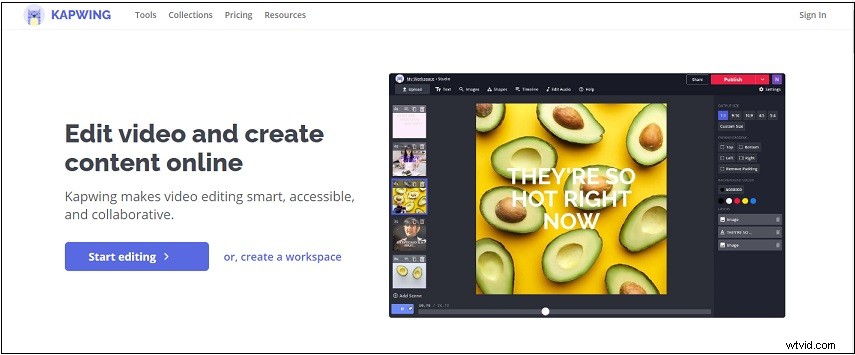
Kapwing is very simple for beginners, even if you are inexperienced, you can speed up or slow down the video in a very short time.
You can slow down the video by 0.25x to 0.75x times. Instead, you can speed up the video by 1.25x to 4x. Additionally, you can use the split tool to speed up or slow down parts of the video. At the same time, when the video speed changes, the audio in the video adjusts synchronously.
Kapwing is a powerful, free, ad-free, and spam-free online video speed editor without a watermark. However, you may spend a lot of time uploading and processing videos. The size of the videos you can upload is limited.
SpeedPro
If you want to slow down or speed up videos on your iPhone, SpeedPro is a great choice. You can easily speed up or slow down specific parts of the video, and you can also insert audio or another editing into the video.
SpeedPro provides users with basic video editing tools and is best suited for video speed editing. You can upload videos directly to social media sites to share with your friends.
Conclusion
If you want to adjust your video speed, you can choose from the five best free video speed editors listed above, each for different devices. You can combine their advantages and disadvantages and choose your favorite video speed controllers.