
This is a complete guide on how to use CapCut , from basic to advanced video editing skills, you’ll find everything you need about CapCut.
How to Use CapCut in 2022
When talking about the best video editing app in recent years, the CapCut video editor is certainly on the table. As an all-in-one video editor for Android and iOS mobile phones, CapCut is becoming more popular than ever lately.
This page is the ultimate guide on how to use CapCut to make and edit videos on PC and mobile, now please read on to learn about using CapCut from start to finish, and all the vital skills you need to create outstanding content.
How to Install CapCut on Your Device
The prerequisite of using CapCut, of course, is installing CapCut first. The official CapCut app is now available on Windows, Mac, Android, and iOS.
- To use CapCut on PC, you need the newly released PC version of CapCut, more information can be found in our guide on how to use CapCut on PC.
- And to use CapCut on iPhones or Android phones, you should first search for and download CapCut from Apple Store or Google Play.
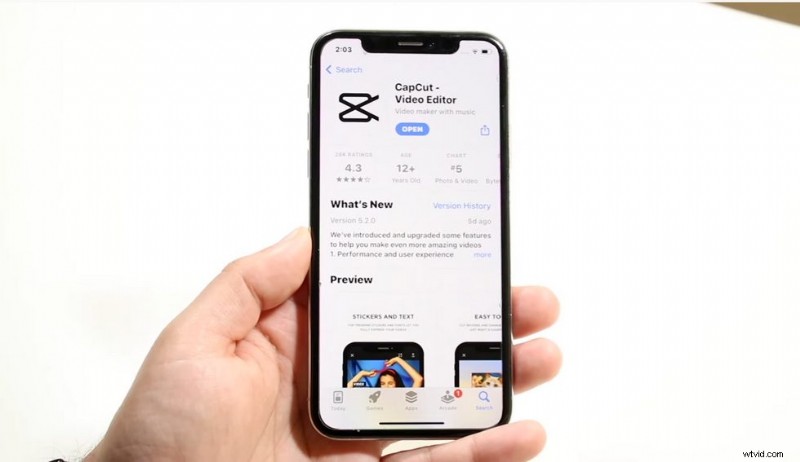
Get CapCut on Apple Store or Google Play
Templates are Ideal for Beginners
If you have zero experience in creating and editing video content in video editing apps, then ready-made video editing templates are highly suggested to you.
CapCut templates can be freely downloaded from the CapCut official website, and they usually contain editing presets, filters, effects, etc., and allow you to add your own image or video for quick editing.
Also, you can check out some best trending CapCut templates that would make video editing on CapCut easier to use for beginners.
CapCut templates are popular since it helps save all the trouble with adding effects, filters, transitions, etc. And if you want to edit your videos manually, check the instructions below.
Create a Project and Import Videos
When CapCut is fully installed on your device, you can then launch it and start the editing. From the CapCut home screen, hit the New Project button and Import media from either Recents or Stocks categories.
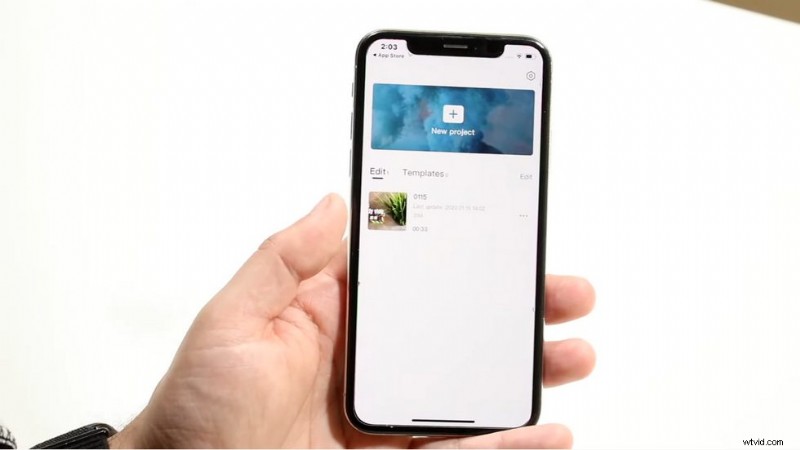
Create a Project and Import Videos
Basic Video Editing in CapCut
When you’ve added your desired images and videos to the newly created video editing project, you’ll be led to the main workplace, and now it’s time to edit them.
The above window shows the preview of your output video, and it changes with your editing progress.
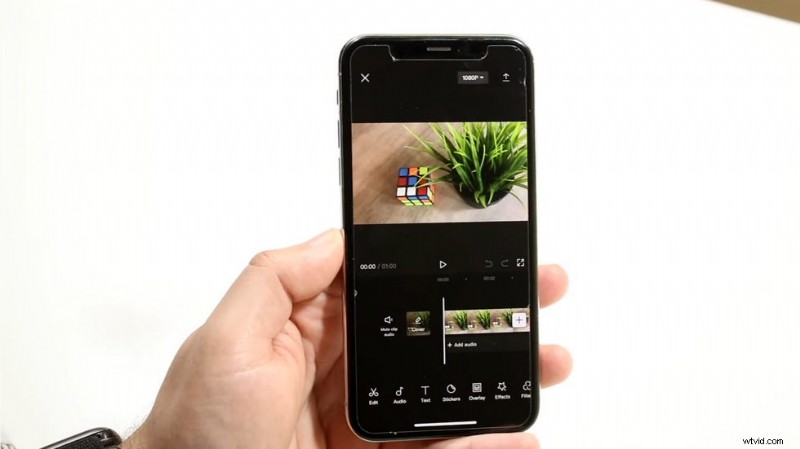
Basic Video Editing in CapCut
And as you can see from the feature buttons below, there are a variety of things you can do to the imported videos including Edit, Audio, Text, Stickers, Overlay, Effects, Filters, etc., with which you can cut/trim your video, add music to video, add customizable texts, add stickers to video, add video overlay, add special effects, add filters, etc.
For example, if you intend to add text to your video,
- Go to the Text feature from the CapCut’s main workplace
- Then hit Add Text, where you can add desired texts by typing in
- And you can also alter the text font, style, effect, bubble, animation, etc.
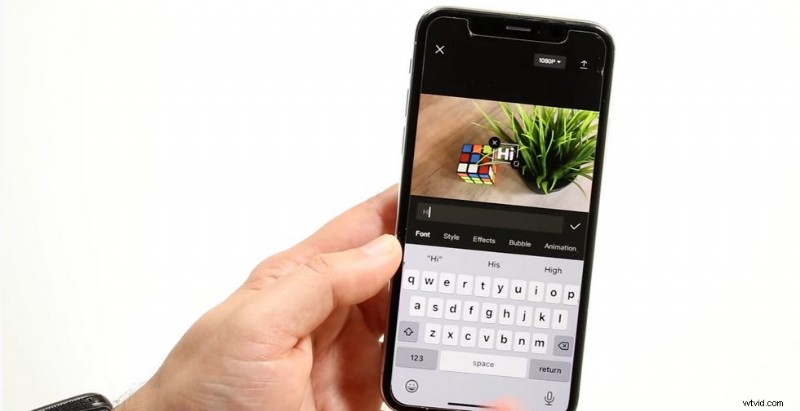
Add Text in CapCut
Just remember, while you’re there, hit the corresponding button to have a try if you have anything in mind.
Not just like any other video editors, CapCut is more powerful and multifunctional. If you explore deeper into these features, you’ll find more detailed configurations available, such as adjusting the Length of the added effects, or change video velocity as frames, etc.Add Effects and Transitions in CapCut
Video special effects and transitions are the fundamental parts of good video editing.
You can easily find and browse from 500+ special effects from CapCut’s effects collection, and add a favored one to your video.
And if you’ve cut your video into multiple parts, or you’re editing with multiple separate video clips, hit the Add Transition button to add various transition effects to your video creation.
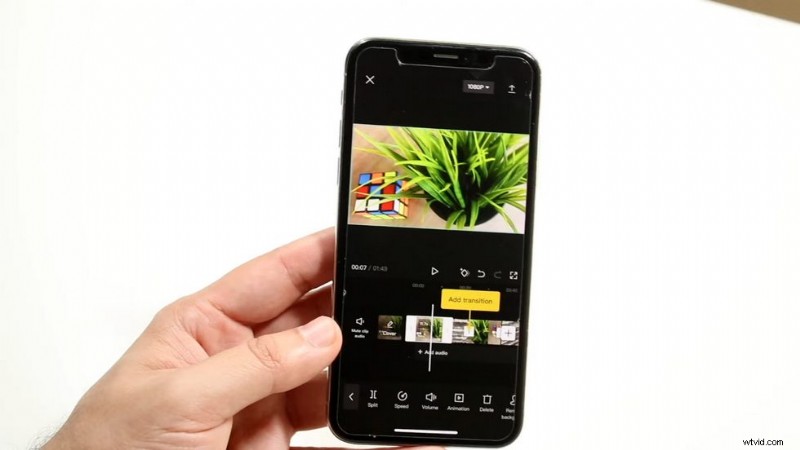
Add Effects and Transitions in CapCut
Advanced CapCut Tips
Try these advanced video editing tips and tricks on CapCut, to take your video creation to the next level, and start your own video editing trends! These video editing skills are key to making viral videos.
- Join the largest velocity edit trend to make your video more dynamic
- Do a cool 3D zoom effect to animate your photos
- Learn to add backgrounds to your videos on CapCut for different scenes
- Use the CapCut green screen feature to change the video background
- Use the new CapCut HDR filter to make your video more eye-pleasing
To Sum Up
It’s never too late to start your video editing journey, as the matter of fact, now would be the best time since you can follow our tutorials and make your first video in CapCut. And I believe you can make an incredible one.
Is this page helpful? Please share it if so. And if you have any other questions or insights, please share them with us.