
Nowadays, watching streaming video is a dispensable part of our life. But sometimes it uses too much data. To reduce data usage, downloading streaming video from website is a great choice. In this post, you will learn 3 ways to download streaming video from any website.
This post offers 3 tools to help you download streaming video from website. Let’s take a look at this post (Want to cut a streaming video? The best video cutter – MiniTool MovieMaker is recommended here).
Note: Downloading copyrighted videos could put you at risk.Download Streaming Video with Video Grabber
The first tool that can download streaming video is Video Grabber. It’s free and easy to use. It offers the ability to download videos from any website including YouTube, Vimeo, Facebook, Vevo, Crunchyroll, Dailymotion, Bilibili, Metacafe, Twitch and many more. The video downloads are available in various formats like MP4, FLV, 3GP, MP3, etc. So you can download any video in your preferred format with high quality.
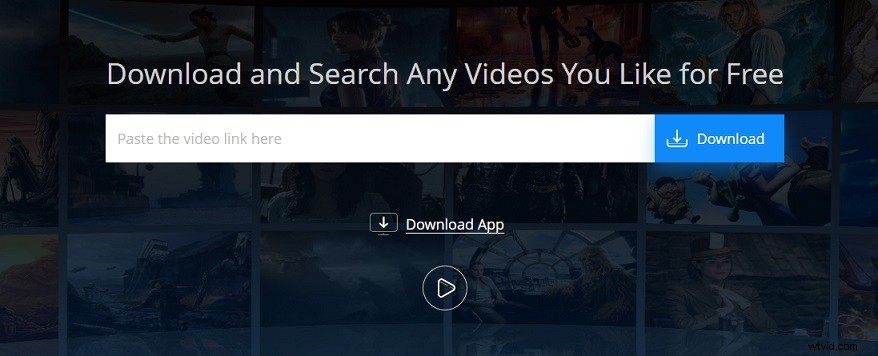
Besides, the built-in video recorder allows you to record streaming videos that you fail to download.
Here’s how to download streaming videos from any website for free.
Step 1. Copy the URL of the streaming video you want to download.
Step 2. Open the Video Grabber website in your browser.
Step 3. Once you get the homepage of Video Grabber, paste the video link in the input box and click the Download button.
Step 4. Then choose the desired quality option and click on Download from the pop-up window.
Download Streaming Video with Distill Video
Distill Video is an excellent streaming video downloader. It’s free, safe and there is no need to install any program on your computer. It supports a wide range of streaming websites such as Twitter, YouTube, Instagram, SoundCloud, Vimeo, Facebook, ESPN, Bandcamp, Tiktok, etc.
The available video downloads qualities are 1080p, 4K and 8K. In addition, this tool also offers a MP3 downloader and a subtitle downloader.

Take the following steps to learn how to download streaming video.
Step 1. After accessing the Distill Video website, copy and paste the desired streaming video link in the search box.
Step 2. Then click the Start button to start analyzing the URL.
Step 3. When the process is done, choose the preferred quality and output format option and download it from the website.
Download Streaming Video with Video DownloadHelper
Another tool can download streaming video from any website is Video DownloadHelper. Unlike online video downloaders, it’s an extension available for Google Chrome and Mozilla Firefox. Just add the extension to your browser, you can download any video from any websites for free.
More importantly, it’s much easier to use than any online streaming video downloaders, because you don’t have to copy and paste the video URL.
Want to download streaming video quickly and easily? Follow the steps below.
Step 1. Open your browser and install the Video DownloadHelper extension.
Step 2. Go to your favorite streaming website and play the video you need to save.
Step 3. Click the extension icon behind the address bar.
Step 4. Choose the wanted option and download the streaming video to your computer.
Conclusion
This post tells you the top 3 ways to download streaming video from any website. Choose a streaming video downloader and try it now!