
Inevitably, when you use a mobile phone or digital camera to record videos, the recorded videos may contain hiss, compression and particles. These impurities make your video look uncomfortable and imperfect. Therefore, you need video denoise software to help you remove these impurities.
Read this post and learn about good video denoise software and its functions.
Want to make a wonderful video? MiniTool MovieMaker is highly recommended to you.
Neat Video
Neat Video is a powerful video editing tool suitable for Windows, macOS and Linux. It aims to reduce the digital noise, flicker, dust, scratches and other defects in the captured videos to improve the visual quality of the videos.
Neat Video not only can remove the defects in night shooting and low-light shooting, but also change the underwater lens to keep it away from digital noise while maintaining the beautiful colors of nature.
Neat Video uses innovative noise analysis methods and complex mathematical algorithms to convert grainy and imperfect videos into very smooth and noise-free videos. In addition, its design makes full use of the available CPU and GPU hardware to speed up its operation. Therefore, its accurate and efficient design is deeply loved by video professionals and amateurs.
Shotcut
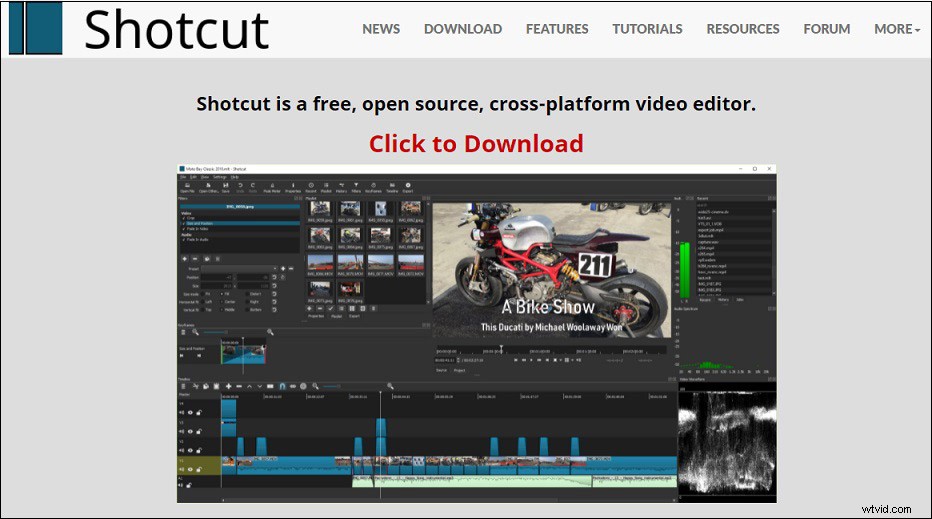
Shotcut is a free, open-source and cross-platform video denoiser for Windows operating system. Additionally, it is also an outstanding video editor with trimming, splitting, color correction and other tools.
Its intuitive interface has multiply dockable and non-dockable panels, including recent search files, detailed media properties, playlists with thumbnail views, history views, encoding panels, filter panels, job queues, and fusion server. At the same time, it also supports dragging and dropping video files from your file manager.
Moreover, Shortcut supports hundreds of audio and video formats as well as frame-precise search for multiple video formats.
VSDC Free Video Editor
VSDC Free Video Editor is a free video denoise software for the Windows operating system that contains a variety of multimedia processing tools. It uses high-quality algorithms optimized for single-core and multi-core CPUs to edit videos at high speed.
Its functions are quite powerful, including chroma key tools that can remove the green background, a large number of popular video effects, filters and transitions, zoom, chart, 360-degree video editing, color correction and other basic tools.
You can use it to create and edit any complex video from family greeting cards to company presentations. Cutting, merging video files, applying visual and audio effects, using filters and image corrections, making slideshows, and adding appropriate soundtracks are all allowed in VSDC Free Video Editor.
VSDC Free Video Editor is a time-saving and labor-saving tool, because its hardware acceleration, multi-color chroma key, adjustable parameter settings and enhanced resolution allow you to create large-size HD videos in minutes. It can even run on outdated computer systems.
FFmpeg
FFmpeg is a powerful encoder tool and leading multimedia framework. In addition to performing video editing operations, it can also decode, encode, transcode, multiplex, demultiplex, stream, filter and play almost anything created by humans and machines.
It contains libavcodec, libavutil, libavfilter, libavdevice, libswscale and libswresample that can be used by apps. And the ffmpeg, ffplay and ffprobe included in FFmpeg can be used for transcoding and playback.
Conclusion
The above are some excellent video denoise software. If you have the need for video denoising, you can try these free video denoise software to denoise videos with ease.