
Here are four of the best video analysis software. You can use them to analyze the data in the video, especially sports videos. They not only provide you with a lot of professional video analysis and drawing tools but are also compatible with many common video formats.
Read the following content to have a deeper understanding of video analysis software.
Want to make an amazing video? MiniTool MovieMaker is highly recommended to you.
Kinovea
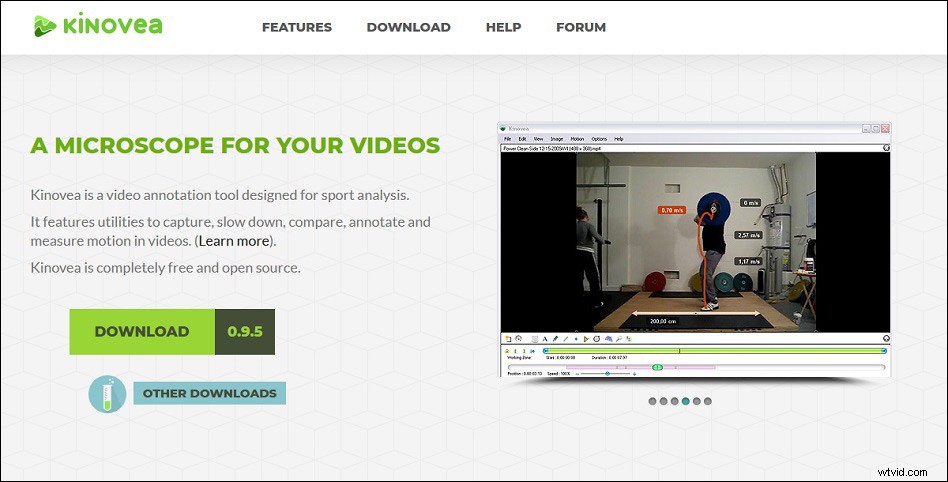
Kinovea is a free and open-source sports video analysis software with practical tools for slowing down, capturing, annotating, comparing, and measuring motions in videos.
Many basic drawing tools, measuring tools, magnifying glass tools, and mirroring tools are included in Kinovea. It supports multiple video formats including MP4, MPG, MOV, AVI, WMV, MKV, FLV, 3GP, VOB, etc.
You can use Kinovea for sports-related teaching in the classroom, or you can use it for Olympic training. It supports playing two videos at the same time, observing and analyzing the two videos side by side and synchronizing them on a common event.
You can adjust the video playback speed and frame number to analyze slow-motion videos in depth. Additionally, changing or analyzing certain parts of the video and adding arrows, descriptions, and other content in key locations to enrich the video is also allowed.
After completing the video analysis, you can export your analysis to a spreadsheet format or merge the video with the analysis data and then export.
Tracker
Tracker is the best video analysis software for Windows, macOS and Linux mainly for physics research.
It has a lot of professional video analysis tools, including manual and automatic object tracking, model generator, model overlay, Xuggle video engine, video filters, perspective filters for correcting distortion, radial distortion filter for correcting distortions related to fisheye lenses, and video properties dialogue box that displays video size, path, frame rate, frame number, etc.
There is no doubt that physics-related data generation and analysis tools are also included, such as coordinate axes, reference systems, protractors, tape measures, circle fitting tools, text columns, drawing tools, and so on.
V1 Home
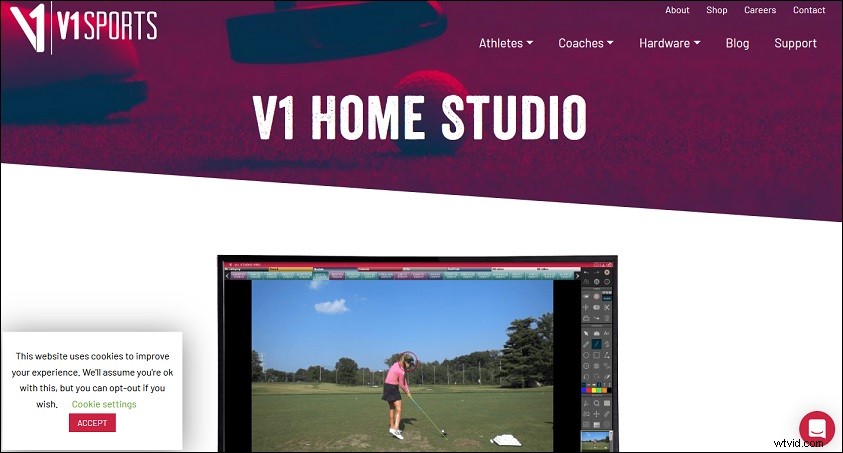
V1 Home is an advanced and reliable sports video analysis software, mainly for golf. Not only can it analyze sports videos, but it can also help you improve your sports skills.
It supports recording your sports actions on your computer, receiving, opening and viewing sports videos taken by others, playing back sports videos in the video window, quickly comparing two videos side by side, and transmitting the recorded video via the Internet to obtain feedback from professionals.
It can capture and view the slow-motion video in HD and high frame rate, compare your videos with others’ videos and use more than 30 advanced analysis and drawing tools to supply you with improvements. On the one hand, you can download some sports videos for analysis. On the other hand, you can also use it to record and save real-time video via a webcam.
PhysMo
PhysMo is an easy-to-use video analysis software that can run on Windows, macOS, and Linux operating systems.
It supports manual adjustment of the time base of the high-speed camera, up to 10 times the video magnification and frame-by-frame analysis to help you achieve precise positioning during the video analysis process.
It also provides you with edge detection filters to help you deal with low-quality video files. All in all, it can read most video files and supply you with accurate video analysis.
Conclusion
After reading this post, you may think of the video analysis software when you watch the video. If you find them interesting and meaningful, you might as well download anyone to try.