
Want to easily complete a series of tedious tasks of photo editing on Chromebook? The following five photo editors for Chromebook can fully meet your needs. Some of them are offline photo editors, so you don’t even need to be connected to the Internet to use them.
Let’s take a look at the functions and features of these five photo editors for Chromebook.
If you want to make your edited photos into a photo collection, you can use MiniTool MovieMaker.
GIMP
GIMP is an open-source and free photo editor for Chromebook. At the same time, it is also a cross-platform photo editor that can be used in Windows, macOS, Linux, and more operating systems.
It provides you with the basic tools needed to process high-quality photos, flexible photo conversion functions, a series of icons, graphic design elements, high-quality frameworks and multi-language support for scripted photo processing.
Moreover, it supplies you with many customization options and plug-ins to further improve your work efficiency.
Pixlr
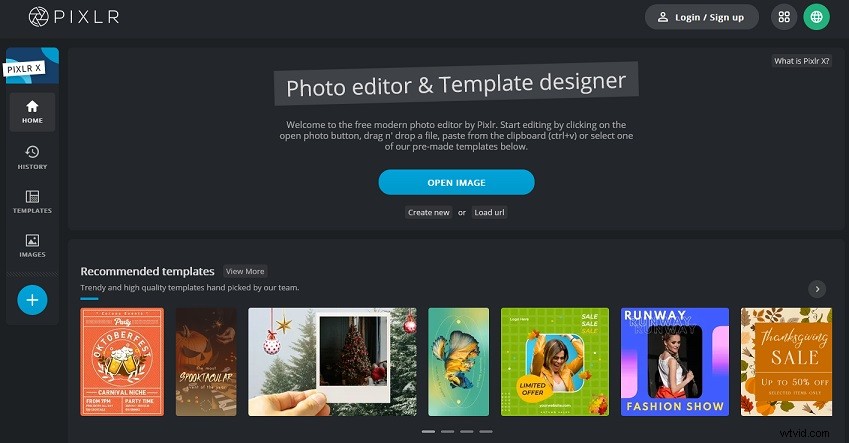
Pixlr is the best photo editor for Chromebook that has a complete set of photo editing tools.
Its operation interface is neat and orderly, including homepage, editing history, popular photo templates of major social media platforms, and image searching. It does not have so many complex advanced features, so if you want a simple and easy-to-operate app, then Pixlr is your best choice.
Polarr
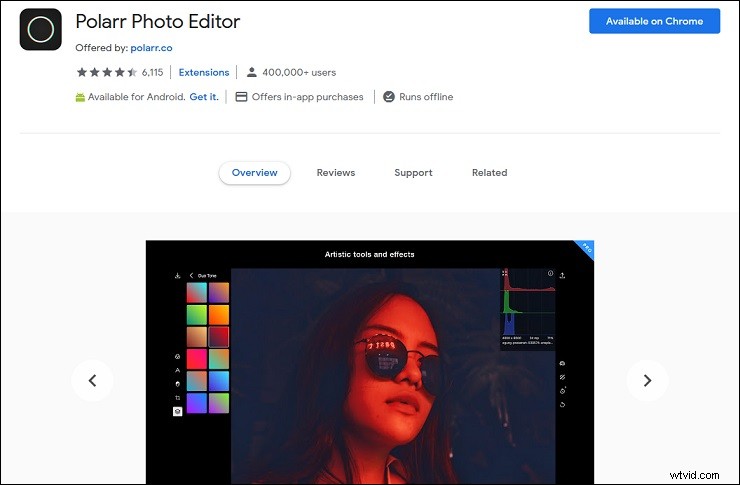
Polarr is a powerful photo editor for Chromebook that can work offline. Whether you are a novice or a professional, it is undoubtedly the best photo editor for you.
On the one hand, it supports local adjustment, including depth masks, brush masks, color masks, radial masks, gradient masks, brightness masks and infinite overlays. On the other hand, it also supports global adjustment, such as intelligent automatic enhancement of exposure and white balance, color, light, detail, vignette, lens, effect, HSL, curve, tone, noise reduction and LUT.
Besides, it also gives you automatic enhancement tools, complex filters, layer and blending mode support, and curve tools to process the details in your photos and the photos more perfect.
Canva
Canva is a multifunctional photo editor for Chromebook. It offers thousands of professional templates, images and high-quality content, allowing you to make creative works.
You can use it independently, or you can use it to share work with your team. It has ream folders to help you manage your work content, schedules to help you publish your schedule, real-time collaboration across countries, companies and departments to help you solve difficulties, and built-in comments that allow you to communicate, work and solve problems in real-time.
Snapseed
Snapseed is a professional photo editor for Chromebook that contains 29 tools and filters.
Almost all photo editing functions are included in it. You can adjust the details, size, exposure and color of the photo automatically or manually through fine and precise control.
Of course, rotation, perspective, white balance, brush, vignette, text, curve, expansion, lens blur, Glamour Glow, tone contrast, HDR Scape, frame, double exposure, Face Pose and other tools are also included.
Conclusion
After reading this article, I believe you have a basic understanding of the above five photo editors for Chromebook. If you are interested in them, download them and use them.
If you have more recommendations for better photos editors for Chromebook, please leave a message in the comment area.