
Instagram is a place where people can share their daily life. It’s also one of the most popular social media platforms for business promotion. Making Instagram Highlights is a great way to promote your brand. What are Instagram Highlights? How to use them? Read this post to find the answers.
What Are Highlights on Instagram?
Instagram Highlights is a part of your profile where you can showcase the best stories you’ve shared. Unlike regular Instagram Stories that disappear after 24 hours, Instagram Stories Highlights can stay on your profile permanently.
Instagram lets you add up to 100 photos or videos to Story Highlights.
Try MiniTool MovieMaker to create a cool Instagram slideshow without watermark!
How to Use Instagram Highlights?
So how to use Instagram Highlights to promote your brand? This part will show you how to make, add, delete Instagram Highlights.
To use the Highlights feature, you’d better turn on the Stories Archive.
- Open Instagram, enter your profile, click the Menu icon.
- Head to Settings > Privacy > Story.
- Scroll down to Save Story to Archive and turn it on.
How to Make Highlights on Instagram
Here’s how to create a Story Highlight.
Step 1. Open the Instagram app.
Step 2. Click the plus icon on your profile picture.
Step 3. Use the Instagram camera to take a photo or load an existing photo from your Gallery.
Step 4. Edit your photo, click Send To and share your story.
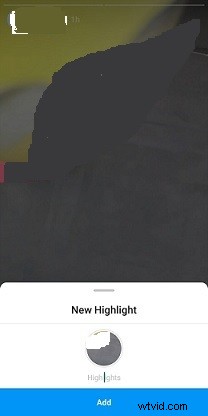
Step 5. Then click Add to Highlights, enter the name, and click the Add button.
If you’ve published an Instagram story before, open your Instagram story, tap on the Highlight icon, enter the name and click Add.
How to Add Highlights on Instagram
To add more stories to Instagram Highlights, here’s how:
Step 1. Open your profile, click New to add a new Highlight.
Step 2. Select the story you want to add and click Next.
Step 3. Edit the Highlight cover and give it a name.
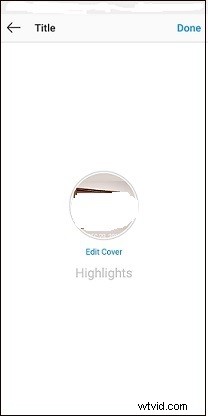
Step 4. Then tap on Done in the top right corner of your screen.
How to Delete Highlights on Instagram
If you want to delete some Instagram Highlights, follow these steps:
Step 1. Go to your profile and open the Highlight that you want to delete.
Step 2. Click More at the bottom left corner.
Step 3. Select the option Remove from Highlight and tap on Remove Photo.
How to Download Instagram Highlights?
Want to save Highlights from Instagram? InstaFinsta is highly recommended here. It’s an online Instagram downloader that allows you to download Instagram Reels, videos, photos, stories as well as Highlights.
Below are the steps on how to download Instagram Highlights online.
Step 1. Open the Highlight you want to save.
Step 2. Click the More button and choose Copy Highlight Link.
Step 3. Go to the InstaFinsta website: https://instafinsta.com.
Step 4. Click on Highlights and paste the copied link into the field. Click SEARCH.
Step 5. Once done, download the Story Highlight to your device.
Conclusion
Follow the above guides and create Instagram Highlights to promote your brand!