
Hot on the heels of Instagram Reels, the social media giant has released their newest and coolest feature: Instagram Guides. Initially limited to a select group of content creators, this feature is now available across all accounts.
What exactly is Instagram Guides? Good question! In short, Guides offers Instagram users the opportunity to share curated content, tips, and recommendations in a scrollable, digestible format.
How to Use Instagram Guides
Getting Started with Guides
To get started, navigate to your profile tab on Instagram and tap the plus button at the top of the app.
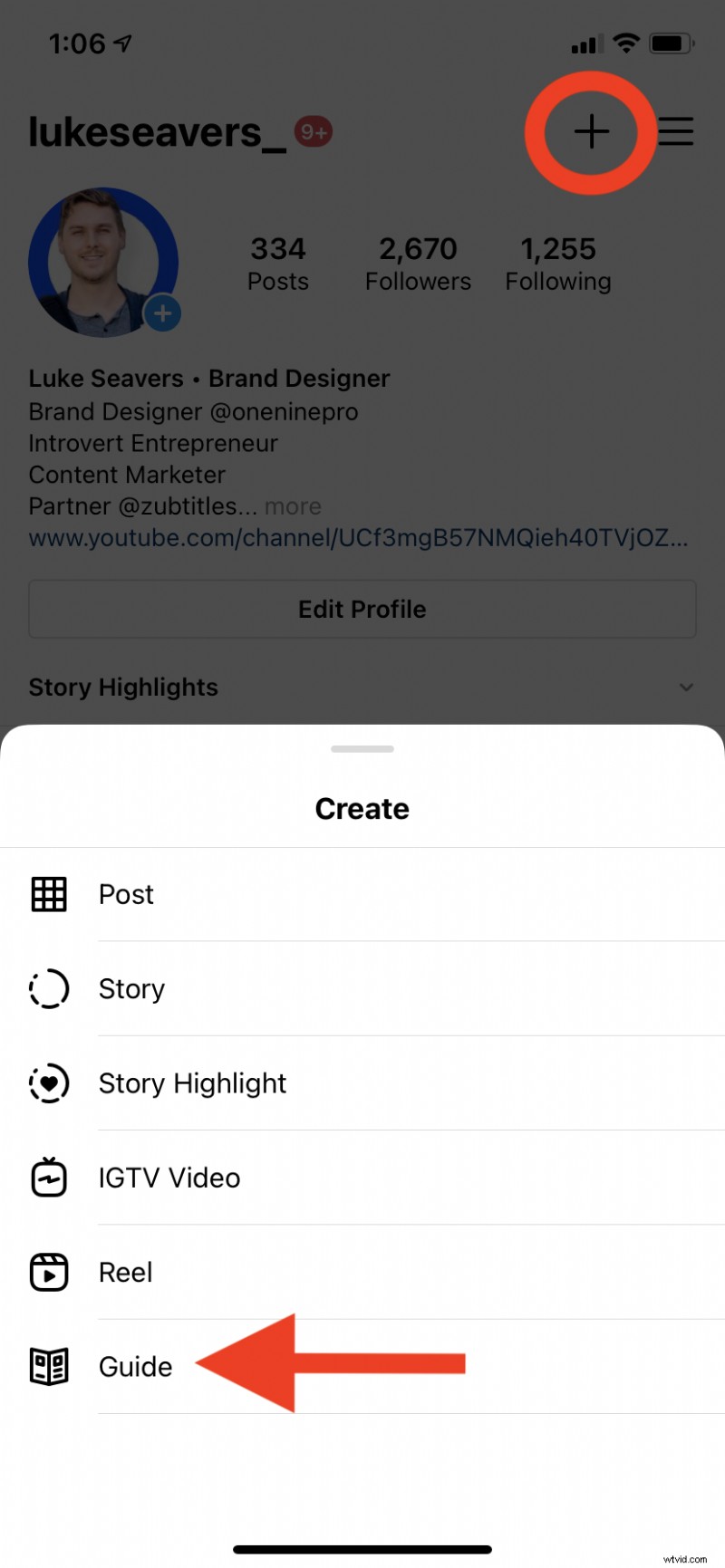
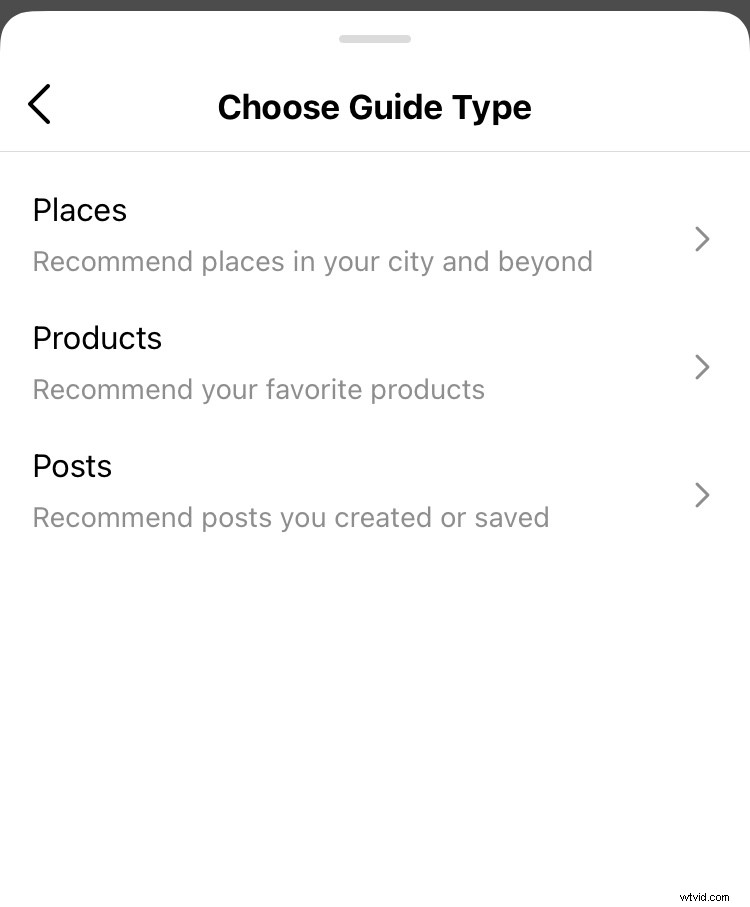
When you select the Guide option, you’ll be able to choose between 3 different formats: places, products, or posts.
So how can content creators use Instagram Guides effectively in their digital marketing strategy? We’re here with some ideas!
Create Instagram Guides
Create Long-Form Content
The best reason to use Instagram Guides is the potential it offers to create long-form content. One of the greatest limitations of Instagram has always been its link limitation. Since you can only share one link in your bio section, it can be difficult to direct your Instagram audience to your more in-depth, long-form content (like blog posts).
With Instagram Guides, you can now combine text, pictures, and videos in much the same way as you would in a blog post. But you can create it and share it with your already-established Instagram audience directly in the Instagram app.
When you create long-form content on Instagram Guides, always focus on creating a narrative and providing value for your target audience. This is the perfect place to provide tips, lists, and guides on topics that your followers care about.
Curate Your Best Content
If you choose the “posts” option, you can share a curated collection of any of your Instagram posts (either from your grid or other accounts’ posts that you’ve saved). One of the best ways to use this element of Instagram Guides is by curating a selection of your best images, carousels, and Instagram videos.
Pro Tip: If you want to create social media-optimized videos the easy way, try out Zubtitle! With this state-of-the-art software, you can quickly and easily add an eye-catching headline, trim your video, caption your video, add a progress bar, resize to square/vertical, etc.
Recommend Places
One of the other format options under Instagram Guides is “places”. If you select this option, you’ll be able to share location-based recommendations with your audience, both local and in other areas. This is the perfect place to share city guides, recommended restaurants, etc.
Promote Products
If you select the “products” option when creating an Instagram Guide, you’ll be able to curate any shoppable products that are available for purchase in an Instagram Shop. As a video marketer, you can use this type of Instagram Guide as a place to promote any products you may have, offer commentary on those products, and provide context for your target audience.
Want to use Instagram Guides as a content creator?
If you’re interested in easily creating social media videos that are perfect for sharing on Instagram Guides, give Zubtitle a try! With our free plan, you can create two videos per month. To create up to 10 videos per month (and remove the Zubtitle watermark), check out our standard plan.