
Sometimes, you may want to know who viewed your Instagram post after you publish it. In this post, I will teach you how to see who viewed your Instagram videos, stories, and profile and how to make your Instagram account private.
How to See Who Viewed Your Instagram Videos?
Can you see who viewed your Instagram videos or photos? The answer is no. You can’t check who viewed your Instagram videos and photos, but Instagram will show you who liked your videos and how many times a video has been viewed.
Want to edit your Instagram videos? Try the best free Instagram video editor – MiniTool MovieMaker.
Step 1. Open Instagram and go to your Instagram profile.
Step 2. Find the video you want to check who liked it and the view count and tap it.
Step 3. Underneath the video, you’ll see the view count and who liked the video.
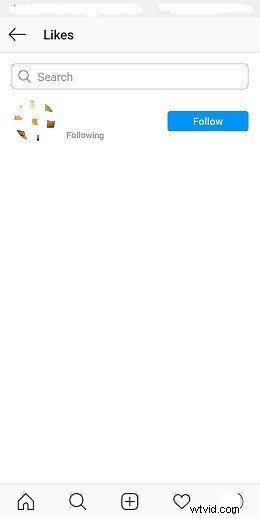
Step 4. Click others and you will find the list of people who liked your video.
Related article: Instagram Videos Blurry? Best Solutions to Fix It!
How to See Who Viewed Your Instagram Stories?
You can’t see who viewed your Instagram posts shared on the feed, but you are able to check who viewed your Instagram stories. Instagram Story will show the number and the usernames of viewers. If you want to know who viewed your Instagram video, share it to your Instagram story.
Here’s how to see who viewed your Instagram stories.
Step 1. Open Instagram and share a video to your story. After uploading the video, wait for a few hours and head to Your Story.
Step 2. In the lower-left corner of your screen, you’ll see the viewer’s profile icons and the number of people who’ve viewed the story.
Step 3. Tap the profile icon and all viewers will be listed here.
You can also see who viewed your Instagram Highlights. Read this post to learn how to use it: How to Use Instagram Highlights
How to See Who Viewed Your Instagram Profile?
Can you see who viewed your Instagram profile? To find out who is viewing your Instagram account, you’ll need to download a third-party app such as InMyStalker, InReports, Analyzer Plus, FollowMeter, etc. These apps help you track Instagram stalkers and give you detailed information about who viewed your Instagram profile.
How to Make Your Instagram Account Private?
Need to make your Instagram private? Take the following steps:
Step 1. Launch the Instagram app.
Step 2. Tap on your profile icon at the bottom right corner of the screen.
Step 3. Click the three horizontal lines and go to Settings > Privacy.
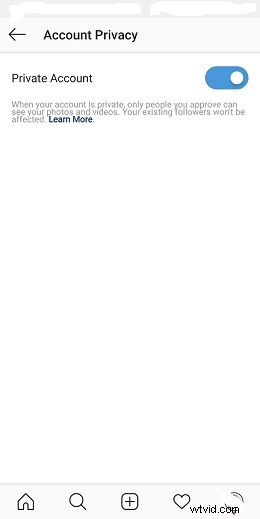
Step 4. Toggle on Private Account under the Account Privacy and click OK to confirm the operation. Then your Instagram posts will only be visible to followers.
Note:
Private accounts mean that only the followers you approve can see what you share on Instagram.
Conclusion
All in all, sharing your videos or photos to Your Story is the best way to see who viewed your Instagram posts.