
Do you need to speed up or slow down videos for your presentation?
Do you need to speed up a video to show a long step-by-step process?
Changing the speed of a video is a great way to take your instructional content to the next level or add an extra professional touch to your video.
Luckily, you don’t need a ton of video editing skills to do it.
There are several video editors out there to help you adjust video speed, but we think that Camtasia is the simplest and most user-friendly.
Here’s how to quickly and easily adjust your video speed using Camtasia.
How to speed up or slow down a video
Camtasia is super handy for changing the speed of your videos. There are a few ways to do it:
Step 1: Add clip speed
Clip speed allows you to play a video clip faster or slower than its original speed. To apply the clip speed effect, click and drag it from the tools panel to a clip on the timeline.
Open the effects tray and drag the clip speed handles to adjust the speed of a clip.
Step 2: Go to properties, then adjust clip speed
Another way to speed up or slow down a video is to select your chosen clip on the timeline with clip speed added, and simply adjust the speed in the properties panel.
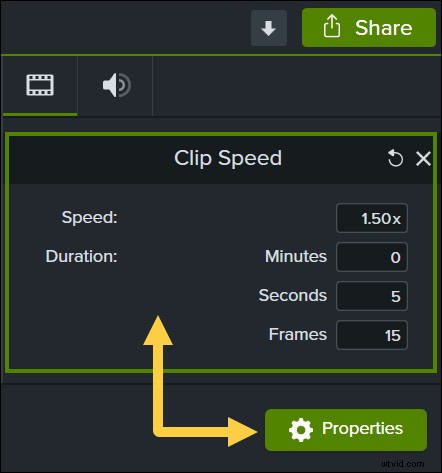
It’s that simple! Camtasia gives you the power to create clips and videos of whatever speed you want.
Do you want viewers to change the video speed themselves?
One thing to note is that adjusting the video speed in an editor is different from the playback speed. If you want to allow your viewers to adjust whether the video plays faster or slower, simply upload your normal video file.
Most hosting platforms like YouTube, Vimeo, Screencast, and Wistia all allow users to adjust the video playback speed.
Get ready to be a rockstar with your next presentation, tutorial, or training video!