
A Cramped Festival, One Phone, and a Surprise
At 2 AM during a 48‑hour film festival, my phone buzzed. After 36 hours, the camera crew had abandoned their gear to become actors, I’d rewritten the script twice, and we were shooting Noelle’s Package entirely on my iPhone. The deadline was looming, and I had forgotten how brutal post‑production can be since my college days.
The scrappy smartphone shoot earned an honorable mention for audience choice—not because of fancy equipment, but because the story resonated. That weekend, I realized your phone already carries everything you need to make films that matter.
The Problem: Gear Paralysis Kills More Films Than Bad Ideas
Most aspiring filmmakers stall because they believe they need a $10,000 gear budget before they can even shoot a frame. I’ve seen creators spend months researching RED cameras, cinema lenses, and professional lighting rigs, only to never take a picture. Analysis paralysis wins again.
The real obstacle isn’t the lack of equipment—it’s the belief that gear defines the filmmaker.
Steven Soderbergh shot High Flying Bird on an iPhone, and Sean Baker’s Tangerine stunned Sundance with smartphone footage. These aren’t anomalies; they prove that creativity beats gear every time.
Modern smartphones possess sensor specs that outclass many award‑winning cameras from two decades ago. Yet most users never learn to harness them fully.
The Underlying Cause: Nobody Teaches the Fundamentals
Film schools focus on professional cameras, while YouTube tutorials assume you already know the basics. Smartphone filmmakers often find themselves stranded between the two. Mobile filmmaking demands a different mindset: lighting behaves differently, audio capture requires special attention, and stabilization becomes essential.
Advice frequently centers on apps and accessories—buying more gear—while the fundamental skills that transform footage from amateur to cinematic remain largely absent.
During the pandemic lockdown, I shot Married & Isolated with just two people handling every role. The phone’s flexibility saved that production, but only because I learned to work within its constraints rather than fight them.
The Solution: Master the Craft, Not Just the Camera
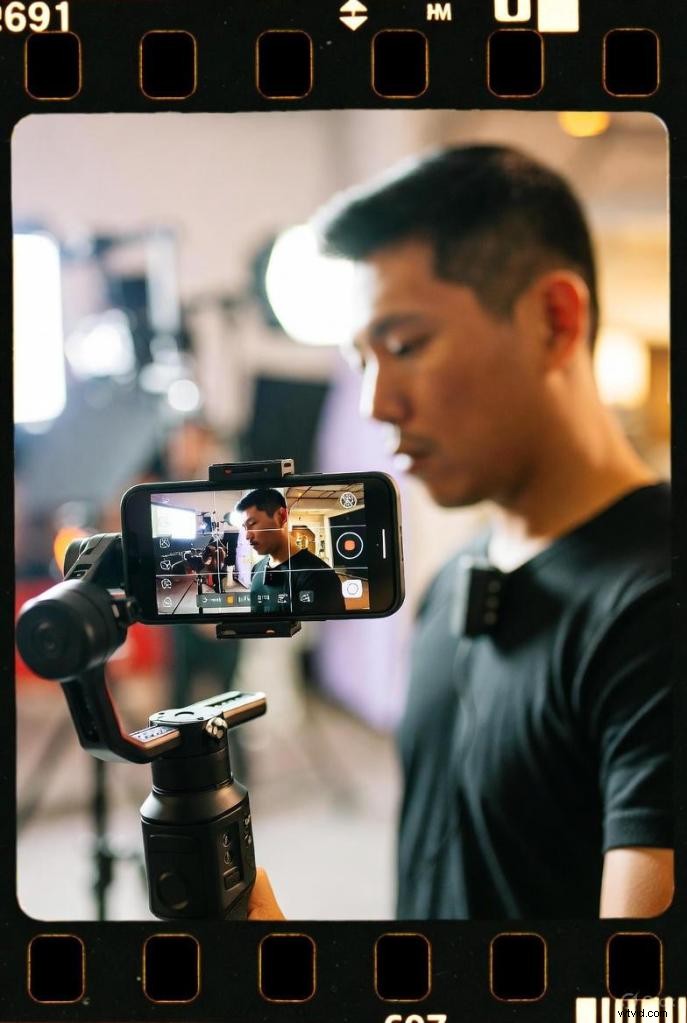
Great smartphone filmmaking boils down to five core principles:
- 1. Understand Light – A phone sensor is smaller than professional cameras, demanding intentional lighting. Natural light, especially during the golden hour, turns ordinary shots into cinematic magic.
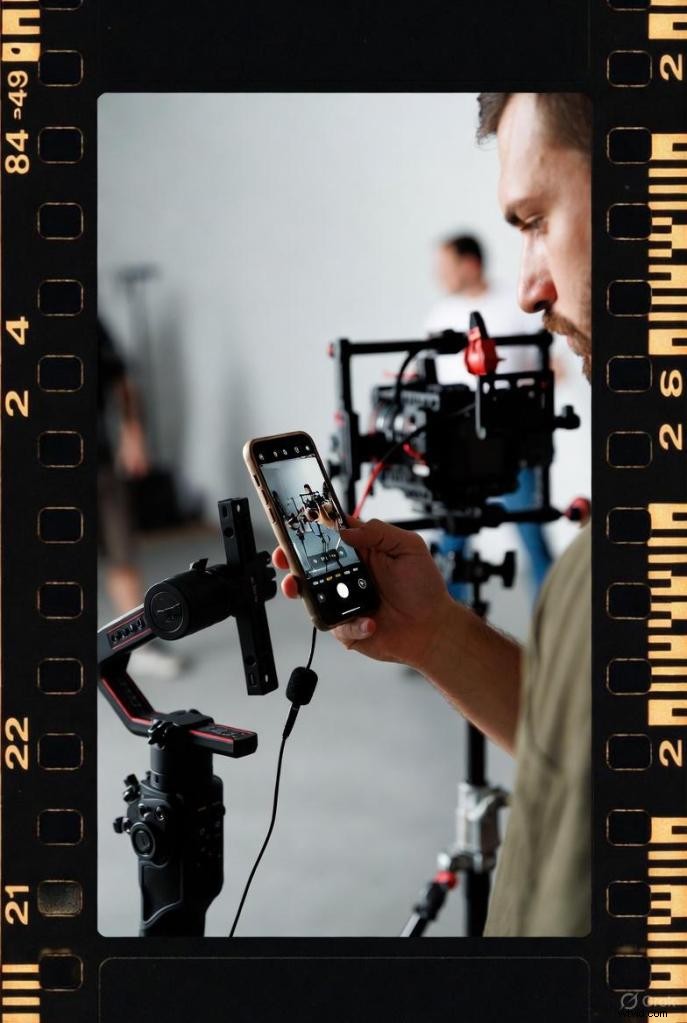
- 2. Stabilize Everything – Even the best phone can’t mask shaky footage. Simple techniques—leaning against walls, using makeshift supports, or the “ninja walk” (heel‑to‑toe with bent knees)—immediately elevate quality. For high‑energy sequences, a gimbal is essential.
- 3. Audio Trumps Video – A phone’s built‑in mic is meant for calls, not filmmaking. A $30 external microphone can raise production value far more than any lens or lighting kit.
- 4. Compose with Intent – Use grid lines and the rule of thirds to guide your framing. Combine wide establishing shots, medium context shots, and close‑ups to keep viewers engaged.
- 5. Edit Ruthlessly – Editing shapes the narrative, controls pacing, and creates emotional impact. Cut anything that doesn’t serve the story.
Implementing the Solution: Your Smartphone Filmmaking Workflow
PRE‑PRODUCTION: BUILD YOUR BLUEPRINT
Don’t start recording until you’ve planned.
Story first. Define the message, audience, and desired emotional response before worrying about shots. Projects that failed often skipped this step, while those that succeeded—like Noelle’s Package—had clear intent.
Create a shot list—not a full script, but a breakdown of essential shots: wide establishing shot, medium shot of the main character, close‑up of a key object, and B‑roll of environmental details. This checklist keeps you organized on shoot day.
Scout locations. Visit at the same time you’ll shoot to evaluate lighting and ambient noise—traffic, wind, HVAC—that could ruin takes if unplanned.
Test everything beforehand: record 30 seconds, check audio, review framing, and fix issues while you still can.
PRODUCTION: CAPTURE CINEMATIC FOOTAGE
Lighting Strategy
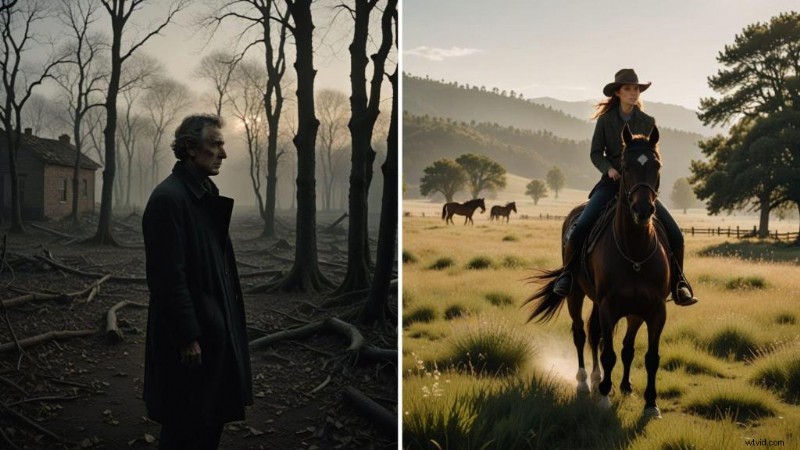
Shoot during golden hour when possible—30 minutes after sunrise or before sunset. The light is soft, warm, and naturally cinematic.
Avoid midday sun; it creates harsh shadows and washes out detail. In bright daylight, seek shade or use buildings to diffuse light.
Indoor shooting? Position your subject near windows for natural light. The bigger the source, the softer the shadows. A large window beats any lamp.
DIY lighting works: white bedsheets diffuse light, aluminum foil bounces it, and desk lamps provide fill. You don’t need expensive gear—just understand how light shapes your image.
Camera Settings That Matter
Stop using auto mode. Here’s what to control manually:
- Frame rate – 24 fps for that film look, 30 fps for standard video, 60 fps for smooth slow‑motion.
- Resolution – 4K offers flexibility in post‑production; 1080 p is fine for most online content and saves storage.
- Exposure lock – Tap and hold your subject until AE/AF Lock appears (iPhone) or enable manual exposure (Android). This prevents unwanted exposure changes mid‑shot.
- White balance – Match it to your light source: daylight, cloudy, tungsten, or fluorescent. Incorrect settings make footage look sickly or overly warm.
Apps like Filmic Pro or Blackmagic Camera give full manual control and are worth learning for serious projects.
Stabilization Techniques
Basic tripod: a $20 Amazon Basics model works well for static shots.
Gimbal: DJI Osmo Mobile SE (budget) or Zhiyun Smooth 5 (mid‑range) deliver smooth pans, tilts, and tracking shots that look professional.
No gear? Use what’s around: rest your phone on a wall, car hood, or backpack. For walking shots, hold the phone close to your body, bend your knees, and walk heel‑to‑toe. This “ninja walk” minimizes bounce.
Audio Capture
External microphones are non‑negotiable for quality work.
Lavalier mic (Rode SmartLav+): clips onto clothing—ideal for interviews, vlogs, or dialogue. Keep it close to the subject’s mouth but hidden from frame.
Shotgun mic (Rode VideoMicro): directional; points where you’re filming and rejects side noise. Great for capturing specific audio while minimizing background noise.
Record audio and video on the same device. Syncing separate files in post‑production is a hassle beginners should avoid.
Position the mic as close to your sound source as possible without being visible. Every inch of distance degrades audio quality.
Control your environment: shoot in quiet locations, use windscreen outdoors, turn off fans and AC when recording indoors.
Composition and Framing
Enable grid lines on your camera. Place subjects at the intersection points of those lines—that’s the rule of thirds.
Mix your shots: wide (shows location), medium (shows context and body language), close‑up (captures emotion and detail). Variety maintains visual interest.
Shoot B‑roll—supplementary footage of locations, objects, actions. You’ll use this to cover transitions and add depth to your edit. Always capture more B‑roll than you think you need.
Leading lines: use roads, fences, or architectural elements to guide the viewer’s eye toward your subject.
Depth: include foreground, middle ground, and background elements. This creates visual layers and makes flat smartphone footage feel three‑dimensional.
POST‑PRODUCTION: TRANSFORM FOOTAGE INTO A FILM
Editing Apps
Start simple, then level up as you learn.
- iMovie (iOS): free, intuitive, handles basics well.
- CapCut (iOS/Android): free, packed with features, popular for social media.
- LumaFusion (iOS): $30, professional‑grade. Multi‑track timeline, color grading, keyframing.
- Adobe Premiere Rush (iOS/Android): subscription‑based, syncs with desktop Premiere Pro.
Editing Workflow
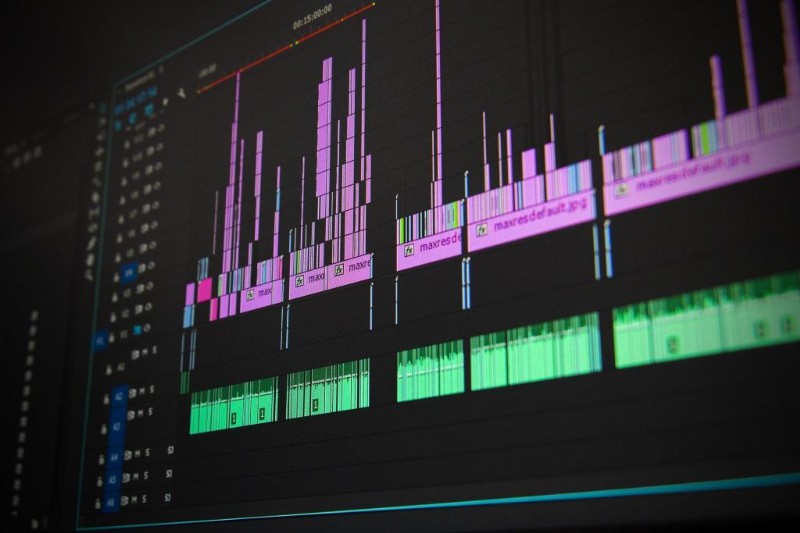
- Import and organize: get all footage into your editing app. Create folders or bins for interviews, B‑roll, and cutaways.
- Rough cut: trim obvious bad takes—awkward pauses, stumbles, technical problems. Keep only usable footage.
- Story assembly: arrange clips to tell your story. Watch it through. Does it flow? Does it make sense? Does it feel right?
- Refine pacing: speed up dull sections, slow down pivotal moments. Every cut should feel intentional. When in doubt, cut faster—modern audiences prefer quick pacing.
- Add B‑roll: cover transitions between interview clips or scene changes. B‑roll makes edits feel smooth instead of jarring.
- Audio mixing: balance dialogue levels. Add music that supports (not overwhelms) the mood. Include subtle sound effects where they enhance realism.
Music and Sound Design
Royalty‑free sources: Epidemic Sound, Artlist, YouTube Audio Library. Never use copyrighted music without licensing—platforms will mute or remove your video.
Match music to emotional tone: upbeat for inspiration, melancholic for reflection, tense for drama. Sometimes contrasting music creates intriguing effects.
Mix audio levels carefully. Dialogue should be clear and prominent. Music sits underneath, adding mood without competing. Sound effects are accents—use them sparingly.
Color Grading Basics
Fix technical issues first (color correction): adjust exposure, fix white balance, correct contrast. Get the image looking natural and consistent across all clips.
Then add creative style (color grading): create a mood with color. Warm tones feel nostalgic, intimate, or romantic. Cool tones feel dramatic, tense, or sad. Desaturated looks feel gritty or realistic.
Don’t overdo it. Subtle grading looks professional. Heavy‑handed color effects scream amateur unless you’re deliberately going for a stylized look.
Most mobile editing apps include basic color wheels or presets. Start with presets, then adjust to taste. Save your settings as custom presets for consistency across projects.
ESSENTIAL GEAR (WHAT ACTUALLY MATTERS)
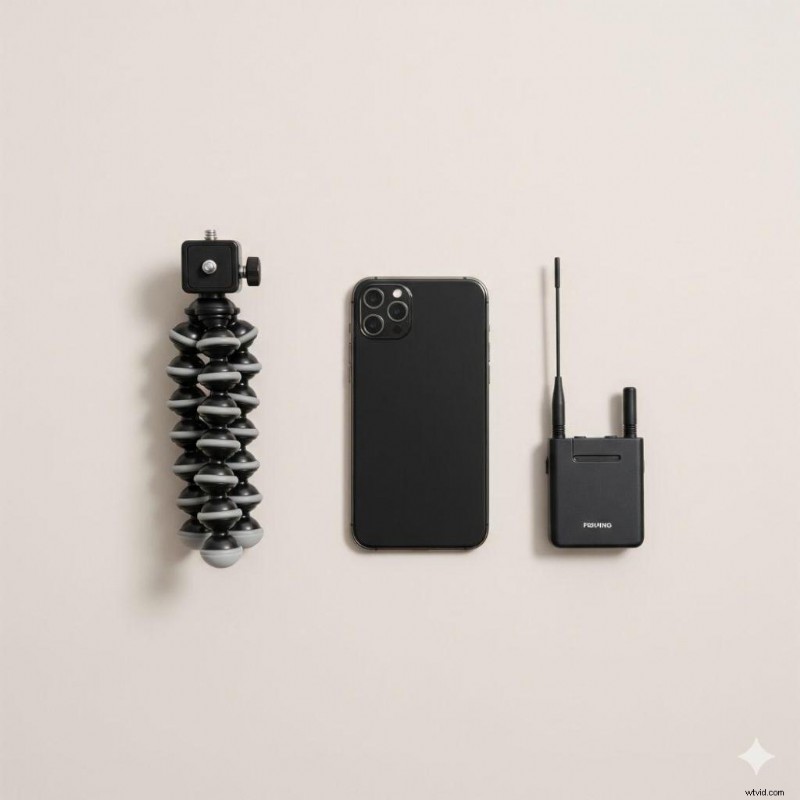
You don’t need everything. Start with the basics, add gear as specific projects demand it.
Must‑Have (Under $100 total)
- Basic tripod: Amazon Basics Lightweight Tripod ($25) handles most static shots.
- External microphone: Rode SmartLav+ ($80) transforms audio quality overnight.
- Power bank: any 10,000 mAh model ($20) keeps you shooting all day.
Worth Adding ($100‑300)
- Gimbal: DJI Osmo Mobile 8 ($149) or Zhiyun Smooth 5 ($150) for smooth motion.
- Better tripod: Manfrotto Befree ($100‑200) if you’re traveling or need professional stability.
- LED light: Lume Cube Panel Mini ($60) for controlled indoor lighting.
Advanced Upgrades ($300+)
- Pro lenses: Moment 18mm Wide ($120) or Anamorphic ($150) for cinematic looks.
- Pro editing app: LumaFusion ($30) for serious post‑production.
- Shotgun mic: Rode VideoMic Pro+ ($300) for professional‑level audio isolation.
I still use my Amazon Basics tripod from five years ago. It’s beaten up but works perfectly. Don’t let gear‑lust distract from learning the craft.

FINDING YOUR VOICE: YOUR STORY, YOUR WAY
Smartphone filmmaking is the great equalizer. No film school degree required. No trust fund. No industry connections. Just you, your vision, and the device already in your pocket.
This democratization means something profound: you can experiment without risk. Want to try documentary? Shoot one this weekend. Curious about experimental film? Test it out. Comedy? Drama? Genre‑bending weird stuff? Go for it.
The freedom to fail cheaply is the freedom to discover what you truly care about making.
Don’t wait for permission to tell your stories. What perspective do you bring that nobody else has? What experiences shaped you? What truths do you see that others miss? Those unique viewpoints are your creative edge.
During the pandemic lockdown, I faced a challenge: create a short film for an arts council with almost zero resources. Just two people handling acting, directing, camera work, and everything else.
The phone’s portability allowed us to shoot quickly, adapt on the fly, and capture what we needed despite the constraints. That production hammered home a truth: smartphone limitations often fuel creativity rather than limit it. When you can’t rely on fancy equipment to solve problems, you find better solutions through storytelling and technique.
CASE STUDY: WHEN EVERYTHING GOES WRONG (AND YOU WIN ANYWAY)
The 48‑hour film festival remains one of my most educational disasters‑turned‑triumphs.
Here’s what happened: Friday afternoon, I received a mandatory prop—a seemingly random object that had to appear in our film. Twenty‑four hours to write a script that incorporated it, then shoot and edit everything by Sunday evening.
I wrote through Friday night. Saturday morning, the camera crew arrived without the cinema camera we’d planned to use. Equipment miscommunication. No time to fix it.
Then the actors didn’t show up.
At this point, most productions would collapse. Instead, we decided to shoot the entire thing on my iPhone, and the crew would fill in as actors. Not ideal casting—we were filmmakers, not performers—but we had a story to tell and a deadline screaming toward us.
The shoot was chaotic. Crew members nervously stepping in front of the camera. Figuring out framing on the fly. The iPhone’s surprisingly crisp footage kept us in the game.
Then came the brutal part: editing. I’d massively underestimated how long post‑production would take. Saturday night blurred into Sunday morning. I was trimming frames at 2 AM, eyes burning, questioning every life choice that led to this moment.
We submitted Noelle’s Package with minutes to spare.
That scrappy, improvised, smartphone‑shot film won the audience choice award. Not because of technical perfection—the production had obvious flaws—but because the story connected. We solved problems creatively instead of giving up. The limitation of smartphone filmmaking forced us to focus on what actually mattered: narrative and emotion.
That experience taught me more about filmmaking than any tutorial ever could. When your back’s against the wall and your fancy equipment fails, you discover what you’re actually capable of. The smartphone isn’t a compromise—it’s a tool that reveals whether you understand the fundamentals.
FREQUENTLY ASKED QUESTIONS
What’s the best smartphone for filmmaking in 2026?
There’s no single “best” phone—it depends on your needs and budget. Current flagships (iPhone 16 Pro, Samsung Galaxy S24 Ultra, Google Pixel 9 Pro) all shoot excellent 4K video with good stabilization. Key features to look for: manual camera controls, 4K resolution at 60fps, optical image stabilization, and sufficient storage (128GB minimum). Even mid‑range phones from the last two years can produce festival‑quality footage. I’ve seen award‑winning films shot on three‑year‑old iPhones.
Do I really need expensive accessories to make good smartphone films?
No. Start with what you have. The three upgrades that make the biggest difference are: a basic tripod ($20‑30), an external microphone ($50‑80), and a gimbal ($100‑150). Everything else is optional. Your storytelling skills matter infinitely more than your accessories. Master the fundamentals with minimal gear before buying more stuff.
How do I stabilize my phone without buying a gimbal?
Several techniques work: rest your phone on stable surfaces (walls, tables, cars), use the “ninja walk” (walk heel‑to‑toe with bent knees while holding the phone close to your body), lean against walls or trees while filming, or shoot static shots on a basic tripod. For $25, an Amazon Basics tripod handles 80% of stabilization needs. Gimbals are fantastic but not required to start.
Why does my smartphone video audio sound so bad?
Built‑in phone mics are designed for calls, not filmmaking. They’re omnidirectional (pick up everything) and positioned far from your subject. Solution: get any external microphone. Even a $30 lavalier mic transforms audio quality. Position it close to your subject (within 6‑12 inches), control your environment (quiet locations, turn off fans/AC), and use a windscreen outdoors. Good audio is 50% of your film’s quality.
What are the best free video editing apps for smartphones?
iMovie (iOS) is genuinely good for beginners—free, intuitive, handles 4K smoothly. CapCut (iOS/Android) is currently the most popular free option with tons of features and effects for social media content. DaVinci Resolve has a free mobile version now too. For serious work, LumaFusion ($30, iOS) is worth the investment—it’s the most powerful mobile editor available.
Can I really make professional‑quality films on a smartphone?
Yes, but “professional‑quality” means different things. Can you create films that get into festivals, win awards, and look cinematic? Absolutely—I’ve done it, and so have countless others. Will it match a $50,000 cinema camera in every technical spec? No. But audiences don’t care about specs—they care about story. Tangerine played at Sundance. High Flying Bird hit Netflix. Both shot on iPhones. The barrier isn’t the phone—it’s learning the craft.
How do I shoot cinematic slow motion on my smartphone?
Shoot at high frame rates (60fps, 120fps, or 240fps depending on your phone) then slow down the footage in editing. Your phone likely has a dedicated “slo‑mo” mode. Key tip: you need excellent lighting for slow motion—high frame rates require more light. Shoot outdoors during golden hour or use strong artificial lights indoors. Also, slow motion looks best with deliberate movement in frame—not everything needs to be slowed down.
What’s the biggest mistake beginners make with smartphone filmmaking?
Ignoring audio quality. New filmmakers obsess over camera specs and visual effects but shoot with terrible audio. Bad audio makes viewers click away faster than anything else. Second biggest mistake? Not planning—hitting record without shot lists or story structure, then wondering why editing takes forever. Third? Overediting with cheesy transitions and effects. Keep it simple, nail the fundamentals, tell a good story.
The Wrap‑Up
That 2 AM editing session during the film festival taught me something crucial: constraints breed creativity.
My expensive camera sat idle while my smartphone—the device I already carried—captured everything I needed. The limitation wasn’t the tool—it was my willingness to learn how to use it.
You already own a filmmaking kit that’s more powerful than anything available to filmmakers just ten years ago. Your phone can shoot 4K video, capture slow‑motion, and connect to professional accessories. The only question is whether you’ll actually use it.
Stop researching. Stop planning the perfect setup. Start shooting. Your first projects will be rough—mine were terrible. But each one teaches you something. Skills compound. Before you know it, you’re creating work that surprises even you.
The future of filmmaking isn’t locked behind film school tuition or equipment loans. It’s in your pocket right now.
What story are you going to tell?
Peekatthis.com is part of the Amazon Services LLC Associates Program, which means we get a small commission when you click our links and buy stuff. It’s like our way of saying “Thanks for supporting us!” We also team up with B&H, Adorama, Clickbank, CJ, and a few other cool folks.
If you found this post helpful, don’t keep it to yourself—share it with your friends on social media! Got something to add? Drop a comment below; we love hearing from you!
📌 Don’t forget to bookmark this blog for later and pin those images in the article! You never know when you might need them.
About the Author
Trent Peek is a filmmaker specializing in directing, producing, and acting. He works with high‑end cinema cameras from RED and ARRI and also values the versatility of cameras like the Blackmagic Pocket Cinema.
His recent short film “Going Home” was selected for the 2024 Soho International Film Festival, highlighting his skill in crafting compelling narratives. Learn more about his work on IMDB, YouTube, Vimeo, and Stage 32.
In his downtime, he likes to travel (sometimes he even manages to pack the right shoes), curl up with a book (and usually fall asleep after two pages), and brainstorm film ideas (most of which will never see the light of day). It’s a good way to keep himself occupied, even if he’s a bit of a mess at it all.
PS: It’s really weird to talk in the third person
Tune In: He recently appeared on the Pushin Podcast, sharing insights into the director’s role in independent productions.
For more behind‑the‑scenes content and project updates, visit his YouTube channel at https://www.youtube.com/@trentalor.
For business inquiries, please get in touch with him at trentalor@peekatthis.com. You can also find Trent on Instagram @trentalor and Facebook @peekatthis.