
Have you ever watched a recipe video? If yes, then you definitely remember the mouth-watering food in it. You can practically smell the scrumptious grilled steak sprinkled with rosemary and thyme, spiced vegetables with steamy baked potatoes seasoned with olive oil, herbs, and spices.
Mmm, sounds tasty, doesn’t it? Your audience too will be enchanted and eager to watch the whole cooking process.
Many famous chefs have already discovered the power of recipe videos by creating and sharing them on YouTube or their personal websites. Now, it’s time for you to try it as well.
Here’s our own video with the easiest breakfast recipes, to give you an idea about what you can create with Renderforest.
Are you ready to start making your recipe video with us? Follow this step-by-step tutorial to create a tempting video for your audience and share your skills.
First, sign up or sign in to Renderforest, if you already have an account. Go to the “Create video” section, “Animation videos” and then the “Food and hospitality video” category. Here you’ll find the templates related to the topic.
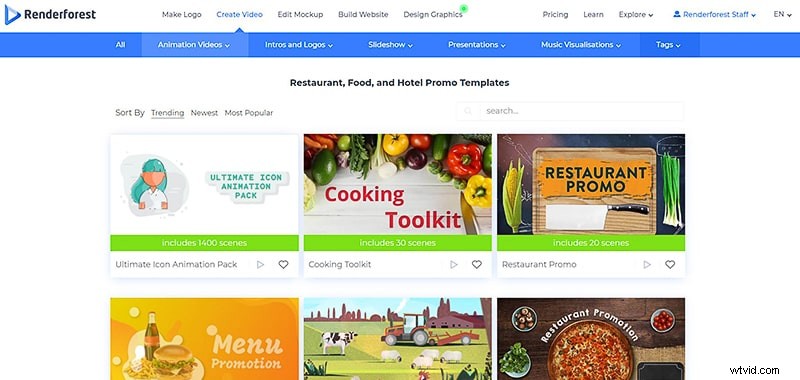
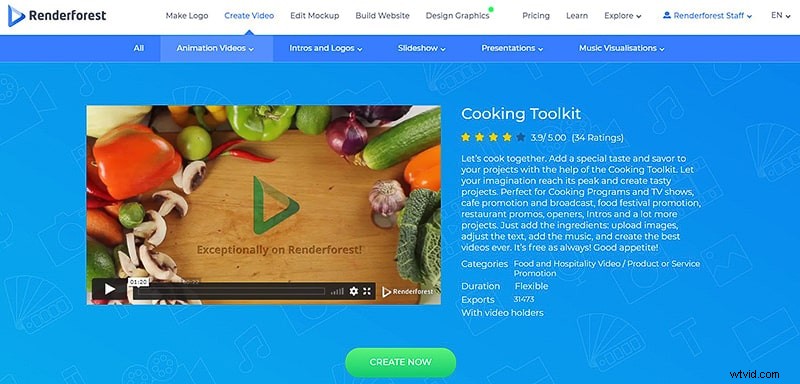
Choose the “Cooking toolkit” template and click “Create now” to start.
Next, you’ll have to choose a method to create your video with: adding the scenes manually or using our ready-made presets. If you want to create your video by adding the scenes yourself, click on “Add scene”, which will take you to our scene library. Here you can choose scenes with text, photo and video holders, logo animations, and more, before starting to edit them.
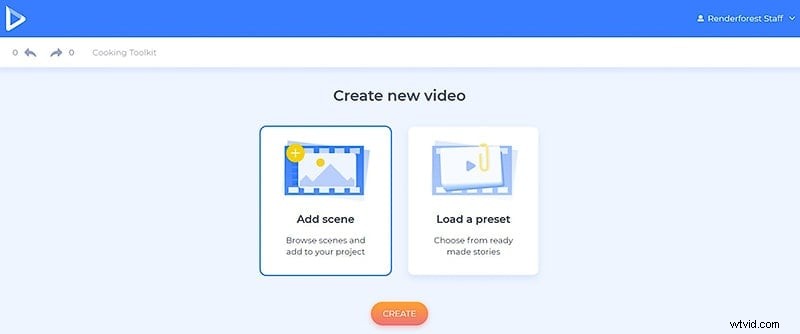
For this tutorial, we’ll pick the second “Load a preset” option and select one of our recipe presets to edit.
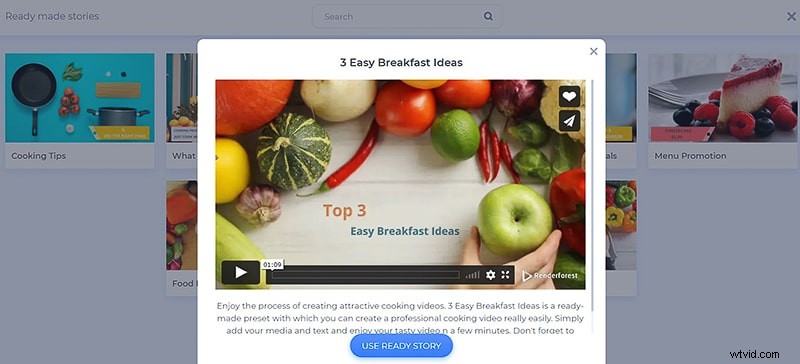
On your dashboard, you are free to edit the sequence of your scenes, as well as duplicate, replace, or delete them.
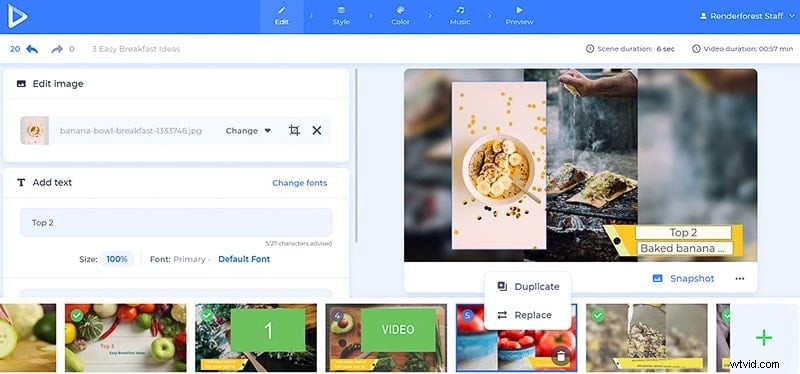
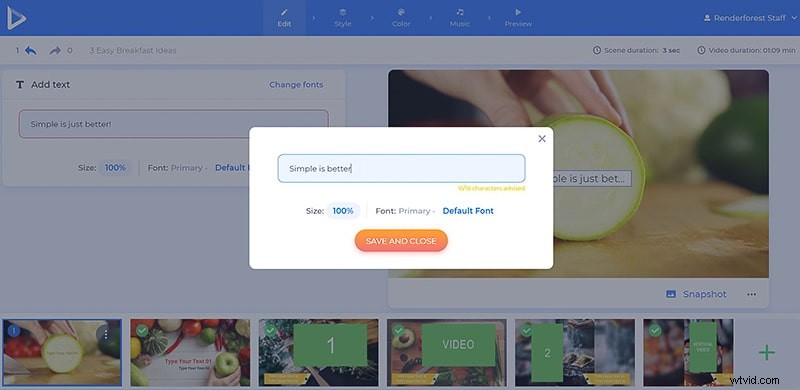
Click on the text holders next to type in your text. The text holders have different character limits, so be careful not to exceed them.
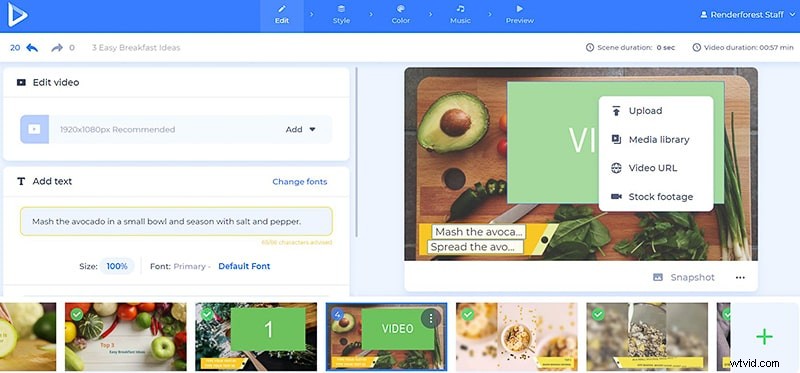
To add your cooking video to the project, click on a video holder, and choose one of the uploading options.
Add the video from your device by choosing the “Upload” option, select it from your previous uploads by clicking on the “Media library” option, and paste the URL link of the video by choosing the third option.
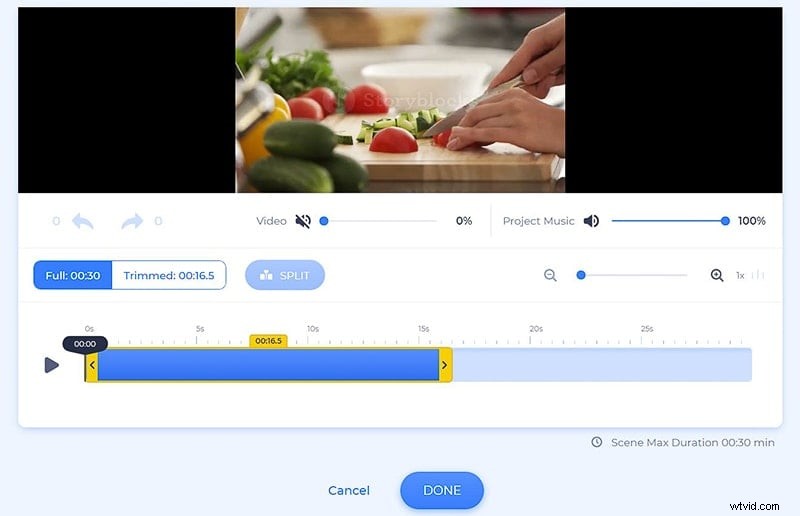
After adding your video, trim it with our video trimmer directly in the editor. This way you can add certain parts of your video to every one of your scenes. Zoom in on your trimmer tool, in case you need help trimming the video more precisely.
Once you’re done adding a part of your video to a scene, move on to the next scene to upload the other parts of your video.
Don’t forget to mute the added videos as well, if you’re going to choose a music track for your whole project.
If you don’t have a certain video or image file for your recipe video, click on “Stock footage” and enter a keyword, or a phrase to find relevant media files. Once you select a file, click “Insert” to confirm it.
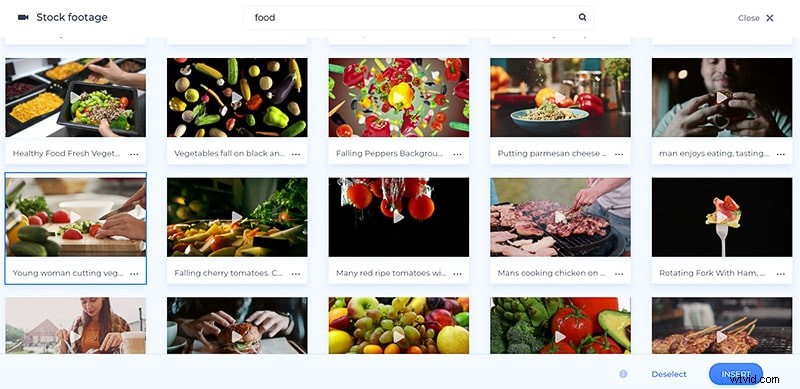
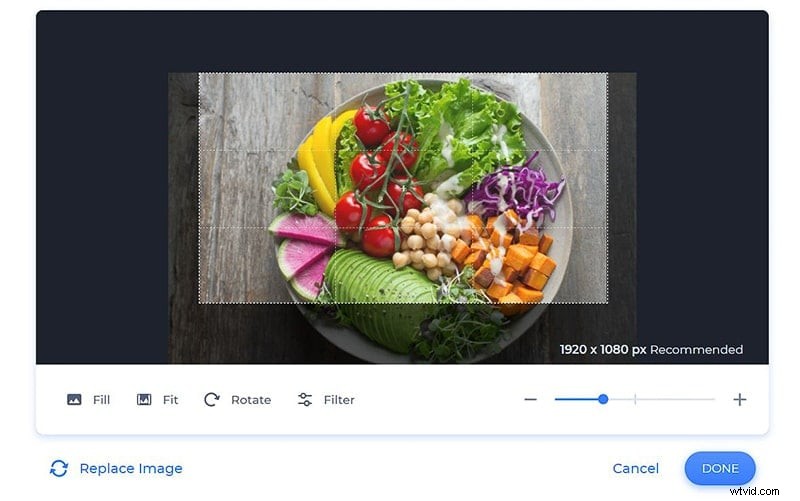
When it comes to image files, you can add them into your project the exact same way as the videos, and crop, flip, or rotate them. Pay attention to the recommended image size, to make it fit perfectly into your scene.
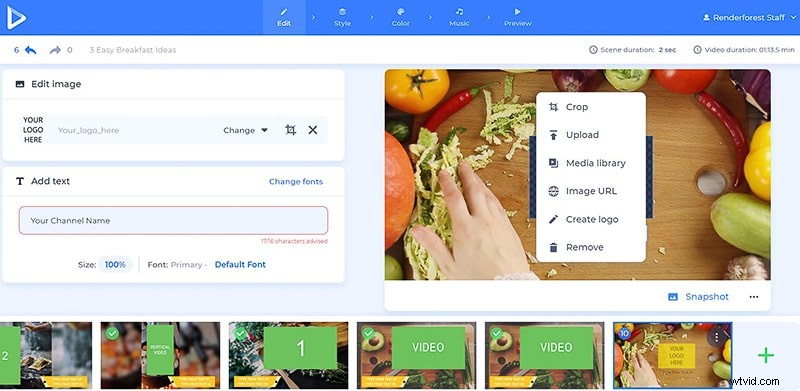
At the end of the video, add your logo in case you have one, or create one on the spot, if you don’t. This will make your video look more professional.
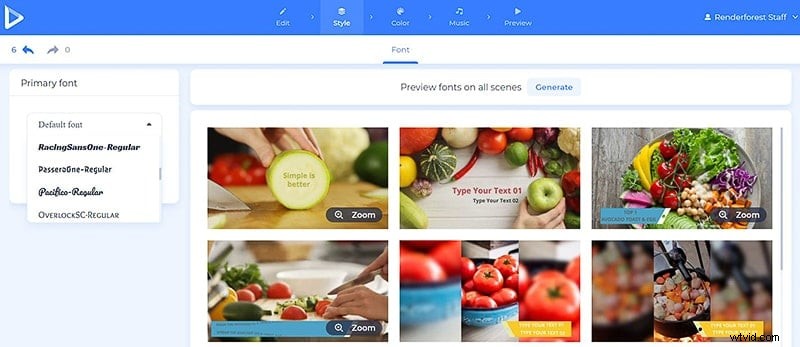
Once the scenes are edited, go to the “Style” section to change the font of your text. Select a font, and click “Generate” to preview the changes.
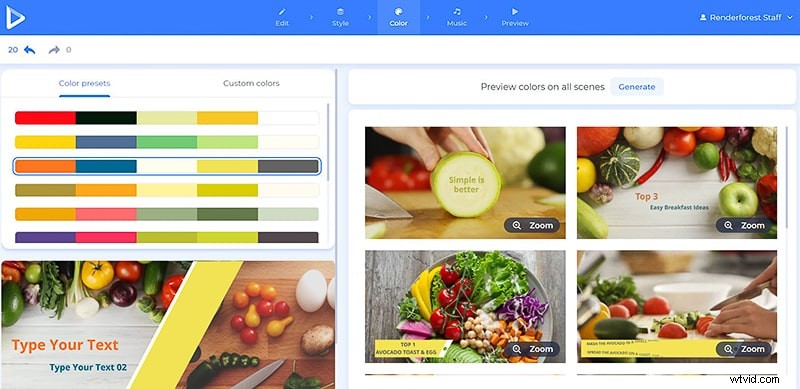
In the “Color” section, choose a color scheme from the palettes suggested by our designers, or add your custom colors. Again, the “Generate” button will help you see the changes, before moving on to the next step.
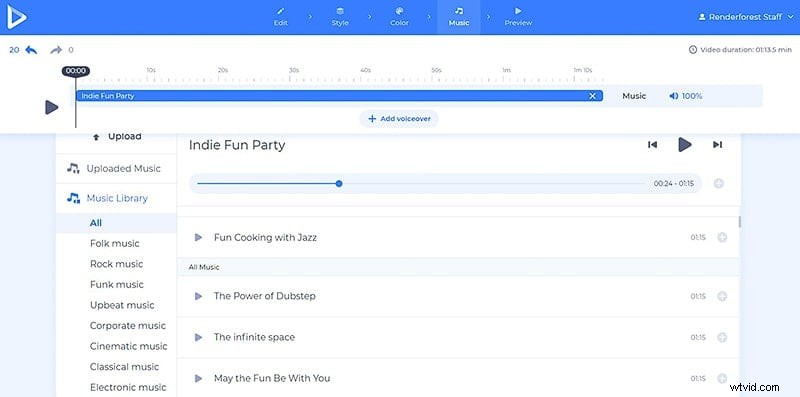
Now, it’s time to choose a suitable track for your video. Select one from our library, or upload your own track. If you want to explain the details of your tasty recipe, upload a voiceover as well, or record one right in the editor.
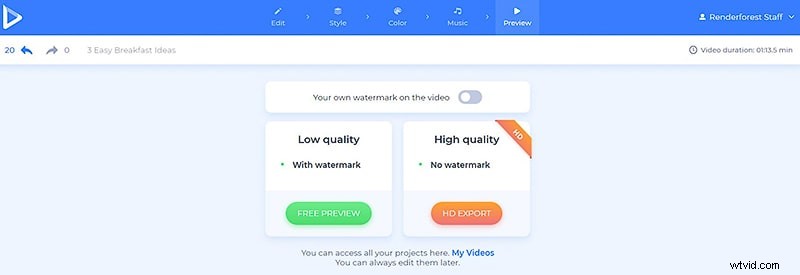
Voila! Your video is ready to go. But before saying “Bon Appétit”, make sure to preview your video for free and then download it.
There are two ways for you to download your recipe video. The first one is the free option, that offers SD360 quality videos with the Renderforest watermark.
With the other “HD export” option, you can choose one of our paid subscriptions, and download your video with high-quality and no watermark. All the details about our pricing are available here.
So? Was it fun? Let’s create another aesthetic and delicious recipe video together right now!
Here are some of our other templates, that will help you create a colorful video for your vlog, to promote your brand and special menu:
Menu Promotion
These ready-made scenes will help you boost your special menu and attract more customers. Add your tempting video and image files, a music track and text, to recreate your menu in a video.
Restaurant Promo
Promote your food business with videos full of mouthwatering scenes, dynamite music, and your shots. Give it a try right now!