
Let’s take a look at 5 styles of content that can benefit most from using editorial video. And how to incorporate them in your next project.
Choosing the correct stock video for your project can seem like a daunting task. There are millions of clips in our library. It can be hard to know if you’ve searched for the right keyword, description, or tags.
Maybe editorial video is just the fix for you.
Editorial video can be just what you’re looking for, depending on the scale and scope of your project. Editorial video has different licensing requirements which you can read about more here. Generally speaking, editorial clips aren’t allowed for commercial use.
There’s historical video, reenactments, 3D renders, and aerial shots. There’s virtually every type of clip you can imagine. These clips cover all types of themes and stories.
The high-end productions for this A+E video archive truly speak for themselves. Serving as the perfect solution to any historical, flashback, educational sequences, or marketing material you or your client might need.
Let’s look at five types of projects that fit perfectly for this specific editorial collection.
1. Historical Documentaries
One of the most obvious uses of great historical video is when used in documentaries. A non-fiction narrative lends itself to real-life subjects talking about actual life events with (ideally) historical video played on top of it.
Whether your documentary is about the American Civil War or swashbuckling pirates—we’ve got hundreds of reenactment clips for you.
Some of the eras and events featured in the collection range from the wild west, major world wars, knights of the round table, and a young Albert Einstein.

These clips even feature actors playing the roles of significant world leaders going back for hundreds of years. You can get as specific as you want with this video.
In terms of visual style, this editorial video has a very neutral look to it. That means if you pass these clips onto your editor, they’ll be much easier to color grade. That’s important so that they can fit the look and feel of your film.
Check out the tutorial below to learn more about how to match two pieces of video.
Even if you’re not in the market for reenactment clips, this collection still offers location-based shots of historical landmarks. So, if you need a shot of the Atlanta skyline, we’ve got the video for you.
If you’re looking to spice up the images within your documentary to give them more life, check out our tutorial on basic After Effect tips for making the images move. This will give your historical sequences some life, adding a sense of motion and flow to your project that can be hard to find with documentaries.
Here are a few more tricks for blending archival video seamlessly into your project.
2. Flashback Sequences
Similar to historical reenactments, the always-important flashback sequence can tell a story. These clips provide non-verbal context in a way that entertains and informs your viewers.
This sentiment holds even more true when the video looks professional and cinematic.
There are thousands of “flashback” style clips to look through in this new collection of A+E editorial video.
While I said earlier that the reenactment clips could act as both historical video and flashbacks, we offer several modern-day clips that don’t just feature historical subjects.
So, if you’re making a documentary and perhaps you want to show a quick 10-second clip of a couple arguing to build tension and mystery . . . look no further!
3. Educational Videos

Many times, as video makers, we’re tasked with making educational and explainer content. Oftentimes, these can have moments that almost feel like a mini documentary.
This collection has everything from drone shots, slow tracking shots, timelapses, and even 3D renders of maps and significant geological locations.
The aerial video offered in the A+E Collection is nothing short of stunning. On top of the video being shot by professional drone operators, the video’s specificity really does come in handy.
If you need a clip of Beverly Hills, you’ll know precisely where in Beverly Hills the shot takes place so you can accurately represent wherever you’re meant to depict.
Check out these tips for the essential types of edits you should know when spicing up your educational content.
Sometimes, stock clips can be vague or confusing about where they take place. The very nature of stock video is intended to blend itself into the project.
However, with editorial video, it’s quite the opposite. The clips are meant to be identifiable for the audience, acting as one of your A-level shots rather than forgettable B-roll.
These editorial clips are landmark specific and easily identifiable in a matter of seconds. That’s exactly what you want when presenting to potential clients, investors, or any type of audience.
4. Marketing Presentations

These types of video projects can be tricky. The video needs to match the ethos of your company. If you’re pitching to another company, it needs to align with both brands and the future you wish to see. It will also need to align with the designs and styling of a deck.
I’ve had situations where the client requested brighter, more colorful, and “happier” video. This collection has video from all times of the year, so no matter the season or quarter of the campaign you’re working on, there’s video to match that feeling.
Similar to what we discussed earlier, if you need a recognizable building in a specific city, at a particular time of day during an exact time of year, this is where Editorial clips will come in handy.
The production value of your presentation immediately skyrockets when you have visual cohesiveness such as this.
5. Animations
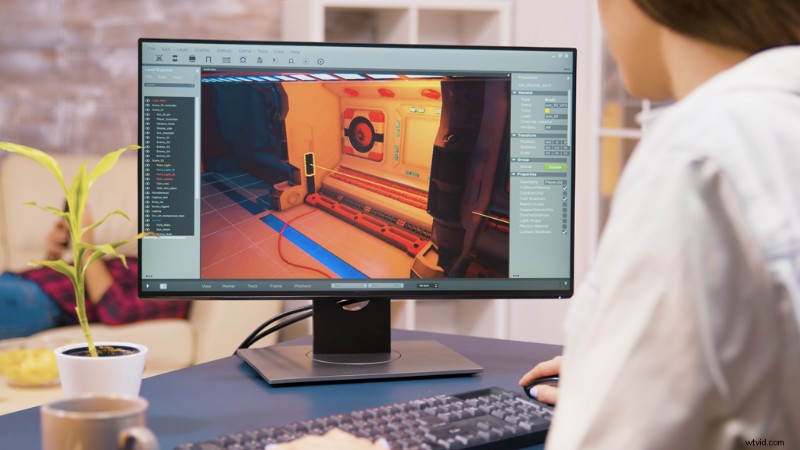
One of the most notable categories of our A+E collection is the inclusion of 3D clips. These entirely computer-generated clips cover a wide range of diverse subjects and topics. These 3D scenes are perfect for almost all four categories listed above.
Video showing a reenactment, or a computer-generated example, will give your project a quantum leap in production value. There are even 2D animations with 3D effects like this.
Personally, the map renders are perhaps the most useful of all. These can come in handy if you need to give context for where something happened . . . or if you need to demonstrate how far something is.
The space 3D clips are also handy for educational content. Let’s say you’re discussing the galaxy. Would you show your client a photo, or would you instead incorporate this clip into your presentation?
This A+E collection has something for everybody. It doesn’t matter if you’re a video editor, a marketer, or a teacher. There are endless ways this video can enhance your projects.
To learn more about editorial licensing, visit our website.
License this cover image via Everett Collection.