
Here are four creative filmmaking tricks to make your solo-camera shoot look like a dual-camera production.
Cover image via Shutterstock.
Personally, there have been a couple of times in my career when I’ve needed to turn one camera turn into two. Once, I’m proud to admit, it was a spur-of-the-moment idea to make a production look much better, and I was quite pleasantly surprised at how well it turned out.
Another time, I’m much more embarrassed to point out, was because I brought another camera but forgot to bring any batteries for it. So, regardless of why or how you need to, finding creative ways to make your one-camera production look like it was a professional two-camera setup can be quite beneficial in a pinch. Here are four ways to pull off the cheat.
Nondescript B-Roll

One technique to simulate multiple cameras is the classic cutaway shot. In films and TV, you see them all the time as scenic setting exposition shots, reaction shots, or close-ups on people or objects. This gets trickier when filming interviews or smaller-set projects. However, even interviews can use nondescript B-roll — you just have to get creative.
Here are some examples, but feel free to get creative. The goal is to find meaningful shots that can stay in context but out of time and place.
- Items in the setting.
- Exposition exteriors.
- Wide production shots.
- Relevant signage.
- Close-ups on hands.
- Items of clothing.
Zoom Cuts
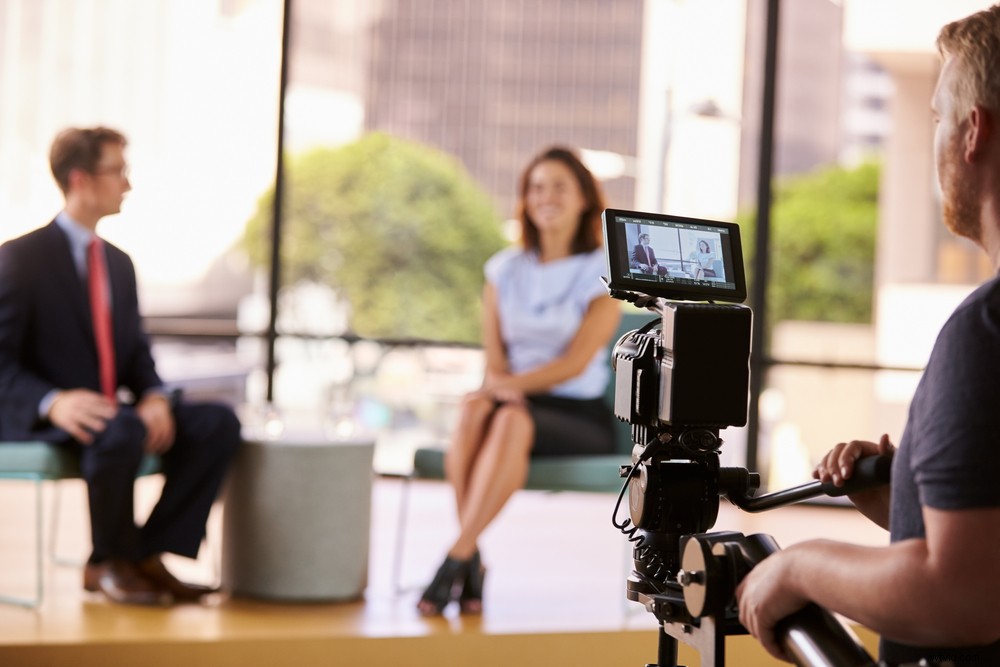
In a lot of interview or set shots, you’ll commonly see two cameras set up almost right next to each other — one on a medium shot, and one on a tight close-up (usually with a zoom lens). This is to give the editor two lengths to choose from and cut between. However, in a pinch, you can get the same effect with one camera.
There’re two ways to do this. One is to physically zoom in with your lens. I’d recommend starting wide to help establish the person and setting, then zooming in about halfway through for more important points. The other way is quite a cheat, but you can also ways crop in post. Ideally, you would be shooting 4K or higher, but with high resolution you can theoretically crop out 75 percent of your footage and still get 1080p.
Note: be careful with this as it technically constitutes a jump cut if the camera doesn’t move more than 30-degrees away. However, as modern filmmaking teaches us, jump cuts aren’t always a bad thing.
Text Screens
Now, this one definitely feels like cheating, but when used properly, it can be quite effective. You’ve seen this online (it’s a favorite of Facebook newsfeed content creators), but by putting text on the screen for a question, you save a lot of time that you would otherwise need to devote to your subject. Not only do you avoid wasted talking points by having your subjects re-tell the question in the answer, you also get a good window of time before or after to present text on the screen to hide your cuts.
Shoot It Twice

This was the trick I used that actually turned out quite useful in a low-pressure situation. The benefit of actually having two cameras is getting a different angle to intercut with. However, you don’t actually have to have the exact same footage to intercut. A good example of this would be any single-camera film or television show. If you practice good editing rules, you can hide any discrepancies quite easily.
So how do you do it? Well, depends on what you’re shooting. In this example, I’ll talk about a cooking show. Along with some other tricks, the goal was to film a wide shot of a host explaining the process and showing how it’s done. A second-camera could ideally shoot stylized close-ups of the food and her methods in action. However, with just one camera, the trick was simply to do it twice — once wide, then once again close up. It took twice as long, and wasn’t exactly the same, but it still got it done.
Looking for some more production tips and tricks, check out some of these resources.
- How to Use a Third Camera on Interview Shoots
- 5 Ways to Hide Jump Cuts
- The Lazy Filmmaker’s Guide to Efficient Video Production
- 7 Quick Production Tips for Film and Video Professionals