
Professional films always have a very a specific look and feel. Most videos look plain or dull compared to the professionally edited ones. If you are wondering how to make a video look like film, it does not take a lot of work. Making a video look like a film just needs the right programs and the understanding of cinematic effects. If you want to learn how to make a video look like film, this article will teach you how to with just a few simple steps.
How to Make Your Video Look like a Hollywood Film
Many of the professional cinematic effects are made with color grading tools like Adobe Premiere CC, Red Giant Colorsita, and DawVinci Resolve Lite. However, in this article, we are recommending Wondershare Filmora. Wondershare Filmora is easy to use video editors that can be used create a film look from a video with just a few clicks.
If you want to make a Hollywood video quickly, you can try some specially designed visual effects, like the blockbuster we mentioned in the video. Find more Special Effects at Filmora Effects Store.
How to Make a Video Look like Film Using Wondershare Filmora
Wondershare Filmora is powerful, but simple-to-use video editor. There are many basic tools to help you edit your videos. There are also advanced color tools that can enhance your video’s quality. There are many other tools that you can use to add text, elements, and transitions. You also can save the video in many different formats, or directly upload it to Facebook or YouTube.
Here is how to make a video look like film using Wondershare Filmora:
- Step 1: Import video clip
To import the files you can simply just drag and drop the video into the program, and then into the timeline.
- Step 2: Cut, Crop or Trim Your Video
If your videos need to be shortened or broken into to smaller clips, you should do so before you start editing. This makes it simpler and allows you to use different settings on different parts of your video. Depending on the video, this may not need to be done.
- Step 3: Open the Advanced Color Tuning Tools
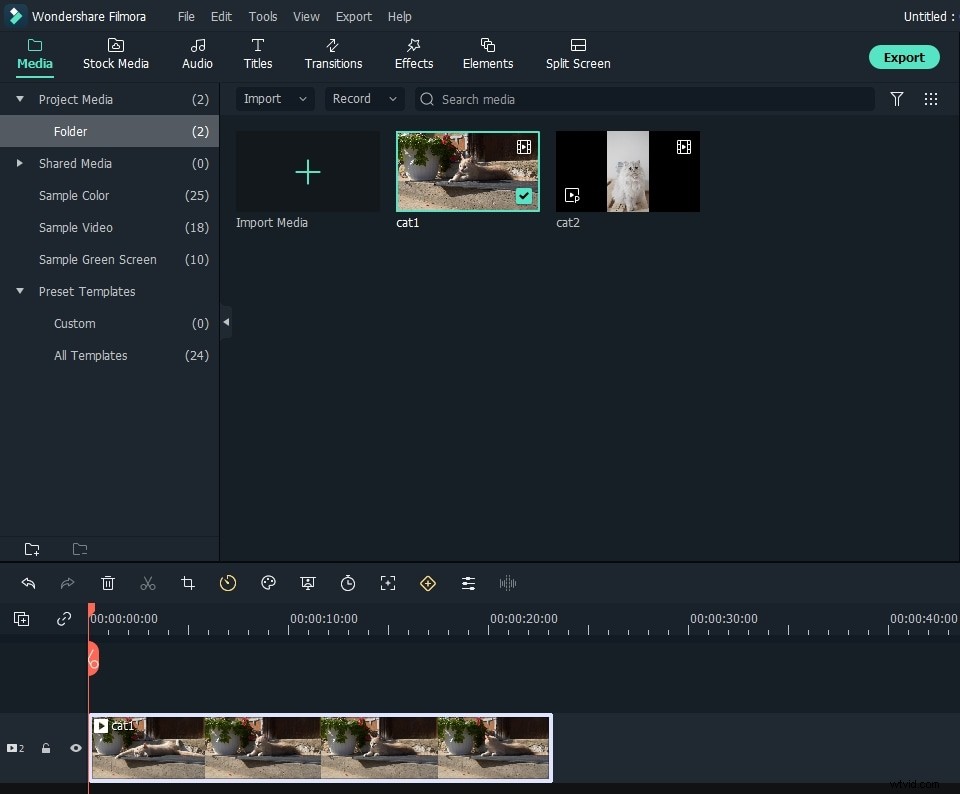
The Advance Color Tuning Tools is found on the tool bar that is just above the timeline. In this menu, you can find some of the film effects, and you can add these by double clicking on the ones you want. There are few 3D LUT options that you can pick from. These include B&W, Game of Thrones, Walking Dead, and Harry Potter.
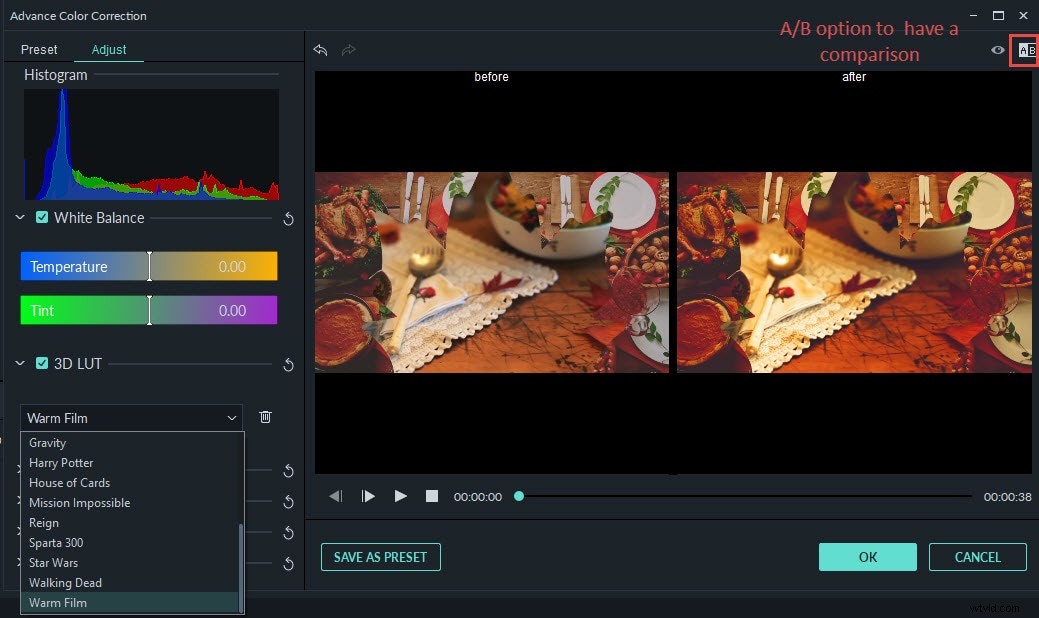
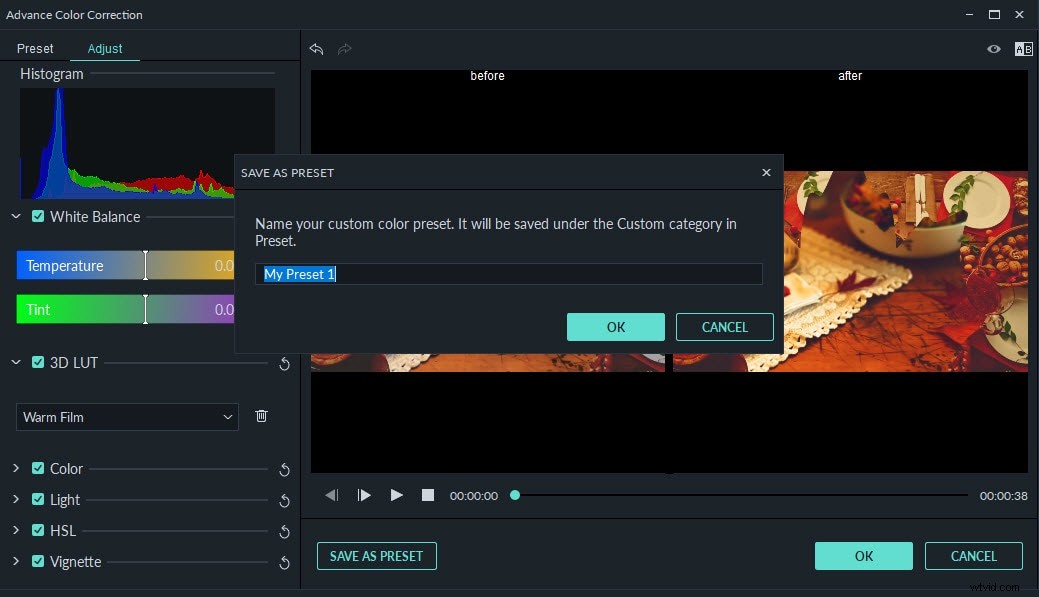
In the same menu, you can also adjust the Light, Color, and HSL. You can also add vignette effect to the 3D LUT. There is also the ability to save your adjustments as presets that you can use in the future.
If you are looking for 3D LUT resources, we have a list of 20 websites. The list can be found here: Free LUTs for video makers>>
- Step 4 Save Your Work
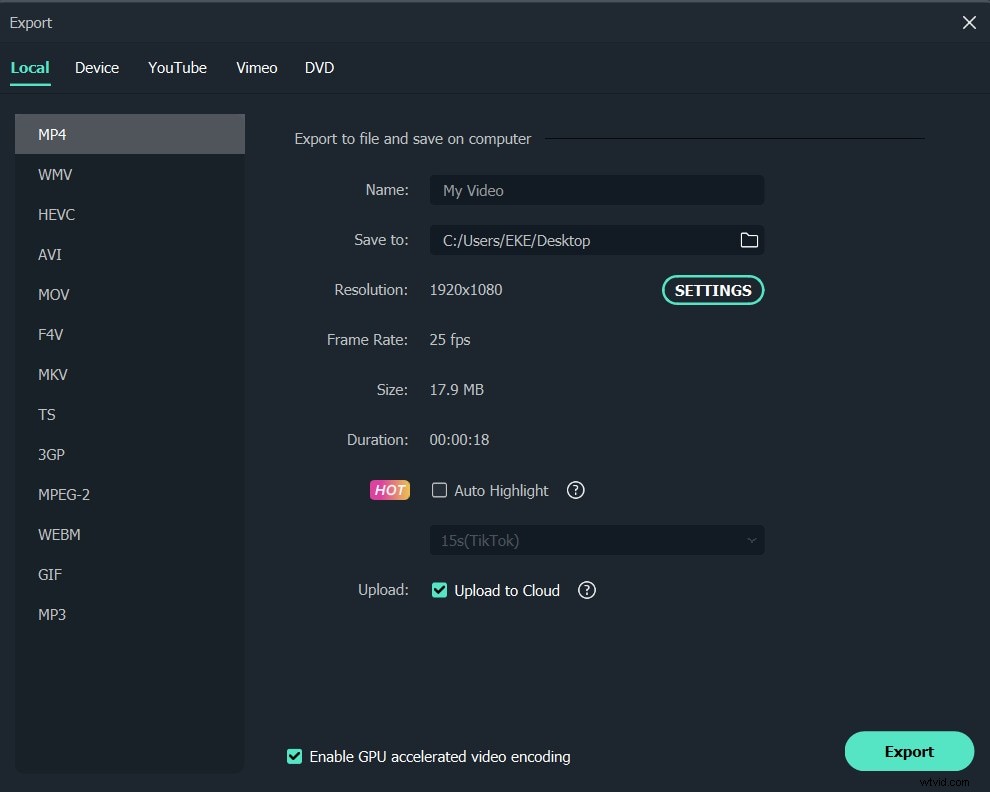
With WonderShare Filmora, you can save your video in any format that you want. There are many different formats, so you will have to know what formats will not compress the files, or damage the video. You can also upload the video directly to Facebook, Vimeo or YouTube. You can also burn the video on a DVD.
Conclusion
Hopefully, this answers the question “How to make a video look like a film”. There is much more that you can do to make your video look like a film. If you are not looking to spend hundreds of dollars on a camera, this will work. You can make many great films from videos in just a few minutes.