
Plot is a new storyboarding app that will save you time and help you avoid the frustration of mismanaged paper storyboards — and PremiumBeat readers can try it for free!
Managing your storyboards can be a pain — especially on set during crunch time when you absolutely need to find the correct page. Even the process of moving pictures, dialogue, feedback, and other external files via online storyboarding is a hassle for this seemingly simple pre-production step. Going digital with Plot is the solution filmmakers have been waiting for.
Features of the App
The interface is user-friendly for anybody who’s worked in pre-production. Keeping your script, shot list, and storyboards all in one space will save an incredible amount of time.
The scenes you create in the app link to the script, so a change anywhere will populate out to the rest of your project. If you have a change of heart about your dialogue or action sequences while storyboarding, the change will instantly correct itself in the script as well. This process removes any back and forth busy work by syncing both storyboards and the script.
Drawing
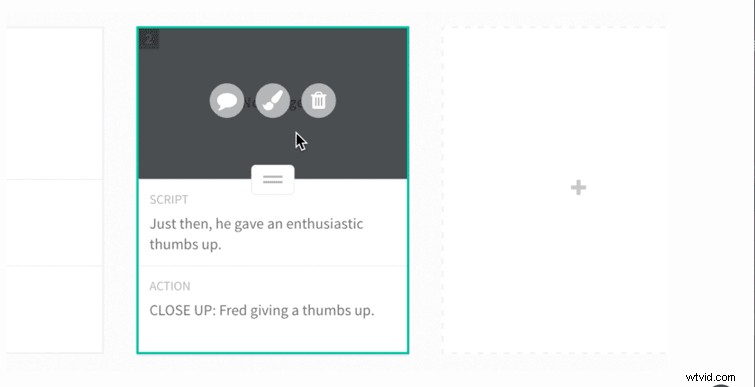
Changing the script or the storyboards is as simple as clicking and dragging. The program also lets you draw right inside the app. You can even color your images how you’d like and move the drawings around, granting you even more customization of the final image. Whether you’re good at drawing or not (I am not), making a storyboard gives you a sense of preparation and staves off complications on set. If drawing on your mouse or mousepad does not appeal to you, Plot also allows you to import images, and it’s as simple as dragging and dropping.
Collaboration
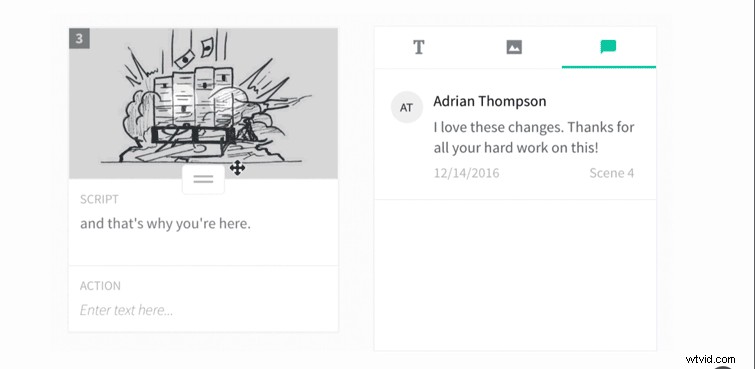
The truly beneficial aspect that sets Plot apart from other storyboarding programs is collaboration. Plot allows other professionals or producers to see and give feedback throughout the storyboarding process. No emailing back and forth, and no miscommunication. Most importantly, this means lightning-fast commentary.
The feedback option also allows others to add to your picture. As the principal writer, you control the collaboration and give others access as necessary, so you don’t have to add everyone at once and get redundant feedback.
The cost of Plot depends on how many projects you’re willing to pay for. Normally, they offer one free project to allow you to test out the features. However, Plot has offered six months of free access exclusively for PremiumBeat readers! Just head over to the Plot website and enter the code below!
Code: PremiumBeat
You will need to enter your credit card information to unlock an unlimited amount of projects. You can cancel after the six month trial and your card will not be charged.
Let us know how it works out for you.
How do you approach storyboards? Got any go-to resources to share? Let us know in the comments below!