
Combining multiple audio tracks into a single video file is a common requirement for content creators, podcasters, and musicians alike. Whether you’re adding a custom soundtrack to a vlog, enhancing a music video, or synchronizing voice‑overs with footage, mastering the workflow can save time and elevate production quality.
In this article
Part 1: How to Merge Audio Tracks into One File with Wondershare Filmora
Wondershare Filmora offers an intuitive interface and a comprehensive set of tools that make audio‑video integration straightforward for both beginners and seasoned editors.
Start by downloading the free trial of Filmora.
Step 1: Import Your Media
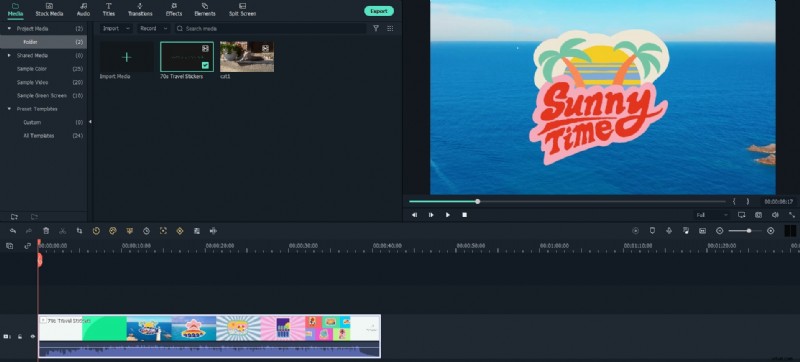
Drag and drop your video or audio files into the Media Library. Filmora’s library also contains royalty‑free tracks and sound effects that you can mix directly on the timeline.
Step 2: Edit Audio with the Built‑In Audio Mixer
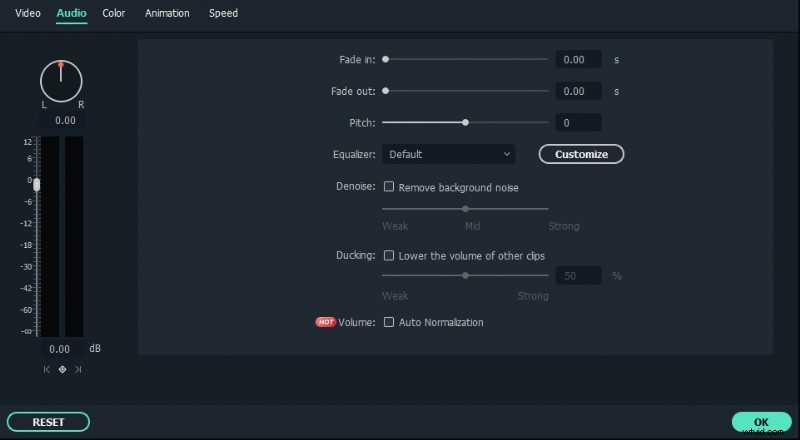
For videos that already contain audio, detach the soundtrack using the simple “Detach Audio” tool. Double‑click the clip or press the Audio Mixer button to access volume (dBm), speed, pitch, and panning controls. Trim segments, apply fades, or layer effects to achieve the desired balance. The mixer displays real‑time progress, allowing you to fine‑tune synchronization as you work.
Step 3: Export Your Final Video
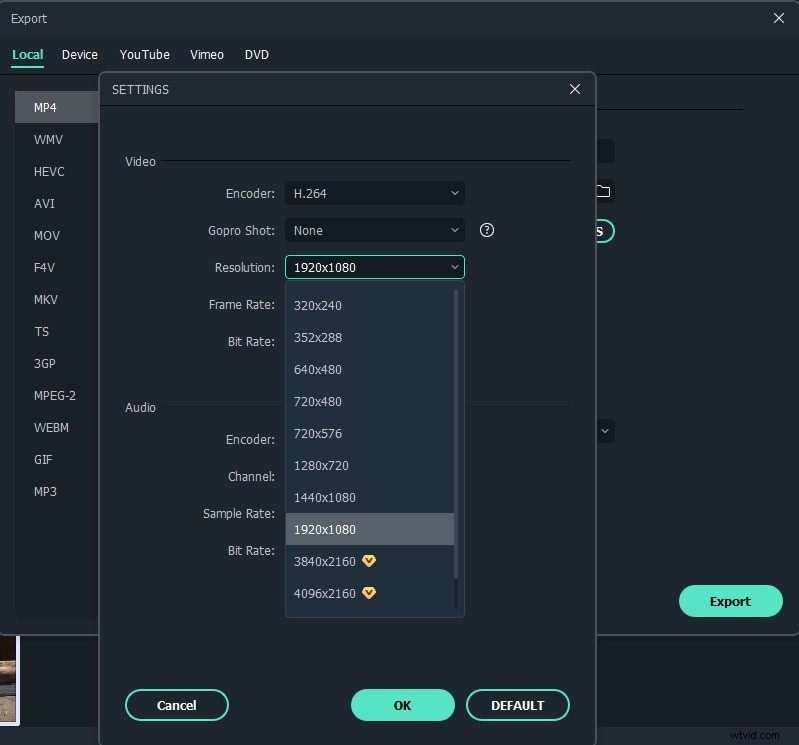
Once you’re satisfied, export the project. Filmora supports multiple formats and presets, ensuring your output maintains high visual and audio fidelity. The result is a polished video with a perfectly blended soundtrack.
Part 2: Professional Audio‑Editing Software for Advanced Mixing
For users who need deeper control or studio‑grade processing, the following tools are industry standards:
1. Adobe Audition (Windows/Mac)
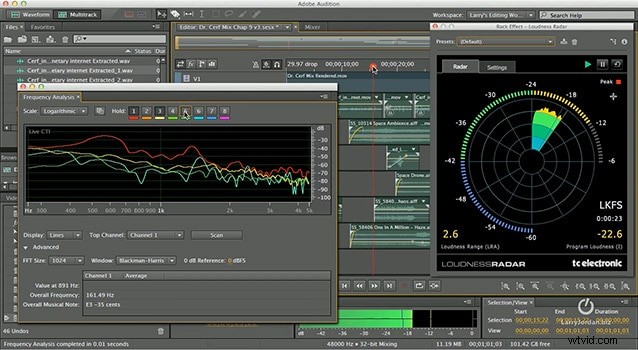
Adobe Audition delivers robust multitrack recording, spectral editing, and restoration features. Its user‑friendly interface and integration with Adobe Creative Cloud make it a go‑to for audio professionals.
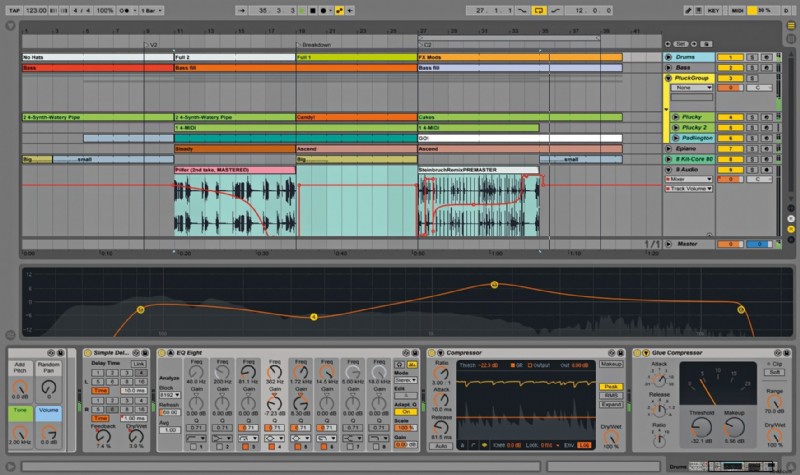
2. Ableton Live (Windows/Mac)
Ableton Live excels in real‑time manipulation and live performance. Its suite of effects, virtual instruments, and session view provide creative flexibility for mixing complex arrangements.
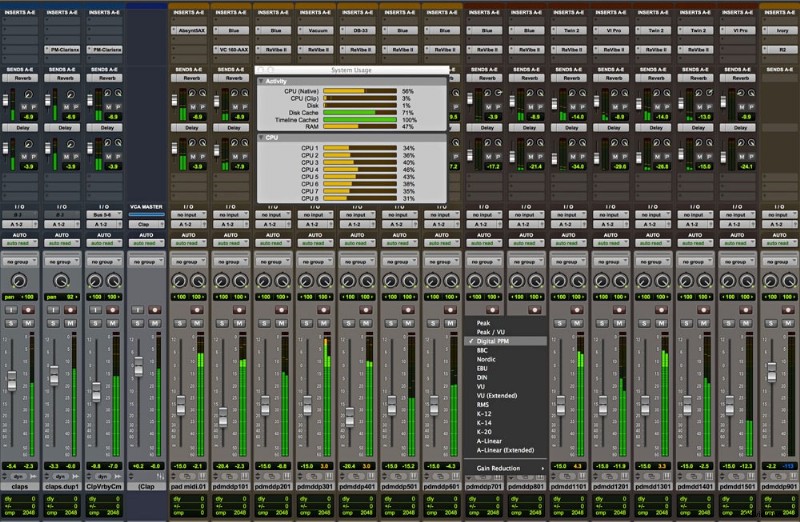
3. Avid Pro Tools (Windows/Mac)
Pro Tools is the industry standard for audio post‑production, offering high‑resolution editing, collaborative workflow, and extensive plugin support.
Limitations of these professional suites:
- Steep learning curves for novices, with complex menus and advanced features.
- Typically require audio extraction from video before editing, adding extra steps.
- Synchronizing audio to video during editing can be cumbersome, often necessitating a full render to verify timing.
For most creators, Wondershare Filmora offers a balanced blend of ease of use and powerful functionality, especially when working with video files.
Why Choose Wondershare Filmora for Audio‑Video Integration?
- Intuitive, drag‑and‑drop workflow that requires minimal training.
- Direct audio editing within the video timeline—no need to pre‑extract tracks.
- Universal format support eliminates the need for conversion.
- Live preview ensures audio and video remain perfectly synchronized.
- Extensive built‑in library of effects and presets outperforms many professional alternatives.
Conclusion
Wondershare Filmora provides a streamlined, professional solution for merging audio tracks into a single video file. Its combination of user‑friendly tools and studio‑grade output makes it ideal for both hobbyists and emerging creators who want to deliver polished, engaging videos with ease.