
Whether you’ve downloaded a slow‑moving audiobook or a rapid‑paced podcast, tweaking playback speed is essential for an engaging listening experience. Fortunately, you can do this without installing bulky software – simply use trusted online speed and pitch editors, or a professional suite if you need advanced control.
1. Music Speed Changer
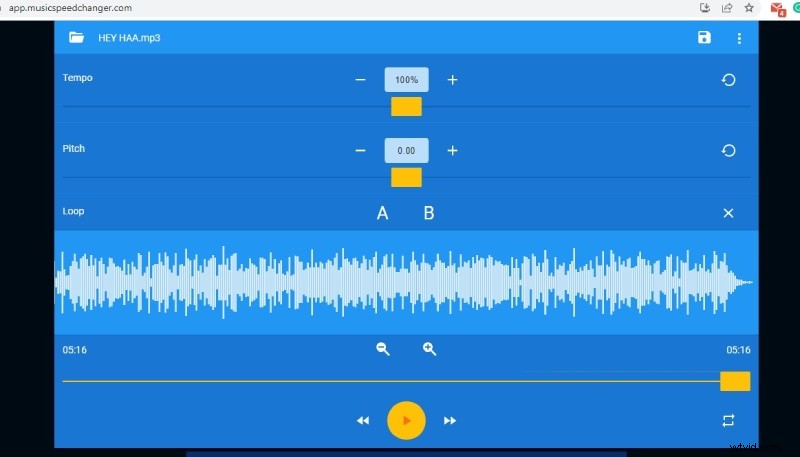
Music Speed Changer offers independent control over tempo and pitch, making it ideal for musicians, podcasters, and audio editors who demand precision. Its intuitive interface allows instant preview and loop creation between any two points.
- Adjust tempo and pitch separately
- Real‑time preview and instant saving
- Create custom loops by marking start and end points
- Instant playback of changes
How to use Music Speed Changer:
- Open https://app.musicspeedchanger.com in your browser.
- Click “Choose Audio File” and upload your file.
- Use the sliders to set the desired tempo and pitch.
- Listen to the preview and click the Save icon to download the modified audio.
2. Audio Alter
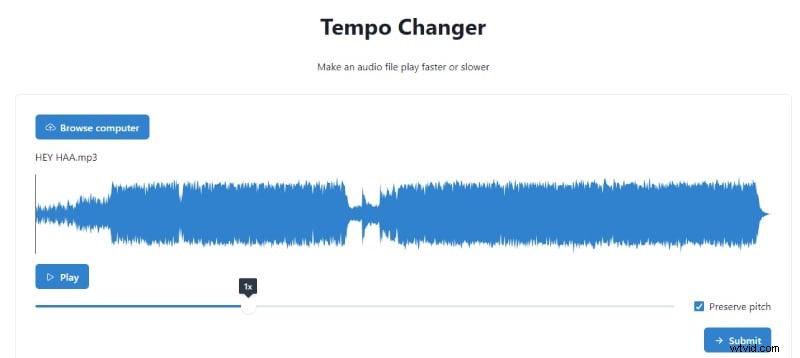
Audio Alter supports uncommon formats like WAC and OGG, making it versatile for diverse audio workflows. It provides separate tools for tempo and pitch changes, as well as equalization, volume adjustment, and noise reduction.
- Dedicated tempo and pitch editors
- Drag‑and‑drop file upload or browse from hard drive
- Compatibility with MP3, WAV, FLAC, and OGG
- Live preview of changes
Using Audio Alter:
- Navigate to audioalter.com/tempo for tempo changes or pitch-shifter for pitch.
- Click “Browse computer” or drag your file into the window.
- Adjust the slider to set the new speed or pitch.
- Check “Preserve Pitch” if you want to alter tempo without affecting pitch.
- Play the preview, then click “Submit” to process and download.
3. Audio Speed Changer
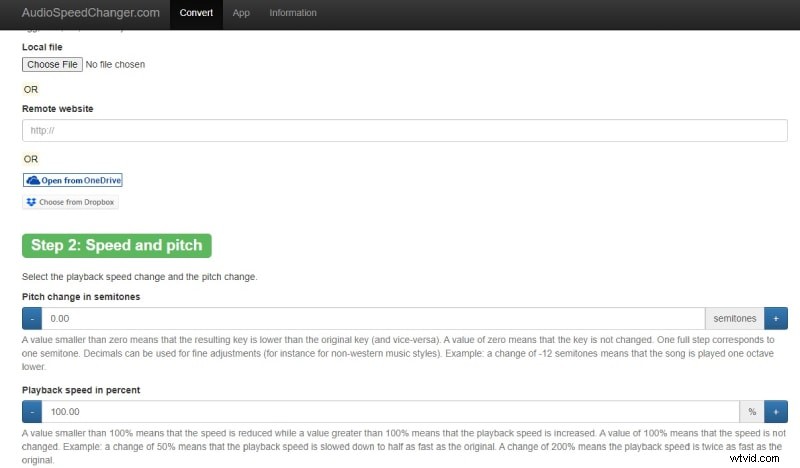
One of the most popular online solutions, Audio Speed Changer lets you upload from local storage, cloud services, or a direct URL. It supports percentage‑based tempo adjustments and semitone‑based pitch shifts, and offers both time‑ and frequency‑domain processing for high‑quality output.
- Independent pitch and tempo controls
- Advanced processing methods for audio fidelity
- Export in MP3 or M4A formats
- Step‑by‑step interface for beginners and pros alike
Steps to use Audio Speed Changer:
- Visit www.audiospeedchanger.com.
- Click “Choose File” and upload your audio or paste a URL.
- Set the desired pitch and tempo.
- Select the output format (MP3 or M4A).
- Choose the processing method and click “Convert Now”.
Professional Solution: Wondershare Filmora
For editors who need deeper control over audio and video, Wondershare Filmora’s built‑in audio editor is a reliable choice. It supports multi‑track editing, precise speed adjustments, and seamless audio‑video sync.
- Download and install Wondershare Filmora.
- Go to File > Import Media > Import Media Files, and add your audio.
- Drag the audio onto the timeline.
- Click the Speedometer icon to select a preset or set a custom speed.
- Preview the result and click Export to save in your preferred format.
Filmora also offers video editing features, so you can create a polished multimedia presentation in one workflow.
Conclusion
Adjusting audio speed often changes pitch, but the tools above let you modify each parameter independently. Whether you’re a casual listener, a content creator, or a professional audio engineer, these online editors and Filmora provide reliable, high‑quality solutions. Try them on your desktop or mobile device and craft audio that fits your vision.