
If you love bass‑heavy tracks, the stock audio profile on most devices often under‑performs. Manufacturers design their defaults to keep all genres sounding similar, which means deep lows can get lost. To truly feel the groove, you’ll need to step outside the factory setting and dial in a bass‑boosted equalizer profile.
Choosing the right equalizer app is key. It should offer preset bass‑boost modes and also let you tweak individual bands so that every speaker or headphone pair reaches its full potential. Below we highlight the best options for iOS, Android, and desktop users.
1. iOS App for Premium Bass Equalization
Link: Equalizer Fx – Bass Booster
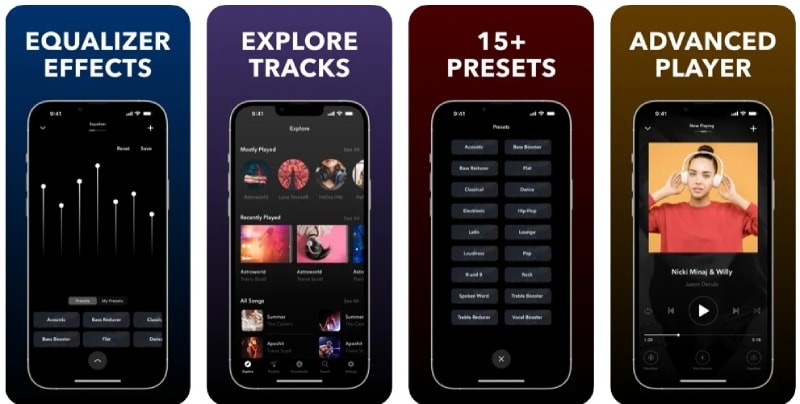
For iPhone users, Equalizer Fx – Bass Booster delivers an advanced 7‑band equalizer that lets you amplify the low frequencies with precision. With over 15 ready‑made presets, you can instantly find a setting that suits everything from club tracks to cinematic scores.
Heavy‑bass enthusiasts will appreciate the dedicated “Bass Booster” preset, and the app also offers a “Bass Reducer” for those who prefer a cleaner low end. If you plug your phone into a car stereo, the same presets work flawlessly, giving you a concert‑like experience on the road.
Although the app is free, premium plans unlock additional presets such as Dolby Atmos for a movie‑theater feel.
2. Android App for Superior Bass Enhancement
Link: Bass Booster & Equalizer
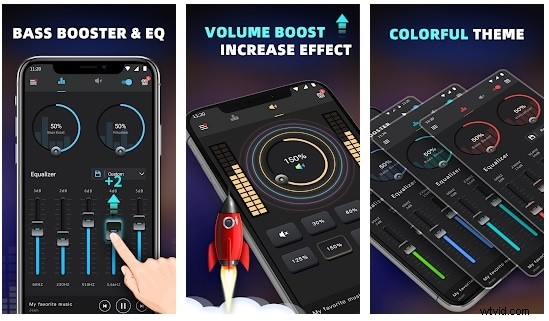
Android users can turn to Bass Booster & Equalizer, which combines bass boost, volume boost, and ten customizable presets. The “Stereo Surround” mode is ideal for car audio setups, and the widget lets you adjust settings on the fly.
With a clean interface, you can fine‑tune each frequency band to match your headphones or speakers, ensuring every beat resonates.
3. Desktop Solution: Boost Bass on PC and Mac
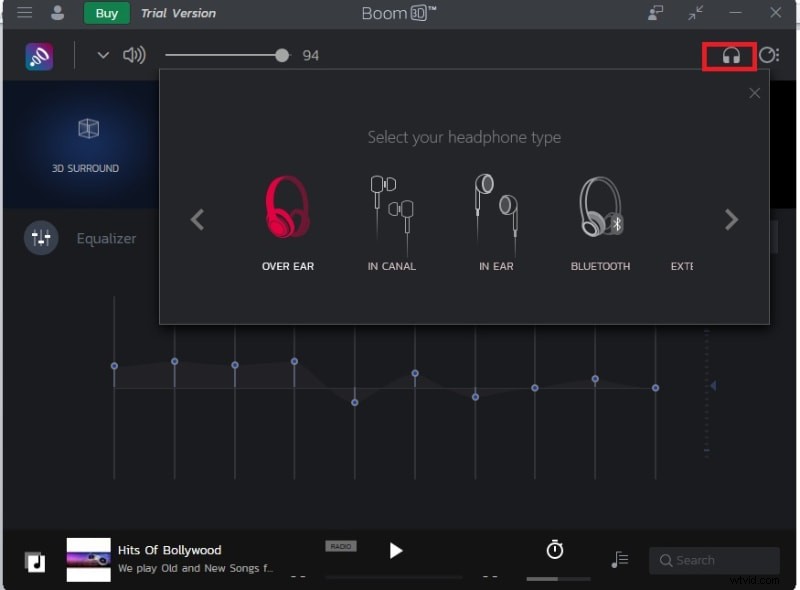
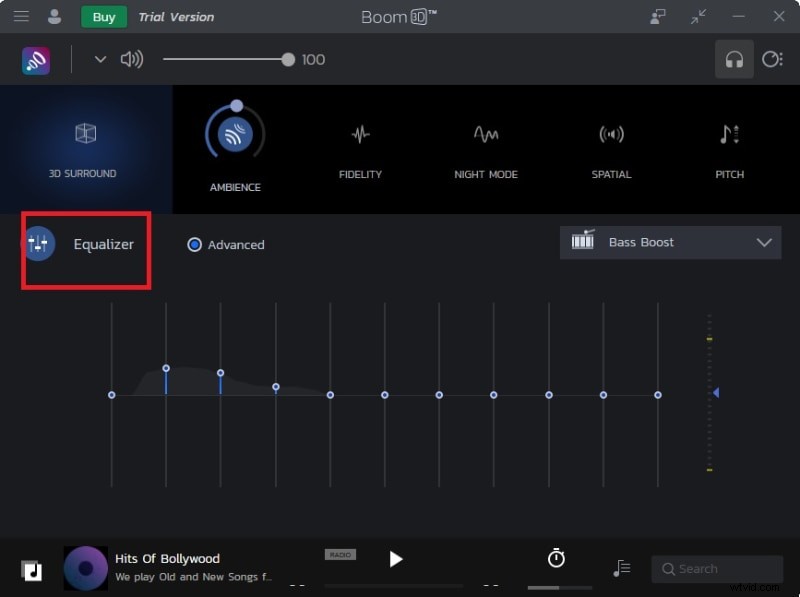
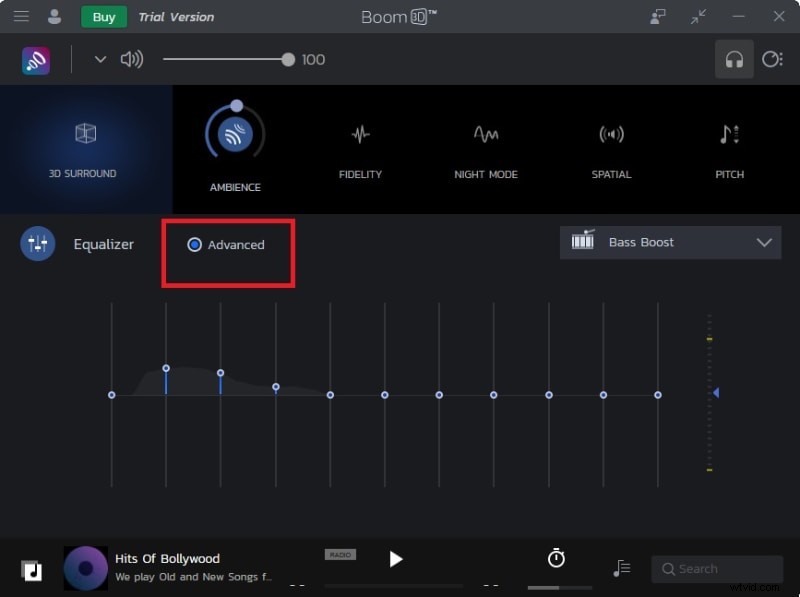
For desktop users, BOOM 3D stands out. It supports Windows and macOS, offering 3D surround sound and powerful equalizer controls. To dial in bass, simply select the “Bass Boost” preset and adjust the 20‑200Hz band in the advanced tab.
Step‑by‑step guide:
- Download and install BOOM 3D.
- Choose your headphone or speaker profile.
- Navigate to the Equalizer tab and pick the “Bass Boost” preset.
- Fine‑tune the 20‑200Hz range under Advanced to taste.
Bonus: Edit Bass on Any Audio or Video File
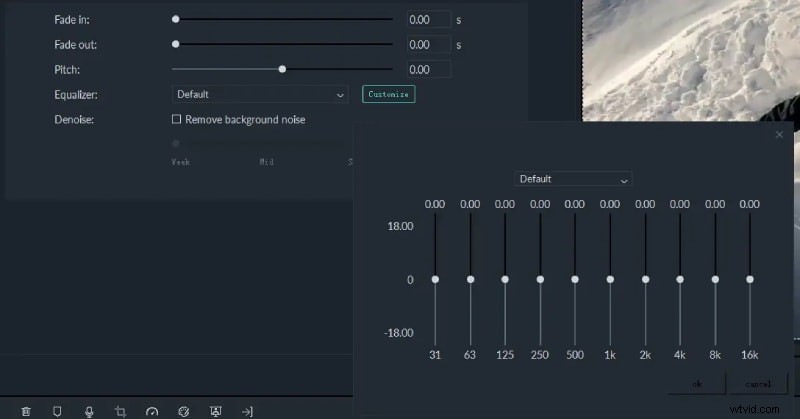
Want permanent bass tweaks? Wondershare Filmora is a versatile editor that lets you apply equalizer presets to downloaded media. Whether you’re editing a podcast, creating a music video, or adding voice‑over, Filmora’s intuitive interface makes fine‑grained adjustments straightforward.
Steps to use Filmora for bass enhancement:
- Import your audio or video file.
- Open the Audio Settings panel.
- Select a preset or manually adjust the low‑frequency band.
- Preview the changes and export.
Filmora supports both Windows and macOS, ensuring cross‑platform compatibility.
Conclusion
Premium headphones or speakers are only part of the equation. To truly enjoy bass‑rich music, you need the right equalizer settings. By leveraging the top apps highlighted above, you can tailor your audio experience to any listening environment—whether at home, on the road, or in the studio. For lasting edits, Filmora provides a powerful toolset to fine‑tune any file’s low end.