Looking for a reliable audio editor that also doubles as a high‑quality converter? DJ Audio Editor claims to be that all‑in‑one solution. In this 2026 review we’ll assess its real‑world performance, highlight its key features, walk you through a step‑by‑step editing workflow, and compare it with the best free and paid alternatives.
In this article
Product Details and Features
DJ Audio Editor is a lightweight, Windows‑only program that offers a comprehensive set of editing tools while maintaining a clean, user‑friendly interface. It supports both audio and video files, and can read a wide range of codecs, making it a solid choice for professionals who need quick conversions and precise edits.
System Requirements
- Operating System: Windows 10, 8, 7
- Processor: 1 GHz or higher Intel/AMD CPU
- RAM: 1 GB or more
- Display: 1280 × 768 resolution, 32‑bit color
- Storage: 500 MB free space for installation
- File Size: 62 MB
Key Features
Below are the standout capabilities that set DJ Audio Editor apart from many free utilities.
• Converter
Beyond editing, the program can rip CDs, extract audio from video files, and convert between formats such as OGG, WMA, WAV, FLAC, and M4A. Tagging is integrated, so you can add metadata while converting.
• Editing Tools
The editor gives full control over cut, trim, delete, split, join, and silence management. Batch processing is supported, saving time on large projects.
• Audio Effects
Choose from Amplify, Normalize, Invert, Compress, Echo, Chorus, and more. Advanced parameters let you adjust speed, tempo, pitch, and rate with a single click.
• Tag Editing
Modify ID3 tags directly within the application, keeping your library organized without leaving the editor.
Pros and Cons
Advantages
- Broad format support including OGG, WMA, WAV, FLAC, and M4A.
- Built‑in downloader for converting online videos to audio.
- Multilingual interface – French, German, Russian, Korean, Swedish, and more.
- Lossless conversion and batch processing capabilities.
Disadvantages
- Only available for Windows; no macOS or Linux support.
- Commercial license required – not free.
How to Edit Audio in DJ Audio Editor
Follow these five simple steps to get started:
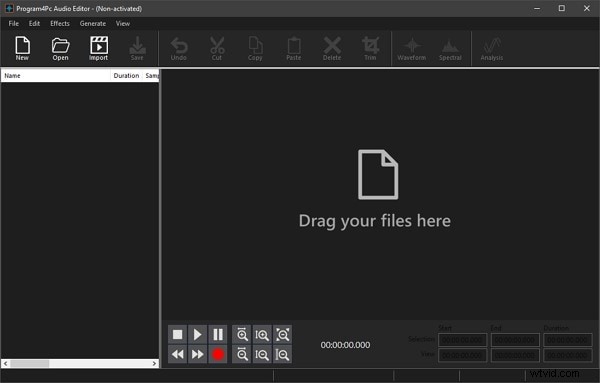
- Install and launch the program. Use Import to bring in audio from a video file or Open an existing audio file. The Record button allows you to capture new audio directly.
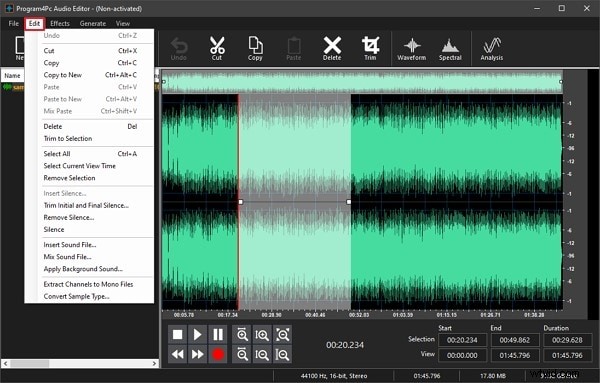
- Navigate to the Edit tab to access Trim, Delete, Cut, Copy, Insert Silence, and Remove Silence options.
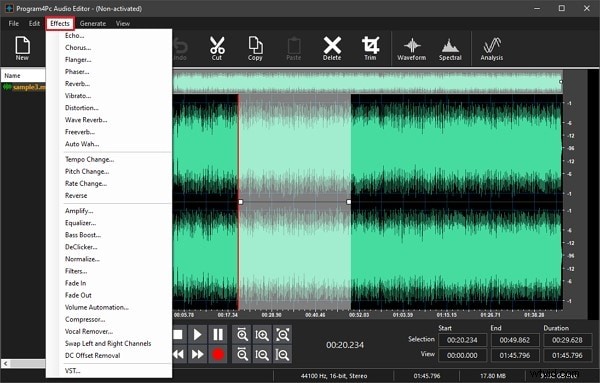
- Apply creative effects via the Effects tab – choose from Flanger, Reverb, Echo, Chorus, Amplify, Equalize, and more.
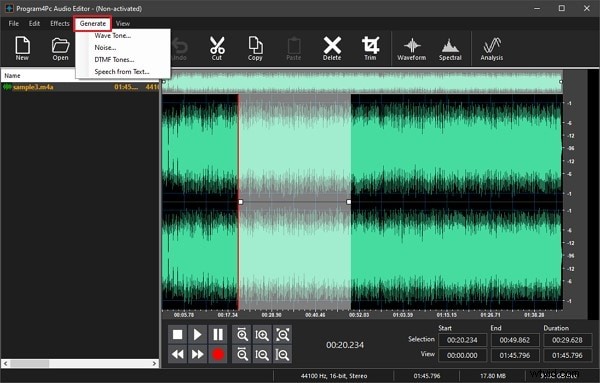
- Use the Generate tab to create Noise, Wave Tone, or convert text to speech. Switch between Waveform and Spectral views for precise editing.
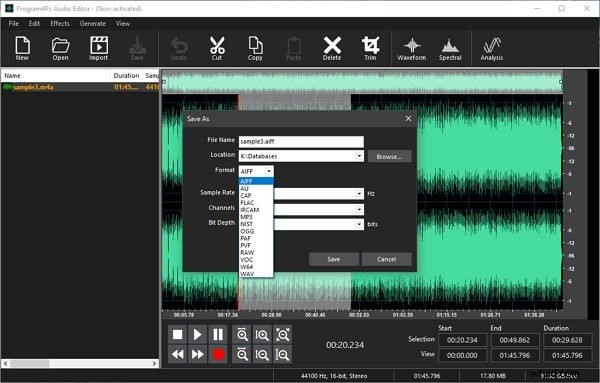
- When finished, select File > Save As and choose your desired format. The file is then ready for distribution.

Best Alternatives to DJ Audio Editor
While DJ Audio Editor offers a robust set of tools, you might prefer a cross‑platform or free solution. Below are the top picks:
Ocenaudio
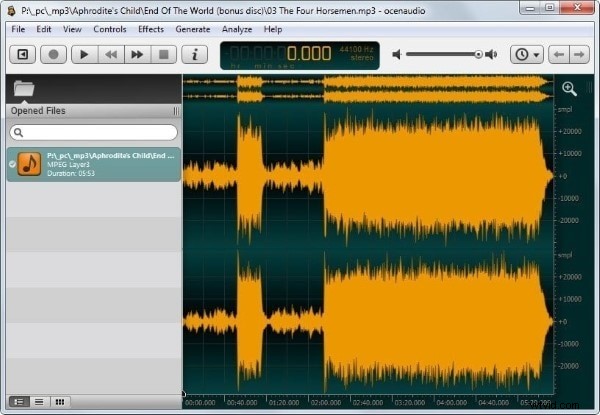
Ocenaudio runs on Windows, macOS, and Linux. Its multi‑selection feature speeds up complex edits, and it handles large files efficiently.
Free Audio Editor (F.A.E.)
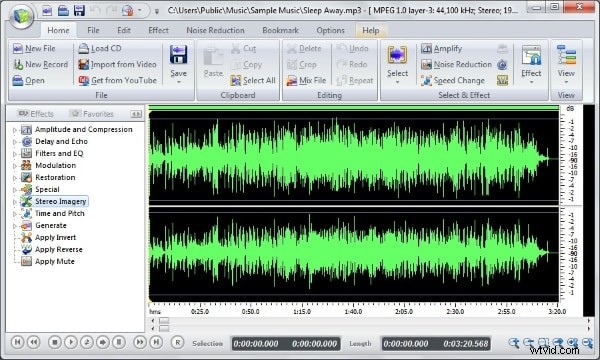
As the name suggests, this tool is free. It offers visual editing—cut, copy, paste, delete—plus a suite of effects like Pitch Shift, Equalizer, Delay, Reverb, and Chorus.
Wondershare Filmora Video Editor
If you often need to detach audio from video, Filmora provides an intuitive interface and advanced audio tools such as Mixer, Equalizer, Denoise, and Split. It’s suitable for both beginners and professionals.
Get started quickly with Filmora’s powerful performance and extensive effects library.
Get started easily with Filmora's powerful performance, intuitive interface, and countless effects!