
TwistedWave Audio Editor has become a staple for Mac users seeking precise, high‑fidelity audio editing. This guide covers its core features, strengths, drawbacks, a step‑by‑step workflow, and top alternatives that might suit different workflows.
In this article
1. What is TwistedWave Audio Editor?
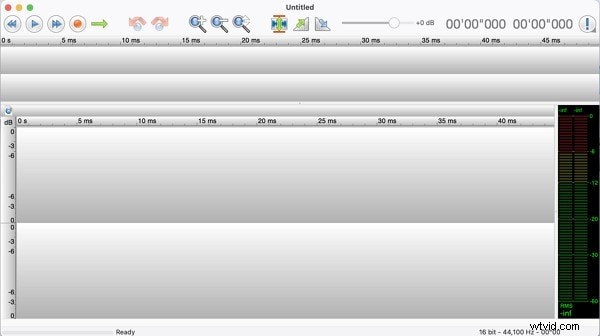
TwistedWave is a robust, Mac‑centric audio editor designed for both casual and professional use. It supports a wide range of formats, real‑time effects, and high‑resolution processing, making it a versatile tool for mastering, podcasting, and music production.
2. Key Features, Pros & Cons
Core Features
- Undo/Redo History – Unlimited edits without locking you into a single state.
- 24‑bit / 192 kHz Support – Capture the full dynamic range of studio‑grade recordings.
- Extensive Format & Plugin Compatibility – WAV, AIFF, CAF, MP3, MP4, FLAC, and more, plus VST plugins.
- Background Processing – Effects run without pausing playback or interrupting workflow.
- High‑Refresh Waveform – 100 fps for smooth zooming and precise editing.
Pros
- Handles large files efficiently.
- Seamless format conversion.
- Clip list for easy audio assembly.
- Dynamic zoom and waveform navigation.
Cons
- User interface is simpler compared to some rivals.
- Premium pricing may be high for casual users.
3. How to Edit Audio in TwistedWave
Follow these steps to get started:
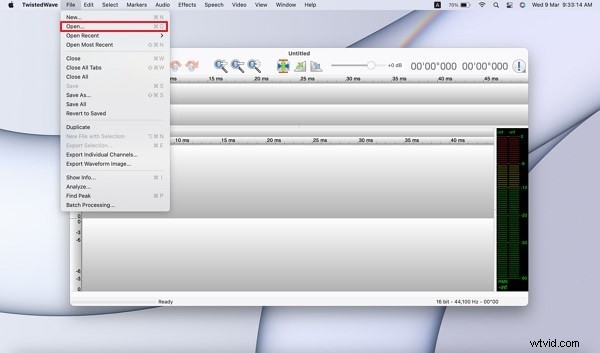
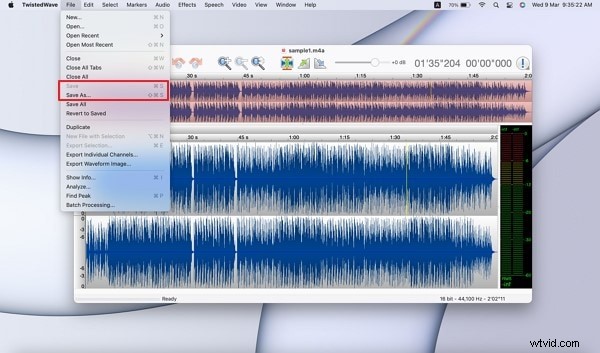
- Download & Launch – Install TwistedWave from the official site. Open the app, then
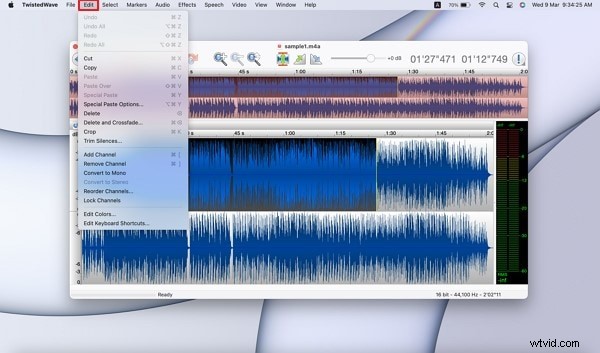
File > Opento import your audio. To record directly, click the redRecordbutton. - Basic Editing – Use the toolbar to cut, copy, paste, and trim silences. Apply fades or create custom loops.
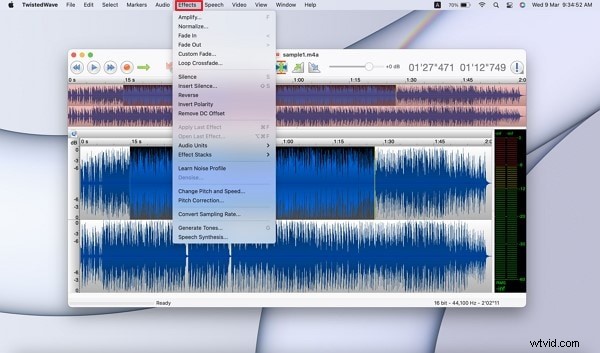
- Apply Effects – In the
Effectsmenu, choose from amplification, normalization, custom fades, cross‑fades, silence insertion, reverse, and polarity shift. - Export – Select
File > Saveto overwrite the original, orFile > Save Asto export a different format.
4. Alternatives to TwistedWave
Depending on your needs, consider these options:
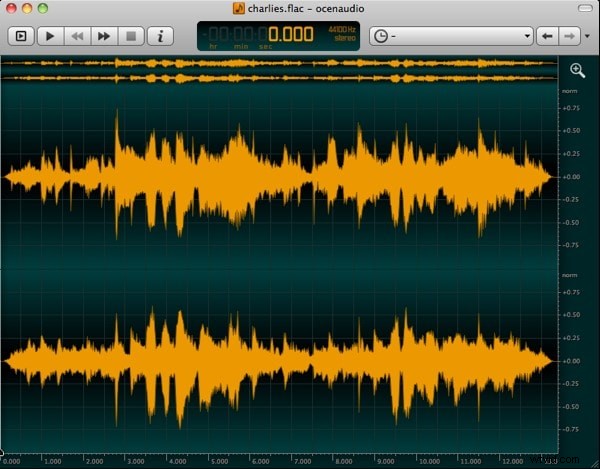
Ocenaudio
A lightweight, cross‑platform editor with real‑time VST preview, excellent for quick edits and large files.
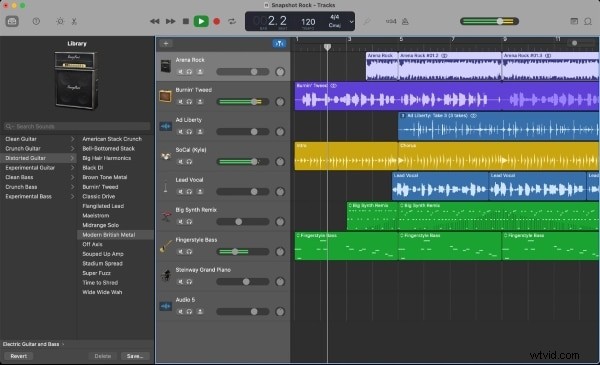
GarageBand (Mac)
Apple’s free studio that offers a full sound library, multi‑track recording, and intuitive mixing.
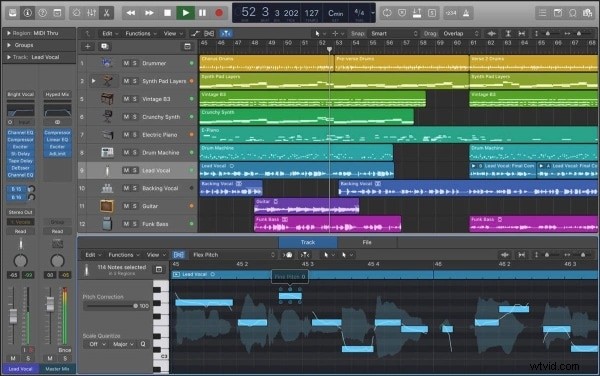
Logic Pro (Mac)
Professional DAW with Dolby Atmos support, perfect for complex production and mixing workflows.
Wondershare Filmora
If you need an all‑in‑one video and audio editor, Filmora offers audio denoising, detaching, and mixing tools within an easy‑to‑use interface.

Final Thoughts
TwistedWave delivers a reliable, feature‑rich experience for Mac users who value high‑quality audio processing. Evaluate its pricing against your project scope, and explore the alternatives if you require a different workflow or budget.