
If you’re looking to record, edit, and mix audio on a Mac, choosing the right software can dramatically improve your workflow and sound quality. Below is a curated list of the best audio mixers for Mac, selected based on real‑world experience, feature depth, and user trust.
In this article
- Audacity
- Adobe Audition
- WavePad
- TwistedWave
- Logic Pro
- Alternative Option: Wondershare Filmora
Audacity
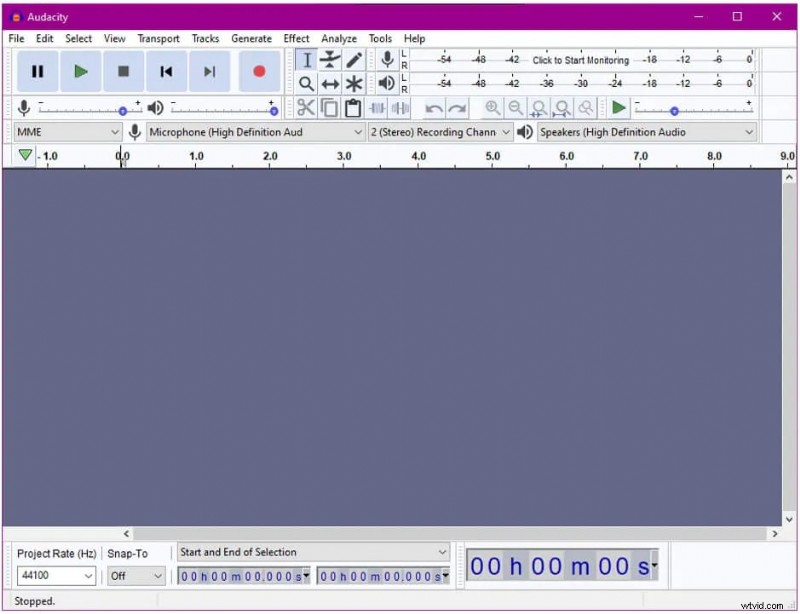
Audacity remains a staple for both hobbyists and professionals since its launch in 2000. Its free, open‑source model means you can record, edit, and apply a wide range of effects—distortion, reverb, pitch shift, and more—without cost. The interface is lightweight, and a growing library of third‑party plugins extends its capabilities further.
Key features include a spectrogram view for frequency analysis, batch processing, and support for 24‑bit and 32‑bit export. Keyboard shortcuts accelerate repetitive tasks, making it a favorite for users who value speed and efficiency.
While Audacity is robust, Mac users may occasionally experience stability issues on the latest macOS releases.
- Pros
- Intuitive, beginner‑friendly design
- Extensive plugin ecosystem
- Keyboard shortcuts boost productivity
- High‑resolution export options
- Cons
- Occasional crashes on newer macOS versions
Adobe Audition
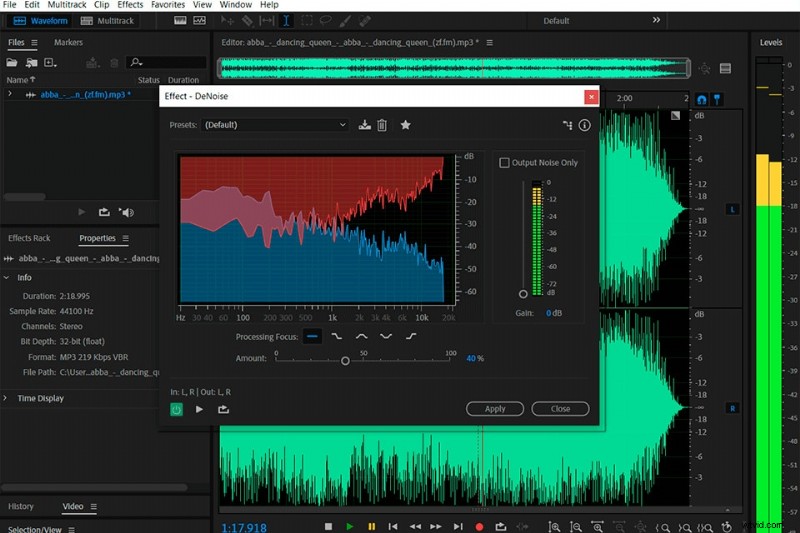
Adobe Audition delivers a professional‑grade experience, combining advanced editing tools with a clean, modern interface. The spectral display and a suite of diagnostic utilities—DeHummer, DeClipper, and a detailed audio‑analysis panel—help you clean up recordings with precision.
It supports lossless WAV export, easy format conversion to MP3, and can be integrated into broadcast workflows. Even beginners benefit from the guided workflows and real‑time visual feedback.
Limited free trial options mean you’ll need a subscription for full access, but the investment pays off for users who demand top‑tier audio polish.
- Pros
- Comprehensive mixing and restoration tools
- Versatile import/export formats
- Spectral editing for noise removal
- Built‑in diagnostic utilities
- User‑friendly, interactive interface
- Cons
- Subscription‑based pricing limits free usage
WavePad
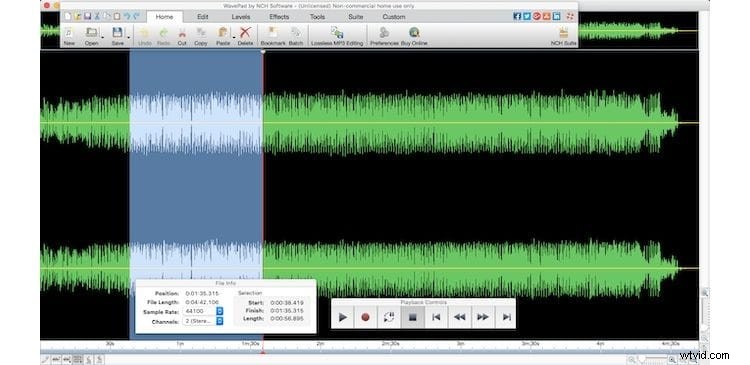
WavePad offers a balanced mix of basic and advanced functions. Its straightforward workflow allows users to trim, split, amplify, and equalize audio quickly. Advanced tools such as FFT and spectral analysis give deeper insight into frequency content.
Designed for streaming and voice‑over work, WavePad’s batch processing feature accelerates large projects. The software runs on Mac, Windows, Android, iOS, and Chromebook, making it a flexible choice across platforms.
While the free version has feature restrictions, the paid license unlocks the full suite, including advanced noise reduction.
- Pros
- Efficient batch processing for large libraries
- Robust equalization and amplification controls
- Intuitive, modern UI
- Responsive customer support
- Cons
- Free tier is limited in scope
TwistedWave
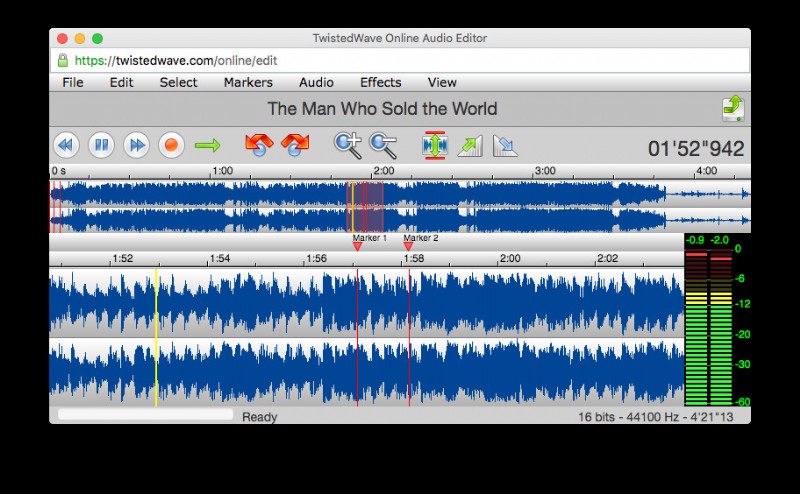
TwistedWave is a dedicated Mac audio editor that excels in recording, mastering, and batch‑processing. Its user interface is clean and minimal, making advanced tasks approachable.
Key strengths include a smart silence detector for effortless splitting, pitch‑shifting, professional time‑stretching, and support for 32‑bit audio. The built‑in AU and VST plugin support allows you to create custom effect chains.
Unlike some competitors, TwistedWave offers no free version; a one‑time purchase grants lifetime access.
- Pros
- Automatic silence detection simplifies editing
- Precise pitch and speed adjustments
- Background loading of large files keeps workflow uninterrupted
- Customizable effect stacks
- Professional‑grade plugin integration
- Cons
- No free trial or tier
- Learning curve may be steep for beginners
Logic Pro
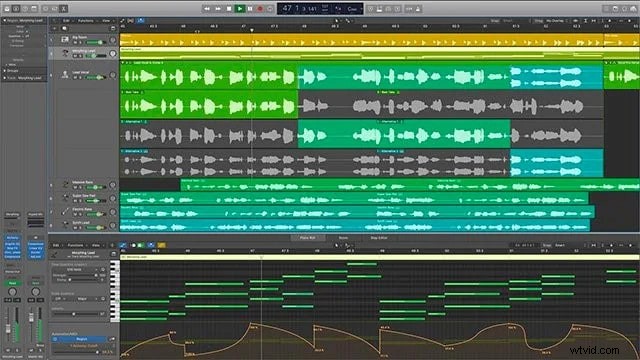
Logic Pro is Apple’s flagship DAW, delivering an extensive suite of tools for composition, editing, and production. Features such as the Step Sequencer, Sampler, and Quick Sampler let you craft complex arrangements with ease.
Its powerful mixing console, 24‑track recording capability, and a vast library of royalty‑free loops make Logic Pro ideal for both solo creators and studio teams. The software also supports a wide range of audio formats and offers seamless integration with macOS’s Core Audio ecosystem.
Logic Pro’s depth comes at the cost of a steeper learning curve, but the investment is worthwhile for users who intend to pursue serious music production.
- Pros
- Rich toolset for composition and arrangement
- DJ‑style effects and high‑quality mixing console
- Advanced recording and editing features
- Extensive royalty‑free library
- Cons
- Complex interface can overwhelm newcomers
Alternative Option: Wondershare Filmora
While the previous entries focus on dedicated audio mixers, Filmora offers a comprehensive video editor with powerful audio‑mixing capabilities. It’s an excellent choice if you need to edit audio in the context of a video project.
Filmora’s AI‑powered tools enable quick audio enhancement—auto‑normalization, pitch adjustment, equalization, and de‑reverb. You can export your final mix as MP3 or WAV without committing to a full video export.
Quick Tutorial on Using Filmora for Audio Mixing
- Start a New Project – Click "New Project" and import your video or audio file.
- Adjust Audio Settings – Open the Audio panel, toggle Auto Normalization, and set volume levels.
- Fine‑Tune Pitch and EQ – Drag the Pitch slider and select the desired equalizer preset.
- Apply DeReverb – Enable DeReverb and adjust the slider to reduce echo.
- Export Your Mix – Click "Export", choose MP3 or WAV, and save to your device.
Final Thoughts
Choosing the right audio mixer for Mac depends on your workflow, budget, and level of expertise. Whether you need a free, open‑source solution like Audacity, a subscription‑based powerhouse like Adobe Audition, or a full DAW such as Logic Pro, this list covers every major use case. And for those who work primarily with video, Filmora’s audio tools provide a convenient, all‑in‑one alternative.
With these expert picks, you can confidently transform raw recordings into polished, professional‑grade tracks.

Filmora – ⭐⭐⭐⭐⭐ The Best AI‑Powered Video Editing Software and App