
Finding the right text‑to‑speech app for Android can transform how you consume digital content. Whether you struggle with reading on mobile or simply prefer an eyes‑free experience, a text‑to‑speech free app for Android offers accessibility and convenience for any user in 2026.
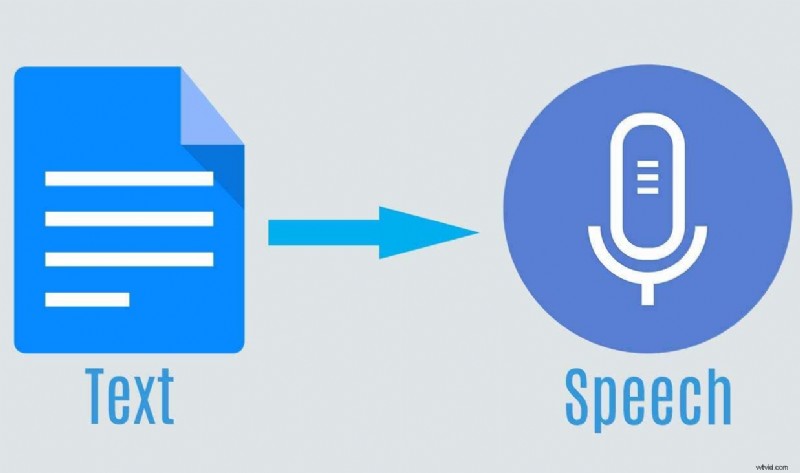
Text‑to‑speech (TTS) or screen‑reading tools let you convert digital text into natural‑sounding audio. In addition to listening, these tools can support content creation, translation, and more.
What Is an Android TTS App?
A TTS app on Android is an accessibility solution that uses speech‑synthesis technology to transform documents, web pages, or typed input into spoken audio. Choosing a high‑quality app is essential for a natural listening experience.
In This Article
- Filmora
- Voice Aloud Reader
- NaturalReader
- Talk
- Speechify
- Narrator’s Voice
- T2S
- VoxBox
Key Takeaways:
- Filmora excels at AI voice cloning and cross‑platform support (Windows, macOS, Android, iOS).
- NaturalReader and Speechify provide the most natural AI voices with extensive language coverage.
- Free options such as Talk and Voice Aloud Reader are ideal for basic document reading and web browsing.
- Offline functionality is critical for users who need TTS without an internet connection.
How We Test: Our team evaluated each app on voice latency, articulation accuracy, and file‑format compatibility to provide unbiased recommendations.
How We Rated the Top Text‑to‑Speech Apps for Android
We assessed the following criteria to ensure you receive only the best TTS solutions:
- Voice Quality – Human‑like natural flow, proper pronunciation, and expressive tones.
- Customization – Adjust volume, pitch, speed, pauses, and apply editing tools.
- Language Support – Broad coverage of languages and dialects for global users.
- Ease of Use – Intuitive UI/UX that minimizes onboarding time.
Top Text‑to‑Speech Apps for Android
Filmora
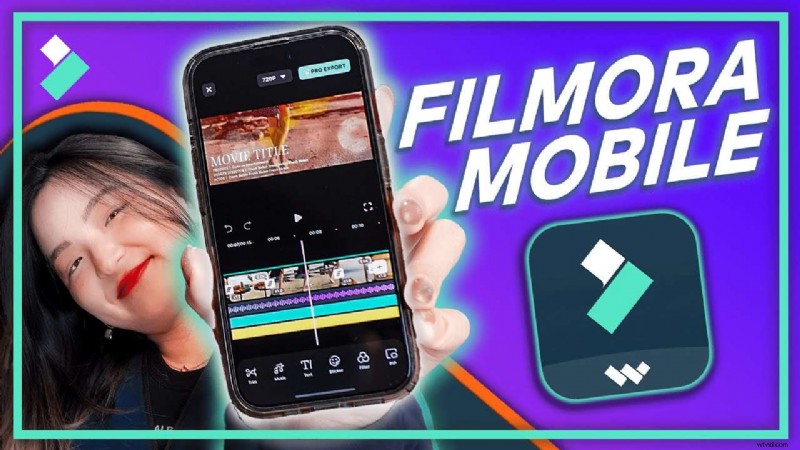
Filmora is a versatile media editor available on Android, iOS, Windows, and macOS. Beyond video editing, it offers AI‑powered text‑to‑speech and speech‑to‑text features that turn typed text into high‑quality voices.
With 49 AI voices, 33 supported languages, and voice‑cloning capabilities, Filmora is ideal for creators who need on‑the‑go narration or audio production.
How to Use TTS in Filmora on Android
- Launch Filmora and start a new project or open an existing video.
- Insert text on the timeline using the ‘Text’ tool.
- Tap the ‘Text‑to‑Speech’ button to convert the text into an AI voice.
- Choose from 49 voices, adjust speed or tone, and preview the result.
Key features:
- Text‑to‑voice & voice‑to‑text conversion
- Voice cloning from user recordings
- AI copywriting for quick script generation
- Automatic sentence segmentation
- Audio & video editing tools
- AI text‑to‑video
Pros
- User‑friendly interface
- Advanced voice cloning and AI tools
- Cross‑platform compatibility
Cons
- Free version has limited features
Voice Aloud Reader
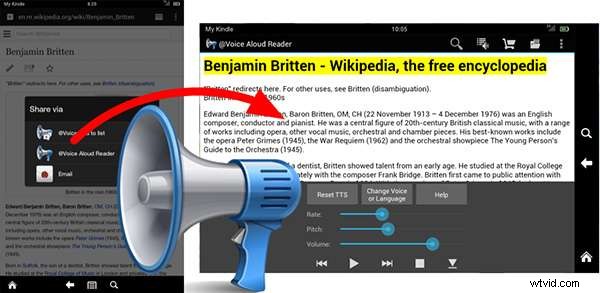
Voice Aloud Reader is a robust free TTS app with both online and offline modes. It reads documents, PDFs, e‑books, and web pages, and includes OCR for scanned PDFs.
Customizable voice settings, playlists, and sharing options make it suitable for users who need a quick, ad‑free reading experience.
Key features:
- Custom playlists and easy sharing
- OCR for PDF extraction
- Ad‑free online reading
- Support for HTML, DOCX, PDF, and more
Pros
- Save articles as audio
- Export to WhatsApp and other apps
- Built‑in web search, translation, and dictionary
Cons
- Outdated UI design
- Occasional ads
- Limited voice variety
NaturalReader

NaturalReader is one of the most popular TTS apps for Android, supporting 150 languages and 25 dialects. It reads web pages, PDFs, documents, e‑books, and even text in images.
Its AI‑powered pronunciation editor and smart filtering ensure high‑quality narration across diverse file formats.
Key features:
- 150 languages & 25 dialects
- Image‑to‑text reading
- Support for 20+ file types
- AI pronunciation editor
Pros
- Extensive voice options
- Ad‑free experience
- Excellent UX and performance
Cons
- Image‑to‑text accuracy issues
- Premium feature limitations
Talk

Talk is a lightweight, free TTS app that focuses on usability. It relies on the built‑in Android TTS engine (Google) for voice output, supporting multiple languages.
Features include web‑page reading, WAV export, and basic playback controls.
Key features:
- Text‑to‑voice conversion
- Web‑page reading
- WAV audio export
- Multi‑language support
- Play/stop/pause controls
Pros
- Completely free
- Lightweight and fast
- Easy to use
Cons
- No advanced features
- Depends on Google TTS engine
Speechify
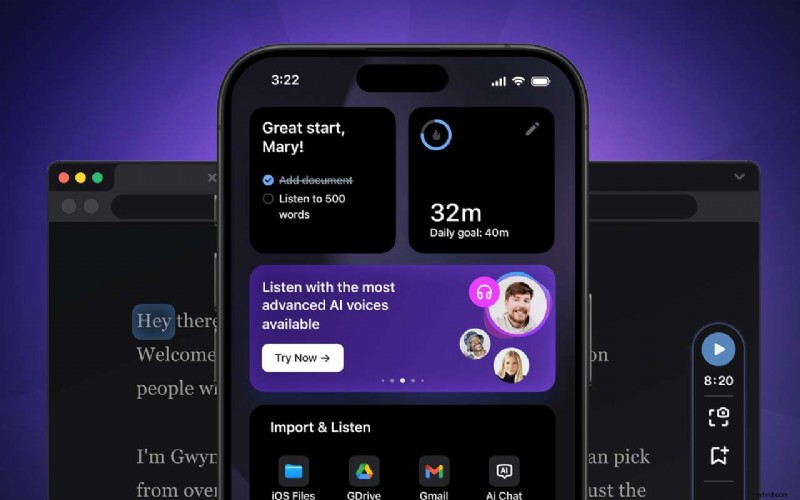
Speechify is a cross‑platform TTS solution that supports 190 voices across 30 languages. It can read documents, images, emails, and cloud‑stored files, delivering up to 900 words per minute.
Its floating widget and text‑highlighting feature help users track reading progress.
Key features:
- Bookmarks and custom reading lists
- 190 voices & 30 languages
- Adjustable reading speed
- Image scanner
Pros
- No ads in free tier
- Natural‑sounding voices
- Export audio files
Cons
- Limited free plan
- Annual subscription only
Narrator’s Voice
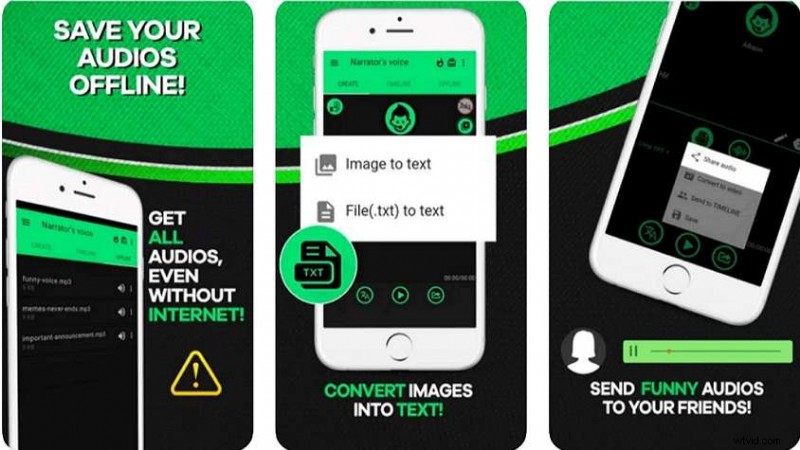
Narrator’s Voice allows you to create custom narration in multiple languages. Users can type or speak text, add voice effects, and export recordings as MP3 or MP4.
Offline mode, unlimited characters, and a range of voice effects make it versatile for creators.
Key features:
- Real‑time reading on device
- Convert to MP3/MP4
- Voice effects (choir, echo, reverb)
- Playback speed & volume control
- Share audio directly
- Image‑to‑text conversion
Pros
- Offline functionality
- Unlimited characters
- Multi‑language support
Cons
- Ads in free version
T2S
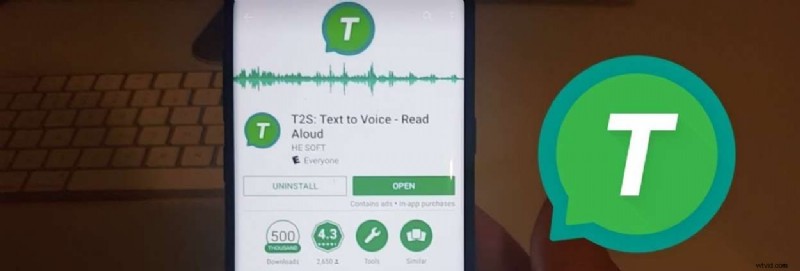
T2S offers an integrated browser and instant “copy‑to‑speak” feature. Users can read selected text or entire pages without manual copying.
Customization of pitch and speed, along with export options, provides a convenient experience for busy users.
Key features:
- Pitch & speed adjustment
- Read selected text instantly
- Convenient buttons for playback
- Automatic language detection
- Export to audio files
- Supports ePub, PDF, TXT
Pros
- Extensive customization
- Smooth UX
- Works across apps
Cons
- Ads in free tier
- No image scanning
VoxBox
VoxBox is a professional‑grade TTS platform that offers over 3,000 realistic AI voices in around 50 languages. It supports voice cloning, real‑time transcription, video conversion, and audio editing.
While it excels in voice variety, it lacks offline support and has limited editing options.
Key features:
- 3,000+ AI voices
- 50 languages
- Voice cloning
- Real‑time transcription
- Video conversion
- Audio editing tools
Pros
- Unmatched voice library
- Cloning for unique voices
- Desktop & mobile support
Cons
- Limited editing capabilities
- File format support is narrow
- Requires internet connection
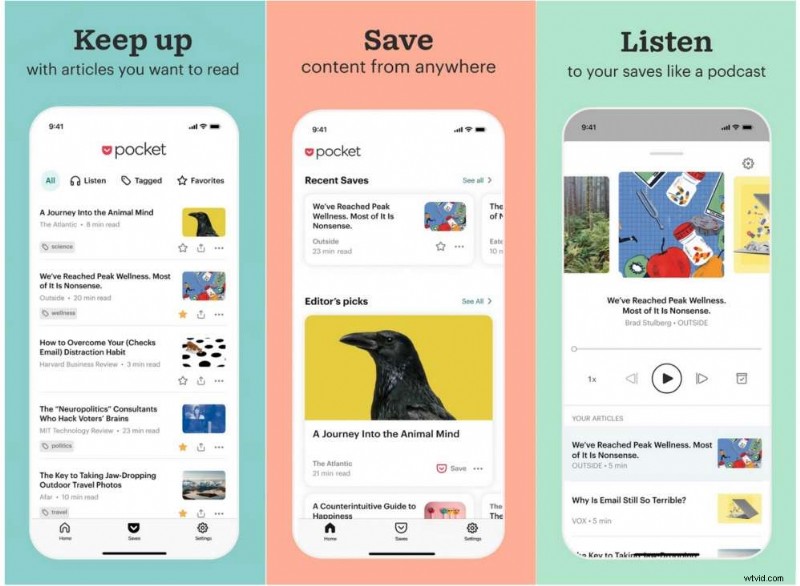
Pocket is a bookmarking app that also provides robust TTS. It lets users save web articles for offline reading and then convert them into audio playlists.
With speed control, pitch adjustment, and multi‑language support, Pocket offers a straightforward listening experience.
Key features:
- Speed, pitch, and volume control
- Multiple languages & voices
- Bookmarking and offline access
- Playback controls (forward, rewind)
Pros
- Intuitive interface
- Offline capability
- Available on Android & iOS
Cons
- No word highlighting
- Limited editing features
- Only reads saved articles
Can I Use Text‑to‑Speech on Android Offline?
Yes. Apps such as Voice Aloud Reader and T2S can function offline by leveraging the device’s built‑in TTS engine. However, premium AI voices often require a data connection for processing.
Frequently Asked Questions
Does Android have a built‑in text‑to‑speech engine?
Android includes Google Text‑to‑Speech by default, accessible via Settings > Accessibility.
What is the best natural‑sounding voice app?
Filmora and NaturalReader are frequently cited as the most natural human‑like AI voices in 2026.
Conclusion
Text‑to‑speech apps unlock powerful accessibility and productivity features. Carefully evaluate your specific needs—whether you prioritize voice quality, offline access, or advanced editing—before selecting a tool. Most options offer free versions or trials, so test them before committing to a subscription.
Start exploring the top apps today and elevate your mobile reading experience.