
Introduction
GIFs are an engaging way to share information and entertainment. Adobe Photoshop, a professional image editor, lets you produce crisp, high‑quality GIFs that stand out.
Part 1: How to Build an Animated GIF in Photoshop
Below is a clear, expert‑approved workflow that covers everything from loading your images to exporting the final file.
Step 1 – Load Your Images
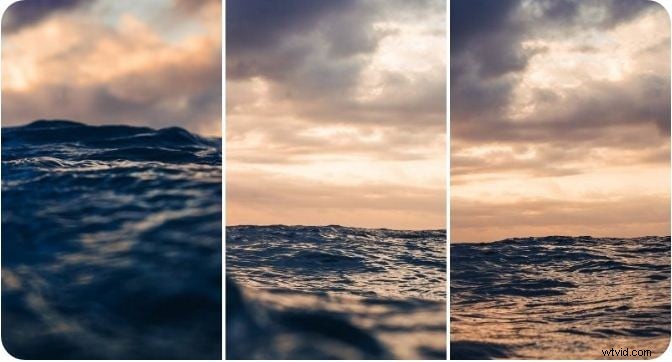
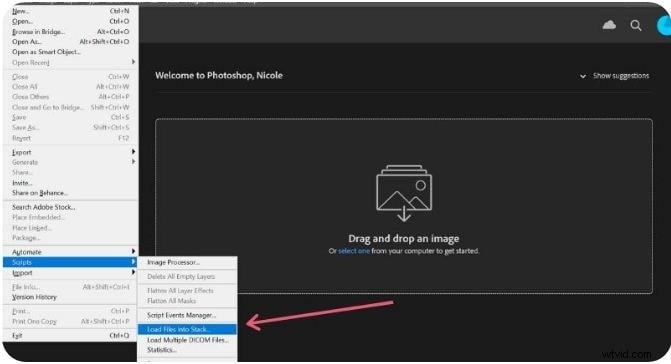
Navigate to File > Scripts > Load Files into Stack and choose the images you want to turn into frames. Photoshop will create a separate layer for each image.
Step 2 – Align and Rename Layers
In the dialog that appears, click Browse to pick your files. Enable Attempt to Automatically Align Source Images if your shots need alignment. After clicking OK, you can rearrange or rename layers in the Layers panel.
Step 3 – Create a Frame Animation
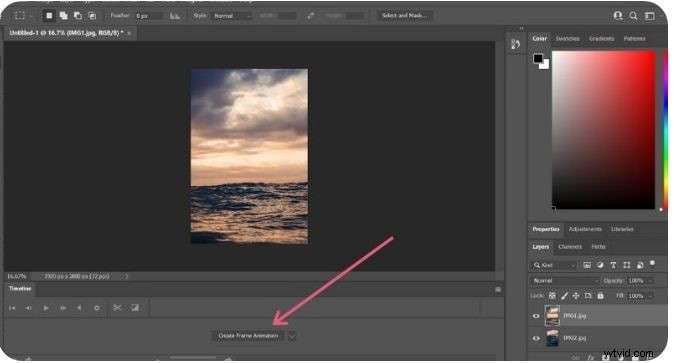
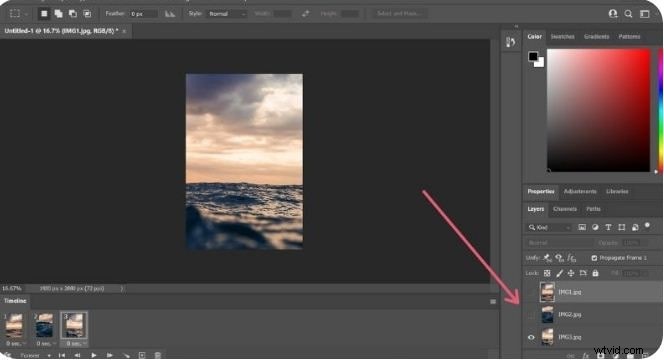
Open the Timeline window via Window > Timeline and choose Create Frame Animation. Duplicate the topmost layer to add frames.
Step 4 – Set Frame Durations
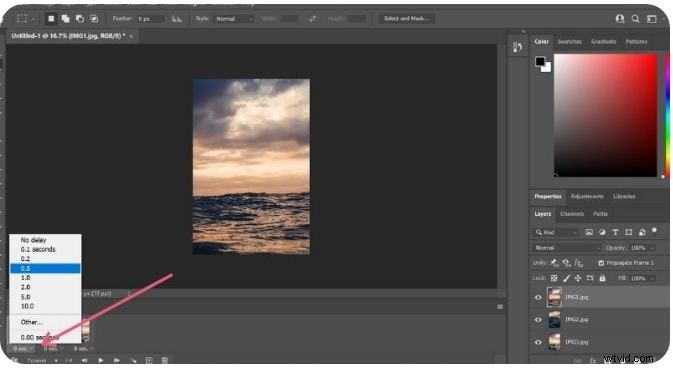
Click the time beneath each frame and set the desired delay (e.g., 0.2 s). Repeat for all frames.
Step 5 – Hide Layers for Each Frame
For each frame, hide all layers above the current one so that only the intended image appears.
Step 6 – Preview the Animation
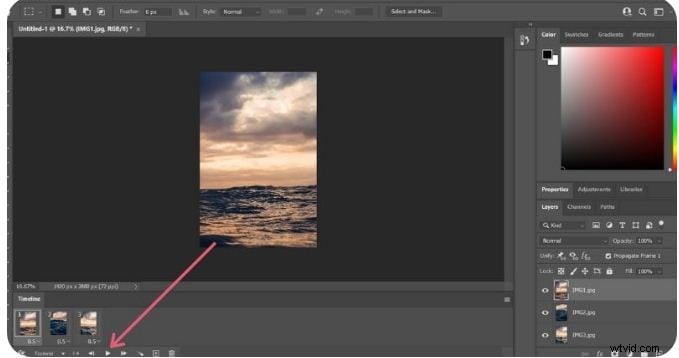
Press the Play button in the Timeline to ensure the GIF runs smoothly.
Step 7 – Export the GIF
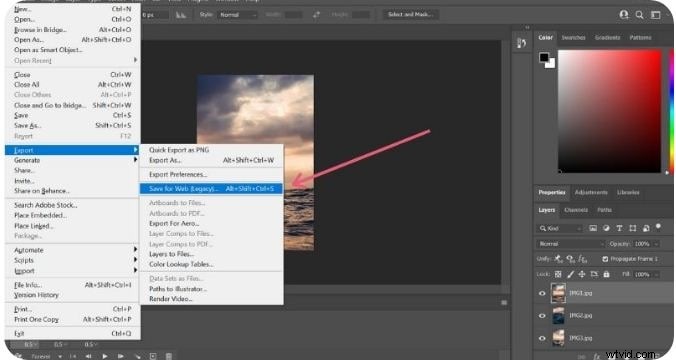
Choose File > Export > Save for Web (Legacy). Select GIF as the format, adjust quality, and hit Save. Keep the final image size under 500 px for optimal sharing.
Part 2: 6 Alternatives to Photoshop for GIF Creation
If you prefer a non‑Photoshop solution, these free or low‑cost tools deliver professional results.
1. Wondershare Filmora Video Editor
Filmora offers an intuitive drag‑and‑drop interface, hundreds of effects, and seamless GIF export. It supports most file formats and lets you adjust speed, color, and composition with ease.
Key Features
- Free and user‑friendly interface
- Extensive library of audio‑visual effects
- Easy GIF creation from images or videos
- Compatible with common file formats
- Advanced editing tools—cut, trim, combine, color adjust
2. Photoscape
Photoscape is a lightweight, cross‑platform editor that supports GIF creation with image resizing, color tweaks, and batch processing. While occasional performance lags may occur, its clean UI remains a strong point.
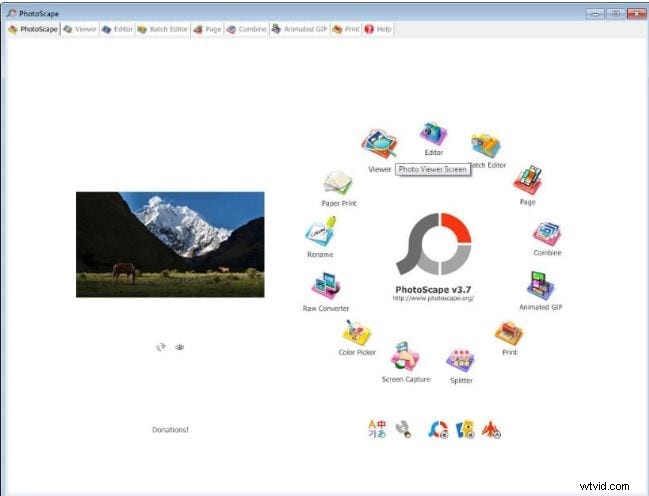
Key Features
- GIF editing with color, size, and overlay options
- Batch processing via the Photo Batch tool
- Collage creation from multiple images
- Utility tools: photo splitter, page merger, color picker
3. Gifted Motion
A Java‑based, platform‑agnostic tool that runs without installation. It supports PNG, JPEG, BMP, and GIF files, making it ideal for quick, free GIF edits.
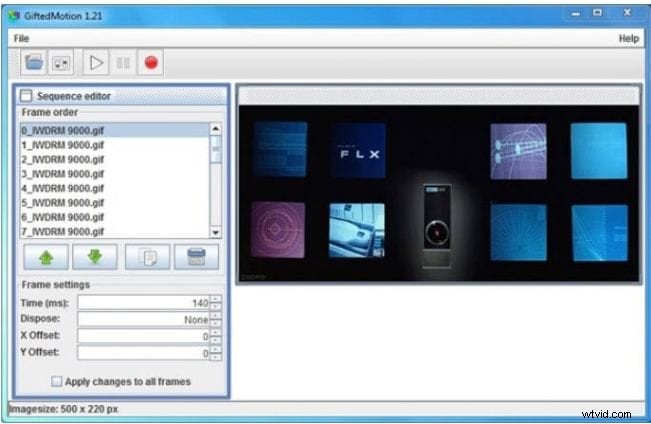
Key Features
- Runs on any OS via Java
- Free of charge and no in‑app purchases
- Handles local image files effortlessly
- Handles large files, though it may take time
4. SSuite GIF Animator
SSuite GIF Animator is a lightweight Windows program that also creates movies and slideshows. It is free, portable, and energy‑efficient.
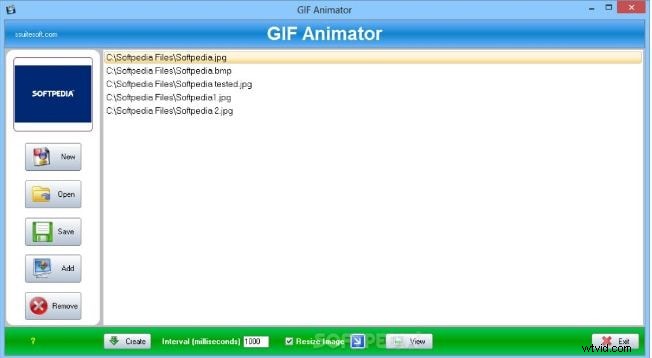
Key Features
- Free and user‑friendly
- No Windows registration required
- Portable via USB or memory stick
- Rapid GIF creation and editing
- Frame‑by‑frame timing control
5. Picasion
Online, ad‑heavy but language‑inclusive. Import images or videos from platforms like Picasa and Flickr, resize, add effects, and export GIFs. Works directly in the browser.
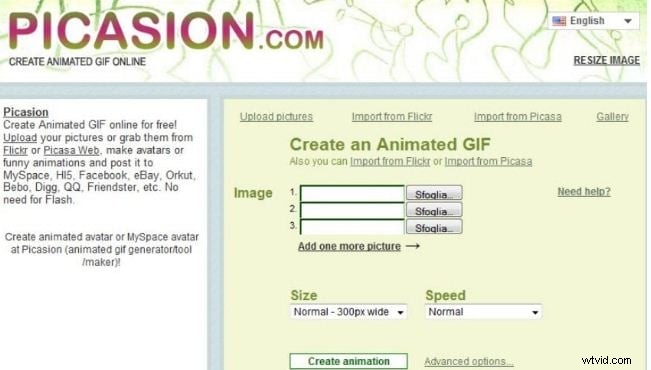
Key Features
- Multilingual interface (English, Spanish, Portuguese, Russian)
- Size adjustments and custom avatars
- Wide range of effects and filters
- Supports all common file formats
- Clean, fast, ad‑free (with paid upgrade)
6. GifPal
GifPal is a free, web‑based GIF creator with 20 frames and 30 effects. It offers drawing, text tools, and no watermark by default.
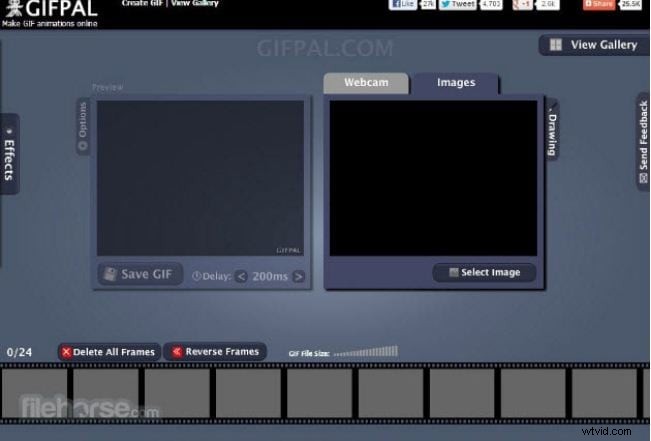
Key Features
- High‑quality image editing tools
- Adjustable frame speed for natural flow
- Timeline editing support
- Watermark‑free output (or add your own)
- Ad‑free experience
Key Takeaways
- Photoshop delivers professional‑grade GIFs with full control over frames and quality.
- For quick, free alternatives, Filmora, Photoscape, Gifted Motion, SSuite, Picasion, and GifPal all provide robust features.
- Choose the tool that best matches your workflow, budget, and platform.