
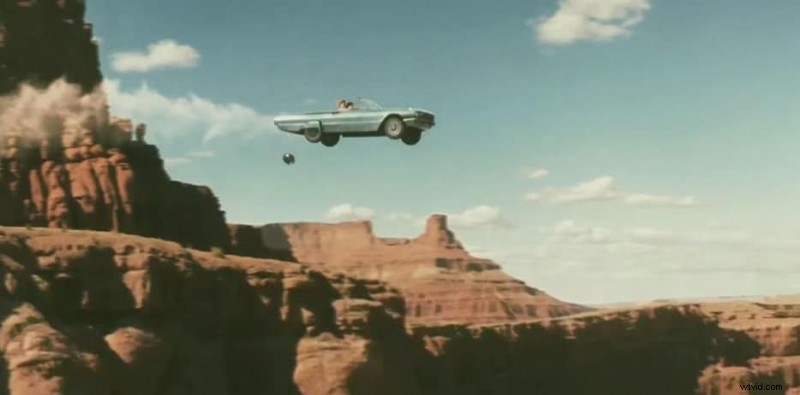
Freeze frames—those dramatic pauses that freeze a moment in time—have long been a staple of cinematic storytelling. Though not every scene requires one, when used thoughtfully they sharpen focus, amplify emotion, and give audiences a chance to absorb pivotal beats.
Once a hallmark of 1980s and 1990s films, the technique is enjoying a resurgence as modern filmmakers draw on nostalgic aesthetics and seek fresh ways to engage viewers. As a video‑editing professional, mastering freeze frames is a must‑have skill for enriching the visual narrative.
In this article we’ll cover what a freeze frame is, when it shines in film, its creative benefits, how to create one with industry‑grade software, and expert tips for executing the effect with precision.
Table of Contents
- What Is a Freeze Frame?
- Common Uses in Film
- Benefits for Storytelling
- Creating Freeze Frames with Filmora
- Best‑Practice Tips for Filmmakers
What Is a Freeze Frame?
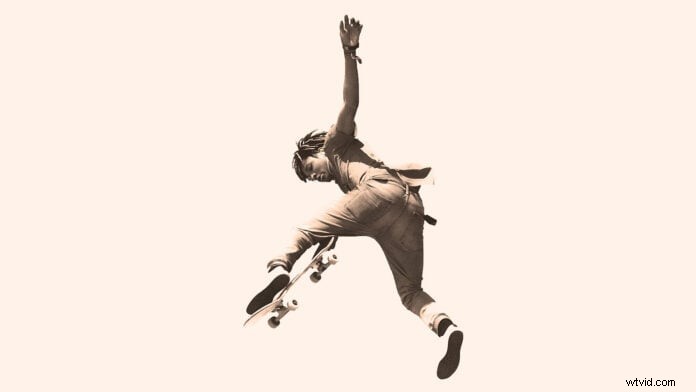
A freeze frame occurs when the motion in a shot is halted, allowing a single image to linger on the screen. In live viewing, this is the effect of pausing a movie. In post‑production, editors deliberately insert a pause mid‑scene to draw attention to a specific visual or narrative beat.
While most audiences see freeze frames at the end of a film, they can be placed strategically throughout a sequence—such as to highlight a character’s reaction, underscore a plot twist, or provide a moment for narration.
Common Uses in Film
Here are the most effective scenarios for employing freeze frames:
- Introducing New Characters: Pair a freeze frame with on‑screen text or voiceover to present key details about a fresh face—think the opening of “The Big Short” or “Snatch.”
- Climactic Moments: A pause at the film’s apex—whether a triumph, tragedy, or twist—can leave a lasting impression.
- Comedic Beats: Freezing a punchline or exaggerated reaction amplifies humor, especially in slapstick or satire.
- Building Tension: In action or suspense scenes, a well‑timed freeze can heighten anticipation and amplify stakes.
- Narrative Commentary: A pause allows voiceover or on‑screen narration to contextualize events or reveal character insights.
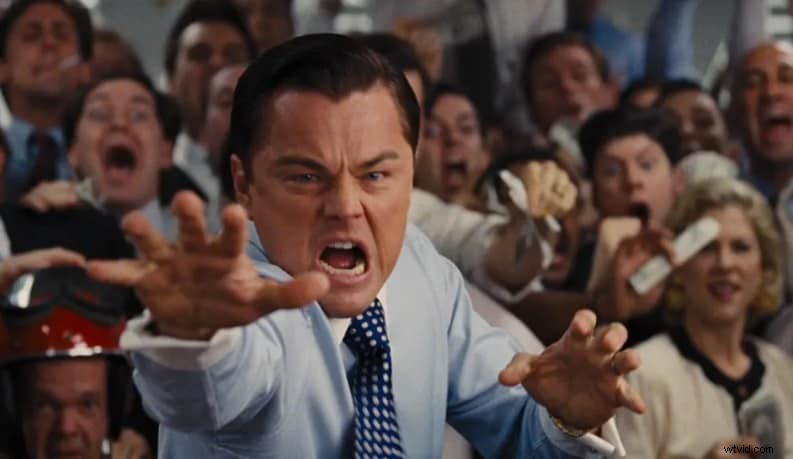
- Introspective Moments: When a character reflects, a freeze frame underscores the internal dialogue—mirroring moments like those in “The Wolf of Wall Street.”
Benefits for Storytelling
Using freeze frames can enhance a film in several key ways:
- Emphasizing Key Actions: By halting motion, the audience can focus on a crucial detail that might otherwise be missed.
- Deepening Emotional Impact: A pause can give viewers time to absorb feelings of fear, joy, or sorrow.
- Facilitating Narrative Reflection: Freezes serve as visual breathers, allowing audiences to process complex story points.
- Adding Artistic Texture: Like a photograph in a scrapbook, a freeze frame introduces a distinctive visual layer.
- Controlling Pacing: The technique lets editors adjust rhythm, breaking up rapid sequences or slowing down intense moments.
- Signaling Transitions: A freeze frame can clearly demarcate chapter or scene shifts, helping viewers stay oriented.
Creating Freeze Frames with Filmora
For editors of all skill levels, Wondershare Filmora offers a straightforward, intuitive workflow to add freeze frames. The software supports Windows, macOS, Android, and iOS, and its drag‑and‑drop interface makes the process accessible even to beginners.
Before you start, identify the exact moment you want to pause—preferably a well‑composed shot with strong lighting and clear focus. Keep the freeze dynamic to maximize impact.
Step‑by‑Step Guide
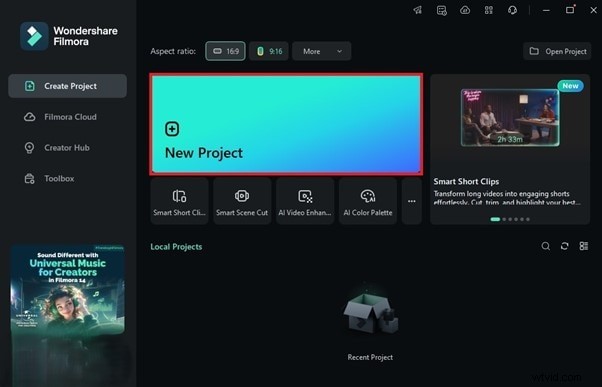
1. Open Filmora and create a new project
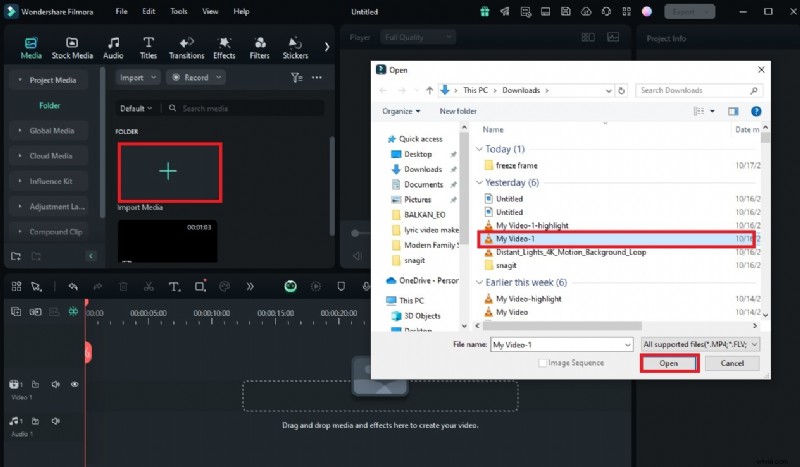
2. Import your footage
3. Drag the clip onto the timeline

4. Position the playhead at the desired freeze point
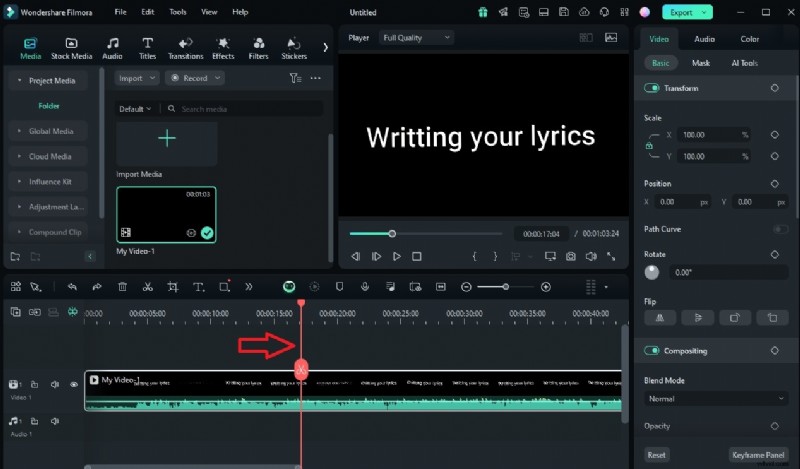
5. Right‑click the clip, select Speed → Add Freeze Frame
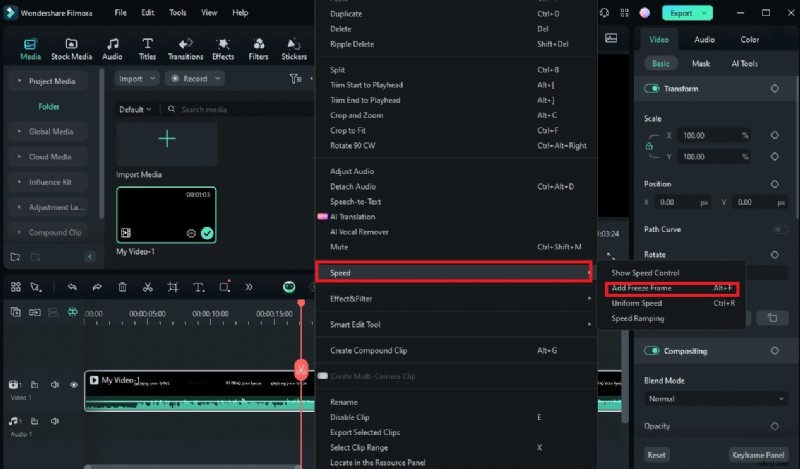
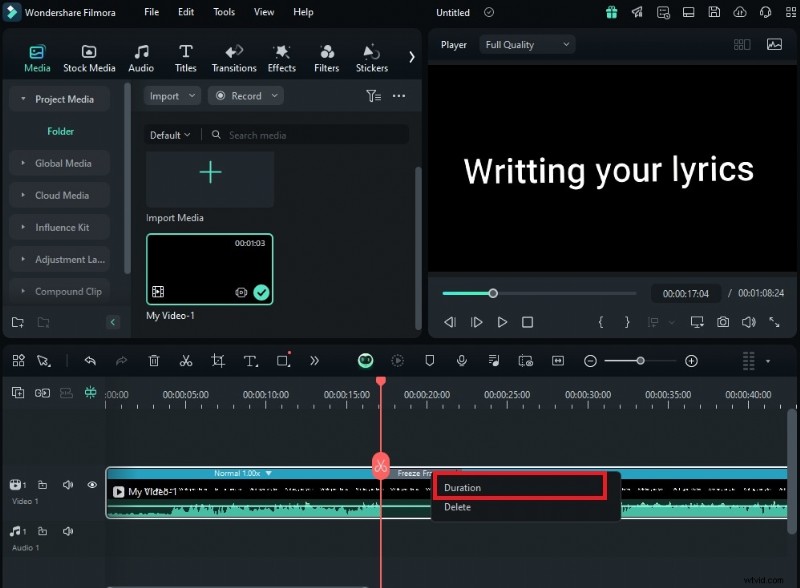
6. Adjust the duration by selecting the freeze segment and choosing Duration
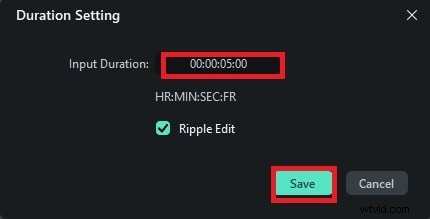
7. Set the new length and click Save
Best‑Practice Tips for Filmmakers
To maximize the impact of a freeze frame, consider the following guidelines:
- Choose Narrative Weight: Target moments that are pivotal to character development or plot advancement.
- Prioritize Visual Clarity: Select a frame that is tightly focused and visually rich.
- Use Sound Thoughtfully: Add subtle sound effects, silence, or a voiceover to deepen the effect.
- Build Tension Gradually: Slow down the action before freezing to create a crescendo of anticipation.
- Experiment with Effects: Combine freeze frames with filters or overlays for unique visual styles.
Conclusion
Freeze frames are a timeless tool that, when applied judiciously, can elevate the storytelling power of any film. With modern editing suites like Filmora, adding a freeze frame is quick and accessible, but the true art lies in selecting the right moment and executing it with intent.
By mastering the technique, you’ll create memorable, emotionally resonant scenes that keep audiences engaged and invested.