
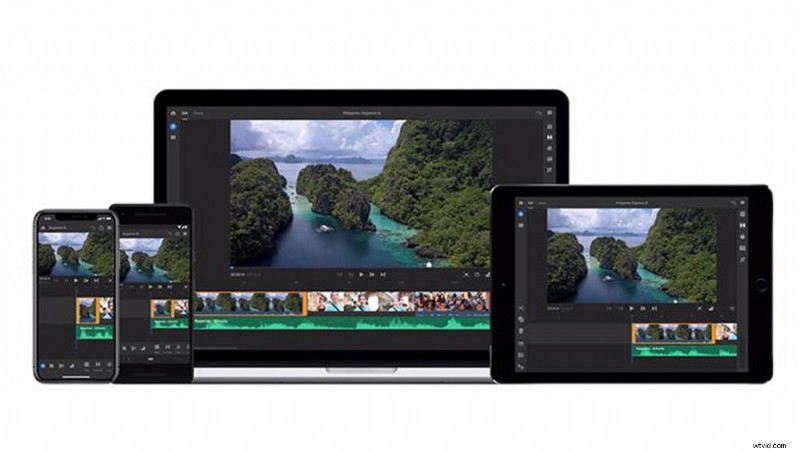
After taking the wraps off of Project Rush in June, Adobe today released the finalized version of its user-friendly video editing application as Premiere Rush CC.
Adobe Premiere Rush CC is a new cross-platform video editing application that makes it easy for anyone to bring video and audio into a timeline and apply effects, titles, and a number of other minor edits to a project in a less complex way than one might experience in a full-powered suite such as Premiere Pro CC. Features like auto-ducking for music over dialogue, motion graphics templates for professional-quality titles, and export presets for the most popular social media aspect ratios make Premiere Rush a one-stop shop for promotional video content.
Premiere Rush CC will bring professional video editing capabilities to more inexperienced users. But while power users may prefer to stick with Premiere Pro, many will also find room to appreciate a simplified, intuitive workflow for the types of small, short-form projects that will end up on various social media channels or online only, but that still require a more refined edit than simple mobile edits can typically provide.
While there is no "round-tripping," Premiere Rush projects can still be brought one-way into Premiere Pro in order to carry on further edits that may have been made on the go but need further work in Adobe's other audiovisual editing applications. Rush has had enough time in beta in preparation for today, but there are still some surprising gaps in capabilities such as speed adjustments. However, Adobe has heard its beta testers and plans to release updates to provide the ability to speed up or slow down footage to increase the power of publishing to other social media platforms and even to bring Rush to Android as soon as possible.
Premiere Rush CC is included today in Premiere Pro CC single-app, Creative Cloud All Apps, or Student Plan subscription and will cost $9.99, $19.99, or $29.99 per month to individuals, teams, and enterprise customers, respectively, outside of those subscriptions. Rush CC will include 100 GB of Creative Cloud storage with options to upgrade to up to 10 TB.