
Adobe premiere rush is a cross-platform video editor application specifically designed for social media creators to quickly edit their video clips and share them with the community. You can use it on both mobile and desktop devices. It is one of the most popular and professional video editing applications on smartphone devices.
Have you tried installing adobe premiere rush for Samsung devices like Galaxy Tab S6, Galaxy S10, and other Galaxy devices? If yes, then you may know that Galaxy Tab S6, Galaxy S10, and many other devices are not compatible with adobe premiere rush. If you try to install the app from the google play store, you will get an error where it says that this application is not compatible.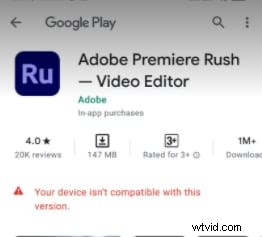
According to the google play store, you may have seen many people using adobe premiere rush on devices that are not compatible with the application. Now you may be wondering how you can do it yourself and install adobe rush on your Samsung devices. If you want to know how to install adobe rush for Samsung devices, you just landed on the right page.
Two Methods of Fixing Compatibility Issue of Adobe Premiere Rush
In this article, we will share two different methods to fix the not-compatible issue of adobe premiere rush on different Samsung devices.
- Method 1: Using APK Mirror.
- Method 2: Using APK Pure.
Method 1: Using APK Mirror
APK mirror is a website that allows you to download APK files of different android applications. You can use these APK files to install applications and games without logging in to the play store or using your google account. If you want to fix the adobe rush compatibility issue using APK mirror then follow the instructions given below:
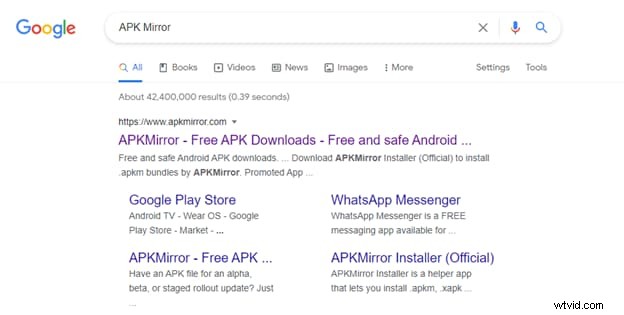
- First of all, open any browser on your mobile phone and type APK Mirror in the search bar. Now Click on the link that leads to the official website of APK mirror.
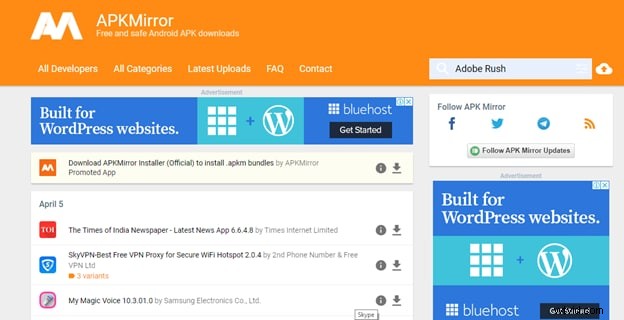
- Now open the site and you will see a search bar on the top left side of your screen. Type Adobe rush in the search bar and click on the search button.
- Now you will see a screen with many versions of adobe rush. You will also see a date mentioned in front of every version. Try to download the latest version because it comes with better optimization.
- Click on the download button and it will take you to a new page.
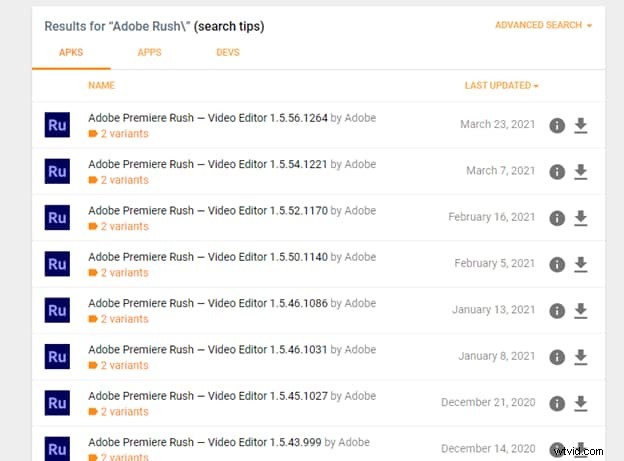
- Now you will see two variants here. One option will have a screen dpi 480-640 and the second option will have nodpi.
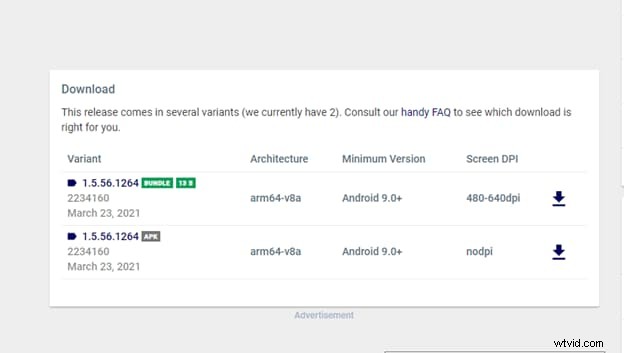
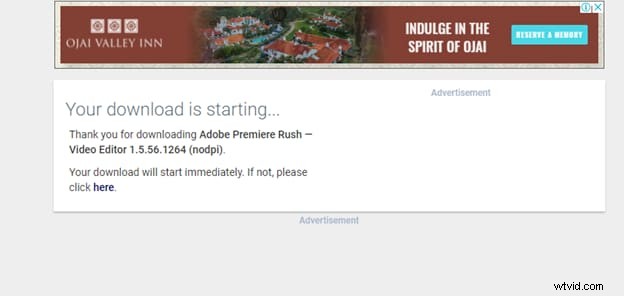
- It will take you to a new page where you will see some details about the APK file and a download APK button. Click on this button to start downloading the APK file of adobe premiere rush.
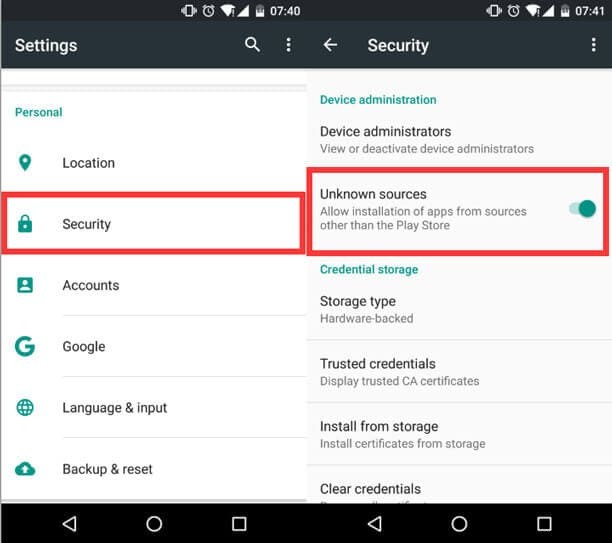
- Once the APK is downloaded to your Samsung device, run the APK file and click on install. It will give you an error that this file is from an unknown source. To fix this error, go to your android settings and from security settings allow installation from unknown sources. Now when you will run the APK it will be installed on your device.
- Once the APK is installed, run the application, and you will see that adobe premiere rush is working on your Samsung devices.
Tips: Dpi means dots per inch. You have to check your phone’s spec to get this. Basically, the high it is the better image quality your phone will be able to present.
Method 2: Using APK PureThe second method that you can use to fix the compatibility issue of Adobe premiere Rush is using the APK Pure Website. Just follow the steps given below:
- First of all open any browser on your mobile or computer and go to the website www.Apkpure.com.
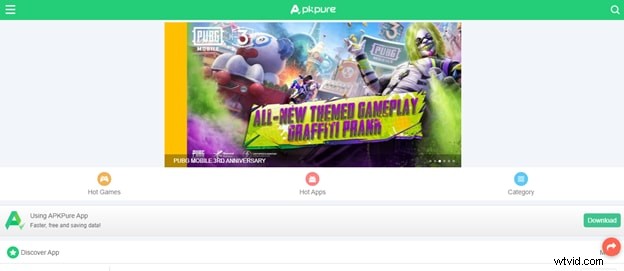
- You will see a search button on the top right corner of your screen. Click on that button and search for adobe premiere rush.
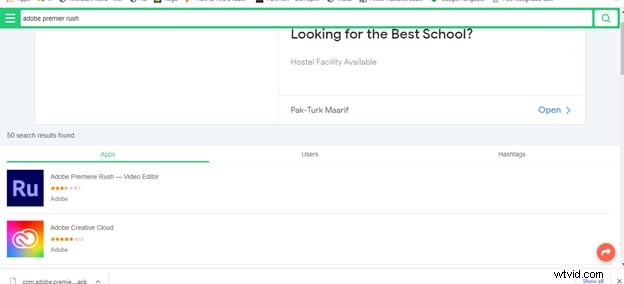
- Click on the adobe premiere rush, and it will take you to a download page.
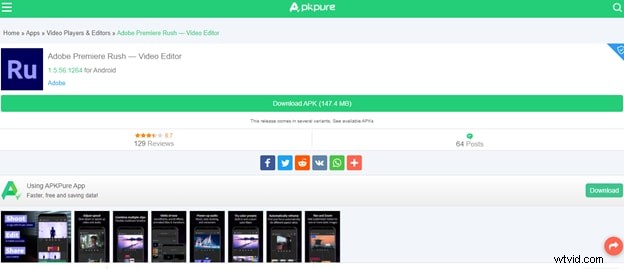
- Just click on the download button and it will start downloading the APK file on your device.
- Now you just need to install the APK file on your device and if you get an error saying this file is from an unknown source or anything like that then repeat step 7 from method one to fix this error.
- Now try to install again and you will see adobe premiere rush is installed in your Samsung device without any problem.
Why Not Edit Video On Pc With Filmora X
Although there are many other video editing software for both smartphones and computers, they all require a lot of understating of video editing and are challenging to use for an ordinary person. If you are a social media activist and want to edit and share your videos on different platforms, we recommend trying Filmora X on PC. It is one of the best and easiest video editing software available in the market right now. It has a lot of features, easy to use interface and you can try it for free by downloading it from the official website of Filmora. So, give it a try at least once and we assure you that you won't regret your decision.