
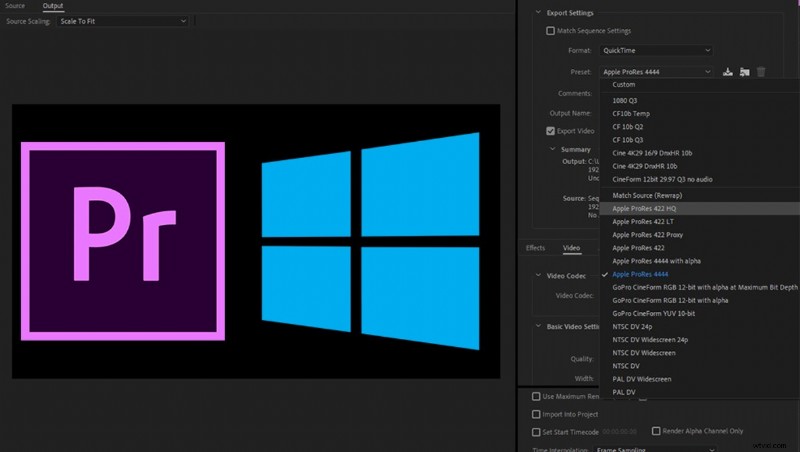
Premiere Pro and After Effects users were never able to export ProRes files on Windows computers but this limitation has just been lifted by the latest Adobe update.
“Please render the video in ProRes.” How many times did video editors hear this request from a client or an agency? At this point, Windows users have to politely explain why their PC cannot export ProRes due to artificial license limitation on Windows platform. In a kind but condescending tone, I usually propose to deliver the video file in Cineform or DNX as an alternative but there is always this Apple centric agency that only takes ProRes because it’s “the industry standard” and "we love paying three times the price for our computers" I think in my head but I have to bite my tongue not to say this.
At this point, I usually request help from my Apple user friends (yes, I have a few) to transcode the file for me. Some people found third-party software or plugins that can export ProRes but these applications are not official and can generate compatibility issue, encoding errors, and instability. You could also use Blackmagic Fusion on Windows, one of the only video software able to output ProRes.
But today, after many years of unfair PC discrimination, Windows users are now able to deliver ProRes files natively. With the latest Adobe updates, ProRes 4444 and ProRes 422 export is available within Premiere Pro, After Effects, and Media Encoder on Windows 10. Humanity rejoices. This is an excellent and unexpected move from Adobe and Apple.
Simply head to the Creative Cloud desktop application to update Premiere (version CC 13.0.2), After Effects, and Media Encoder.
Upon exporting, select QuickTime in the format tab and choose one of the ProRes presets. As a reminder, here is a summary of the different formats from the lowest to the highest level of quality:
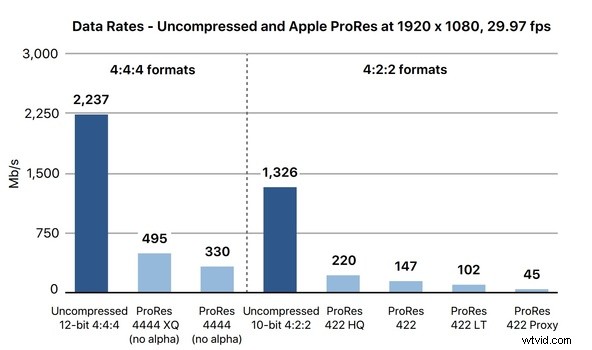
ProRes 422 Proxy: This lowest setting is highly compressed for use in offline workflows that require low data rates but full-resolution video. It should only be used for editing as a Proxy file.
ProRes 422 LT: Better than proxy, this codec is a compromise between file size and quality. Reserved for low to medium quality projects.
ProRes 422: A high-quality compressed codec offering nearly all the benefits of Apple ProRes 422 HQ. This is the regular work horse Codec for most people. The perfect balance between size and quality.
ProRes 422 HQ: This format is just a higher data-rate version of Apple ProRes 422 that preserves visual quality. Ideal to render visually lossless files that can go through many generations of decoding and reencoding.
ProRes 4444: An extremely high-quality version for 4:4:4:4 image sources. This codec features full-resolution, mastering-quality 4:4:4:4 RGBA color with lossless alpha channel (transparency) of up to 16 bits.