
REC

Recommended: Video Production, Editing & Gear Maintenance Guide

 WTVID >> WTVID >  >> video >> Video clip

Adobe Premiere Pro CS5 Update: GPU Acceleration Now Supports Laptops and New NVIDIA GPUs

Adobe Premiere Pro CS5 Update: GPU Acceleration Now Supports Laptops and New NVIDIA GPUs

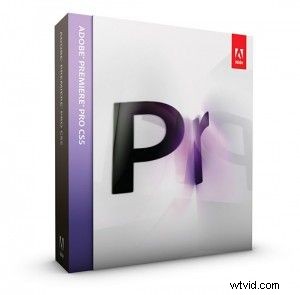
If you’ve ever been frustrated at the fact that your brand new copy of CS5 didn’t work with your shiny new graphics card, your wait may finally be over. Thanks to the newest update from Adobe, which supports two new NVIDIA cards, and has user interface, stability, and performance enhancements, many Premiere CS5 users will see a big bump in speed. One of the biggest changes in this update is the ability to now use laptop grade GPUs for acceleration. As a result, Adobe now supports both the NVIDIA 5000M mobile graphics card and the NVIDIA 4000 for the Mac. Since both of these are the current highest end graphics card offerings from NVIDIA for both Windows based laptops, most people sporting these are most likely already rocking a pretty decent setup. Either way, it’s good to see how quickly Adobe is adding GPUs to its list of Mercury Engine support. The update can be downloaded from Adobe’s website or by going to Help>Updates in any CS5 program that you own.


  1. Master Color Correction in Adobe Premiere Pro: Lumetri Scopes Tutorial

  2. Eliminate Audio Noise Like a Pro: Adobe Audition & Premiere Pro Tutorial

  3. AMD Unveils Radeon Pro SSG: GPU Optimized for Adobe Premiere Pro 8K Workflows

  4. Adobe Premiere Pro 13 Released: Discover Powerful New Features

  5. Loupedeck+ Expands Workflow Power: Now Supports Final Cut Pro & Adobe Audition

Video clip
  1. Crop Videos Easily in Adobe Premiere Pro: 7-Step Beginner Guide

  2. Sync & Save Custom Keyboard Shortcuts in Adobe Premiere Pro: Pro Workflow Guide

  3. Stop Keyframing: Fastest, Most Precise Zooming in Adobe Premiere Pro

  4. Master 5 Essential Time & Speed Effects in Adobe Premiere Pro CC: Slow-Mo, Fast Forward & Ramping

  5. Adobe's Latest Updates: Premiere Pro, Audition, After Effects & Character Animator Enhanced

  6. Master Premiere Pro: 5 Essential Workflow and Preference Tips

  7. Adobe Premiere Pro 2019.1 Update: Powerful New Tools, Features & Performance Boosts

  8. Adobe Unveils Major Updates for Premiere Pro, After Effects & Premiere Rush