
What better way to compel an online shopper than with a 360-degree video showcasing a product and its features?
Etsy product video is the next best thing to customers picking up a product in person. Instead of relying on boring product images to sell products, Etsy video adds an additional perspective for potential customers to gain confidence in your brand and possibly boost sales.
This blog will share some of our favorite Etsy shop video examples and teach you how to create an Etsy product video using our online video editor.
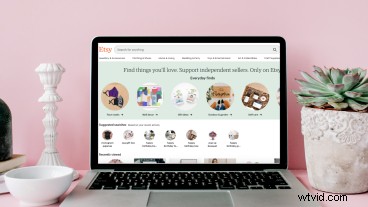
How Etsy video can help build trust in your products
Etsy shop video examples
How to make an Etsy shop video tutorial
How Etsy video can help build trust in your products
Online shoppers love watching a product video. Whether you’re selling jewelry, crafts, hand-made pet accessory, or home decor, adding a product video to your Etsy listing will significantly persuade potential customers to go through with a purchase, rather than keep browsing. Video marketing is one of the simple steps to boost sales as potential customers can see a product live in action rather than just reading a product description of features.
Potential customers don’t have to miss out if they can’t be physically present in your store. Etsy shop video is a great way to address common questions, show a product in use, and showcase detailed elements of a product. This will build trust with your online community and expand your customer base with Etsy video.
Etsy shop video examples
When it comes to creating video content, the options are endless for your small business. Below are a few of our favorite Etsy video examples to help inspire your listings. Remember, introduce yourself, demo your process, show your product and keep it short and sweet (5 to 15 seconds).
1. Etsy video idea: Explainer video with real customers
One of the best ways to persuade a potential customer is to show your product in use while explaining all its benefits with an explainer video. Shoppers will watch other customers explain the product’s functionality and envision themselves using it. Sharing customer testimonials and positive reviews are a great way to build trust between potential customers and your small business.
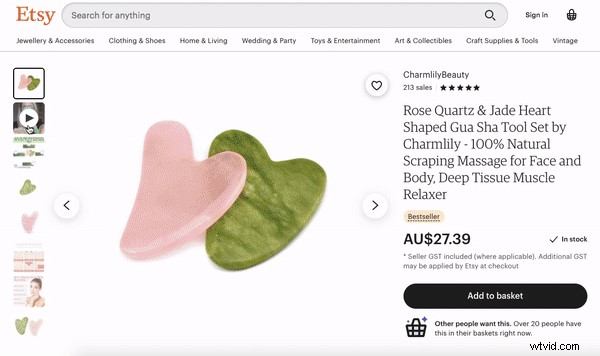
2. Etsy video idea: Product demo video
Display your product’s trendy design and quality with a product demo video for Etsy. Jewelry, clothing, shoes, and accessories are usually best to be filmed on models to help potential customers see the product’s natural movement and size to scale. A product video is perfect for styling, displaying your color varieties or different materials.
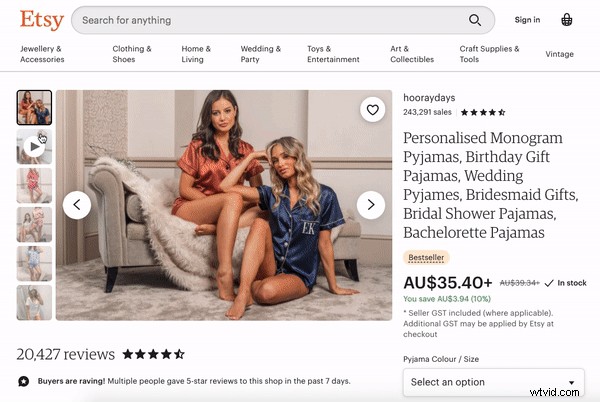
3. Etsy video idea: 360-degree product video
You can’t capture the features of your product in a 2D picture. Assist your product description box with a 360-degree view Etsy video. Show potential customers your product from all angles, displaying features and intricate details.
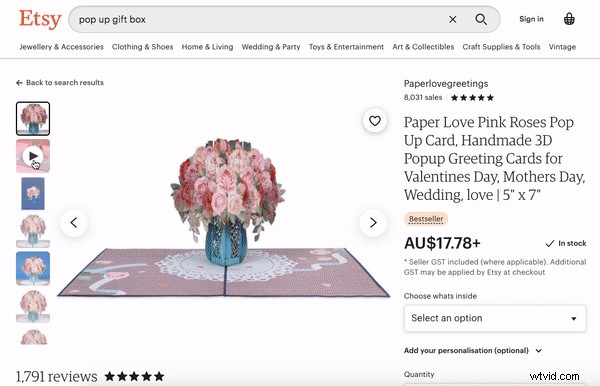
Looking for more video marketing ideas for your small business? Head over to our Make Promo Videos for Any Business blog for more inspiring ideas.
How to make an Etsy shop video
Video production has been made easy using our online video editor. You don’t even need to leave your browser! Produce your next sales and marketing video for Etsy with the assistance of our step-by-step tutorial below. Post your product video on your online store and social media platforms.
Step 1. Log into Clipchamp or sign up for free
Commence your Etsy video production by logging into your Clipchamp account or sign up today for free.

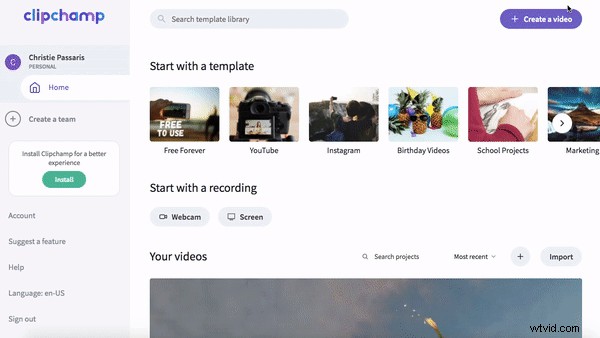
Step 2. Create a new video project
Select the + Create a Video purple button at the top right corner of your screen. Once clicked, the editor will automatically open. You can change the video ratio by clicking on one of the 6 video ratios. We are using widescreen 16:9 for the purpose of this tutorial. Rename your video project by clicking the Untitled Project box.
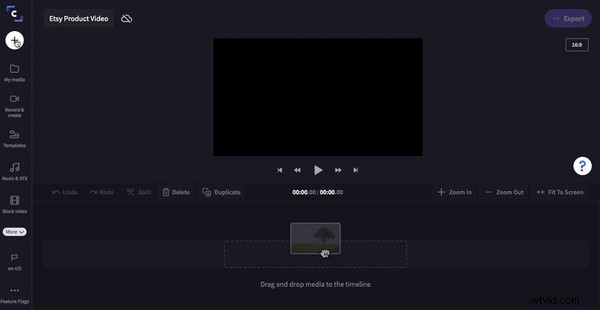
Step 3. Upload video clips of your product
To upload your video footage, click on the + white button on the left sidebar. Select the video clips you would like to use in your Etsy product video. Your video footage will appear in the My Media tab. You can alternatively drag and drop your video files into the library.
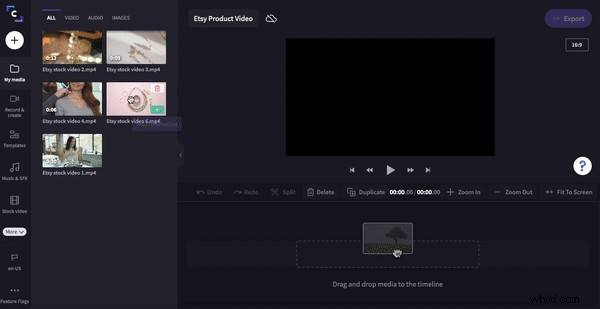
Step 4. Drag and drop video footage onto your timeline
It’s now time to start creating your Etsy video. Drag and drop each clip onto your timeline. Crop the video to size by moving the green sidebar left and right. If your video clips don’t have professional-looking backgrounds, check out our green screen video editing feature.
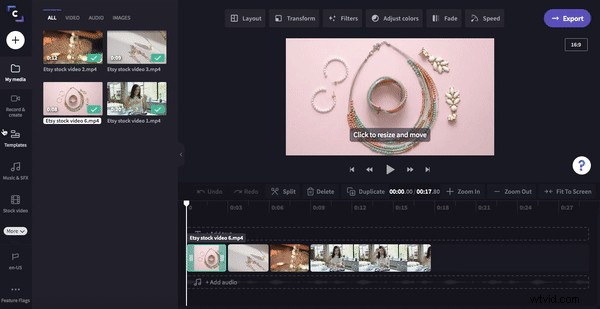
Step 5. Add transitions to your Etsy product video
Click on the Transitions & Filters tab on the left sidebar. Drag and drop your chosen transition onto the timeline between two clips. The transition will snap into place. Repeat the step for each clip.
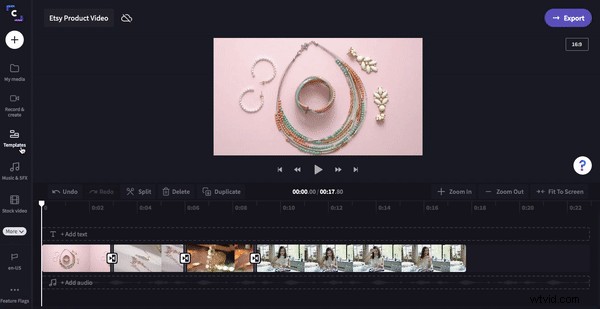
Step 6. Add text (optional step)
Click on the Text tab on the left sidebar. Drag and drop your desired text style onto the timeline. Personalize your text and crop to size by dragging the green sidebar left and right.
Step 7. Add brand logo
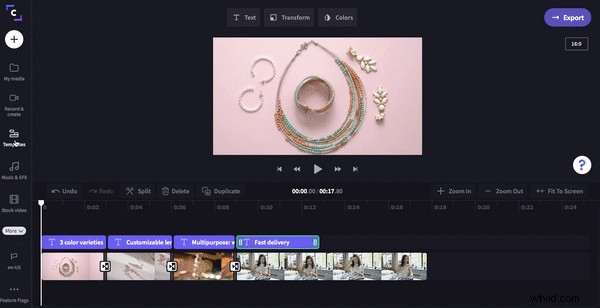
Time to add your brand’s logo. Click on the Brand tab on the left sidebar. Click on Add logo to browse your files. Drag and drop your logo onto the timeline. Drag the green sidebar to change the length of your logo to the full video duration.
Step 8. Export Etsy video
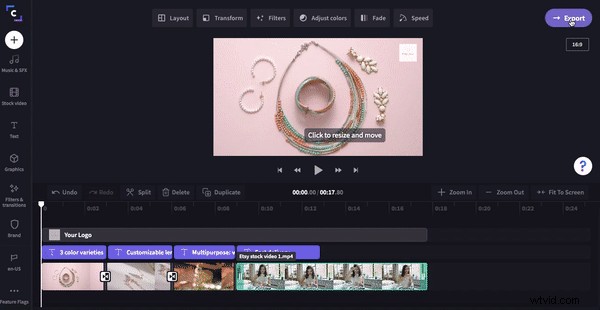
Finish and save your new Etsy product video by clicking on the purple Export button in the top right corner of the editor. Click on 720p resolution and compression for a fast upload speed. Click Continue when ready to save.
Add video to Etsy listing
Your new Etsy video is now ready to be added to your Etsy listing!
In 8 easy steps, you can create an Etsy product video in Clipchamp to help increase sales for your small business.
If you’re wanting to make another product video for your Shopify online store to boost sales, check out our How to Make Product Videos for Shopify to Increase Sales blog.