
The last time we checked, 9:16 was the go-to aspect ratio for vertical videos. But this is the internet, and things change fast. Now, there’s a new vertical aspect ratio in town: 2:3, and it’s the perfect fit for Pinterest.
Once our team saw how great video content looked in 2:3, we knew we had to offer the aspect ratio to our everyday editors. So, here it is – Introducing Vertical 2:3. Let’s jump into a quick tutorial, so you can start creating pin-perfect videos (did we mention they look great on Facebook too?).
How to create vertical 2:3 videos with Clipchamp
Step 1. Log into your Clipchamp account
First things first, log into your account or sign up here.

Step 2. Create a video using the new vertical aspect ratio
Click the Create a video button in the upper right-hand corner of the screen, then select the Vertical 2:3 format to get started.
Step 3. Create a video using the new vertical aspect ratio
Once you’re in the editor, it’s time to get to work. If you’re creating a Pinterest ad, check out our complete guide. Likewise, if you’re making something for your profile, we’ve got a guide for that too.

Step 4. Export and share your video
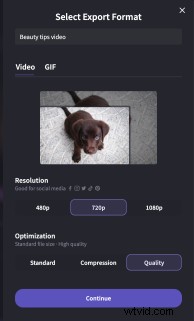
When you’re happy with your video, click the Export button in the top right-hand corner of your screen. You can select 720p resolution (it’s the best for social videos) and feel free to compress to save space on your device and improve upload times. Then you can save it, store it on a cloud storage provider or share it across socials. We even have an integration that lets you share your video pins straight to Pinterest.

Start creating 2:3 videos
With this new aspect ratio in your tool kit, your videos are more Pinterest-ready than they’ve ever been before. On the same note, we’re sure they'll be great posted to all of the vertical video-friendly platforms at your disposal. Off you go, you’ve got to pin it, to win it.