
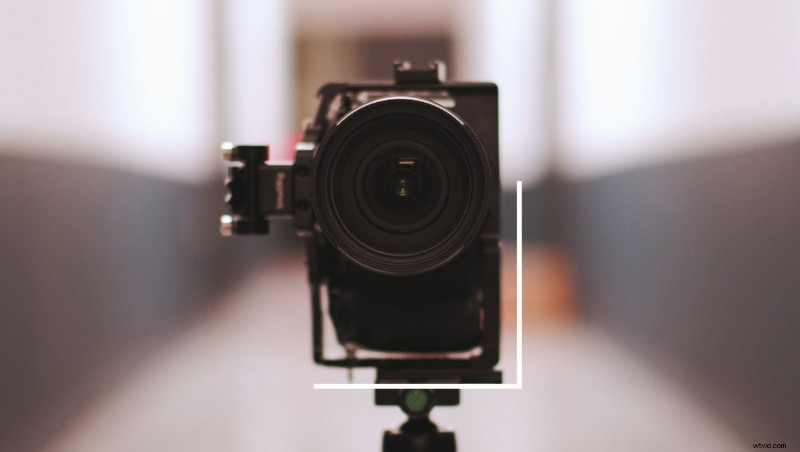
With most website traffic overwhelmingly coming from smartphones, a client is going to ask for portrait content sooner or later. How can you avoid the major pitfalls?
In this article I’m assuming that you don’t want to shoot on a smartphone. This is for a more professional reader who has a client with higher expectations. If smartphones are your thing though, you should check out some add-on lenses that might up your game.
So shooting video for Instagram or Snapchat stories tends to be the most prevalent that I’ve seen. Sometimes Instagram TV comes into play here, but certainly not as often. Usually I see more events or studio shoots than any other genre. It tends to lean into social media norms. I’ll be splitting this guide between the shoot day, post work, and general mistakes that I’ve seen people (and myself) make.
Preparing for the Shoot
Mounting Your Camera
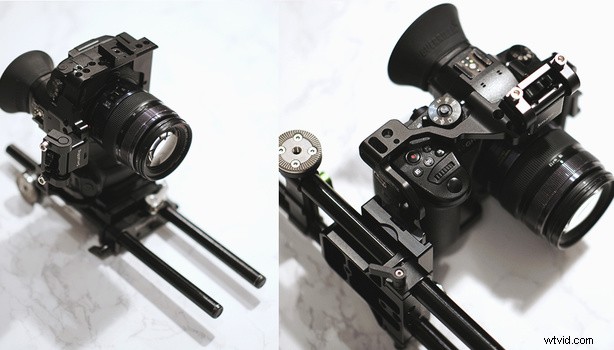
For the sake of this article, I’m assuming that we’re filming on a 4K mirrorless camera and not a RED, Alexa Mini, etc. The trouble with rigging up a mirrorless camera like an a7S or GH5 is that they will absolutely need cages. I recommend SmallRig because they tend to have lots of mounting points and there’s a small community around their work. An L-bracket can work, but I like the freedom of separating the cage from the base plate.
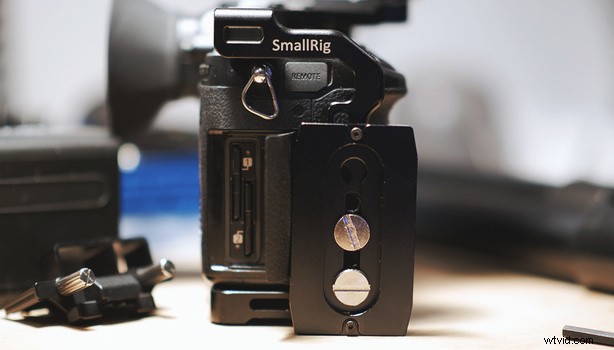
In order to mount your camera, you risk blocking your ports or SD card slot with the baseplate. You can try using a thinner Arca Swiss base plate to mitigate the issue. By mounting it in line with the camera’s side instead of perpendicular, you’ve got a little more wiggle room. Below you can see that I’m still able to get the SD cards out of a GH5.
Then if you’re not on a tripod but instead a rig, you’ll want to make sure you’re able to mount your Arca Swiss quick-release plate facing sideways. That way your camera will point forward. This has been fine in my experience, but I wouldn’t want to put too much weight on it because there’s less of a flat platform touching the base plate. A lighter lens will help here.
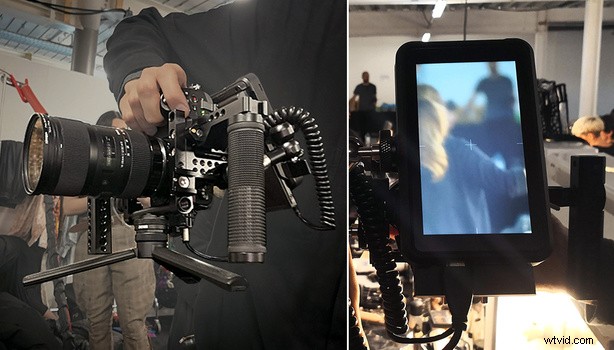
In the image below, you can see a different approach. This method opts to use a small Atomos Ninja V, which appears to make things very clear for the user. I like how the rig stays compact too. I personally don't use this style because I want the extra stability from a shoulder pad and EVF (two extra contact points with my body) and I like being able to slide my hand between the lens and the rods when I'm focusing. It's all personal preference of course.
Finally, if you’re shooting with multiple cameras, make sure they have the base plate mounted on the same side. You don’t want to get into your edit and realize that half your shots need to be rotated one way, and the other half another way.
The Framing
You probably won’t be able to hang a boom pole above the shot, but instead you’ll be able to just have it come from the side. If you plan your shots so no other cameras catch the boom pole, then this is an elegant solution. Of course, radio mics are your friend during uncertain shoots.
Be aware that your talent will need nice pants and shoes. As soon as you shoot wide you’ll see how filthy their old sneakers are. On that note, if you’re shooting somebody at a table, you might see under the table. I like to try and move the camera closer, or fill the foreground with something other than dangling legs.
You’ll need to explain to your talent that they can’t stand too far away from somebody they’re talking too. Your wide shot is only shooting the sky and the floor now, and you don’t want to have to bring the camera too far away. Also in this case, “Over the shoulder” shots are seriously handy for placing your subjects
Preparing for Post
In order to avoid neck strain, do all of your editing with the right aspect ratio and rotate all of the shots. An NLE like Premiere Pro will interpret everything sideways and you’ll need to tell it otherwise. Another handy idea is to simply turn your secondary monitor sideways. Annoyingly, Scopebox doesn't support portrait video yet.
Graphics can be a tricky one, and you might want to nail down the copy before you start shooting. Too much text doesn’t bode well, because you’ve got a lot less horizontal space to fit it. If you’re out of ideas, falling back on social media tropes like creating a frame/border, or full screen graphics can work.
Mistakes
Here are the biggest mistakes I’ve seen in the past few years that you ought to avoid. Sometimes it’s just down to common sense, but it might take watching back the footage to realize this.
- A handheld camera isn’t stable enough, which is even more jarring with a slimmer field of view.
- There's way too much headroom above the subject.
- The footage was shot in 4K landscape but client needed HD portrait too, and the framing is all off.
- Client wants portrait, square, and landscape deliverables for the same video and there wasn’t enough foresight to deliver this. This can be mitigated by: shooting with multiple cameras in portrait/landscape positions; shooting with a 360 camera; using a more square aspect ratio like the 6K video mode in the GH5 (limited to 25p, 10-bit only).
Summary
Hopefully mobile viewing habits won’t make landscape social media content a thing of the past. I doubt it, but it doesn’t mean that our industry isn’t changing every day. With three common delivery formats (landscape, portrait, square) it’s a lot to keep up with. From what I’ve seen, these three tidbits should get you a long way.
- Be aware of how shooting vertical video will change your framing.
- Manage client expectations.
- Actually turning your camera 90 degrees will yield better results than trying to guess your framing from a landscape shot.
If any readers have any other experiences or horror stories, please share in the comments.