
Today, we’re going to look at film editing timing and pacing techniques — specifically how to edit dramatic moments.
You are an editor. You control time.
Not in any Dr. Who “Time Lord” kind of way (though that would definitely come in handy). But a large part of what you do is controlling how your audience experiences the passage of time.
Part of the reason why movies resonate with us is because they mimic and reflect how WE experience time.
When years seem to “fly by”, it’s usually because those years have a sense of sameness. In contrast, memorable events, whether pleasurable or painful, seem to “last forever”.
In this article, we’re going to explore the various ways you can control your film editing timing and pacing by increasing the length of a moment to amplify the drama and tension in a cut.
Lengthening Time in a Cut
Elongating time often involves the manufacturing of moments. Many times, it requires using the footage in creative ways, outside their original purpose.
Let’s dig into four examples of how an editor can creatively use their footage to elongate time.
Example 1
A great place to see time elongation in action tends to be sports movies. There are usually moments in each sporting event that have greater importance than others.
Here are some common examples:
- A runner leaning across the finish line
- Football player making a game-winning catch in the end zone
- A batter at the bottom of the 9 in a tied baseball game
In this scene from The Natural, the first goal of the scene would be to impart at least the basic information of what happens. Who…what…where…etc.
The key events are as follows:
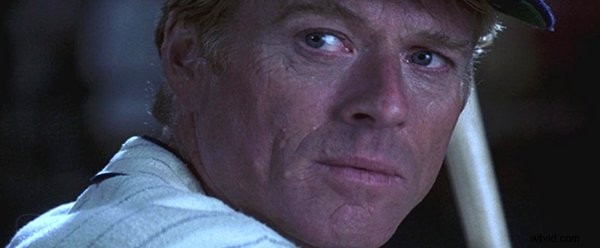
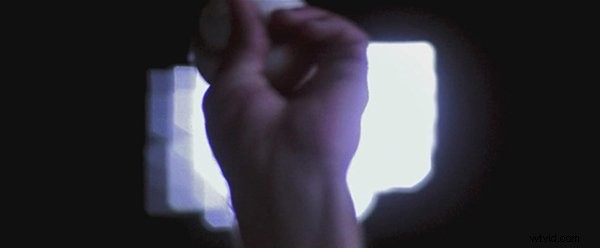
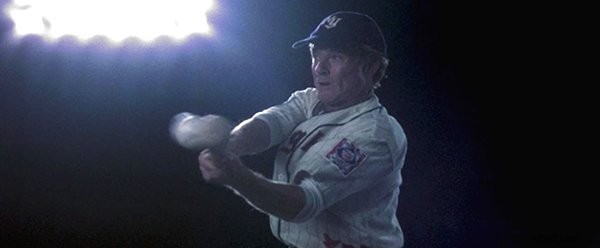
This information can be imparted in about sixteen seconds with a series of shots of the batter and pitcher, as shown below.

But this particular scene is the climactic one of the game and the film. It will determine who will win and whether Roy Hobbs’s character arc will end in failure or triumph.
The editor skillfully milked the drama of this scene as much as possible by inserting various shots of the crowd and close-ups of the hand gripping the bat, the pitcher gripping the ball, and the ball flying through the air.
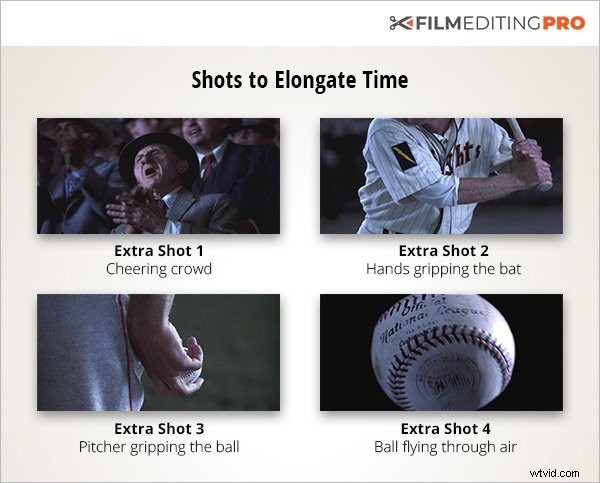
After ratcheting up the tension of the at-bat moment, the sequence was teased out to forty-seven seconds, with sound effects and music enhancing the suspense.

TIP: Always look for crowd reactions in your footage in this type of situation. The faces act as surrogates for your audience and as a cue for them to experience the emotions you’re trying to evoke.
This type of scene elongation to milk the suspense is pretty easy to notice if you’re looking out for it. But there’s another type of elongation that’s a lot harder to spot… mostly because it goes by so quickly.
Example 2
In this scene from Terminator 2: Judgment Day, the scientist Dyson has rigged an improvised dead man’s switch that detonates explosives when he succumbs to his bullet wounds. The building’s facade of glass shatters in the fireball.
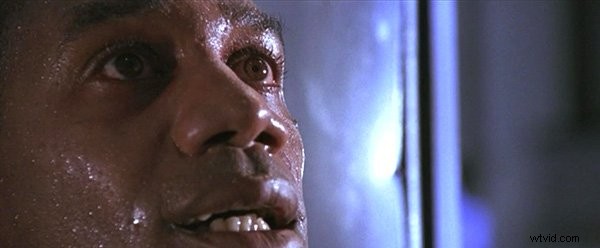
In real time, it might unfold like this, with a duration of about twenty seconds.

However, in the final film, the editor inserted several shots to expand the duration of the event to about thirty seconds.

In this expanded version, the glass is seen exploding at least twice, from two different angles. I say at least because there’s actually a lot of overlapping explosive action between shots.
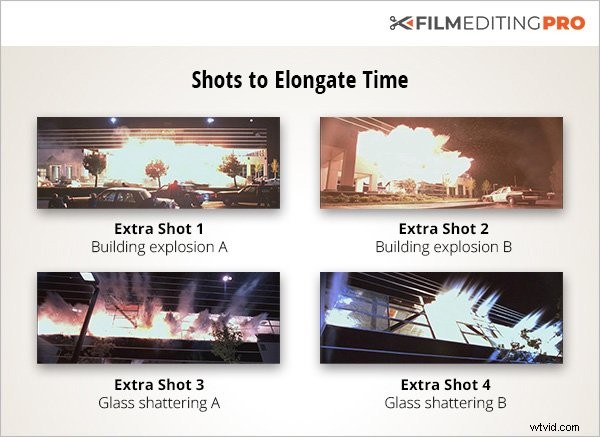
From a strictly logical perspective, it doesn’t make sense.
It’s not as if there are two separate explosions. But, the audience is perfectly accepting of it, no doubt aided by the fact that the total duration of the explosion shots is still quite short.
It’s also a very smart editing strategy to have a cutaway to the elevator between explosions. Otherwise the chance we might notice the “mistake” of the explosion happening twice would increase.
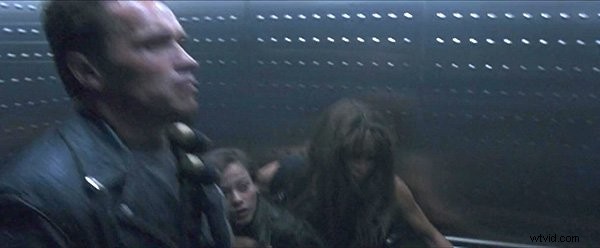
Why expand it in this way? For three reasons.
- This is an important moment in the film — the explosion is destroying a computer chip pivotal to the storyline. We want to make sure the audience absorbs the significance of what has happened. It’s often desirable to prolong high-intensity action moments like explosions and gunshots, particularly if they involve crucial narrative points.
- A real explosion like this would happen extremely quickly in real life — this fast, chaotic moment would occur in less than a second. It would be very underwhelming from a dramatic standpoint.
- Let’s face it. Explosions and glass shattering…they’re just really cool looking — so the more of it, the better!
These last two examples have demonstrated some significant changes in duration that can result from elongation.
But sometimes, the difference in duration can be minimal. Perhaps a few seconds, maybe less. However, that doesn’t make them any less important.
Example 3
At the end of the opening sequence from Once Upon a Time in the West, there is a shootout between Harmonica and three bandits.
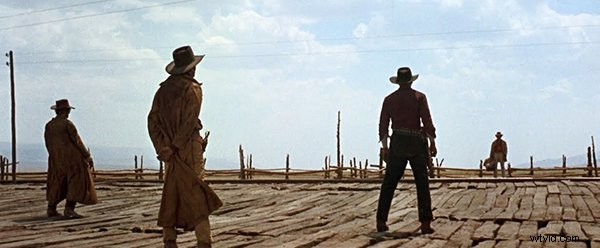
It’s a very high action sequence which releases the tension that’s been building over the first thirteen minutes of the film. The mysterious gunman, Harmonica, is seemingly wounded by a shotgun blast in a wide shot.
At this point, the editor could have easily simply gone to a close-up shot of Harmonica opening his eyes on the ground.
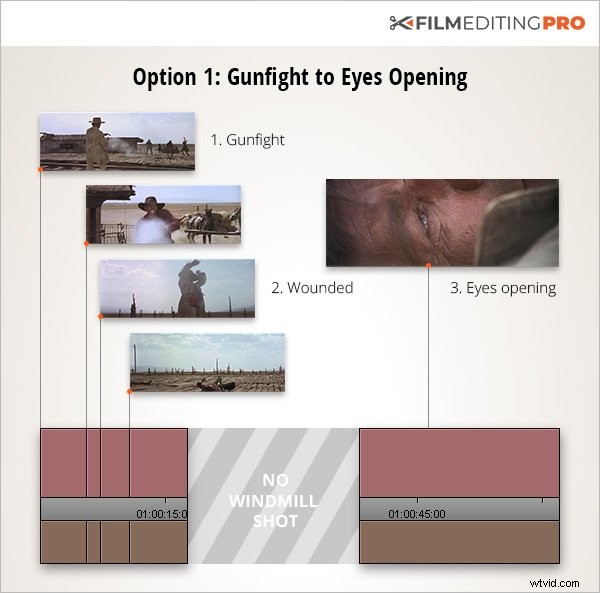
But in the final film version, a shot of a windmill slowly turning is inserted between these two shots.
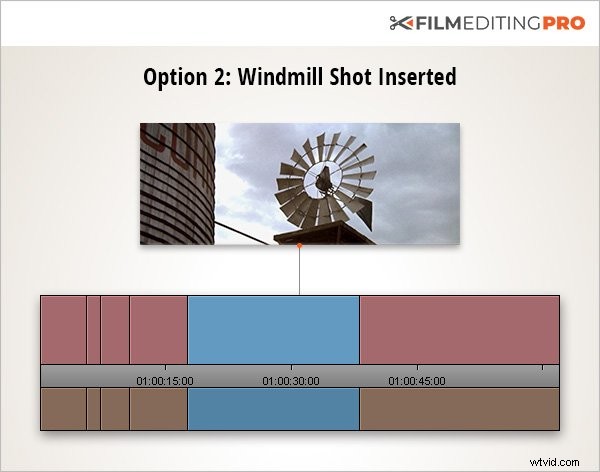
This brings up two things worth remembering…
TIP 1: “Absorption Time”
When high stakes/high conflict encounters are resolved, give the audience time to catch its breath and absorb what has happened. The tranquil windmill shot after the frenetic action serves this purpose here. It’s very common to see shots of nature or similar still life shots used for this purpose.
TIP 2: “Maintaining Tension”
A second function of the windmill shot is to maintain tension regarding whether Harmonica has survived the gunfight. There’s a lot more suspense in the final version as opposed to the first version without this shot.
Example 4
Finally, let’s drill down further to an even shorter elongation, a fade to black.
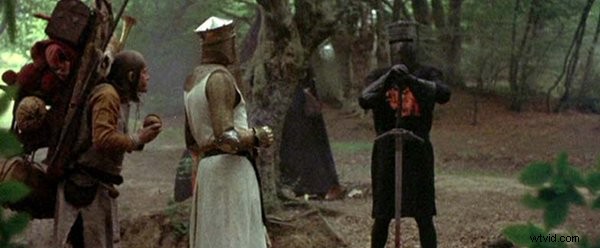
The end of the black knight sequence in Monty Python and the Holy Grail culminates in one final big joke, following what has been a series of rapid-fire verbal and visual gags. We then fade to black (somewhat unusual in a comedy), then a cut to a monk chanting.

That time was inserted to leave space for the big laugh caused by the final line, and the laughs still occurring from the previous gags in the scene.
TIP: Leaving room for laughs is often overlooked by the solitary editor is his or her bay, but rest assured, many a test screening with an audience present has revealed problems with comedic editing that is too tight between scenes or lines.
Having new punchlines obscured by laughs from previous jokes is never going to be desirable.
Wrap Up
Hopefully by now, you’ve gained a deeper understanding of how to lengthen dramatic moments in your cut. Clearly, this is an extremely important concept to understand as an editor.
Producers will oftentimes indicate a scene isn’t working with verbiage like “the pacing is off” or “I’m confused about what’s going on here”. These can be evidence of improper or inadequate time elongation. Fortunately, you have the tools to change that.
Remember, you control time.
Be the Time Lord…if only in your edit bay.