
If you want a powerful way to manipulate your audience’s emotions, time your music editing for maximum impact. Music activates every known part of the brain, and you can leverage this to control the pacing and intensity of any edited project.
Watch the video or read the transcript below to find out how!
Let’s dig into some music timing scenarios that will maximize the impact of your cut.
1. You Can Play a Scene Dry
First, you can leave a scene dry, or without music. By emphasizing facial expression and dialogue inflection, keeping a scene dry grounds it in reality and places the viewer in the world along with the characters.
2. You Can Start Music at Important Moments
Next, you can start music at moments of importance. It’s a great way to cue the viewer and let them know that what they’re watching is significant in some way, whether it’s because a moment is suspenseful and something scary is about to happen or that what they’re seeing is an important part of the story.
Conversely, stopping music can create a sense of calm after a frenetic passage.
3. You Can Time Music to Important Moments
Finally, after your music is placed in a scene, you can time the music so that the biggest, most intense sections of it occur at the proper moments in the cut. Sometimes, there are particular “hits” in the footage that would benefit from musical accents.
To explain this further, let’s take a scene from the 2015 film Terminator Genisys without any music and place a cue underneath that adds some emotional weight. Generally, you want to edit the cue to reach its peaks and valleys at the appropriate time in your scene depending on the emotions your trying to convey.
Let’s take a look at the cue in the example below and see where that peak occurs.
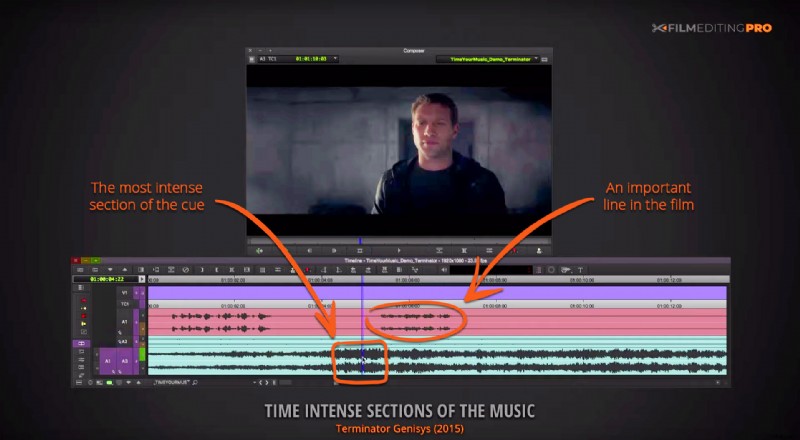
So we’re going to add a marker to the most intense section of the cue and and align it with the end of the important line.
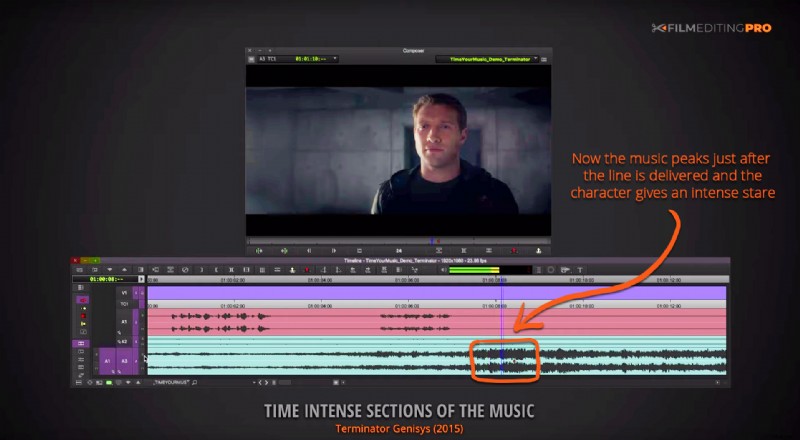
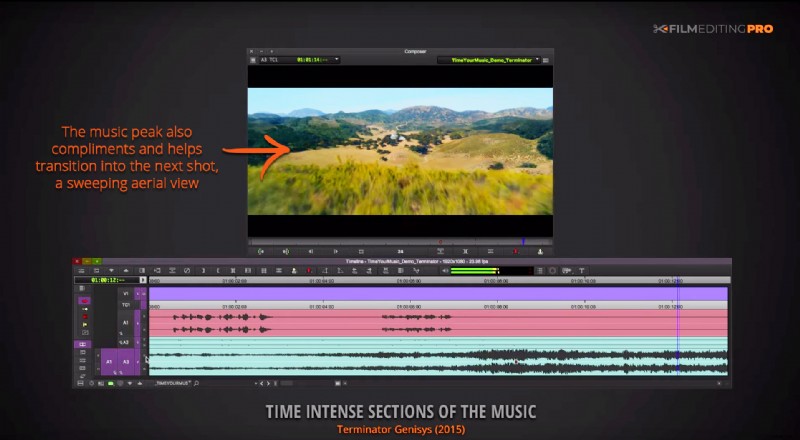
Now the music peaks just after the line is delivered and the character pauses to give an intense stare. The placement of that musical peak emphasizes the importance of the line and complements the majestic aerial view in the shot that follows for a smooth transition into the next scene.
Becoming more attuned to when, where, and how to align music in your piece is a crucial arrow in an editor’s quiver. Your ability to manipulate the emotional timbre of a scene with careful use of music will increase and enhance its impact in your piece.
—
If you find our tutorials helpful, let us know! Or if you want to ask us a question leave a comment below, we read them all!