
Music can add energy and feeling to your video projects. But there’s more to it than simply dropping in some audio. Check out these audio tricks to truly give your videos a boost.
Cover image via Hunterframe.
For film and video editors, using music in your videos is a great way to liven up scenes and present more enjoyable information. However, simply dropping in a track and letting it play can wear thin. In this video tutorial from Cinecom, Jordy Vandeput dives into audio editing advice and offers up some simple tricks of the trade he’s developed to keep his videos fun and upbeat.
He also shows off the new mobile app by PremiumBeat, which he uses to check out royalty free audio tracks on his phone so he can save his favorites to use in his edit. So check out the video, and follow along with these five simple and creative tricks for editing music tracks in your projects.
1. Use J and L Cuts
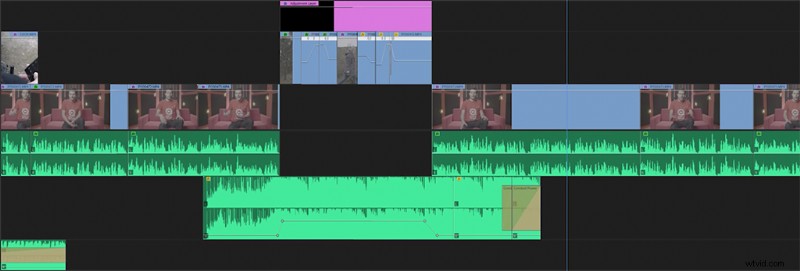
The first trick is to utilize what are known as J and L cuts. For those who are unfamiliar with the concept or the term, J cuts bring in audio of the next shot or scene before cutting to the corresponding video. As you can see in the image above, it makes a “J” shape with the audio coming in earlier than the video on the left. L cuts are the same thing on the other end: the video cuts away, but the audio from the scene stays below, usually ramping down and out. This makes an “L” shape on the other side.
2. Find Songs with Variation
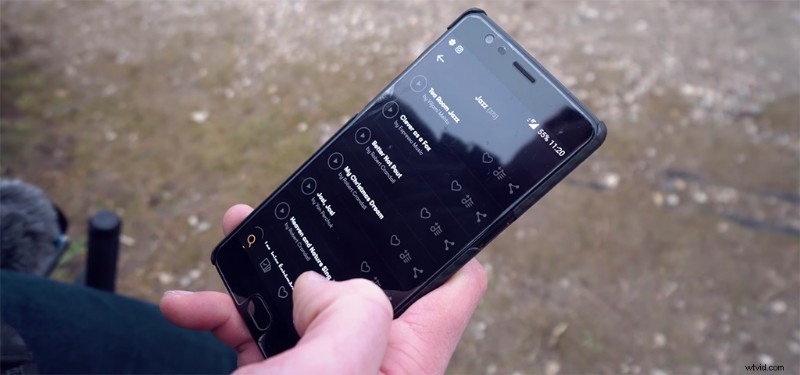
The second tip Vandeput offers has to do with song selection. PremiumBeat is great for this, as you can quickly listen to several royalty-free tracks in a row until you find the one with the right sound and beats per minute for your project.
Vandeput suggests looking for tracks with plenty of changes, rather than one that sounds the same throughout. With enough variety in a track, you can cut into a sequence with the first variation, then revisit it again in your sequence later with a different variation. Your viewer will recognize the melody, but with a new sound to create interest-grabbing variety.
3. Sudden Music Drops
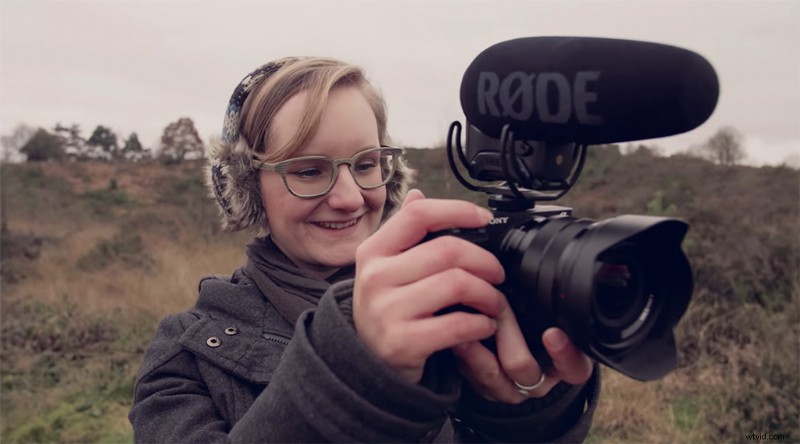
A classic YouTube audio trick, the sudden music drop is a great way to bring your viewer into a moment. The trick is to find the right spot, usually when something funny or dramatic happens, then, with a harsh audio cut (minimal ramp down on the edit), you surprise the viewer. These moments are usually short and infrequent, as the effect works best when it’s completely unexpected.
4. Show Visual Actions on the Beat
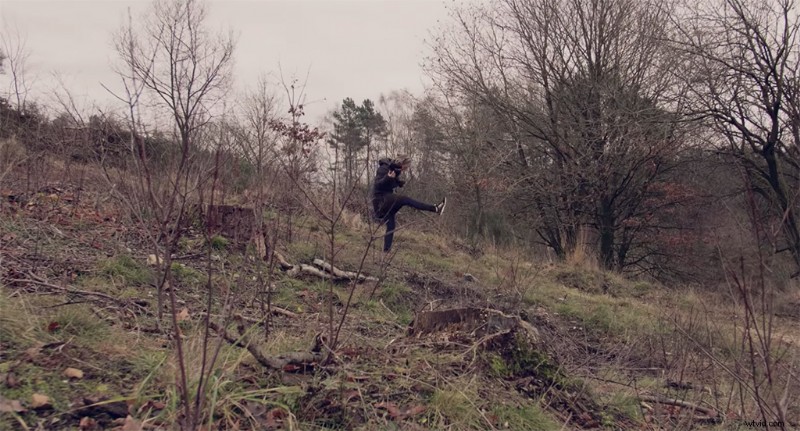
This trick is a fun take on a classic editing staple. When first starting out, it’s cool when you learn to edit clips to the beat of a song. Cuts on the beat will always be interesting to viewers because they create a connection between the music and the visuals. However, while it works for a while, it can also become repetitive. Vandeput suggests using the beat of a song not simply for cuts but also for timing specific actions (like a person jumping or a rock falling).
5. Visualize Playful Elements

Finally, as with the sudden music drop, many tracks will contain some fun and playful elements. You might have to listen all the way through a couple of times, but if you find little music cues or interesting musical segues, you can use them in your edit with playful visual elements. In Vandeput’s example, he has his girlfriend make a funny face and push the camera down during a synth flair for a quick, fun sequence.
Looking for more information on editing videos? Check out these articles.
- Organizing Your Editing Projects
- Video Editor Toolbox: Over 1000 Free Video Assets, Plug-ins, SFX, and More!
- How to Use a Green Screen
- Choosing the Right Music for Your YouTube Video
- Video Editing 101: Pacing Your Film