
Looking for a program to splice up your small digital camera shots, or captured VHS recordings and family videos? Since many of us will take advantage of pocket digital cameras, mobile phones, and video captures to take videos wherever possible, you’ll probably end up with a bunch of video clips stored on your computer. And it’s a good idea to splice them together to create a whole new movie.
But how? The reason why you’re here. Don’t worry. Wondershare Filmora (both for PC and Mac users), as the easiest program to create home movies, meets your needs. With it, you’re able to splice any format video together, so you don’t bother whether your camera’s output are in the same format or not. Simply import the clips you want to splice and organize the playing order on the Timeline, then the program will create a single seamless video in your desired format. See how easy it is below.
Download and install this video splicing software on your computer. The below guide is based on Windows, but the Mac version works almost the same.
1Import your videos
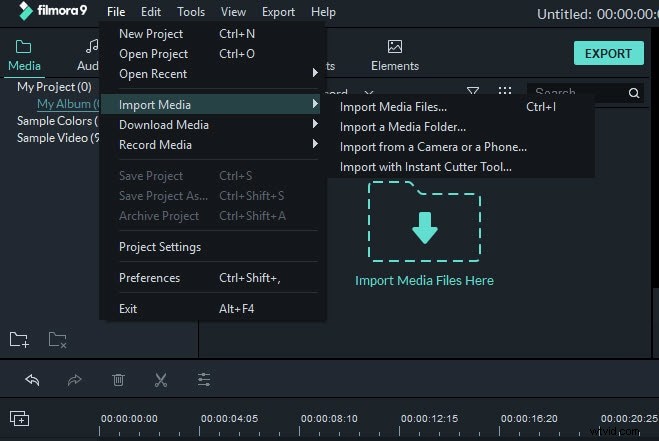
Get started to splice your movies together by clicking "Import" to load your source files to this program. Since it supports almost all popular formats out there, you won't bother with the incompatibility issue.
Tips: If you want to add files directly from your digital camera, you can refer more tips at here: how to transfer camcorder video to computer.
2Splice video by drag-n-drop
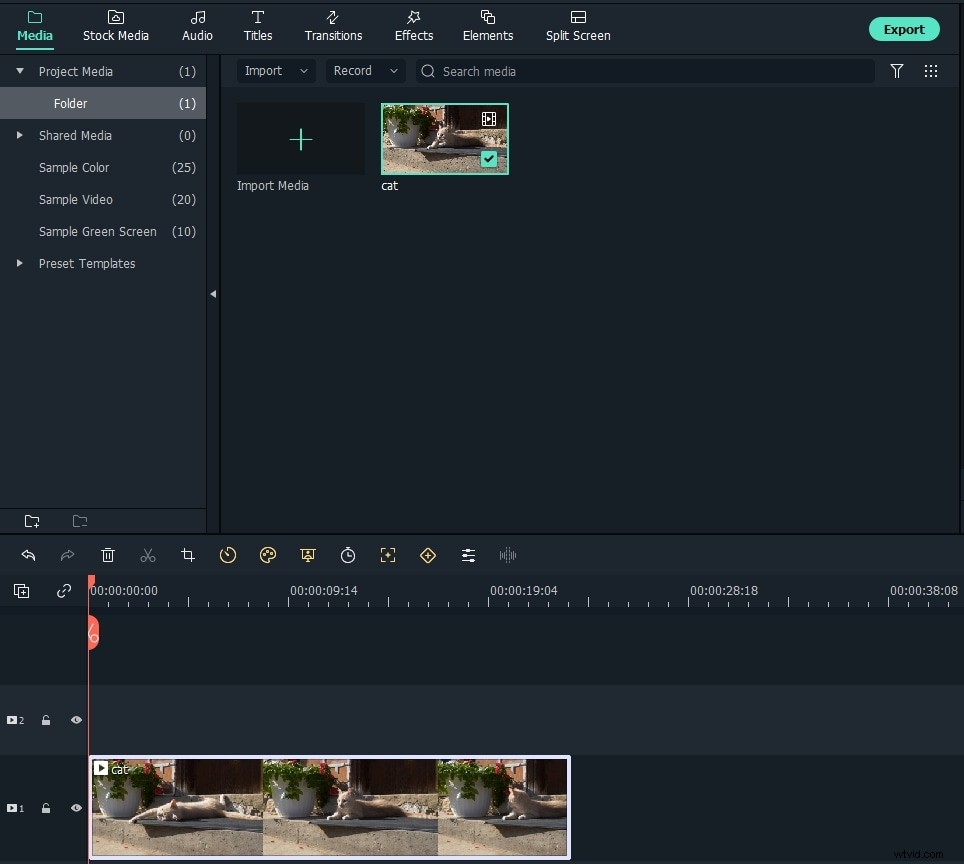
Now you'll see all files showing in thumbnails in the left panel. To splice them together, you're only one step away. Simply drag and drop all files you want to merge to the same video track in the timeline. Then place the Playhead at the starting point of the clip in the timeline and click the play icon in the Preview window. Yeah, they have already been spliced together seamlessly.
3Edit and enhance your video (optional)
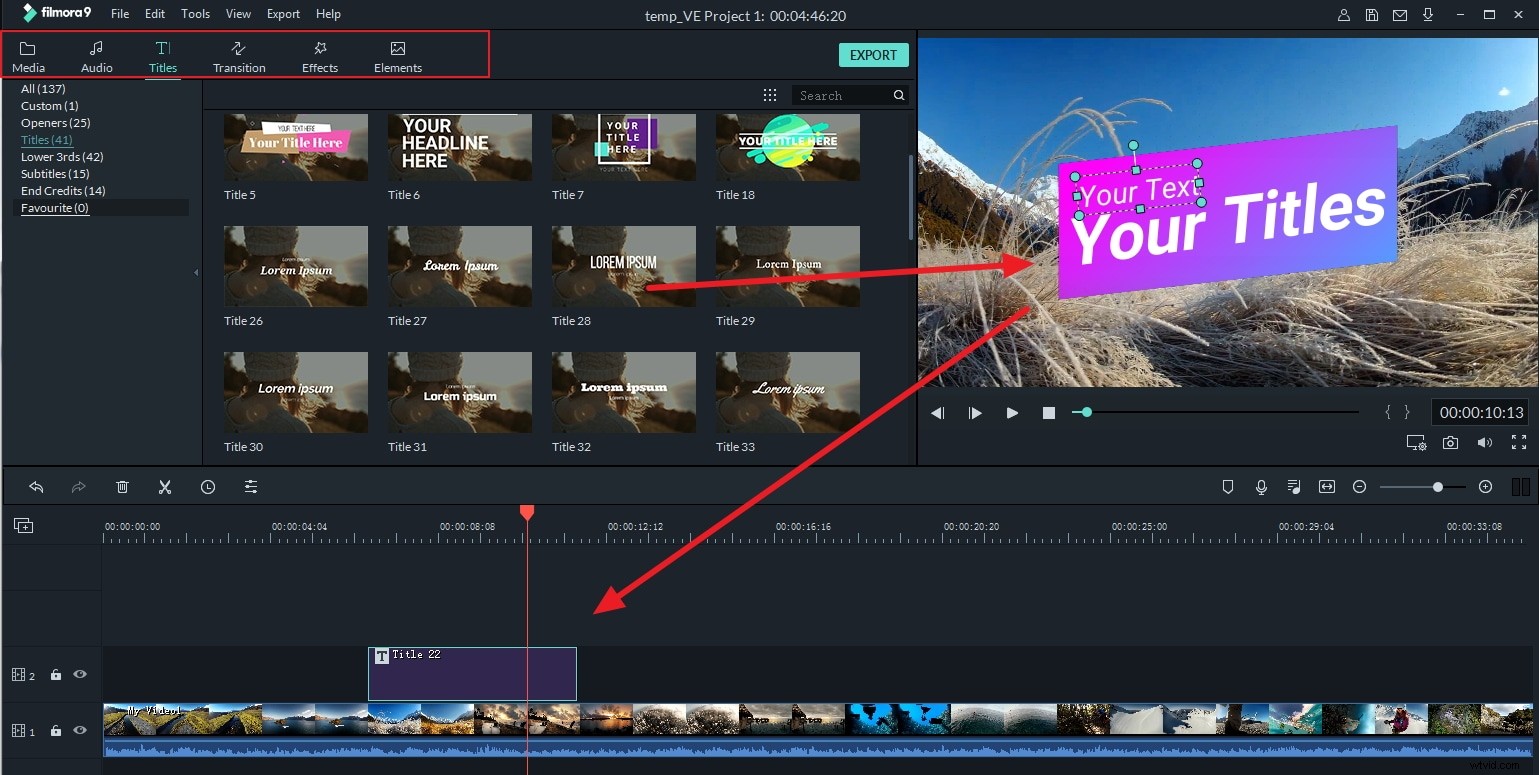
After splicing movies together, you can go ahead to give the whole movie a new look. Wondershare Filmora provides all basic video & audio edits you'll need, including rotation, brightness/contrast/hue adjustment, voice changing, playing speed setting, and more. This combined with 300+ stunning transitions, titles, intro/credits, PIPs will make your whole work most charming and unique.
4Save and share your creation
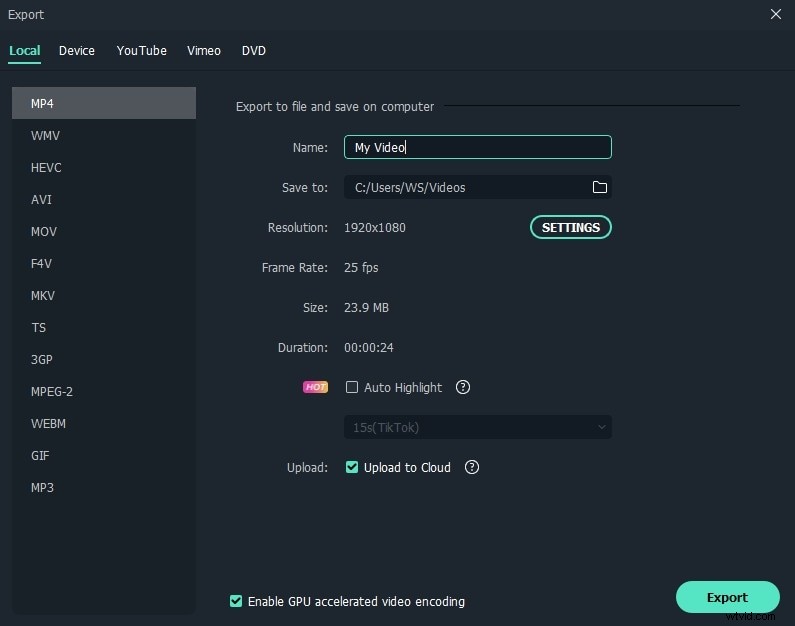
When you're satisfied with the result, simply click "Create" to export your creation. Offline or online, you'll always find a way to save your video with high quality. The video splicer even enables you to burn DVD directly to watch on TV.
Download Wondershare Filmora free trial now: