
Everybody likes a good shortcut. With the new Maxon Cinema 4D keyboard from logickeyboard, you can save precious time in the editing suite.
All images and video via logickeyboard.
logickeyboard skins and keyboards make life as easy as possible for designers, musicians, animators, editors, and producers. Their colorful products have contributed to major film projects like The Revenant, Captain America, Harry Potter, Ted, and many more. Now, their latest keyboard brings the world of shortcuts to Cinema 4D.
The team over at logickeyboard developed the new shortcut keyboard in coordination with C4D users. They based the layout on feedback from users and logickeyboard’s own product designer, Peter Jensen — all to maximize productivity and ease of use. The result was a user-friendly design with dynamic shortcuts that incorporates C4D titles and icons on the keys. Additional features include a dimmable backlight with five levels, professional key mapping layout, a fully color-coded design, and scissor-switch keys.
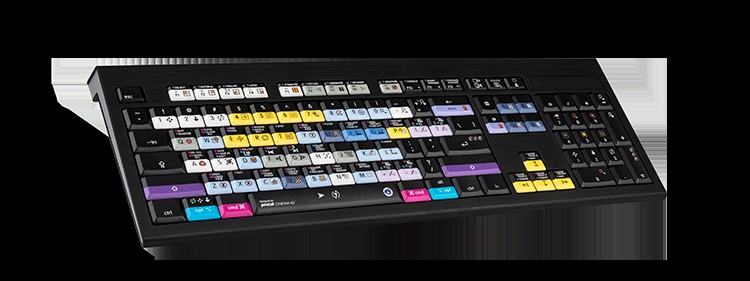
Key Travel and Other Nifty Specs
“Key travel” is important to the pros over at logickeyboard. If you’re not sure what this means, that’s okay. Trust logickeyboard — they are keyboard experts. The new C4D keyboard features what the designers believe is the perfect key travel: 4mm. Not too big or too small.
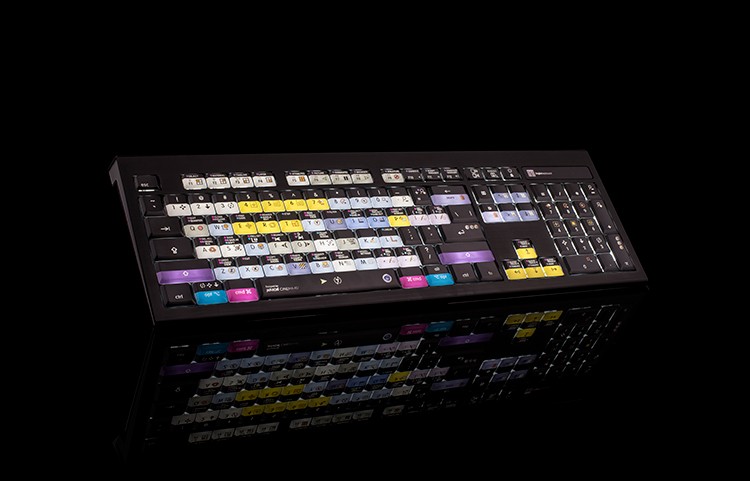
In addition to precision key travel, this backlit beauty uses scissor-switch mechanisms, giving each key increased stability during typing. (The keys are specifically manufactured for 10,000,000 keystrokes each.) The keyboard also offers two built-in USB 2.0 ports, and it’s plug-and-play. No software required.
Available for Windows and MacOS, the Cinema 4D backlit keyboard comes in at $139.90 USD /€119.90 Euro (Plus VAT where applicable). It supports three languages: American English, European English, and German QWERTZ. (Additional languages are in the works.) And while this is, indeed, a dedicated shortcut keyboard, don’t worry: it still features all the letters, numbers, and symbols that you’ll find on a conventional keyboard.
Head over to logickeyboard’s website to learn more.
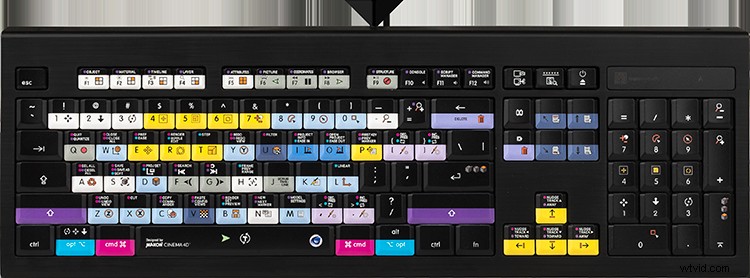
Features
- USB wired connection interface.
- Plug and Play connectivity.
- Two built-in USB 2.0 ports.
- USB ports support 100mA each.
- Scissor-switch key mechanism.
- Key travel: 4 mm.
- 3 LED indicators for Caps Lock, fn Lock, and Power.
- Certifications: FCC and CE.
Dimensions
- Length 446 mm ~ 17.6 inches.
- Width 141 mm ~ 5.6 inches.
- Height 23 mm ~ 0.9 inches.
- Weight 840 g ~ 29.6 oz.
- Cable length 1.5 m ~ 59 inches.
Interested in video editing? Check out these articles.
- Video Tutorial: Better, Faster, Stronger Editing Tips
- Editing Tips: 8 Ways You Can Save a Shot in Post-Production
- The Disaster Artist: Editing A Film About Making a Film
- The Comprehensive Guide To Building Your Own Video Editing PC
- Interview: How the Editor Behind I, Tonya Recreated History