
Every editor wants to be fast. But how do you get fast?
We’ve always found that using keyboard shortcuts when editing — or doing anything on the computer — will DRASTICALLY increase the speed at which an editor can work.
Check out this short video where we’ll tell you a couple tips on how to get started using hotkeys or read the accompanying transcription below!
When trying to edit faster, for maximum speed you should try to eliminate 95% of mouse clicking whenever possible.
It’s going to take time to get there, but we’re going to give you some specific tips to get you using your keyboard and keyboard shortcuts more.
Tip 1: Take Note of When You’re Looking Down at Your Keyboard
First off, when you’re editing, take note of when you’re looking down at your keyboard a lot to do a particular function. That’s time you’re wasting and that function is a prime candidate for development of a more efficient keyboard shortcut that becomes part of your muscle memory over time.
Tip 2: Start With a Simple Keyboard Shortcut Layout First
You can start with a simple keyboard shortcut layout first, even just a few keys. The more you can free yourself from thinking about where a particular function lives, the more your focus will be on the material you’re editing.
Tip 3: Use Mnemonic Devices
Use mnemonic devices to map your shortcuts whenever possible. Have the shortcut correspond to a key that easy to remember. You might map the Audio Mixer to the “A” key, the Extend function to the “E” key…you get the idea.
Tip 4: Map All Shortcuts to One Side of The Keyboard
But above all, the most important rule to follow is to map all your most commonly used shortcuts to the one side of the keyboard – I prefer the left. This way, one hand stays on that half of the keyboard and the other hand can stay on that mouse.
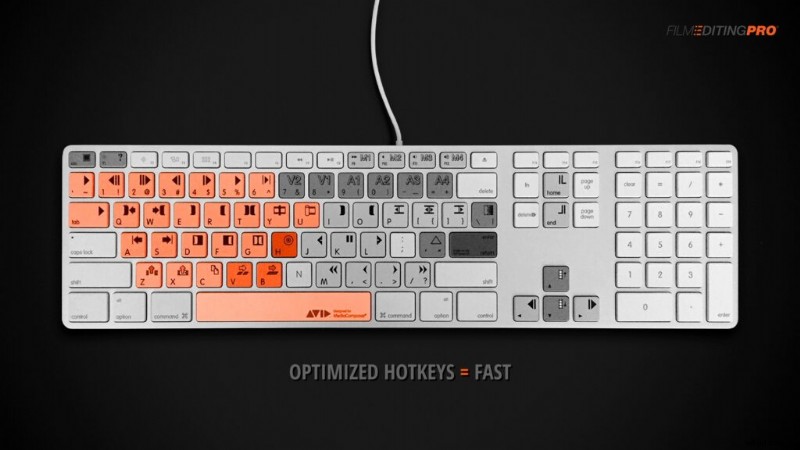
The idea is that your most-used commands can be triggered without lifting your hand to hunt and peck for the right key.
This is similar to the hotkey strategy used by professional gamers, who need to be even faster on the keyboard.
Hopefully in the future there will be more efficient ways to input commands…removing the interface bottle-neck of our slow, clumsy fingers.
But for now, editing using optimized keyboard shortcuts is the quickest route to efficient, intuitive editing.