
This quick edit tip puts you in the director’s chair. Sometimes you really wish a static shot had a slow push in on a character’s face during a dramatic moment but it wasn’t shot that way on the set.
Looks like you’re out of luck, right? Not necessarily.
Check out the video below where we’ll offer you our thoughts on why this technique is so useful and we’ll do a little screencap session showing you some of our best practices so your implementation goes smoothly…
Many editors have to think outside of the box and fake camera movement when necessary. Don’t be afraid to add a slow animated resize or a quick zoom to a shot.
Every editing system has the technological capacity to do this. Of course, just because you can do something doesn’t mean you should. So, let’s dig into some reasons to fake camera movement.
Reason 1: Heighten the Emotion of A Scene
Ever had an intense conversation with someone and find yourself leaning forward? Slow drift ins are the cinematic equivalent. It’s a subtle but effective way of giving a greater sense of intimacy and urgency to a shot.
Reason 2: Augment Narrative Clarity
Audio isn’t always perfect. Sometimes particular words are hard to make out, maybe for technical reasons, or maybe because of an actor’s cadence. You can use camera moves to visually articulate what might not be clear verbally. It’s a particularly powerful stratagem for b-roll in documentaries.
Reason 3: Create a Comic Effect
Dramatic, abrupt zoom-ins can create a comic effect. It’s the visual equivalent of a punch line, winking to the audience in a broad fashion.
Reason 4: Mitigate or Eliminate Jump Cuts
If you absolutely have to cut between shots with identical setups, put a drift in on the first shot. The cut will look a lot smoother when it goes to the second shot. Your editing software should have a resize function in its array of video effects. Practice using it to see what its capabilities are.
Faking Camera Movement: Best Practices for Push-Ins
Sometimes, you’ll want to resize centered, sometimes you’ll want to resize going to the left or right, or up or down.
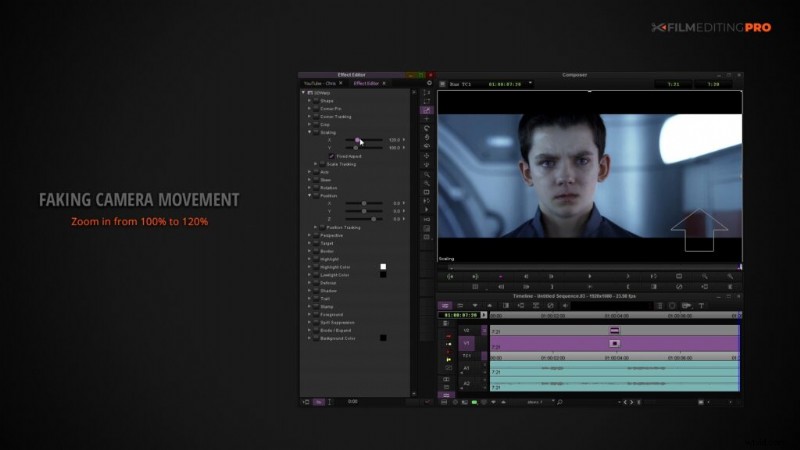
You don’t want to zoom in so far that the quality of the image starts to degrade. That can be a particular concern when using old school standard definition source material.
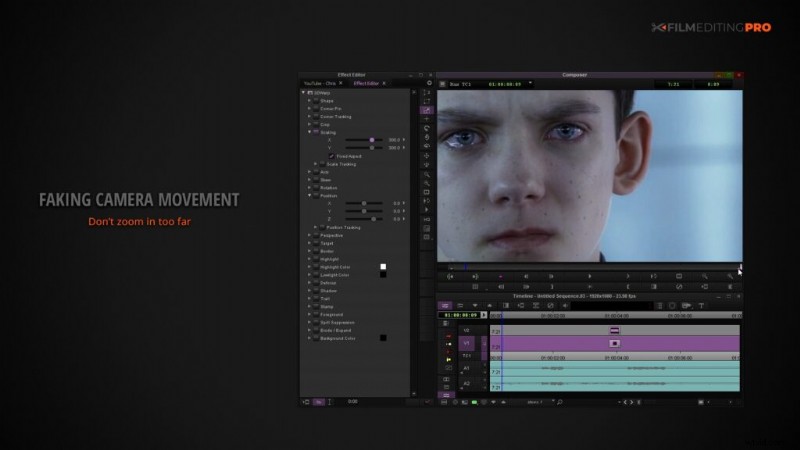
Fortunately, we’re mostly in a high definition word now; 2K, 4K, 6K, and even 8K are common. When the capture resolution is higher than the editing timeline, there are video effect tools to preserve that high resolution and really expand your enlargement range. You’ll find with bit of due editorial diligence that you’ll have little to no perceivable quality loss.
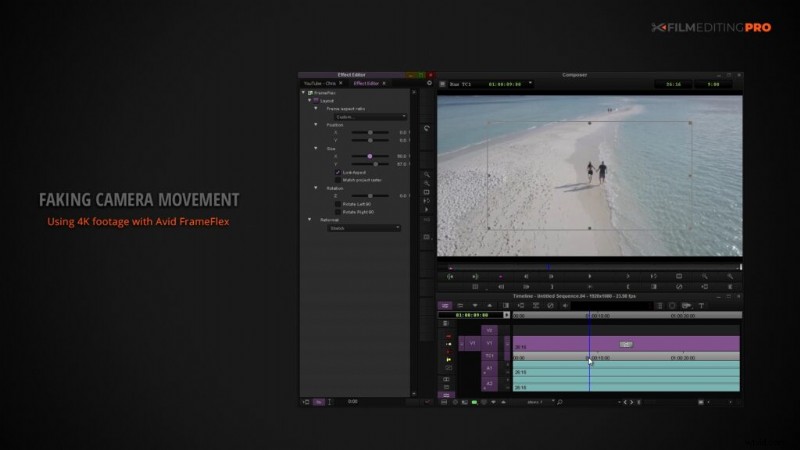
We’re obviously scratching the surface here by just talking about push ins. You can experiment with faking lots of different types of camera movement.
Let the emotional tone of the scene or the action within the shot guide the staging of a fake camera move. You’ll be surprised at how much production value and impact you can add to shots that were otherwise a bit boring.
Love this edit tip? Comment below and let us know what else you’d like to see!