
Check out the new impressive features in Adobe’s 2019 release of Premiere Pro. The Essential Graphics Panel is, well . . . essential.
When the Essential Graphics panel was first introduced in Premiere Pro several years ago, it was lacking some critical features. Over the last few updates, however, Adobe has been slowly adding new features. This version of Premiere is especially Essential Graphics-heavy. Let’s take a look at all of these new features.
Multiple Strokes
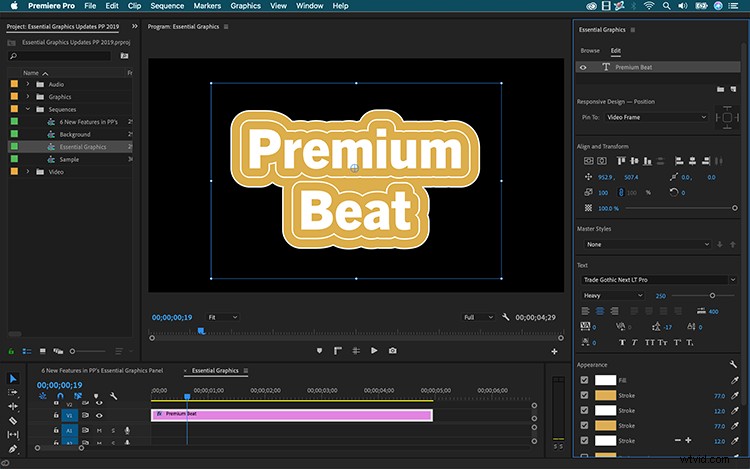
You can now add multiple strokes to a text or shape element. With a layer selected, go to the Appearance tab and hit the plus button next to Stroke. You can add up to 10 strokes, and you can even add strokes to individual characters of text layers.
Stroke Styles
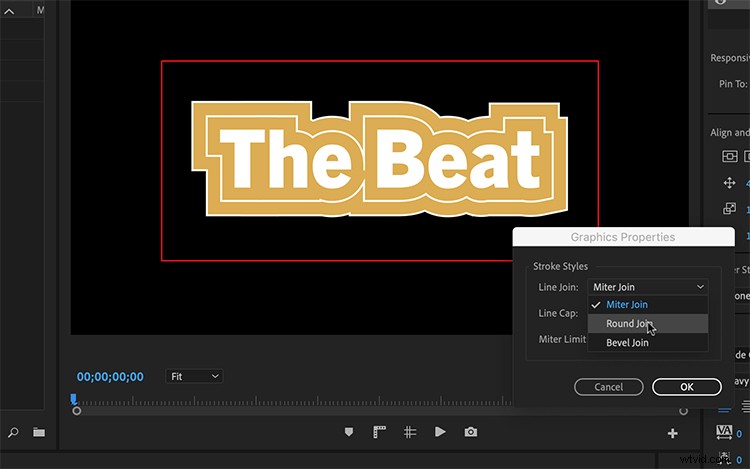
In addition to adding multiple strokes to your text, you can specify how you want to style the stroke. Click the wrench icon in the Appearance tab to open the Graphics Properties dialogue box. Here’s where you can modify the Join and Cap attributes of your strokes.
Backgrounds
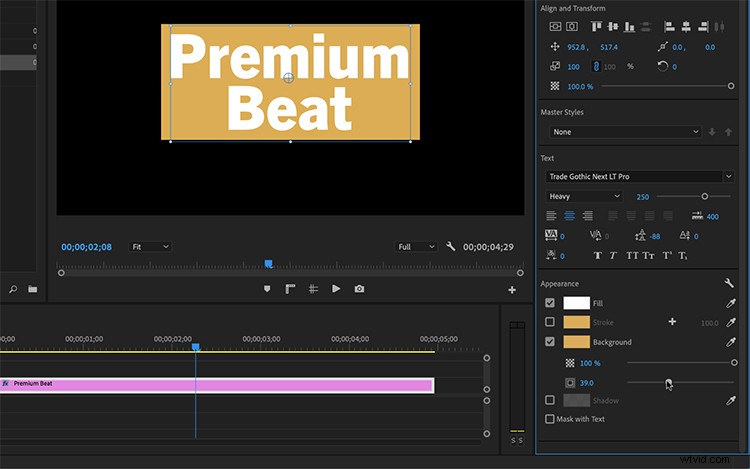
Just underneath the stroke attributes, you can now create a background for your text. These backgrounds will snap to your text and responsively resize. You can change opacity and size. Unfortunately, you can’t change the width and height individually.
Masks
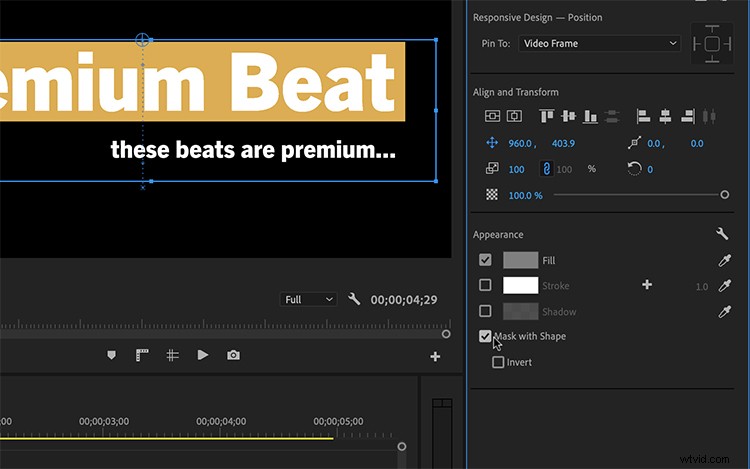
You can now quickly create a mask via a shape or text element. A mask will affect all of the layers beneath it. If you want to isolate a mask and only apply to specific layers, place your layers into groups.
Font Replacement
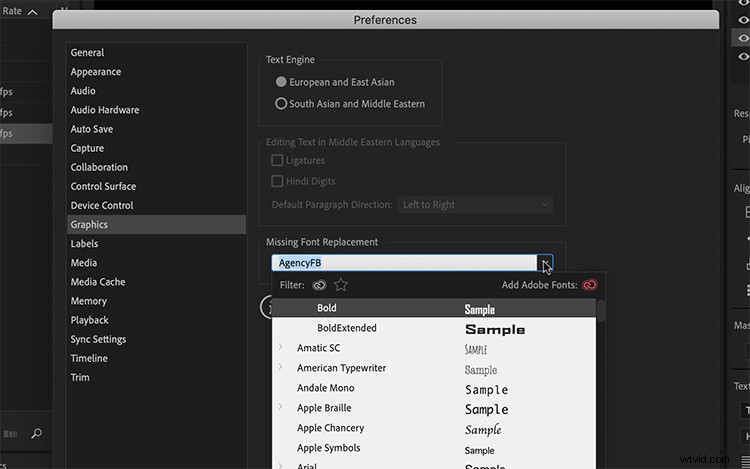
Premiere will now automatically sync up any missing fonts — so you won’t be seeing that warning message any longer. If the font is not available in the Adobe library, it will still replace it with an existing font. However, you can now specify the default replacement font in Preferences > Graphics.
Drag and Drop MOGRTs
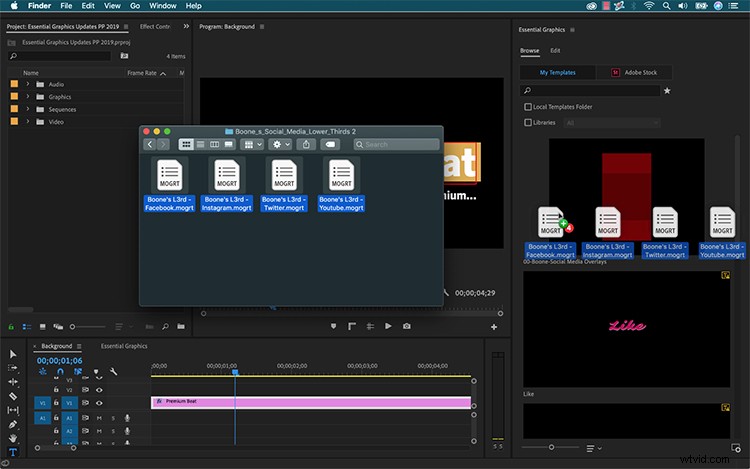
Working with motion graphic templates has always been a bit clunky, especially when it comes to importing them into Premiere Pro. Trying to import multiple MOGRTs at once has always lead to headaches. Now, it’s as simple as dragging and dropping in the Essential Graphics panel.