

Jan 06, 2026 • Proven Solutions
Gaming remains one of the most popular entertainment mediums worldwide. Modern recording tools let creators capture high‑quality gameplay footage to share with friends and millions of YouTube viewers.

Part 1 – The Premier Game Recording Software for Every Scenario
When selecting a recorder, look for a tool that blends robust capture capabilities with intuitive editing. Wondershare Filmora stands out as a versatile solution for gamers and content creators alike.
Filmora – The Trending Gameplay Recorder
- Record in real time without lag, even on demanding titles.
- Choose full‑screen or custom regions with pixel‑perfect precision.
- Cross‑platform support: Windows, macOS, iOS, Android.


Filmora’s all‑in‑one design appeals to beginners and pros alike. Its screen‑capture feature is especially valuable for gamers and YouTubers, enabling seamless recording and immediate editing within the same platform.
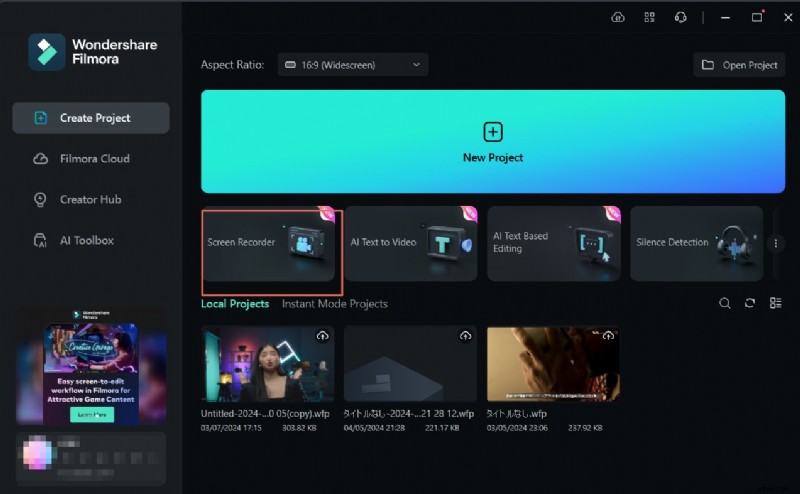
Key Features
- 4K editing support
- Noise removal and audio mixing
- Advanced text and color tuning tools
- High‑quality export in multiple formats
Compatibility: Windows 7/8/10/11 (64‑bit); macOS 10.1/10.13/10.14/10.15/11/12.
Pros:
- User‑friendly interface with drag‑and‑drop editing.
- Extensive effects library tailored for gaming.
- Affordable perpetual license.
- Supports a wide range of video formats.
- Consistent high‑quality output.
Cons:
- Free version adds a watermark.
- Keyframing and some advanced features require purchase.
Pricing: $29.99/month, $69.99/year, or $79.99 perpetual license.
Part 2 – 14 Alternative Game Recorders for Specific Needs
1. ShadowPlay (NVIDIA GeForce)
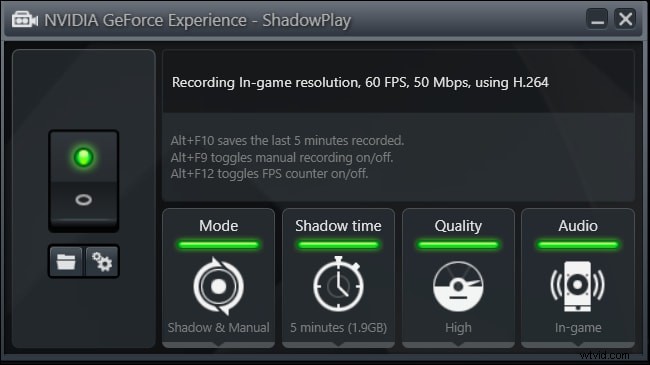
ShadowPlay offers two capture modes: Manual and Shadow. It delivers instant replay and record, leveraging GPU‑accelerated encoding with minimal performance impact.
- Record up to 4K at 130 Mbps.
- Unlimited manual recording time.
- Full‑desktop capture.
Compatibility: Windows XP, 7, 8, 8.1, 10.
Pros:
- Free of charge.
- Low CPU usage.
Cons:
- Requires GeForce GTX 600 or newer GPU.
2. Camtasia
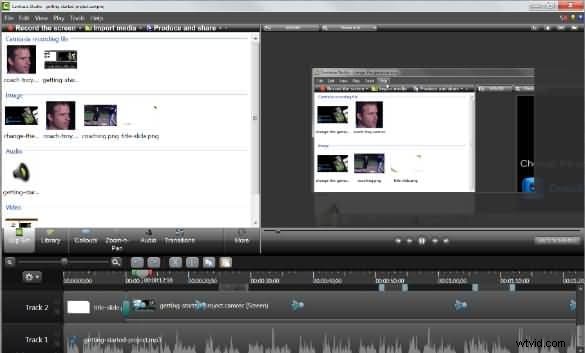
Camtasia excels at producing polished, professional videos. It supports drag‑and‑drop editing, social media integration, and advanced visual effects.
- Stunning graphics and animations.
- Direct uploads to YouTube, Vimeo, and more.
- Google Drive integration.
Compatibility: Windows 10, 8, 7 SP1.
Pros:
- Individual editing of video, audio, and cursor tracks.
- Built‑in green‑screen and webcam support.
- Smooth panning and zooming.
Cons:
- 30‑day free trial; commercial use restricted in trial.
- Premium price tag ($299).
- Can lag on large projects.
3. Open Broadcaster Software (OBS)
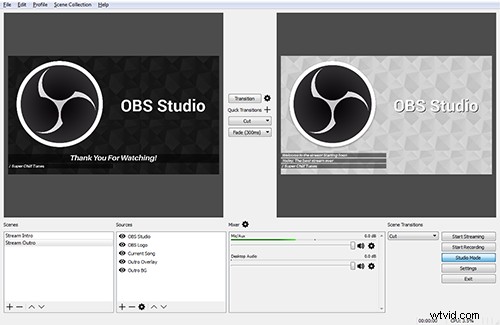
OBS is a free, open‑source solution that supports live streaming and recording for platforms like Twitch and YouTube. Its scene and source management offers unparalleled flexibility.
- Unlimited scenes and sources.
- Output to FLV or MP4.
- GPU‑accelerated capture.
Compatibility: Windows 10/8/8.1/Vista/7; upcoming macOS and Linux versions.
Pros:
- Free and highly customizable.
- Keyboard shortcuts streamline workflow.
Cons:
- Steep learning curve.
- Scene setup can be complex.
4. Bandicam
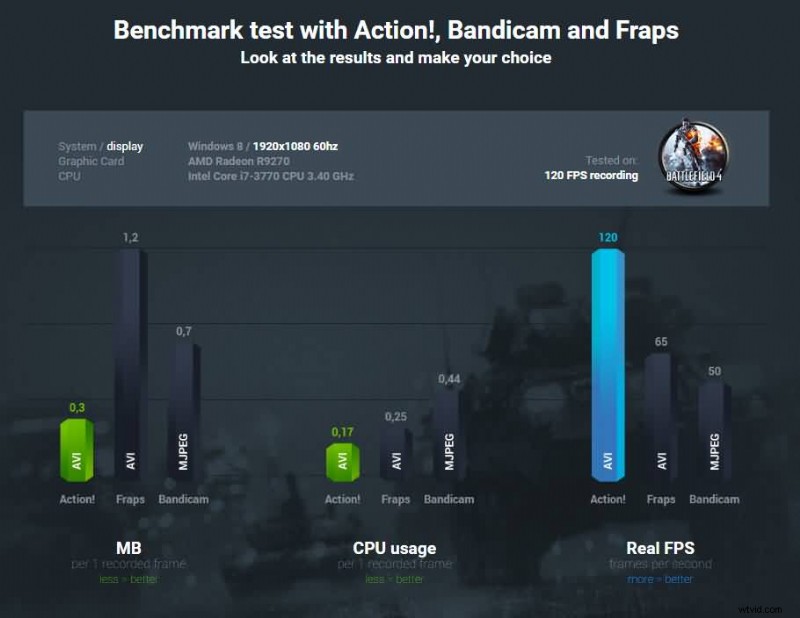
Bandicam is beginner‑friendly and supports DirectX/OpenGL games. It offers 4K Ultra HD recording and high frame rates up to 120 fps.
- Built‑in compression for high‑quality videos.
- Unlimited recording duration.
- Two audio input support.
Compatibility: Windows XP/7/8.1/8/10.
Pros:
- 120 fps recording.
- Dual‑audio channel capture.
Cons:
- No live‑streaming feature.
Pricing: Free trial; $39 (single license) or $59 (two licenses).
5. EpicRewind
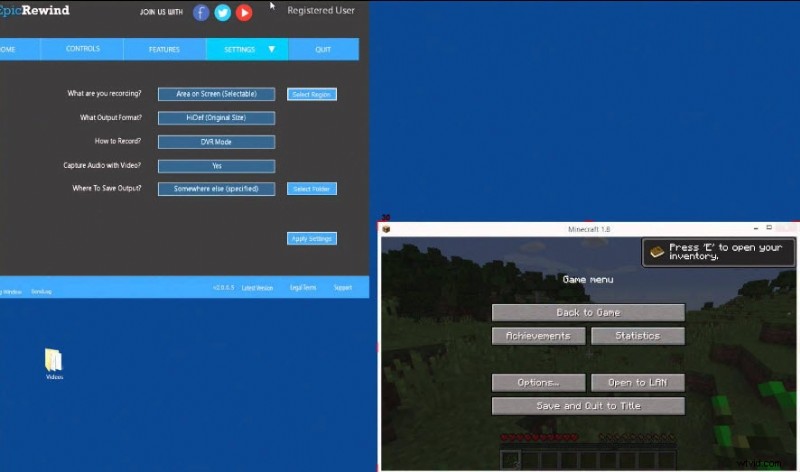
EpicRewind introduces a RAM‑Rolling Buffer, allowing instant replay and hotkey‑saved recordings. It’s especially useful for browser and Flash games.
- Screenshot and video capture from browsers.
- Direct‑to‑disk mode.
- Configurable output format and codec.
Compatibility: Windows only.
Pros:
- Continuous, non‑encoded capture.
Cons:
- Windows‑only.
Pricing: Free trial of base version.
6. D3DGear

D3DGear is lightweight and performs real‑time compression, making it ideal for users with limited storage. It supports social media sharing.
- User‑friendly interface.
- Built‑in compression system.
Compatibility: Windows XP/Vista/7/8/8.1/10.
Pros:
- Live streaming support.
- Separate audio files.
Cons:
- Pro version pricey.
Pricing: 15‑day free trial; $34.95 thereafter.
7. Fraps
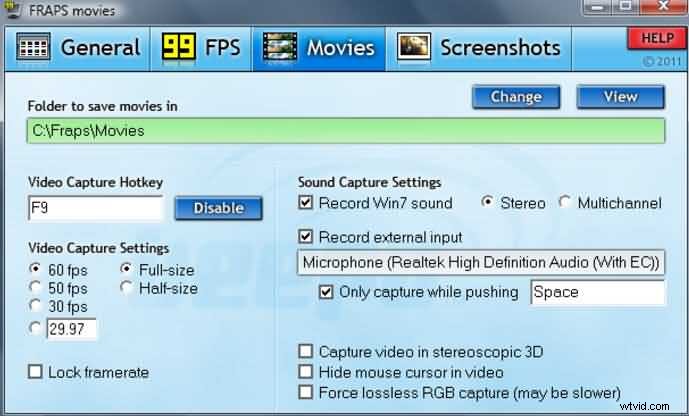
Fraps is a legacy tool that doubles as a benchmarking utility. It supports high‑resolution captures and up to 120 fps.
- Benchmarking and performance metrics.
- High‑resolution capture up to 7680×4800.
Compatibility: Windows Vista/XP/7/8.1/8/10.
Pros:
- 120 fps capture.
Cons:
- No streaming support.
Pricing: Free basic version; $37 for full license.
8. Microsoft Screen Encoder 4
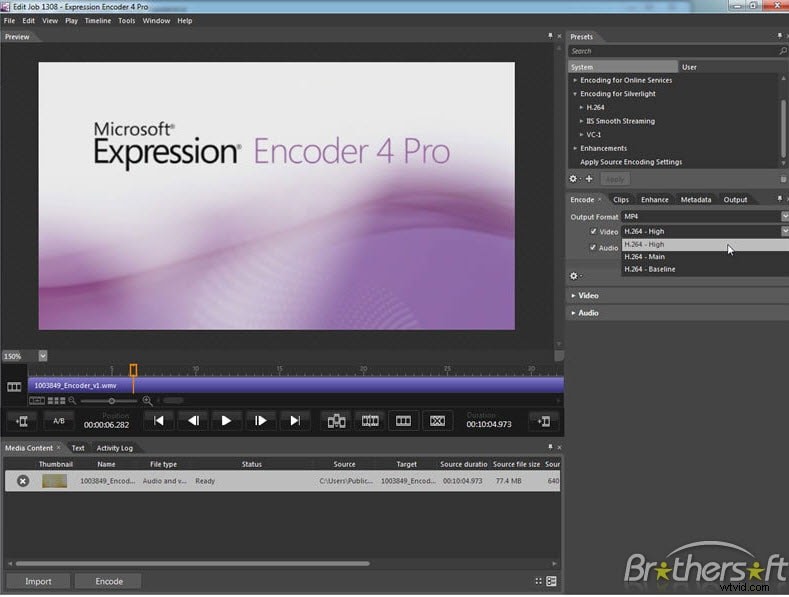
This upgraded encoder offers live IIS streaming and high‑quality Windows Media output.
- Screen capture with GUI interface.
- Live template support.
Compatibility: Windows 7/Vista/XP SP2.
Pros:
- High‑quality playback.
- H.261 encoding support.
Cons:
- Limited editing tools.
- No export to Sony Vegas 11.
Pricing: Pro version $199.95; standard version free with limited features.
9. Tinytake
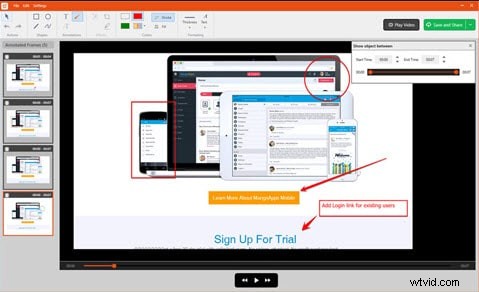
Tinytake excels at commercial presentations, offering region capture and direct uploads to YouTube.
- Drag‑and‑drop recording.
- Annotation tools.
- Online file viewer.
Compatibility: Windows & macOS.
Pros:
- Custom shortcut keys.
- Bulk file sharing.
- Mobile device support.
Cons:
- MP4 only.
- 2‑hour recording limit.
- No free business version.
Pricing: $29.95–$199.95 annually; business plan includes up to 2 TB storage.
10. Ezvid
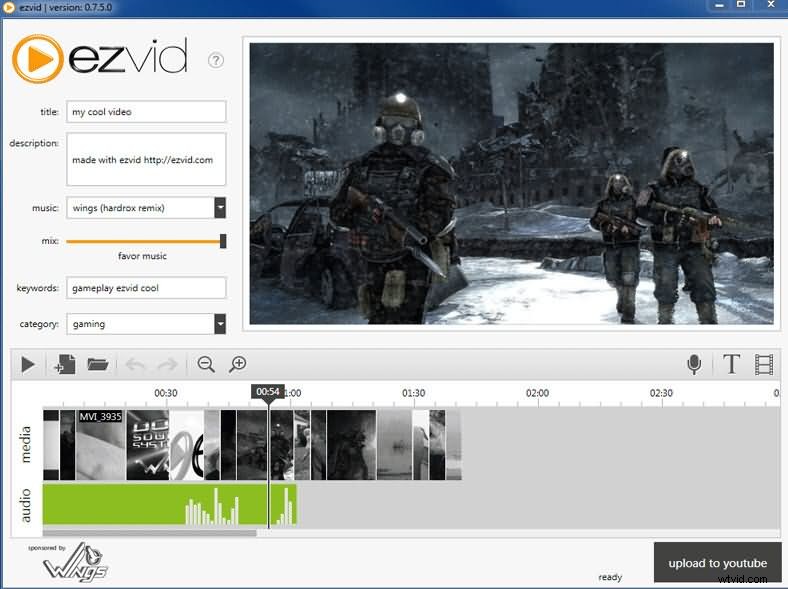
Ezvid streamlines recording and editing, with quick YouTube uploads and built‑in text and watermark tools.
- Fast uploads to YouTube.
- Computer‑voice narration.
- Sleek, modern interface.
Compatibility: Windows XP SP3/7/Vista.
Pros:
- High‑resolution output.
- Popular music track library.
- Facecam and built‑in editor.
- Drag‑and‑drop editing.
Cons:
- Occasional glitches.
- Requires 10 GB free space.
- Fewer features than Camtasia.
Pricing: Free.
11. Gecata (Movavi)
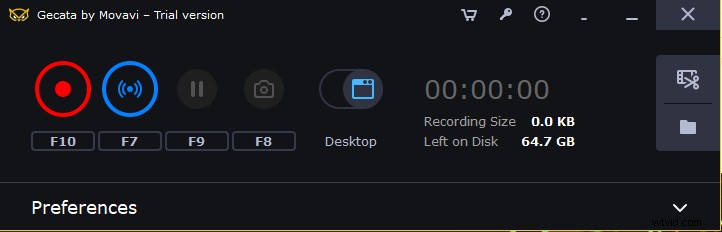
Gecata offers lightweight gameplay capture with hardware acceleration for quick encoding. It supports major formats like MOV, MP4, AVI, and GIF.
- One‑click screenshots.
- Game‑mode auto‑recording.
- Simultaneous audio and screen capture.
- GPU acceleration (NVIDIA/Intel) for up to 400% faster encoding.
Compatibility: Windows 7/8/10.
Pros:
- Simple interface.
- Fast capture up to 120 fps.
- Verified on dozens of games.
Cons:
- Watermark in free version.
- Occasional lag.
Pricing: $30.95 lifetime license.
12. EaseUS RecExperts

RecExperts is a premium recorder designed for gamers and educators alike. It offers multi‑screen capture, scheduled recordings, and export to GIF.
- Screen area selection.
- Multiple screen support.
- Webcam and audio capture.
- Scheduled recording with auto‑stop.
Compatibility: Windows 7/8.1/10/11; macOS 10.13+.
Pros:
- Intuitive interface.
- Supports MP4, MKV, MOV, AVI.
Cons:
- Limited editing (trim/cut only).
Pricing: $19.95/month, $39.95/year, $79.95 lifetime.
13. Flashback Express (Free)
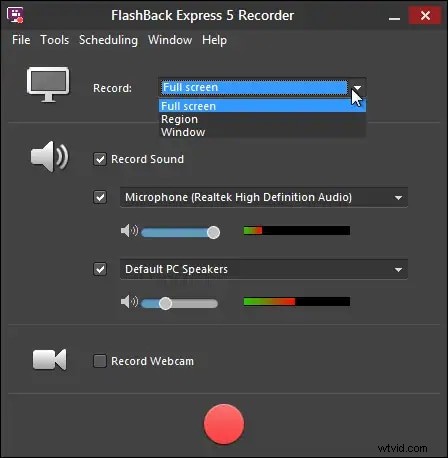
Flashback Express delivers comprehensive recording and editing without a time limit. It supports webcam overlay and direct YouTube uploads.
- Video trimming.
- Multi‑screen recording.
- Webcam overlay.
- Direct YouTube upload.
Compatibility: Windows 7/8.1/10/11.
Pros:
- Easy interface.
- No watermark.
- Voice‑over capture.
- Full‑screen and region capture.
- MP4 output.
Cons:
- Export settings limited.
- Audio export not available in free version.
- Format conversion requires external tools.
Pricing: Free.
14. Snagit (TechSmith)
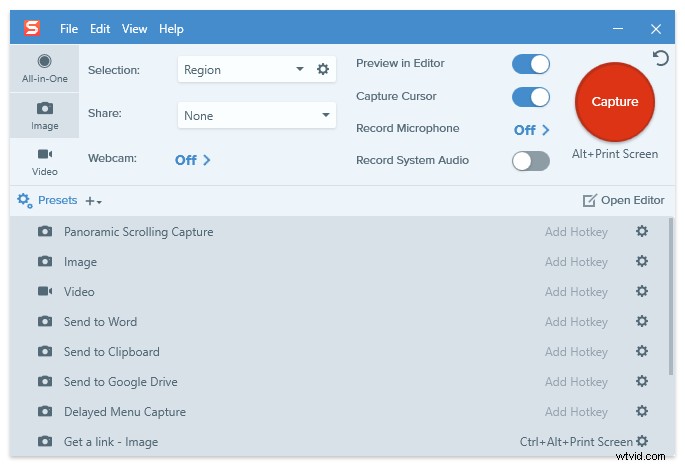
Snagit, a TechSmith product, excels at quick screenshots and lightweight recording. It supports MP4 export and seamless sharing to platforms like YouTube, Twitter, and Google Drive.
- Screen & audio capture.
- Annotations and video trimming.
- Webcam recording.
- Cloud library integration.
- GIF conversion.
- Panoramic capture.
Compatibility: Windows 10/11, macOS 11+.
Pros:
- Simple interface.
- Fast uploads.
Cons:
- MP4 only.
Pricing: $62.99 lifetime (includes first‑year maintenance; $12.60 thereafter).
What to Look for in a Game Screen Recorder
- Customizable hotkeys.
- Comprehensive built‑in toolset.
- Easy start/stop controls.
- Extensive code support.
- Long‑duration recording.
- Editing features (cut, paste).
- Custom resolution and frame‑rate options.
- Large‑file handling capability.
High‑quality video typically correlates with larger file sizes, but uploading constraints may require compression or format conversion. Many recorders offer direct social‑media links, which can streamline publishing.
For optimal performance, run the recorder on a system with 8 GB RAM, an SSD for game installations, and a dedicated storage drive for recordings. Desktop PCs are preferable to laptops for this workflow.
FAQs
1. What software do YouTubers use to record gameplay?
Industry‑standard choices include OBS Studio and Bandicam for raw recording, while Filmora offers an integrated editing workflow. All three provide high‑quality output and cross‑platform support.
2. How can I record my screen smoothly?
Minimize background applications, use an external microphone instead of the built‑in mic, and select a recorder that supports at least 60 fps. Sufficient RAM and a powerful GPU further reduce lag.
3. Does screen recording decrease FPS?
Recording can affect frame rates, especially on CPU‑intensive titles. However, GPU‑accelerated recorders (e.g., OBS, Filmora, Bandicam) mitigate performance loss, keeping gameplay smooth.

Filmora – ⭐⭐⭐⭐⭐
The Best Game Recording Software for YouTubers
Richard Bennett
Richard Bennett is a writer and a lover of all things video.
Follow @RichardBennett