
Animated video production companies often charge premium rates, making DIY tools a budget‑friendly choice. With Filmora’s business animation maker, companies can craft polished, engaging animations without hiring an expensive studio.
Filmora’s intuitive interface, ready‑made templates, and powerful animation tools make it easy for marketers, trainers, and sales teams to produce videos that resonate with their audiences.

In this article
- How to Create Business Animation Videos With Filmora
- Enhance Your Videos with Advanced Filmora Features
- Bonus Tips for High‑Quality Animated Videos
- Strategies to Make Your Animation Go Viral
- Conclusion
Part 1. How to Create Business Animation Videos With Filmora
With Wondershare Filmora you can produce a high‑quality animated video in just a few minutes. Follow these steps to bring your brand’s story to life.
- Download and Launch: Install the latest version of Filmora and sign in with your Wondershare account.
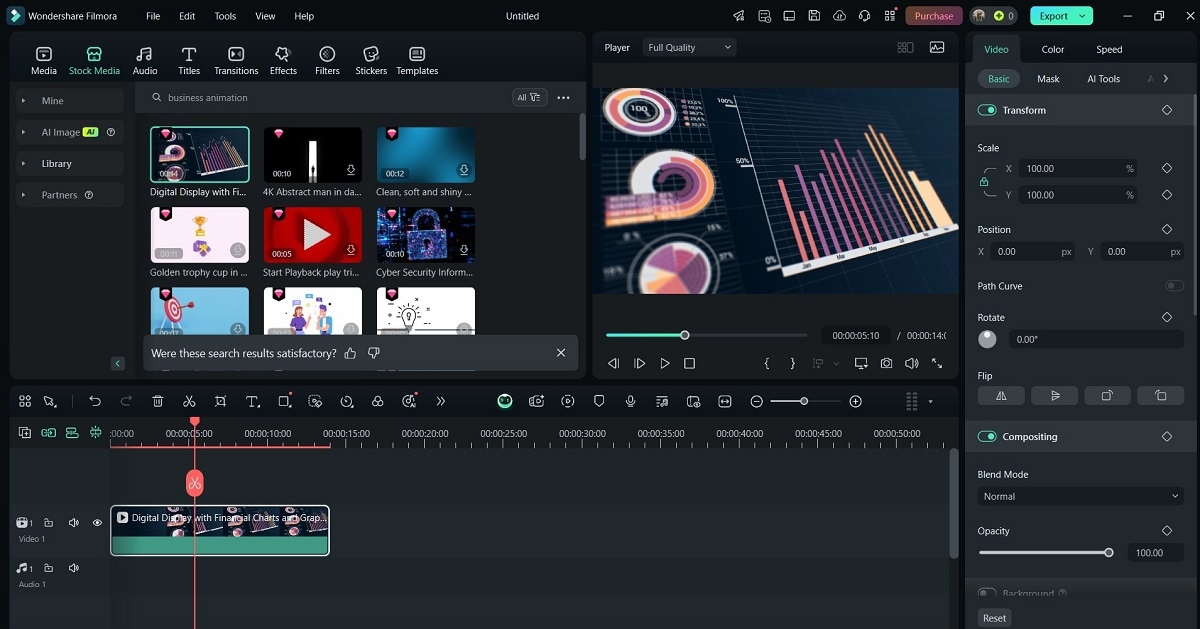
- Create a New Project: Click New Project, then go to Stock Media. Use the search bar or browse categories to find a pre‑made animation template that matches your message. Drag the template onto the timeline.
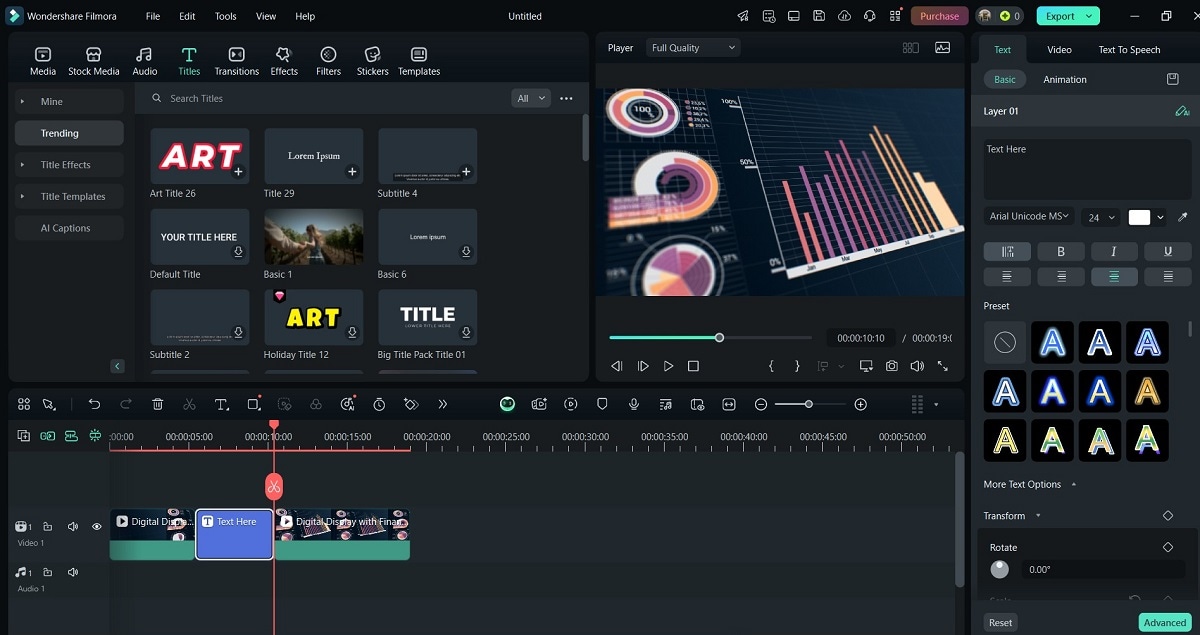
- Customize Text and Graphics: Add titles or quick text from the Titles panel. Adjust colors, fonts, and animation styles in the right‑hand sidebar to match your brand guidelines.
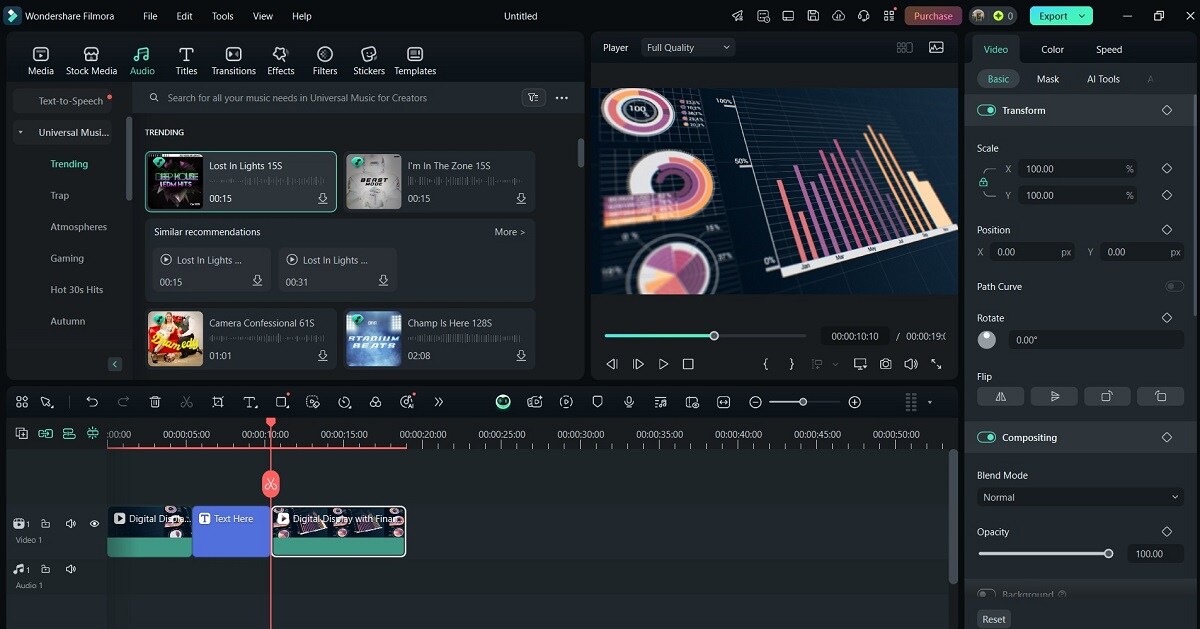
- Insert Audio: Click the Audio tab to add background music or record a voice‑over. Filmora’s royalty‑free library offers a wide range of tracks that can be mixed and trimmed with ease.
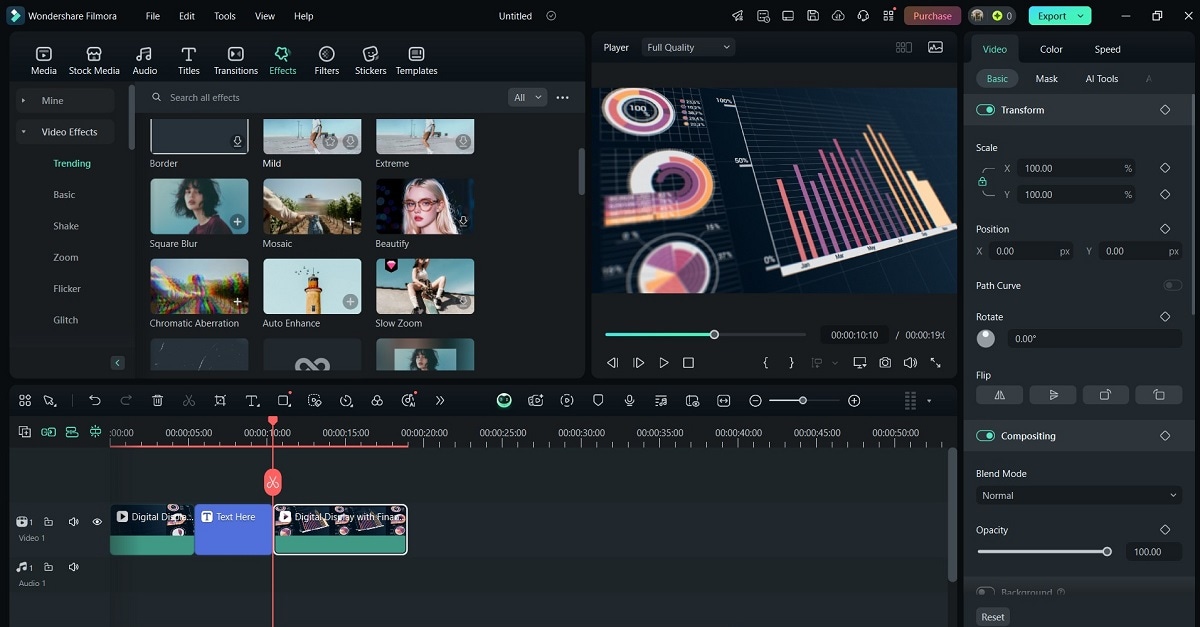
- Animate Elements: Enhance your video with transitions, effects, and filters. Drag and drop animated icons, infographics, or characters onto the timeline for a dynamic presentation.
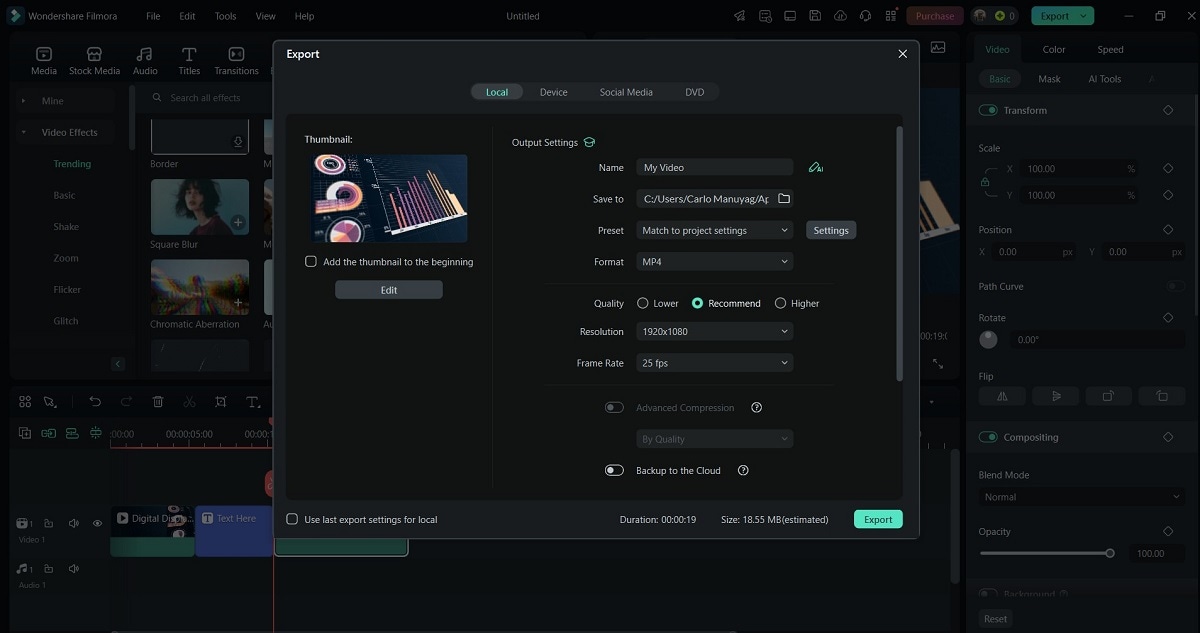
- Export: When satisfied, click Export. Choose the resolution that fits your platform—1080p for most social channels, 4K for high‑definition displays—and select the appropriate export settings for YouTube, LinkedIn, or your website.
Part 2. Enhance Your Videos with Advanced Filmora Features
Filmora offers more than basic animation tools. These advanced features help you refine your content and elevate its professionalism.
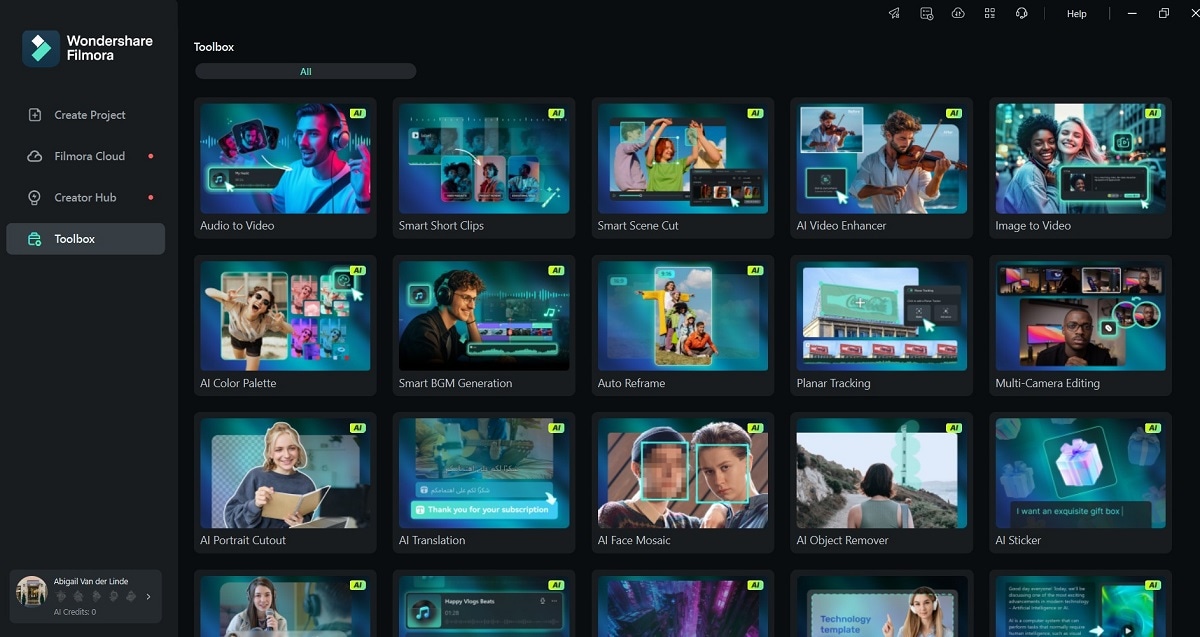
- AI‑Powered Animation: Smart motion tracking and automated keyframes allow you to create smooth, realistic animations with minimal effort.
- Drag‑and‑Drop Interface: Even beginners can assemble complex sequences by simply dragging elements into place.
- Advanced Motion Tracking: Keep animated overlays attached to moving objects—ideal for product demos or data visualisations.
- 3D Text and Effects: Add depth and realism to titles and graphics, giving your videos a cinematic edge.
- Screen Recording & Green‑Screen: Capture on‑screen tutorials or replace backgrounds effortlessly, perfect for webinars and product showcases.
- Royalty‑Free Library: Access high‑quality stock footage, music, and sound effects without extra licensing fees.
By leveraging these tools, you can produce animated videos that rival professional studio output while keeping costs low.
Bonus Tips for High‑Quality Animated Videos
To ensure your animations stand out, follow these proven strategies:
- Keep It Short: Aim for 60‑90 seconds to maintain viewer attention and deliver a concise message.
- Professional Voice‑Overs: A clear, brand‑aligned narration boosts credibility. Filmora’s AI text‑to‑speech engine offers natural‑sounding options.
- Consistent Branding: Use your company’s color palette, fonts, and logo placements to reinforce brand recognition.
- Subtitles & Captions: With 85% of social‑media viewers watching on mute, captions broaden accessibility and comprehension.
- Format Experimentation: Test explainer videos for product launches, short promos for marketing, and polished corporate presentations for internal use.
- High‑Quality Visuals: Crisp images, smooth animations, and clean transitions convey professionalism and avoid clutter.
- Strong CTAs: Every video should end with a clear call‑to‑action—whether driving traffic, generating leads, or increasing brand awareness.
Part 3. Strategies to Make Your Animation Go Viral
Creating a great animation is only the first step. Maximising reach and engagement requires thoughtful distribution tactics.
- Platform‑Specific Optimisation: Rescale and reframe your video for YouTube, LinkedIn, Instagram, Facebook, and your own site to meet each platform’s best‑practice dimensions.
- SEO‑Friendly Titles & Descriptions: Incorporate relevant keywords such as “business animation video maker” to improve search rankings and social‑media discoverability.
- Embed on Webpages: Adding animations to landing pages, product pages, or blog posts can boost conversion rates by up to 80%.
- Targeted Paid Promotion: Run focused ads on Facebook, Google, or LinkedIn to reach specific audiences. Short, engaging clips perform best in paid placements.
- A/B Testing: Compare variations—different intros, CTAs, or voice‑overs—to identify the most effective messaging.
Conclusion
Filmora’s business animation video maker makes professional‑grade content accessible to anyone, regardless of budget or experience. With AI‑enhanced tools, a library of templates, and advanced editing options, you can produce compelling videos that capture attention and drive results.
Try Filmora’s free version today and unlock the power of animated storytelling for your brand.