
Firefox, as a fast and secure browser, allows many user-friendly add-ons. You can use it to watch videos, read articles, make comments on Facebook, or post on Twitter. If you want to record valuable web content such as streaming videos within the browser, you can use a Firefox screen recorder to complete the task.
This guide shows the top 8 best screen recorders for Firefox, including the extension screen recorder and offline screen capture software. You can select the right browser recorder according to your needs!
| Best Firefox Screen Recorder | 2 Screen Recorder Extension Firefox | 5 Screen Recorder for Firefox |
|---|---|---|
|
|
|
Best Firefox Screen Recorder for Windows and Mac
The best method to screen record Firefox videos or audios is to capture them using EaseUS RecExperts. It's a powerful but user-friendly recorder that helps capture Firefox video with only a few simple clicks. Whether you are a beginner or a professional user, you can easily find the appropriate recording tool you need on its elegant user interface.
You can use it to record full screen on Windows 10 or select a specific recording area. Those features make it very straightforward to record YouTube videos in high quality. Since this recorder supports many popular file formats, you can export the recordings in the format that fits your devices.
EaseUS Screen Recorder
- Record screen and webcam at the same time
- Record streaming videos on Firefox in 4K UHD resolution
- Schedule recording to create recording tasks automatically
- Support various output formats, like MP4, AVI, MOV, etc.
- Built in some video editing tools to modify the recordings
Here is how to screen record Firefox with a professional Firefox screen recorder:
Step 1. Launch EaseUS RecExperts, then open a webpage with Firefox browser.
Step 2. Click "Full Screen" or "Region" to select the recording area on your screen. Then click on "Sound" to choose the audio sources - System sound or Microphone.
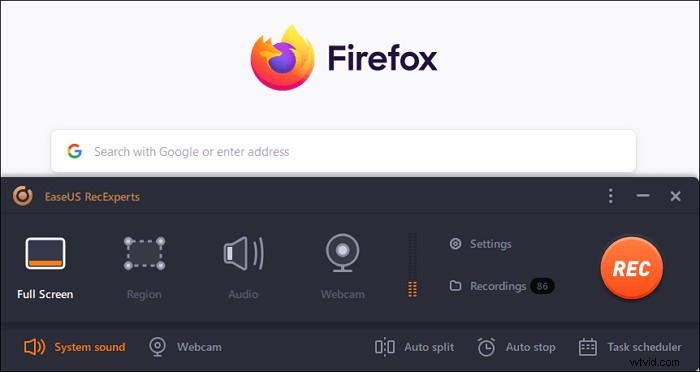
Step 3. Select the opened Firefox page (with YouTube video in this demo). Click the orange button "REC," and the program will start the recording (video and system audio).
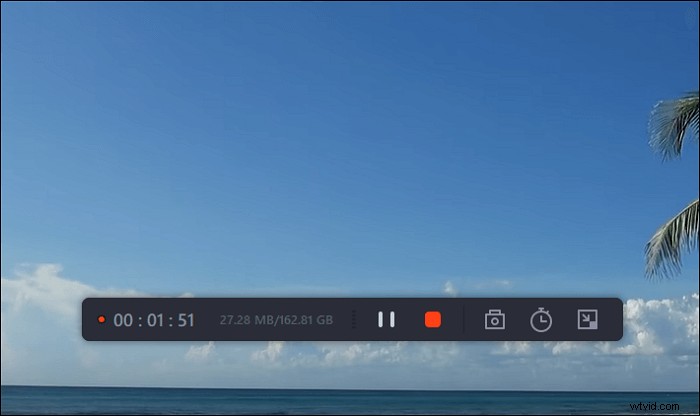
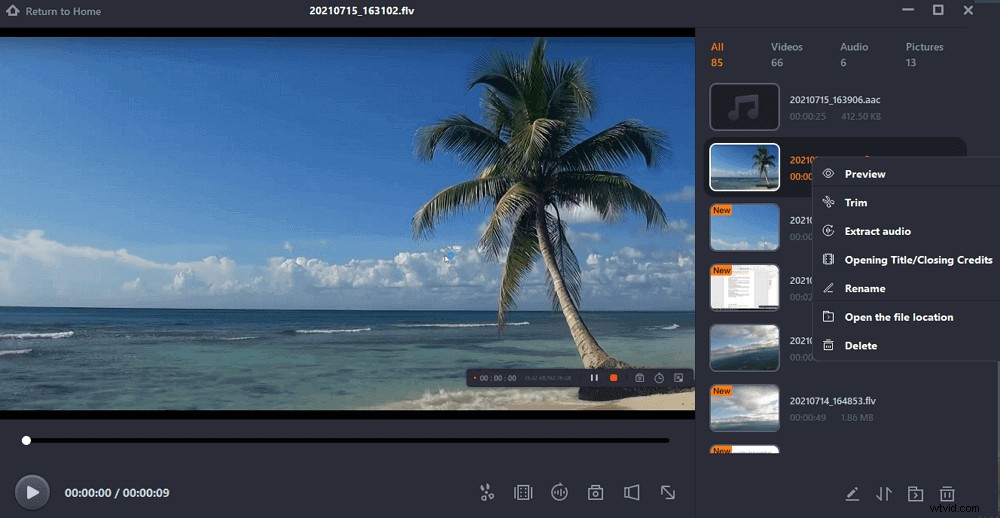
Step 4. Click the red square button to stop the recording, and you will see the menu with the recorded video, where you can change the name. Then You can trim the recorded video and then export it to your favorite format.
Top 2 Screen Recorder Extension Firefox
Firefox Add-ons library provides more than 6,000 extensions and more than 500 themes. Extensions can perform everything, like providing access to your Facebook account directly from the Firefox toolbar. But there are a few browser screen recorders that allow you to record your screen - Awesome Screenshot & Screen Recorder and Screen Recorder.
1. Screen Recorder by Alexey Kuznetsov
Compatibility: Linux, Windows, and macOS
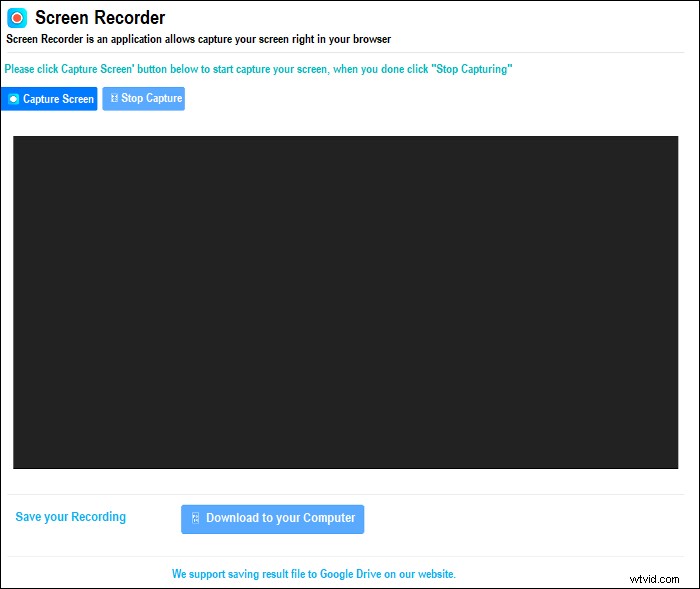
Screen Recorder by Alexey Kuznetsov is a 100% free screen recording extension, which is available for Firefox, Chrome, and other platforms. After adding it to your Firefox, you can start recording videos from the Browser or desktop with ease. Moreover, if you want to take a snapshot, you also can get it done within this application.
Last, you can save your recordings on the local drive or Google drive as you like.
Pros:
- Very simple and easy-to-use
- Directly capturing the Firefox window
- Download the recorded video to a local disk or Google Drive
Cons:
- No editing tools
2. Awesome Screenshot & Screen Recorder
Compatibility: Linux, Windows, and macOS
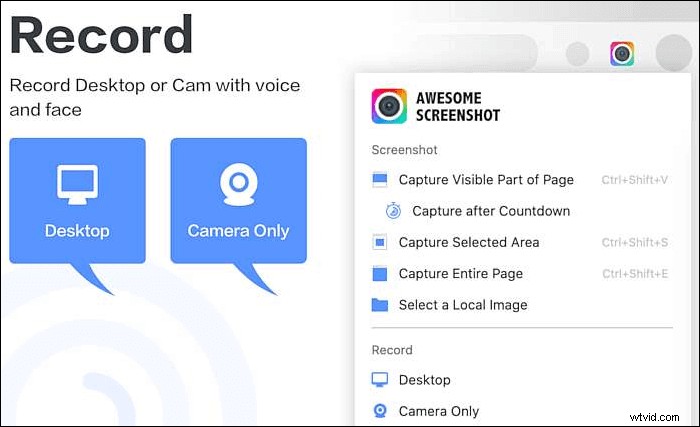
Awesome Screenshot & Screen Recorder is a wonderful browser video capture tool that helps you record Firefox on different desktop platforms.
You can screen capture in Firefox, save screen recordings and screenshots to the website, and instantly share your videos and images with unique shareable links. You also can easily share a recording video to Jira, Slack, Trello, Asana, GitHub, but this is only available with a Premium account.
Pros:
- Capture streaming video Firefox
- Blur sensitive information on your screenshot
Cons:
- The video recording feature is quite confusing
- The video editing feature is not intuitive
- Only 5 minutes per local recording with the free plan
Top 5 Screen Recorder for Firefox on Windows & Mac
Apart from the recorder we mentioned above, some other Mozilla screen recorders are available for Windows or Mac users, such as Streamlabs OBS, Screen Recorder Pro For Win10, Dxtory, QuickTime Player, and Screencast-O-Matic.
1. Streamlabs OBS
Compatibility: Windows 10, 8.1, 8 and 7
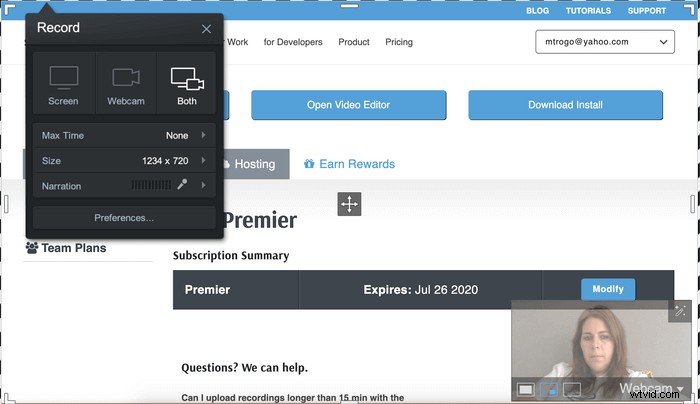
Streamlabs OBS is a popular video recording software focused on non-professional users. It provides some integrated features and helps them to capture a whole screen or just the Firefox window.
If you sign up for Streamlabs, you will have access to many tools directly from the company's website. You can choose the sources that appear in your live stream or recorded video. There are recommended settings for those who want to record streaming video firefox, which can adjust automatically.
Pros:
- It works right out of the box
- Manage all your settings in one program, including a variety of plugins
Cons:
- More likely to crash with all its add-ons
- Fewer encoding options than OBS
- No cross-platform support
2. Screen Recorder Pro For Win10
Compatibility: Windows 10
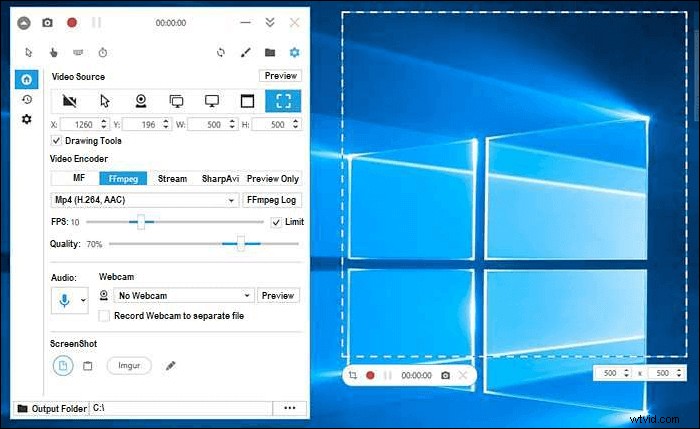
This integrated Windows 10 application enables you to capture screen, audio, and cursor movements. It allows you to record selected areas, a specific application like Firefox, the active window, and a webcam video.
It provides a screen recording tool, convenient both for novice and professional users, and enables you to save the video in multiple formats.
Pros:
- Record a Firefox window with and without mouse cursor
- Record specific regions, screens, or windows
- Capture screencasts in AVI, GIF, or MP4
Cons:
- Limited editing features
- No tools for backup and recovery
3. Dxtory
Compatibility: Windows 10, 8.1, 8, 7, Vista, and XP
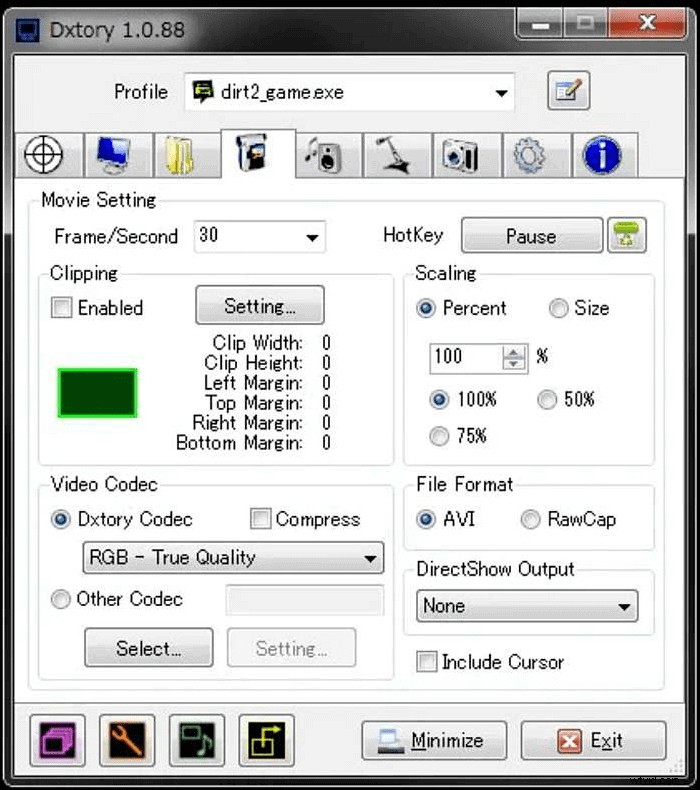
Dxtory is another screen recording software for capturing Firefox streaming videos.
This light software is quite a diverse capture tool. It can record audio from multiple sources, support third-party video codecs and broadcast output. Before recording, you can change the setting easily with a simple interface.
Pros:
- Help Firefox record streaming video
- Intuitive user experience with tabbed interface
- Custom screenshot capturing tools
Cons:
- Annoying trial notification
- No video editing features like trim, crop, etc.
4. QuickTime Player
Compatibility: macOS
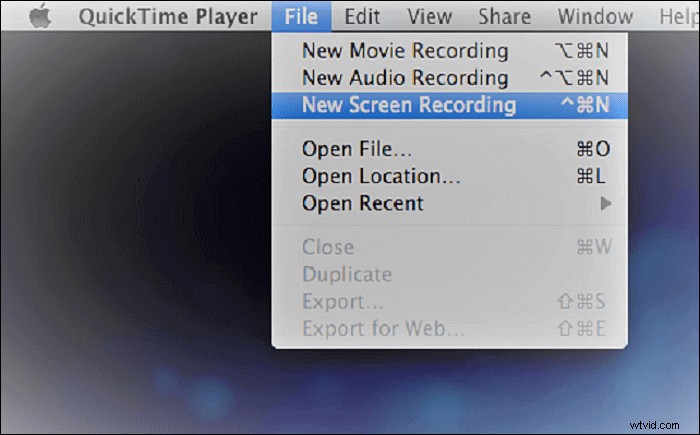
Quicktime Player can be used as a screen recorder to help you screen record on Firefox. Only taking a few simple steps, you can get the recordings from the Firefox streams or some others.
Moreover, this Firefox screen recorder provides some basic editing functionalities like trimming, which means you can modify your recordings within this software. After that, you can share the recordings directly on many social platforms.
Pros:
- Capture streaming video Firefox
- Edit and record video simultaneously
- Convert videos to a different file format such as AVI, MOV, MP4, etc.
Cons:
- Unable to record screen and system sound simultaneously
- No available video playback
5. Screencast-O-Matic
Compatibility: macOS X 10.9, or later
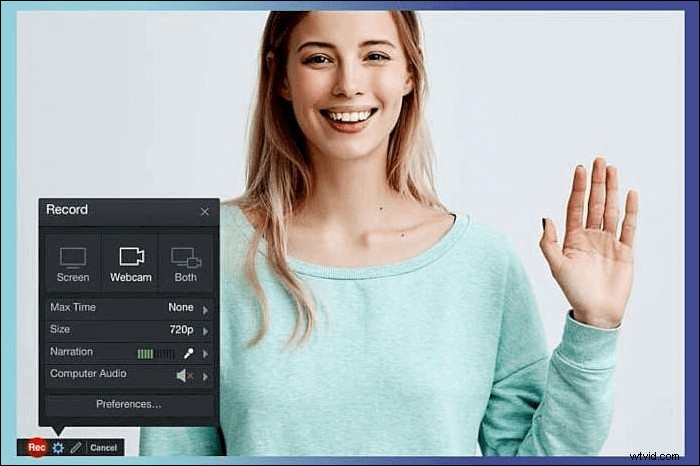
Another screen recorder for Firefox is Screencast-O-Matic. It is a good helper to capture streaming video or audio on Firefox, record webcam, or other games. Besides, while recording, it provides you tools to enhance the recordings with added text, shapes, images, animations, etc.
Most importantly, you are also allowed to share the output video on popular social media sites, including Facebook, Twitter, and many more.
Pros:
- Allow you to disable notifications from popping up as you record temporarily
- Enable you to add scripts, images, shapes, music, company branding, and much more
- A built-in speech-to-text feature
Cons:
- A watermark on your video
- The free version allows only 15 minutes of recording time
- The Video Editor is available only with the paid version
Conclusion
If you want to record the content when browsing websites using Firefox, you need to download a screen recorder the browser supports or use the add-ons. The add-ons have only basic functionalities, so it's better to install third-party screen-recording software.
The best choice for Windows and Mac users is EaseUS RecExperts. You can capture what you need in high quality, and it supports an amazing number of video and audio formats.
FAQs About Screen Recorder Firefox
To better solve your problems, there are some answers to some common questions. Raed them to know more.
1. Which recorder is Screencastify for Firefox?
Screencastify is one of the best screen recording extensions for Chrome, but only for Google Chrome. If you want to find a useful screen recording add-on in Firefox, there are many alternatives, such as Screen Recorder by Alexey Kuznetsov.
2. What is the Firefox screenshot shortcut?
If you are using Firefox on Windows, the keyboard shortcuts for screenshots are Ctrl+Shift+S. Open the page you want to capture, and press those three buttons at the same time. If you are a Mac user, you can use the Cmd+Shift+S buttons instead.
3. How can I record my Firefox screen?
To record the Firefox screen successfully, all you need is a Firefox screen recorder. If you prefer the offline tools, you can take a look at EaseUS RecExperts, QuickTime Player, etc. But if you want to use an add-on extension, you also can find the appropriate one on this page.
4. Does Firefox have a screen recorder?
No, Firefox does not have a screen recorder. In the case of screen record videos on Firefox, you can install some add-on screen recorders to start your recording.