
Commercial video makers are essential for brand growth. These tools help businesses market products, engage audiences, and drive sales. A high-quality free video ad maker simplifies the process, allowing even beginners to create stunning ads.
Wondershare Filmora provides an easy way to make professional advertisements. The tool comes with an animated advertisement maker feature. It has pre-made templates and AI-powered features to help you get started. In this guide, we’ll explore how to create, improve, and optimize commercial videos using Filmora’s intuitive platform. Keep reading!

In this article
- AI-Powered Editing Tools for Smart Automation
- Motion Tracking for Interactive Branding
- Drag-and-Drop Editing for Speed & Simplicity
- Green Screen Effects for High-Quality Visuals
- Text and Cinematic Effects for a Professional Look
- Royalty-Free Stock Assets for Quick Content Creation
Part 1. How To Make a Commercial Video With Filmora
Creating a compelling commercial video doesn’t have to be complicated. Wondershare Filmora’s free commercial video maker has ready-made templates at your disposal. Follow these steps to create a high-quality advertisement:
Step 1: Download, install and launch Filmora. Next, login or register for a Wondershare account. Start a New Project.
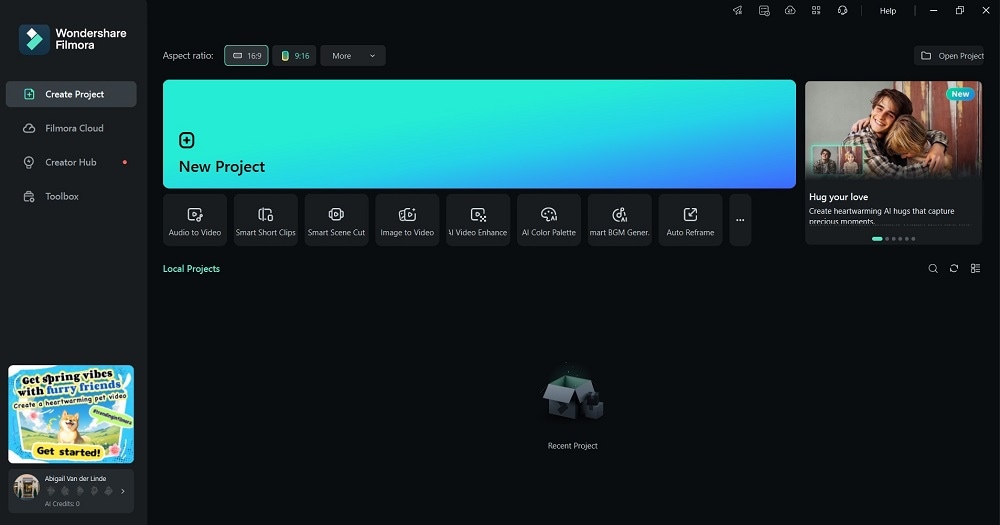
Step 2: Go to the Templates tab and use Filmora’s library for high-quality footage if you don’t have your own. Select a commercial video template that fits your industry or campaign.
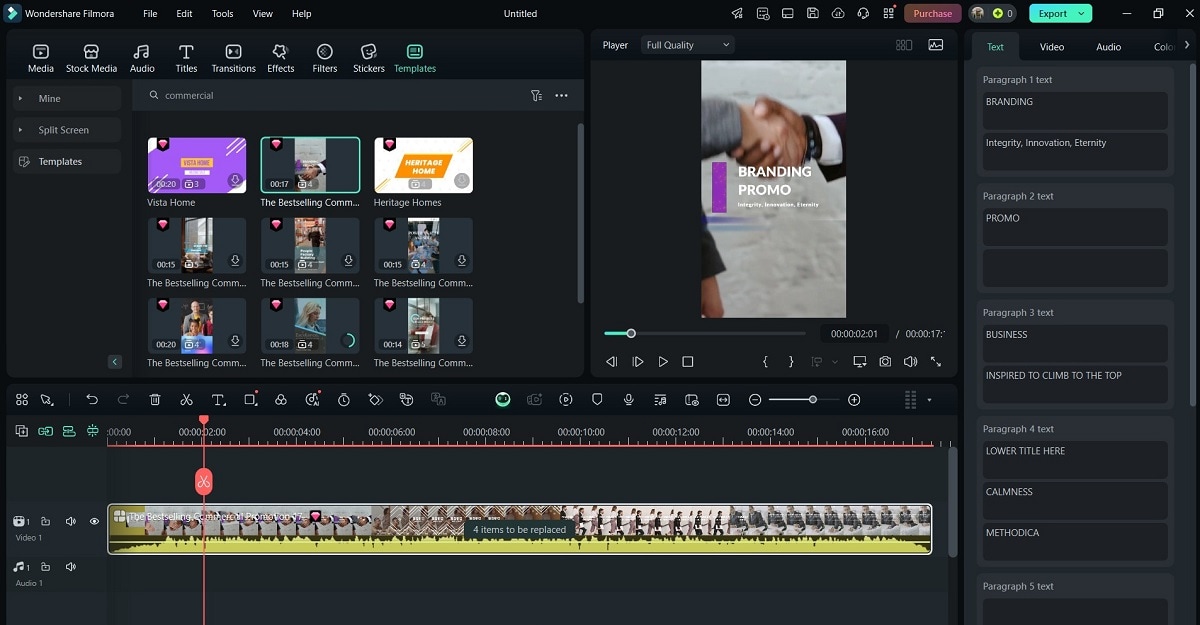
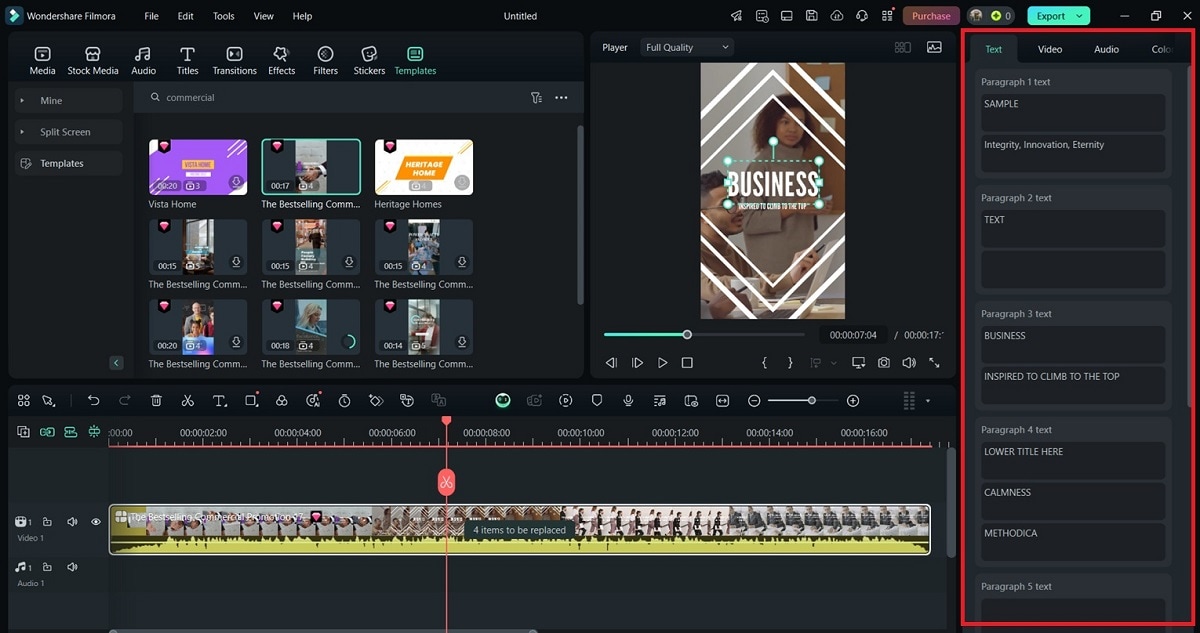
Step 3: Customize your commercial video on the right panel. Add branding elements like taglines and headlines.
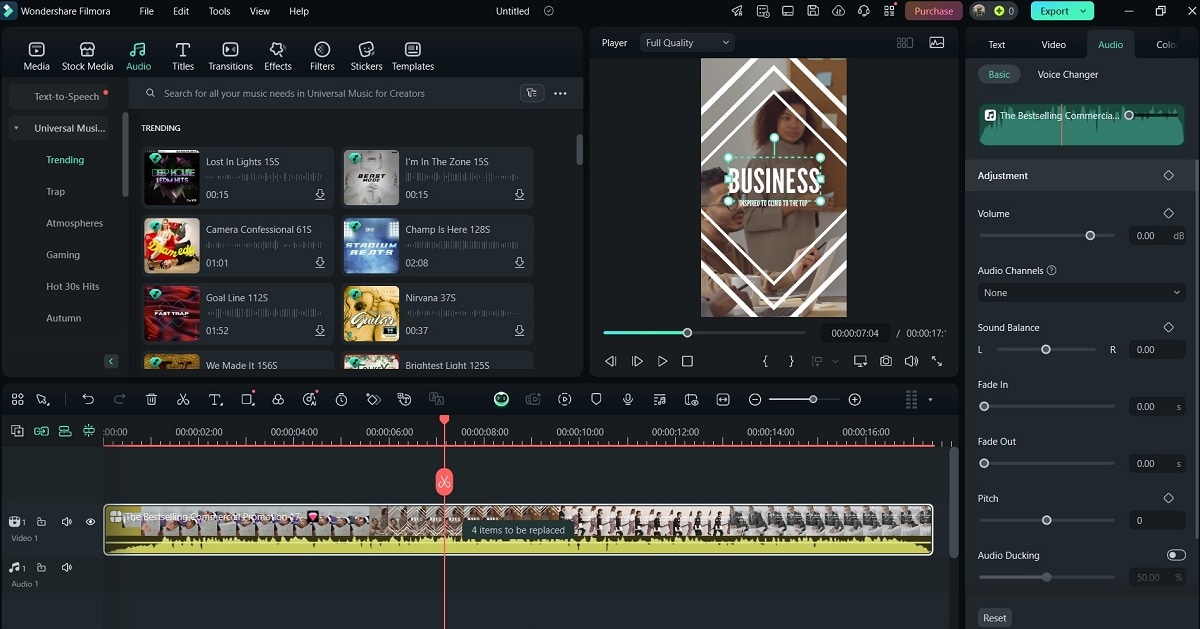
Step 4: Choose Audio and select royalty-free tracks or record custom voiceovers. Alternatively, use Filmora’s AI-powered audio generator to personalize your tracks.
Step 5: Click the Transitions, Effects, and Filters to personalize your ad further. Add motion effects to match your brand identity. Use smooth transitions for a polished look.
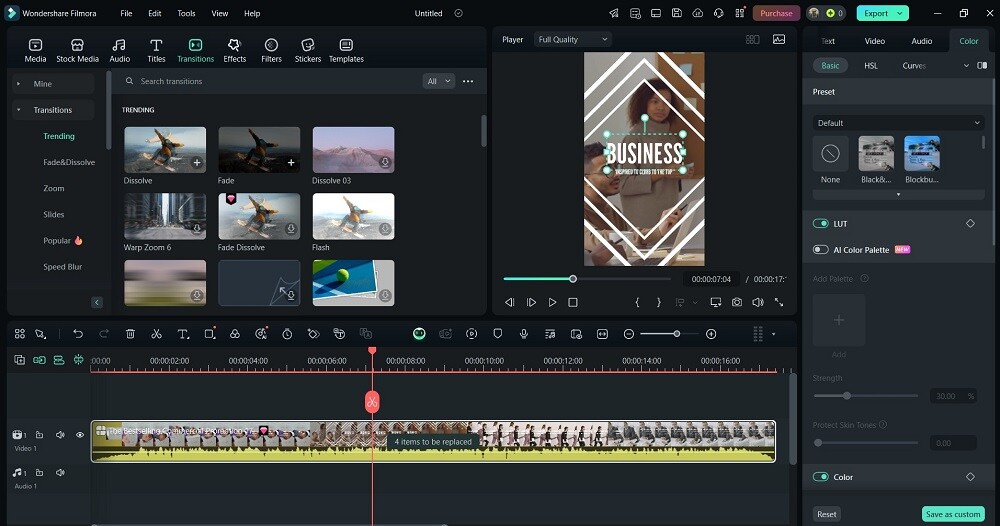
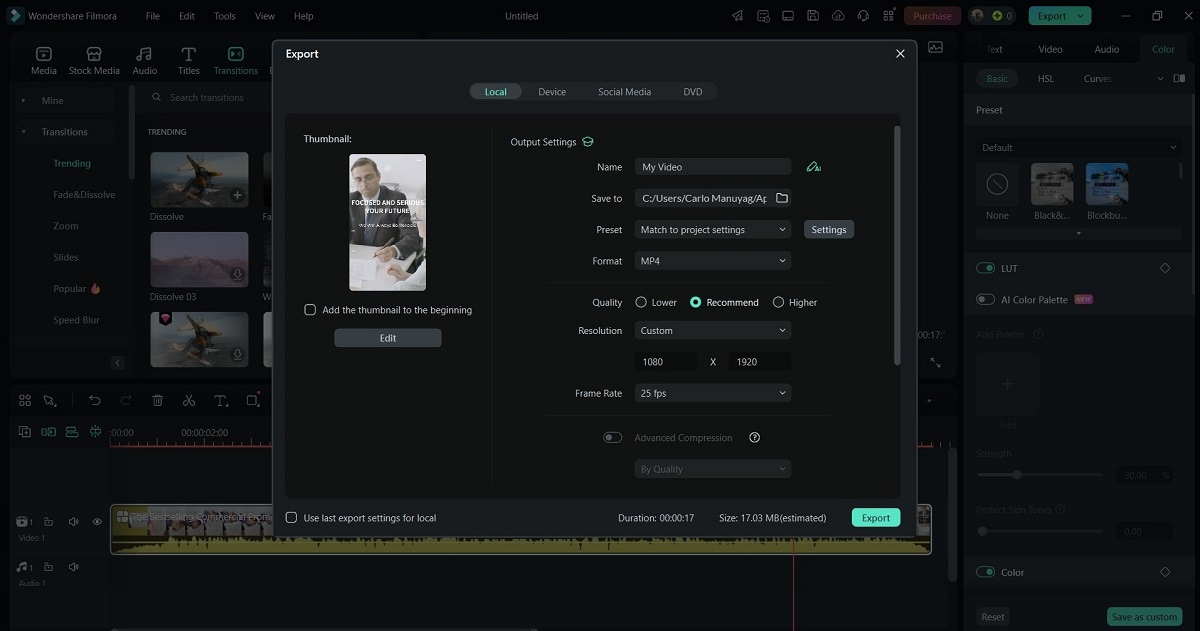
Step 6: Review your ad content. Optimize your commercial video for YouTube, Facebook, Instagram, and TikTok. Export in high-quality 1080p or 4K formats for the best resolution.
Part 2. Improve Your Commercial Video With Filmora’s Features
Once you’ve created your video, you can take it to the next level with Filmora’s advanced tools. These features help businesses elevate video ads, making them more engaging, dynamic, and professional. Here are Filmora’s main features:
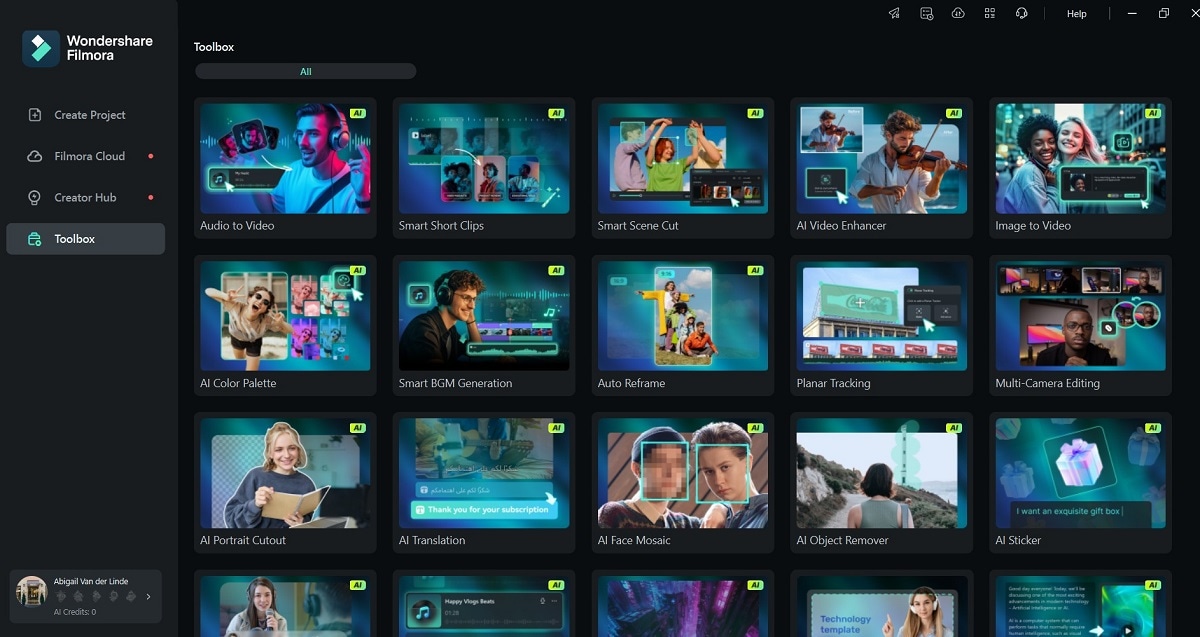
AI-Powered Editing Tools for Smart Automation
Filmora’s AI-powered tools simplify editing by automatically enhancing visuals. It can remove noise and cut unwanted frames:
- AI Portrait Mode. Remove backgrounds automatically without needing a green screen.
- AI Smart Cutout. Isolate objects or people in your video for creative effects.
- AI Audio Denoise. Remove background noise from voiceovers and improve audio clarity.
Motion Tracking for Interactive Branding
Track moving objects and attach text, logos, or graphics for eye-catching ads. It’s perfect for adding product highlights or animated call-to-action (CTA) elements.
Drag-and-Drop Editing for Speed & Simplicity
There’s no need for advanced video skills. Filmora’s drag-and-drop interface makes it easy to apply effects. Quickly arrange scenes, add transitions, and adjust pacing with simple clicks.
Green Screen Effects for High-Quality Visuals
It allows you to replace backgrounds and create dynamic advertisement scenes without expensive setups. It’s useful for adding branded elements, virtual backgrounds, or product showcases.
3D Text and Cinematic Effects for a Professional Look
Use 3D text animations for compelling advertisements. Apply cinematic filters, light leaks, and lens flares to enhance production quality.
Royalty-Free Stock Assets for Quick Content Creation
Filmora’s built-in media library offers free video clips, music, and sound effects. There’s no need to search for external resources; everything you need is available on the platform.
Part 3. Bonus Tips for Creating Effective Commercial Videos
Even with the best animated advertisement makers, strategy matters when creating a great commercial video. Here are essential tips to ensure your video stands out:

- Keep videos short and engaging
The ideal ad length is 15-30 seconds. Short, high-impact videos perform best on social media.
- Use clear branding
Add logos, taglines, and consistent brand colors to create a recognizable identity. Ensure branding elements are visible but not distracting.
- Hook viewers in the first 3 seconds
The first few seconds determine whether viewers stay or scroll away. Use bold visuals, intriguing text, or exciting motion to grab attention instantly.
- Choose high-quality visuals
Avoid blurry, low-resolution footage. Use 1080p or 4K resolution for a professional look. Filmora’s AI enhancement tools can improve video sharpness and lighting.
- Optimize for different social media platforms
Filmora’s auto-resizing feature ensures your video fits many platforms without manual cropping. Below are the preferred formats across different platforms:
YouTube & Facebook Ads. Use landscape (16:9) format.
Instagram & TikTok Ads. Use a vertical (9:16) format for better engagement.
- Add a Call-to-Action (CTA)
Encourage viewers to visit your website, follow your brand, or make a purchase. Use text overlays like “Shop Now,” “Learn More,” or “Subscribe for Updates.”
Conclusion
Creating high-quality advertisements doesn’t need expensive production teams. With Filmora’s commercial video maker, businesses can produce professional, engaging videos in minutes.
If you need a free advertisement video maker for quick edits, Filmora is the perfect solution. Try Filmora’s free version today and start making impactful commercial videos effortlessly!
FAQ
Here are the answers to frequently asked questions about using commercial video makers:
Is Filmora free to use for commercial videos?
Yes, Filmora offers a free version, but exported videos will have a watermark. To remove watermarks and access premium features, consider upgrading to a paid plan.
What’s the best resolution for a commercial video?
For professional results, 1080p (Full HD) is the standard. 4K is ideal for high-end commercials, especially for large screens and premium branding.
Can I use Filmora to create animated advertisement videos?
Absolutely! Filmora includes built-in animation tools, motion graphics, and keyframing. This makes it easy to create engaging animated ads without complex software.
Does Filmora have free music for commercial videos?
Yes, Filmora provides a library of royalty-free music and sound effects that you can use in your ads without worrying about copyright issues.
Can I create videos for multiple social media platforms?
Filmora supports many formats, including MP4, MOV, AVI, and WMV. It allows you to optimize your video for different platforms like YouTube, Facebook, and Instagram.