
Commercial videos are a cornerstone of modern marketing, enabling brands to showcase products, engage audiences, and drive conversions. Crafting high‑quality content from scratch can be time‑consuming and expensive, but Filmora’s ready‑made commercial templates solve this challenge by delivering polished videos in minutes.
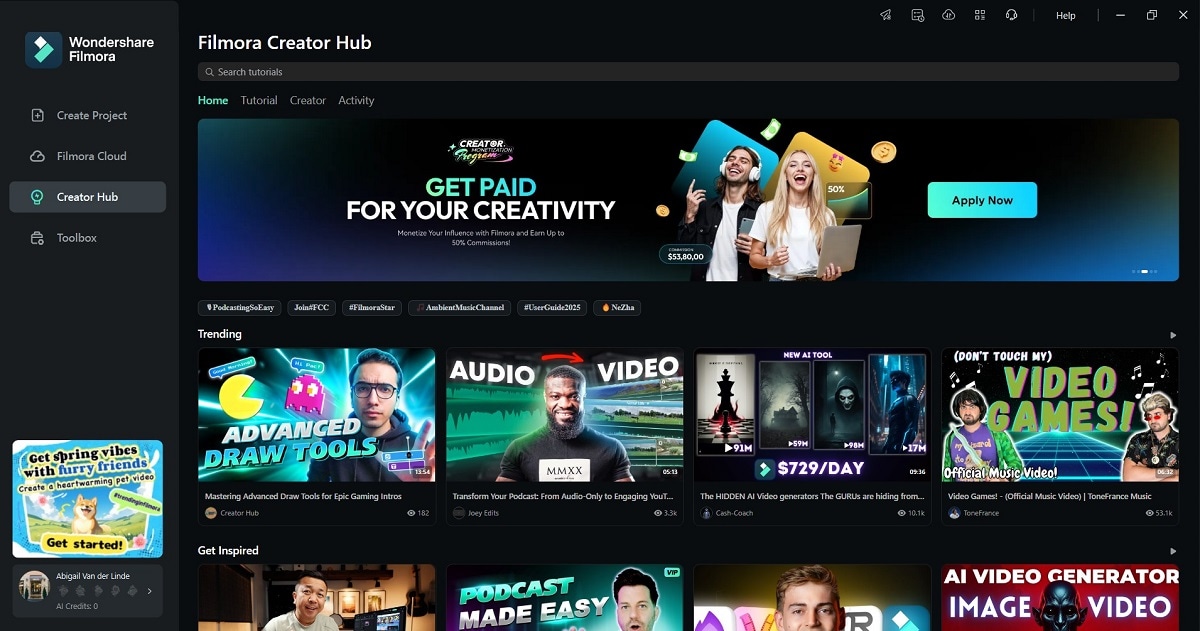
Filmora, a leading video‑editing platform from Wondershare, is trusted by over one million users worldwide. Its intuitive interface, AI‑enhanced tools, and extensive library of stock media empower marketers, small businesses, and creative professionals to produce impactful videos without advanced editing expertise.

In this article
- How to Use Filmora Commercial Video Templates
- Advanced Features for Enhancing Commercial Videos
- Creative Applications of Commercial Video Templates
- Benefits of Filmora Commercial Video Templates
Part 1. How To Use Filmora Commercial Video Templates
Filmora’s template workflow is designed for speed and flexibility. Follow these steps to transform a template into a branded, ready‑to‑publish video:
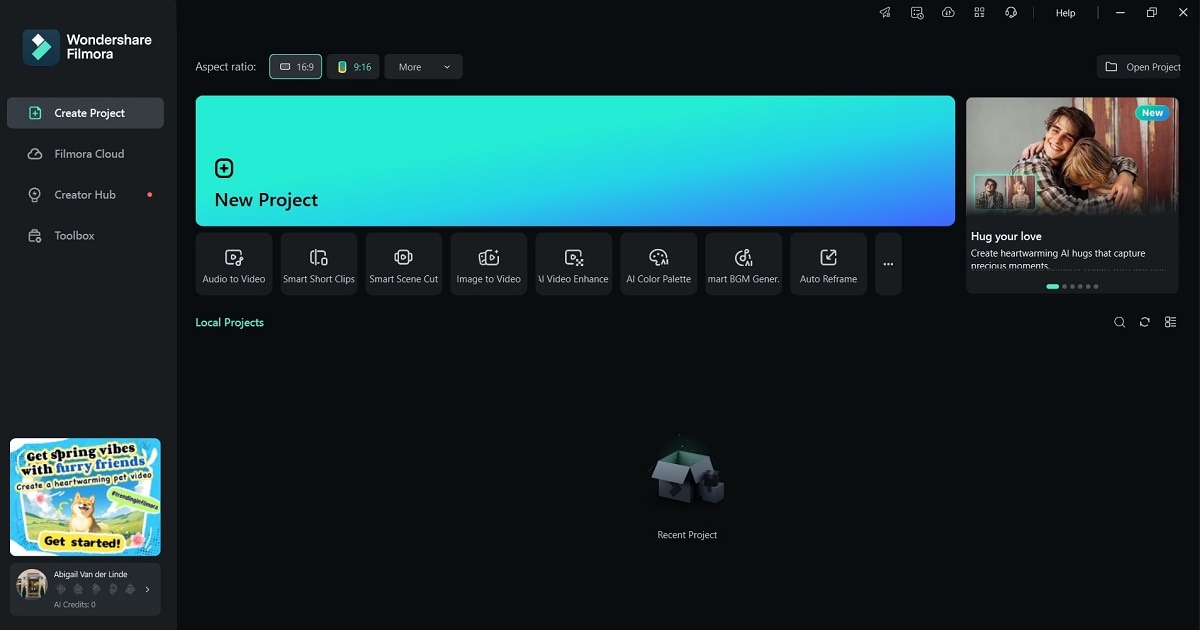
- Download & Install. Visit Filmora’s website, download the installer, and register for a Wondershare account. Launch the app and click New Project to begin.
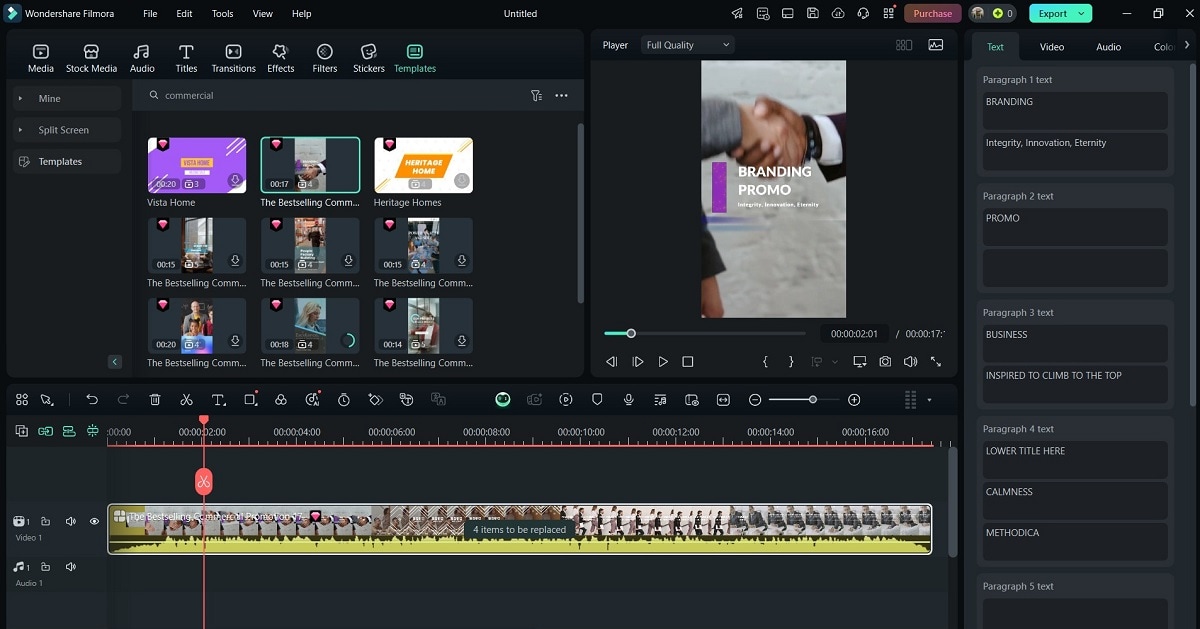
- Select a Template. Navigate to the Templates library, browse the commercial category, and choose a design that aligns with your brand’s voice and audience. Drag the template onto the timeline.
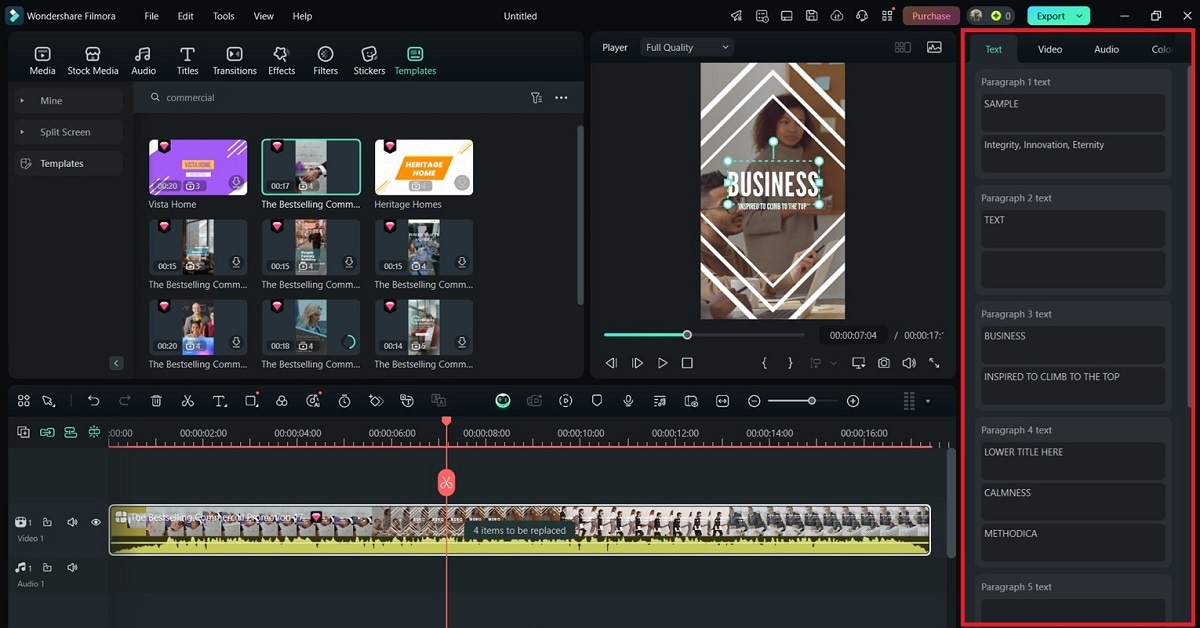
- Customize Branding. In the right‑hand panel, add your logo, choose brand colors, and replace default text with your own messaging. Adjust fonts and styles to maintain visual consistency.
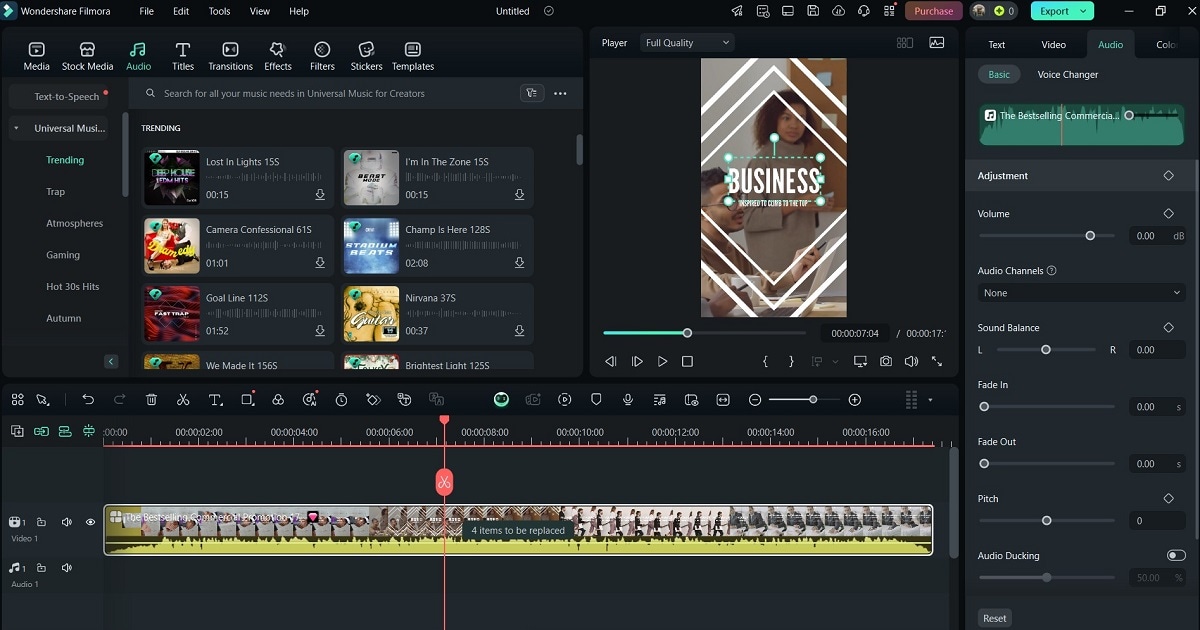
- Audio Enhancement. Go to the Audio tab to pick royalty‑free tracks from Filmora’s library or record a custom voice‑over that matches your brand tone.
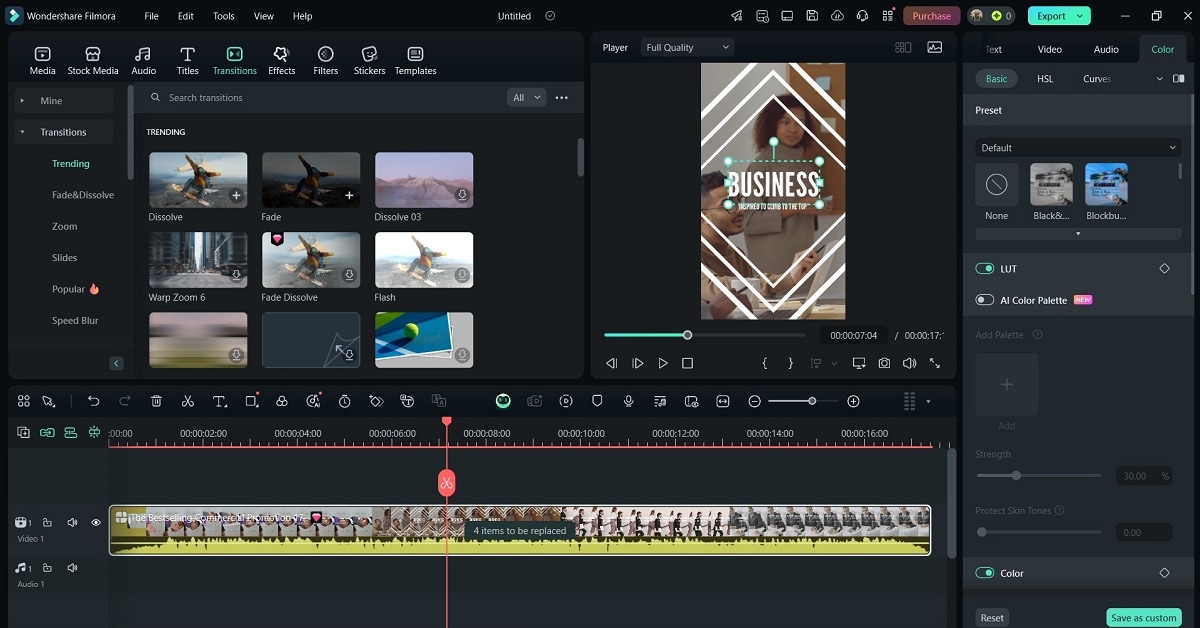
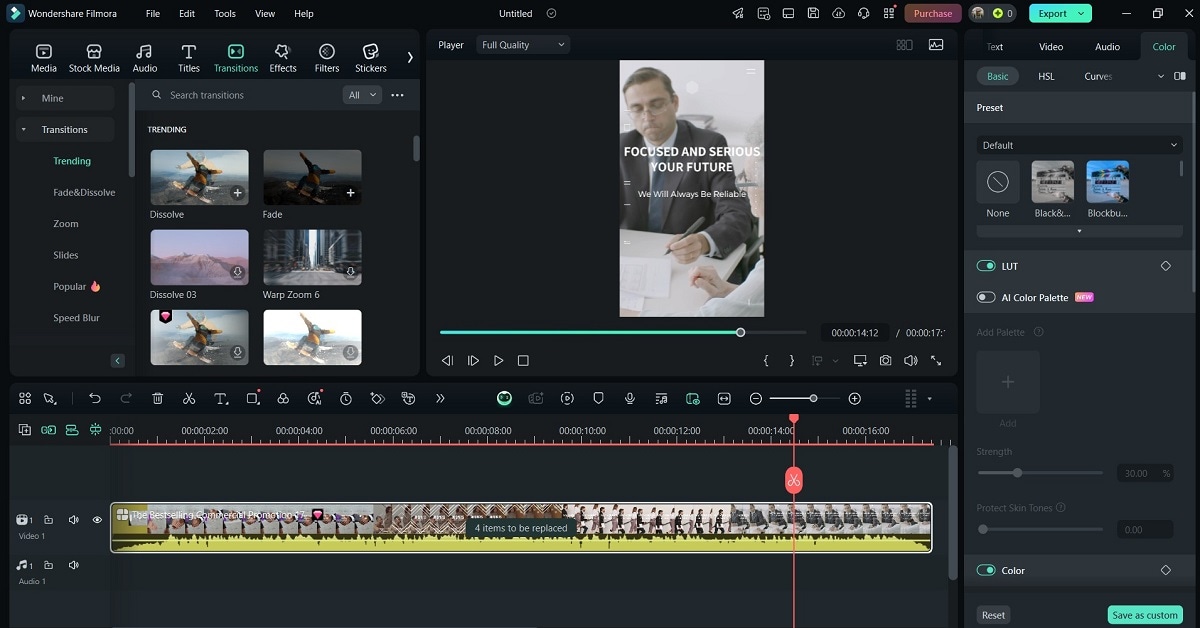
- Apply Visual Effects. Use Transitions, Effects, and Filters to personalize the look. Filters and LUTs can give your video a cinematic feel, while overlays help highlight key messages.
- Preview & Refine. Hit the play button to review the sequence. Fine‑tune text placement, timing, and animation until the video feels polished.
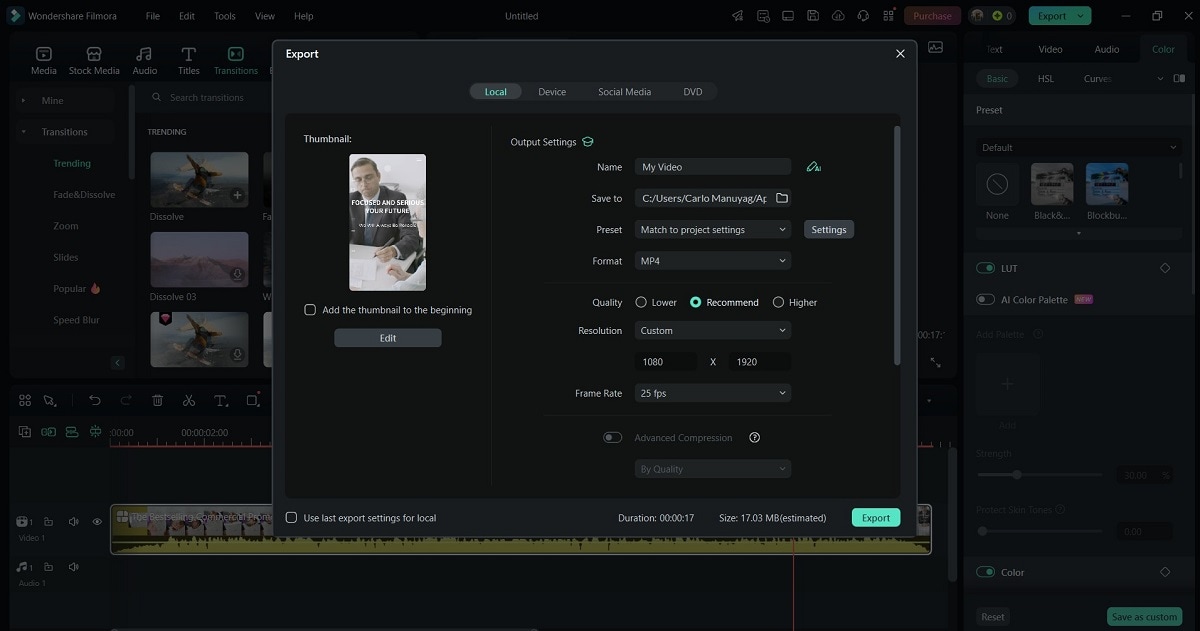
- Export. Click Export, choose the appropriate aspect ratio (16:9, 9:16, 1:1), and select a platform‑optimized preset for YouTube, Instagram, Facebook, LinkedIn, or your website.
Part 2. Advanced Features to Elevate Commercial Videos
Beyond templates, Filmora offers a suite of tools that elevate video quality and engagement:
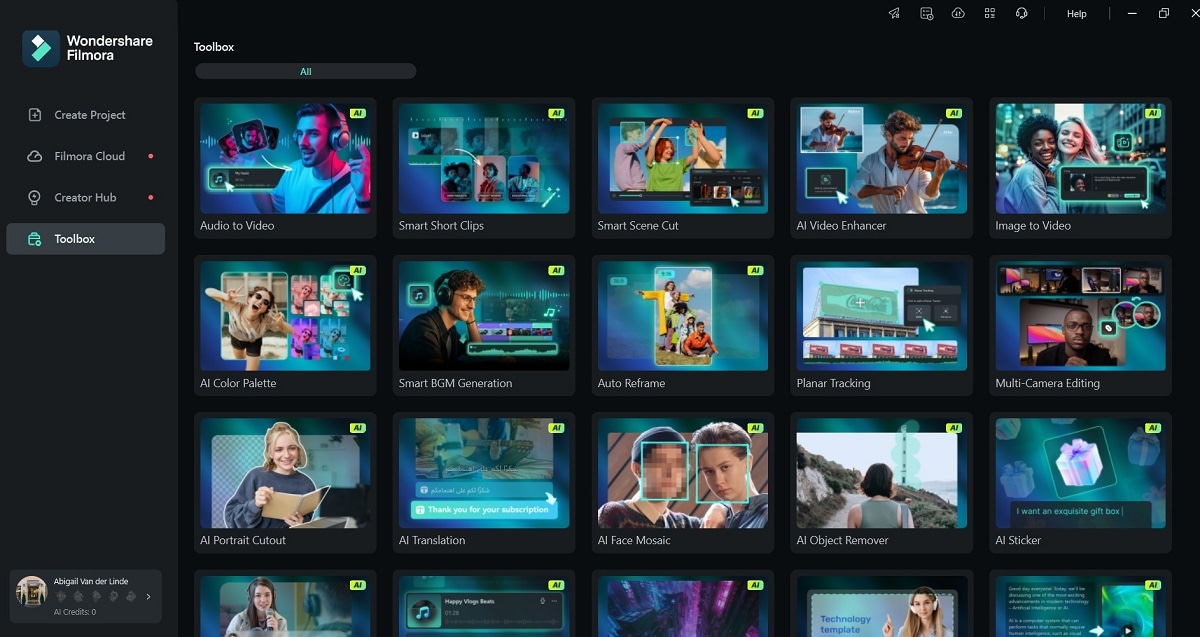
- AI‑Powered Editing. Automate complex tasks with AI motion tracking, smart cut‑outs, and automated color grading, ensuring each frame looks its best.
- Dynamic Motion Tracking. Attach graphics, text, or call‑to‑action overlays to moving objects, ideal for highlighting product features or price tags.
- Drag‑and‑Drop Interface. Import media, apply effects, and reposition elements with a simple click—no steep learning curve required.
- 3D Text & Cinematic Effects. Add depth with 3D animated titles, cinematic LUTs, and advanced color grading for a premium finish.
- Green‑Screen & Overlays. Replace backgrounds seamlessly and layer branding elements to reinforce identity throughout the video.
- Royalty‑Free Media Library. Access thousands of clips, sound effects, and music tracks to enrich any commercial narrative.
Part 3. Creative Ways to Use Commercial Video Templates
Filmora’s commercial templates are versatile across channels and objectives. Below are key use cases:

Social Media Ads
Produce punchy, platform‑ready clips that capture attention in seconds—perfect for Instagram Reels, Facebook Stories, and YouTube Shorts.
Product Demonstrations
Showcase features, tutorials, or use‑case scenarios with engaging animations and dynamic overlays.
Corporate Presentations
Elevate proposals, investor decks, or internal briefings with sleek transitions, high‑resolution visuals, and a professional tone.
Event Promotions
Create cinematic teasers, countdown timers, and event highlights that build anticipation and drive attendance.
E‑Commerce Marketing
Feature best‑sellers, seasonal offers, or limited‑time deals in vibrant videos that boost click‑through rates and conversions.
Testimonial & Case Study Videos
Build trust by incorporating real customer footage, animated data points, and authentic success stories.
Email Marketing Video Attachments
Transform newsletters into engaging video emails—short, compelling, and optimized for higher engagement.
Part 4. Benefits of Using Filmora Commercial Video Templates
Why choose Filmora for commercial video production? The advantages are clear:
- Time & Cost Savings. Skip the need for costly production teams and complex software—templates reduce editing time dramatically.
- Easy Customization. Match your brand identity instantly by adjusting colors, fonts, and overlays without starting from scratch.
- Professional‑Quality Output. High‑resolution designs, built‑in AI enhancements, and cinematic effects deliver a polished look every time.
- Platform‑Optimized Export. Export in multiple aspect ratios (16:9, 9:16, 1:1) and ready‑to‑publish presets for social, web, and paid ads.
- Beginner‑Friendly Interface. Drag‑and‑drop and pre‑built elements make video creation accessible to anyone, regardless of technical skill.
Conclusion
Filmora’s commercial video templates streamline the entire creation process, empowering businesses to deliver stunning, AI‑enhanced promotional content quickly and affordably. Whether you’re producing social ads, product demos, corporate presentations, or email videos, Filmora’s tools and templates give you the professional edge you need.
Try Filmora’s free version today and discover how commercial templates can transform your marketing strategy!